1. Uvod
The FiiO DISC is a portable HiFi music player designed for high-quality audio playback. It features a slim aluminum body, a circular touchscreen, and advanced audio components to deliver an immersive listening experience. This manual provides essential information for setting up, operating, and maintaining your FiiO DISC.

Figure 1.1: FiiO DISC Portable HiFi Music Player in various colors.
2. Nastavitev
2.1. Razpakiranje in začetno plačilo
Upon unboxing, ensure all components are present: the FiiO DISC player, a USB-C charging cable, and any included stickers. Before first use, fully charge the device using the provided USB-C cable connected to a compatible power adapter (not included).
2.2. Vstavljanje kartice MicroSD
The FiiO DISC supports MicroSD cards up to 2TB for expanded music storage. Locate the MicroSD card slot on the side of the device. Gently insert the MicroSD card until it clicks into place. Ensure the card is inserted correctly to avoid damage.

Figure 2.1: MicroSD card slot for storage expansion up to 2TB.
2.3. Vklop/izklop
Press and hold the power button (usually located on the side or top) for a few seconds to power on or power off the device. A short press will typically turn the screen on/off or lock/unlock the device.
2.4. Začetna izbira jezika
Upon first power-on, you may be prompted to select your preferred language. Follow the on-screen instructions to navigate and select English or your desired language.
3. Operating the FiiO DISC
3.1. Navigacija na zaslonu na dotik
The FiiO DISC features a circular touchscreen for intuitive control. Swipe across the screen to navigate menus and tap icons to select options. The user interface includes customizable lock screens, screen savers, album art, and lyrics display.

Figure 3.1: Dynamic user interface on the FiiO DISC circular touchscreen.
3.2. Predvajanje glasbe
- Brskanje: Navigate to the 'Music' or 'Folders' section to browse your audio files.
- Predvajanje/pavza: Tap the play/pause icon on the screen or use the dedicated physical buttons.
- Preskoči skladbe: Use the forward/backward icons on the screen or physical buttons to skip tracks.
- Nadzor glasnosti: Adjust volume using the dedicated volume buttons on the device.
3.3. Bluetooth povezljivost
The FiiO DISC supports Bluetooth 5.4 with LDAC for high-quality wireless audio. To pair with Bluetooth headphones or speakers:
- Pojdite v meni »Nastavitve« in izberite »Bluetooth«.
- Vklopite Bluetooth in zunanjo napravo preklopite v način seznanjanja.
- Na seznamu razpoložljivih naprav izberite svojo napravo za povezavo.

Figure 3.2: FiiO DISC demonstrating Bluetooth 5.4 with LDAC support.
3.4. Wired Headphone Outputs
The device is equipped with both 3.5mm single-ended and 4.4mm balanced headphone outputs. Connect your preferred wired headphones to the corresponding jack for optimal audio quality.

Figure 3.3: The FiiO DISC features both 3.5mm and 4.4mm headphone outputs.
3.5. USB Modes and Other Connectivity
The FiiO DISC supports various connectivity options:
- Način USB DAC: Connect to a computer to use the FiiO DISC as an external DAC.
- Avdio izhod USB: Output audio digitally via USB to compatible devices.
- Coaxial Digital Output: For connecting to home audio systems.
- AirPlay: Brezžično pretakajte zvok iz naprav Apple.
4. Ključne značilnosti
- Premium Aluminum Alloy Body with Circular Touchscreen: The ultra-slim aluminum alloy body provides a refined, lightweight feel. The round touchscreen offers a rich UI with customizable lock screens, screen savers, album art, and lyrics display.
- Dual DAC Design with Dual Headphone Outputs: Equipped with dual CS43131 DACs and a balanced audio architecture, it delivers up to 280mW of output power through both 3.5mm single-ended and 4.4mm balanced headphone outputs.
- Bluetooth 5.4 with LDAC Support: Ensures fast, stable, and low-latency wireless connections with support for high-quality audio codecs like LDAC and SBC.
- Pure Music OS with Up to 2TB Storage Expansion: Powered by a dual-core X2000 controller and FiiO’s self-developed Linux-based pure music system, offering smooth operation and support for up to 2TB MicroSD card expansion.
- Do 12 ur delovanja baterije: The built-in 1450mAh battery provides up to 12 hours of continuous playback.
- Vsestranska povezljivost: Supports USB DAC mode, USB Audio output, coaxial digital output, and AirPlay for seamless integration with various audio setups.
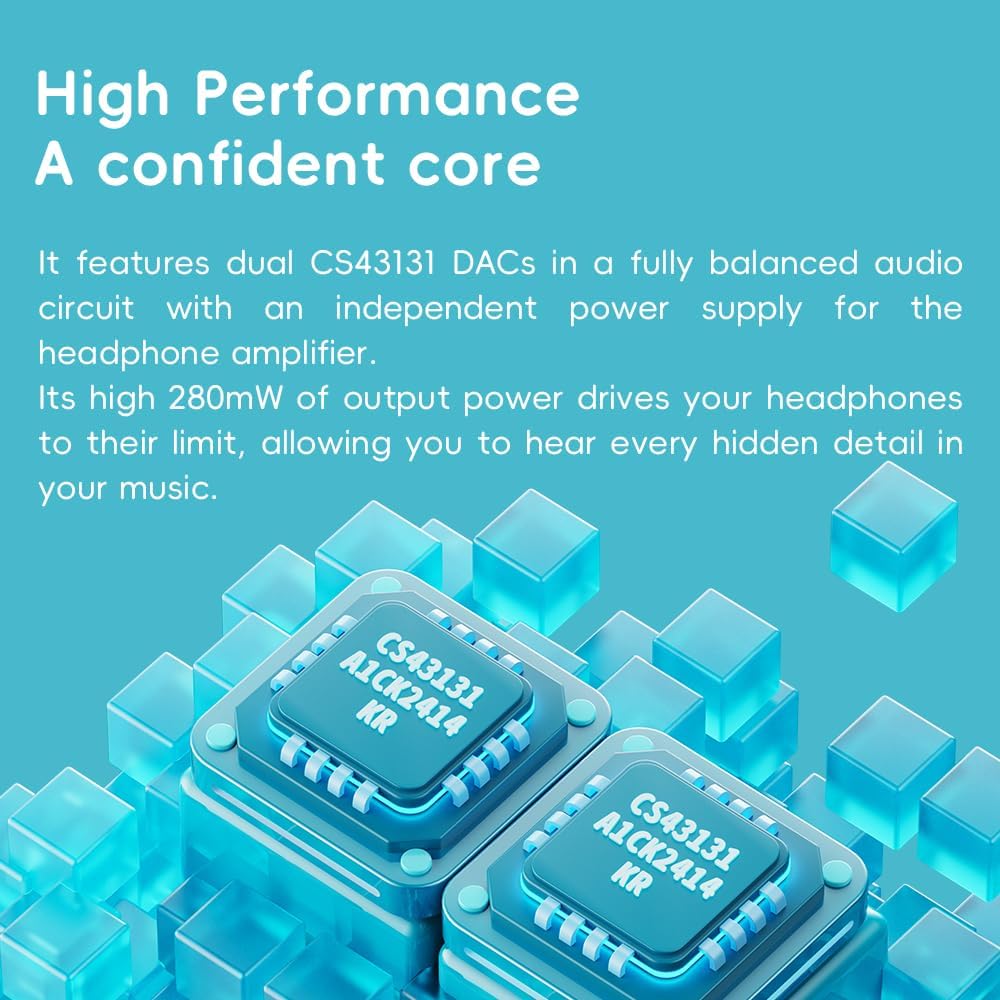
Figure 4.1: The FiiO DISC utilizes dual CS43131 DACs for high-fidelity audio.

Figure 4.2: The Ingenic X2000 dual-core chip powers the FiiO DISC's pure music OS.

Figure 4.3: The FiiO DISC offers up to 12 hours of battery life.
5. Vzdrževanje
- Čiščenje: Za čiščenje naprave uporabite mehko, suho krpo. Izogibajte se uporabi agresivnih kemikalij ali abrazivnih materialov.
- Shranjevanje: Store the FiiO DISC in a cool, dry place away from direct sunlight and extreme temperatures.
- Vzdrževanje baterije: Da podaljšate življenjsko dobo baterije, se izogibajte pogostemu popolnemu praznjenju naprave. Redno jo polnite, tudi če je dalj časa ne uporabljate.
6. Odpravljanje težav
6.1. Naprava se ne vklopi
- Prepričajte se, da je naprava popolnoma napolnjena. Priključite jo na vir napajanja in počakajte nekaj minut, preden jo poskusite znova vklopiti.
- Za izvedbo trde ponastavitve poskusite pritisniti gumb za vklop dlje časa (npr. 10–15 sekund).
6.2. Brez zvočnega izhoda
- Check the volume level on the device and your connected headphones/speakers.
- Ensure headphones are properly connected to the correct output jack (3.5mm or 4.4mm).
- If using Bluetooth, verify that the device is correctly paired and connected to your audio output.
- Test with different headphones or speakers to rule out an issue with the audio output device.
6.3. Glasba Files Not Appearing
- Ensure the MicroSD card is properly inserted.
- Preverite, ali glasba fileso v podprti obliki.
- Perform a music library scan through the device's settings.
6.4. Težave s seznanjanjem prek Bluetootha
- Ensure both the FiiO DISC and the target Bluetooth device are in pairing mode.
- Napravi premaknite bližje druga drugi, da zagotovite, da sta v dosegu.
- Forget previous pairings on both devices and attempt to pair again.
7. Specifikacije
| Funkcija | Podrobnost |
|---|---|
| Znamka | FiiO |
| Ime modela | DISK |
| Številka modela artikla | F5381D |
| Tehnologija povezljivosti | Aux, Bluetooth |
| Posebna funkcija | Zvok visoke ločljivosti |
| barva | Blue (other variants available) |
| Velikost zaslona | 1.8 palcev |
| Združljive naprave | Slušalke |
| Baterija | 1450 mAh (do 12 ure predvajanja) |
| Razširitev shranjevanja | Kartica MicroSD do 2 TB |
| DAC-ji | Dvojni CS43131 |
| Izhodna moč | Do 280 mW |
| Operacijski sistem | Linux-based pure music system |
| Teža predmeta | 5.9 unč |
| Dimenzije paketa | 11.46 x 4.06 x 1.22 palcev |
8. Garancija in podpora
Za informacije o garanciji in tehnično podporo se obrnite na uradno spletno stran FiiO. webspletno mesto ali se obrnite na njihovo službo za stranke. Shranite dokazilo o nakupu za uveljavljanje garancije.
Visit the official FiiO Store for more information: FiiO Store


