1. Izdelek je končanview
The ANJIELO SMART 1080P Video Intercom System is designed for multi-unit buildings, supporting 2 to 12 apartments. This system provides secure communication and access control with a 7-inch touchscreen monitor, motion detection, two-way talk, and Tuya App integration. It ensures privacy for each unit and offers robust outdoor durability.
Ključne značilnosti:
- Scalable & Private System: Supports 2 to 12 units with independent monitoring for each apartment.
- Vzdržljivost v vseh vremenskih razmerah: Outdoor doorbell crafted from aluminum alloy with an IP65 rating.
- Več načinov odklepanja: Unlock via ID card, Smart Tuya App, or indoor monitor.
- Samodejno snemanje: Built-in motion detection captures and records video to a 32GB microSD card.
- Modern 7-Inch Touchscreen Monitor: Manage calls, monitor, and unlock doors with a sleek TFT touchscreen.
- 1080P HD kamera: Wide-angle lens with enhanced IR night vision for clear day and night viewing.
- Dvosmerni zvok: Hands-free intercom for clear communication with visitors.
- Integracija aplikacije Tuya: Connects wirelessly to the Smart Tuya App via Wi-Fi for remote control.
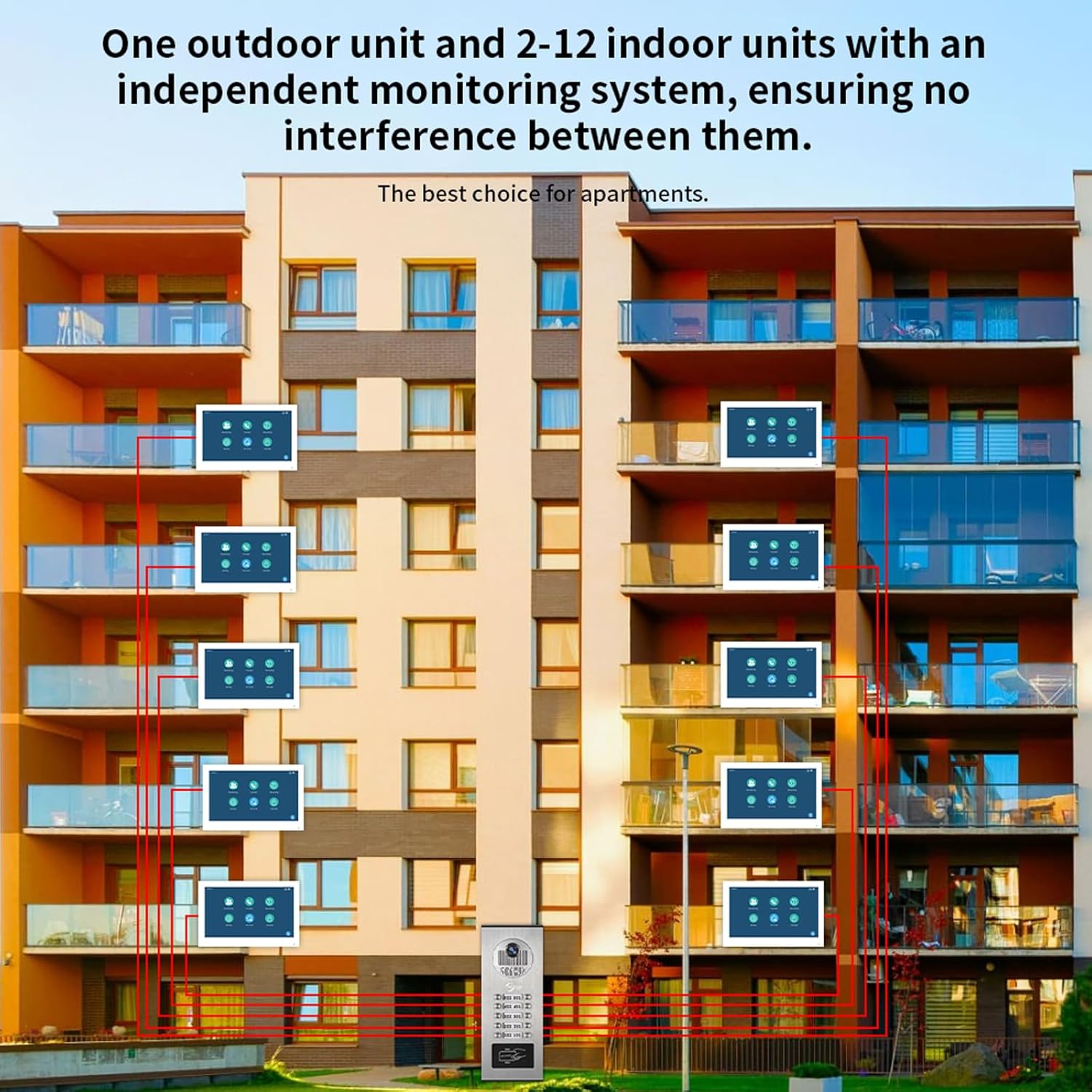
Slika 1.1: Konec sistemaview for multi-unit buildings, illustrating one outdoor unit serving multiple indoor monitors independently.
2. Nastavitev in namestitev
2.1 Vsebina paketa
Pred začetkom namestitve se prepričajte, da so prisotne vse komponente:
- Zunanja zvonec
- Indoor Monitor(s) (quantity varies by system configuration)
- Power Adapter(s) (DC 12V, 2A for each monitor)
- 3-meter connection cable
- Montažni vijaki in sidra
- ID Cards (for unlocking)
- Uporabniški priročnik (ta dokument)
2.2 Smernice za namestitev
- Montaža zunanje enote: The outdoor unit is designed for surface mounting. Choose a location that provides a clear view of visitors and is protected from direct impact. Ensure the unit is installed at an appropriate height for all users.
- Mounting the Indoor Monitor(s): Install indoor monitors in a convenient location within each apartment. They are also designed for surface mounting.
- Povezava ožičenja:
- The indoor monitor and doorbell require a wired connection. Use the provided 4-wire cable to connect the outdoor doorbell unit to each indoor monitor.
- Each indoor monitor must be connected to its dedicated 12V 2A power supply.
- The system supports extending the doorbell and camera with additional wiring, but be aware of distance limitations between the screen and doorbell for optimal performance.
- The monitor connects to your Wi-Fi network for Tuya App functionality, but the primary connection between the doorbell and monitor is wired for stability.
- Napajalni priključek: Connect the power adapters to each indoor monitor and plug them into a standard AC 100-240V 50/60Hz power outlet.
- Začetni vklop: Once all connections are secure, power on the system. The indoor monitor should display the initial setup screen.

Slika 2.1: Detailed wiring diagram for connecting indoor monitors, the outdoor doorbell, power supplies, and an optional electronic lock.
3. Navodila za uporabo
3.1 Indoor Monitor Functions
The 7-inch TFT-LCD touchscreen monitor is the central control unit for your intercom system.
- Odgovarjanje na klice: When a visitor presses the doorbell, the indoor monitor will ring. Touch the screen to answer and initiate two-way communication.
- Spremljanje: Ročno lahko view the outdoor camera feed at any time by selecting the monitoring function on the screen.
- Odklepanje vrat: During a call or while monitoring, an unlock icon will appear on the screen. Tap it to remotely unlock the connected door.
- Volume and Color Adjustment: Navigate through the monitor settings to adjust ringtone volume, display color, and other preferences.

Slika 3.1: Indoor monitor interface and notification modes (At home, Not at home, Dormant).
3.2 Dvosmerni pogovor
The system supports hands-free two-way audio communication. When a visitor rings the doorbell, you can see, speak, and hear them directly through the indoor monitor.

Slika 3.2: Demonstrating two-way audio communication via the indoor monitor.
3.3 Motion Detection and Auto-Recording
The outdoor unit features smart PIR motion detection. When movement is detected, the system will automatically capture video or photos and save them to the included 32GB microSD card. You will receive notifications on your smartphone via the Tuya App.
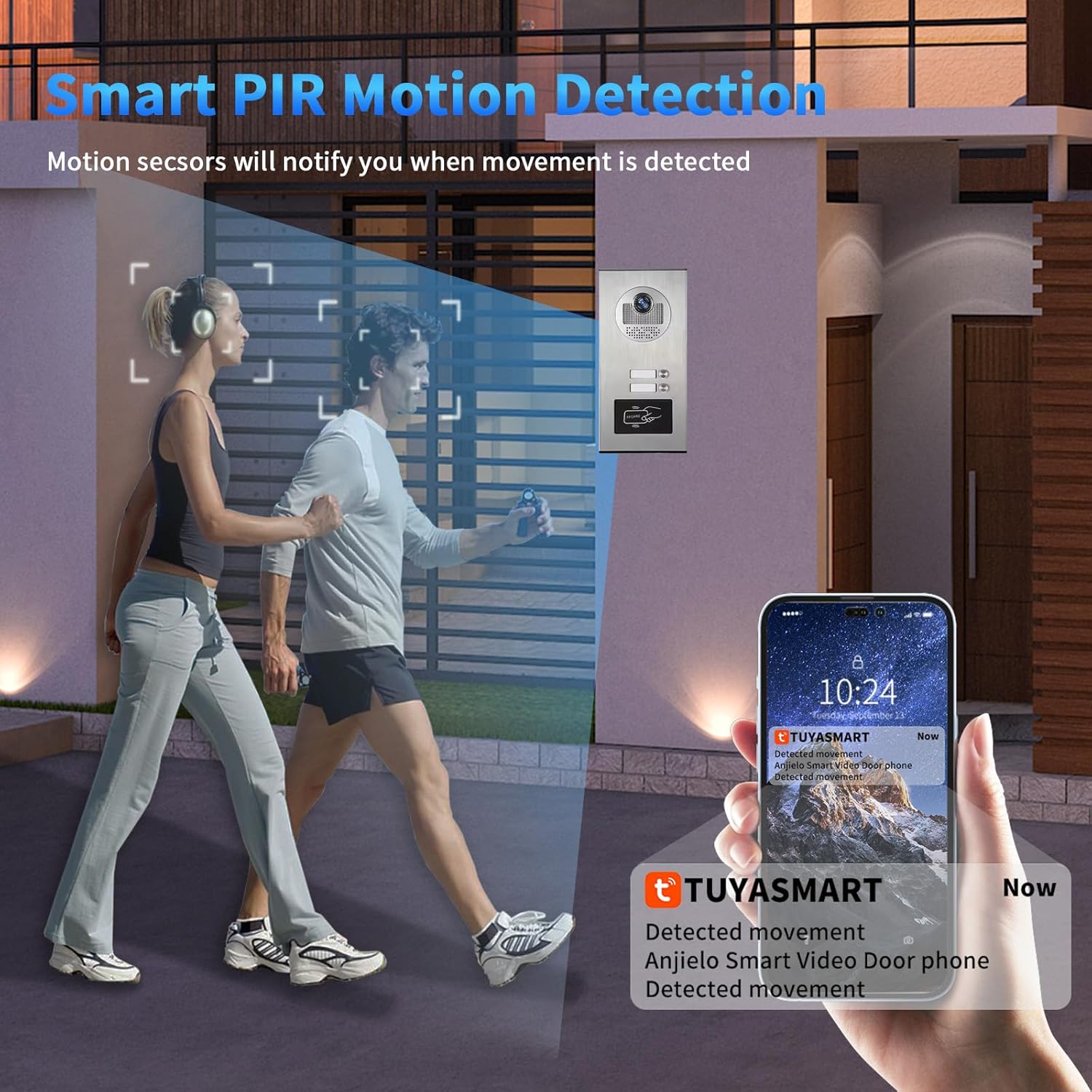
Slika 3.3: Motion detection triggering a notification on the Tuya Smart app.

Slika 3.4: Motion detection automatically recording video or taking photos.
3.4 Tuya App Remote Control
Connect your indoor monitor to your Wi-Fi network to enable remote control via the Smart Tuya App. This allows you to:
- Receive calls and notifications from the doorbell on your smartphone.
- View live video from the outdoor camera.
- Engage in two-way talk with visitors remotely.
- Remotely unlock the door from anywhere.
- Review recorded motion detection footage.

Slika 3.5: Remote unlocking via the Tuya App.

Slika 3.6: Receiving doorbell calls and unlocking via the mobile phone app.
3.5 ID Card Unlocking
The outdoor unit supports ID card swiping for convenient access. Present a registered ID card to the designated area on the outdoor unit to unlock the door. The system can store up to 500 ID cards with a frequency of 13.56MHZ and a card reading time of 1 second.
4. Vzdrževanje
Redno vzdrževanje zagotavlja optimalno delovanje in dolgo življenjsko dobo vašega domofonskega sistema.
- Čiščenje: Uporabite mehko, damp cloth to clean the outdoor unit and indoor monitor screens. Avoid abrasive cleaners or solvents that could damage surfaces.
- Posodobitve vdelane programske opreme: Občasno preverite proizvajalčeve website or the Tuya App for any available firmware updates to ensure your system has the latest features and security enhancements.
- Pregled kabla: Regularly inspect all wired connections for any signs of wear, damage, or loose connections.
- Napajanje: Ensure all power adapters are securely connected and functioning correctly.
- Kartica MicroSD: Občasno ponovnoview and manage recordings on the microSD card. Replace the card if it shows signs of degradation or if storage capacity becomes an issue.
5. Odpravljanje težav
Če imate težave z domofonskim sistemom ANJIELO SMART, si oglejte naslednje pogoste težave in rešitve:
| Težava | Možen vzrok | rešitev |
|---|---|---|
| No image or sound on indoor monitor. | Loose wiring connection between doorbell and monitor, no power to monitor. | Check all 4-wire connections. Ensure the monitor's 12V 2A power adapter is securely plugged in and receiving power. |
| Wi-Fi connection issues for Tuya App. | Incorrect Wi-Fi password, weak signal, monitor not connected to Wi-Fi. | Ensure the indoor monitor is within Wi-Fi range. Verify Wi-Fi password in monitor settings. Remember, the doorbell-monitor connection is wired, only the monitor connects to Wi-Fi. |
| Motion detection not recording or notifying. | Motion detection disabled, microSD card full or faulty, app notifications off. | Check motion detection settings on the monitor and in the Tuya App. Ensure the 32GB microSD card is properly inserted and has free space. Enable notifications in the Tuya App settings. |
| Door unlocking not working. | Electronic lock not properly connected, ID card not registered, app not connected. | Verify the connection to the electronic lock. Ensure ID cards are correctly registered. Check Tuya App connectivity for remote unlocking. |
| Slaba kakovost nočnega vida. | Obstruction in front of camera, IR sensors blocked. | Clear any obstructions from the outdoor camera lens and IR sensors. |
6. Specifikacije izdelka
Zunanja enota zvonca:
- Senzor fotoaparata: 2.0MP, 1/4" CMOS, 3.6MM Lens
- View Kot: 120 stopinj širokega kota
- Rainproof & Night Vision: IP65 rated, 3M night vision distance (Infrared night vision)
- Night Vision Sensitivity: 0.01 luksov
- Napajanje: Dobavlja se iz notranjega monitorja
- Namestitev: Površinska montaža
- Delovna temperatura: -30°C do 60°C
- Material: Aluminijeve zlitine
- Vrsta signala: CVBS/AHD720/AHD1080
- Unlocking Type: Indoor unit unlocking / ID card swiping
- Number of ID Cards: 500 listov
- ID Card Frequency: 13.56 MHz
- Card Reading Time: 1 sekundo
- Dimensions (2-6 units): 264 x 127 x 43 mm
- Dimensions (8-12 units): 330 x 127 x 43 mm
Notranji monitor na dotik:
- zaslon: 7-palčni TFT-LCD zaslon na dotik
- Resolucija: 1024 x 680
- Melodija zvonjenja: 7-akordni melodični obroči
- Nastavljiv: Volume, color
- Način povezave: 4-žična, WIFI rešitev Tuya
- Material plošče: Akrilni/ABS pokrov
- Namestitev: Nadometna montaža
- Vhodna voltage: AC 100-240V 50/60Hz
- Delovni letniktage: DC 12V, 2A
- Dimensions (7 inch): 176x115x21 mm
General System Specifications:
- Ime modela: 60120HD-60075F-W
- ASIN: B0G46WYVVG
- vir energije: Električni na kabel
- Ločljivost zajema videa: 1080p
- Vključene komponente: Doorbell, Monitor
- Vrsta namestitve: Privijte
- Nadzorna metoda: Aplikacija, dotik
- Tehnologija povezljivosti: Wired (between doorbell and monitor), Wi-Fi (for monitor to app)
- Združljive naprave: Pametni telefon (prek aplikacije Tuya)
- Dimenzije izdelka: 8 x 5 x 1 inches (for the 12-family variant)
7. Informacije o garanciji
ANJIELO SMART products are manufactured to high quality standards. For specific warranty details regarding your 1080P Video Intercom System, please refer to the warranty card included in your product packaging or visit the official ANJIELO SMART website. Typically, warranty coverage addresses manufacturing defects under normal use conditions.
Prosimo, shranite dokazilo o nakupu za morebitne garancijske zahtevke.
8. Podpora strankam
For technical assistance, troubleshooting, or further inquiries regarding your ANJIELO SMART 1080P Video Intercom System, please contact our customer support team.
- Spletna podpora: Obiščite uradnika Trgovina Anjielo Smart na Amazonu za pogosta vprašanja in informacije o izdelku.
- Podpora po e-pošti: Glejte embalažo izdelka ali uradna navodila. webspletno mesto za najnovejše kontaktne podatke e-pošte.
Ko se obrnete na podporo, imejte pri roki številko modela izdelka (60120HD-60075F-W) in podrobnosti o nakupu so pripravljene.


