1. Uvod
The KONNWEI MAXOBD OBD2 Scanner is a professional diagnostic tool designed to read and clear diagnostic trouble codes (DTCs) from your vehicle's engine control unit (ECU). It provides access to various vehicle systems, allowing users to monitor live data, perform I/M readiness tests, and retrieve vehicle information. This manual provides detailed instructions for the proper use and maintenance of your MAXOBD scanner.
2. Varnostne informacije
Before operating the MAXOBD OBD2 Scanner, please read and understand all safety messages and instructions in this manual. Failure to do so may result in personal injury or damage to the vehicle or the scanner.
- Testiranje avtomobilov vedno izvajajte v varnem okolju.
- Nosite zaščito za oči, ki ustreza standardom ANSI.
- Oblačila, lase, roke, orodje, testno opremo itd. hranite stran od vseh premikajočih se ali vročih delov motorja.
- Vozilo upravljajte v dobro prezračevanem delovnem prostoru; izpušni plini so strupeni.
- Prestavite menjalnik v položaj PARK (za samodejni menjalnik) ali NEVTRAL (za ročni menjalnik) in se prepričajte, da je parkirna zavora vključena.
- Keep a fire extinguisher suitable for gasoline/electrical fires nearby.
- Ne priključujte ali odklapljajte nobene preskusne opreme, ko je vžig vključen ali motor deluje.
3. Izdelek je končanview
The MAXOBD scanner features a clear display and intuitive button layout for easy navigation and operation. It connects directly to your vehicle's OBD-II port to retrieve diagnostic information.
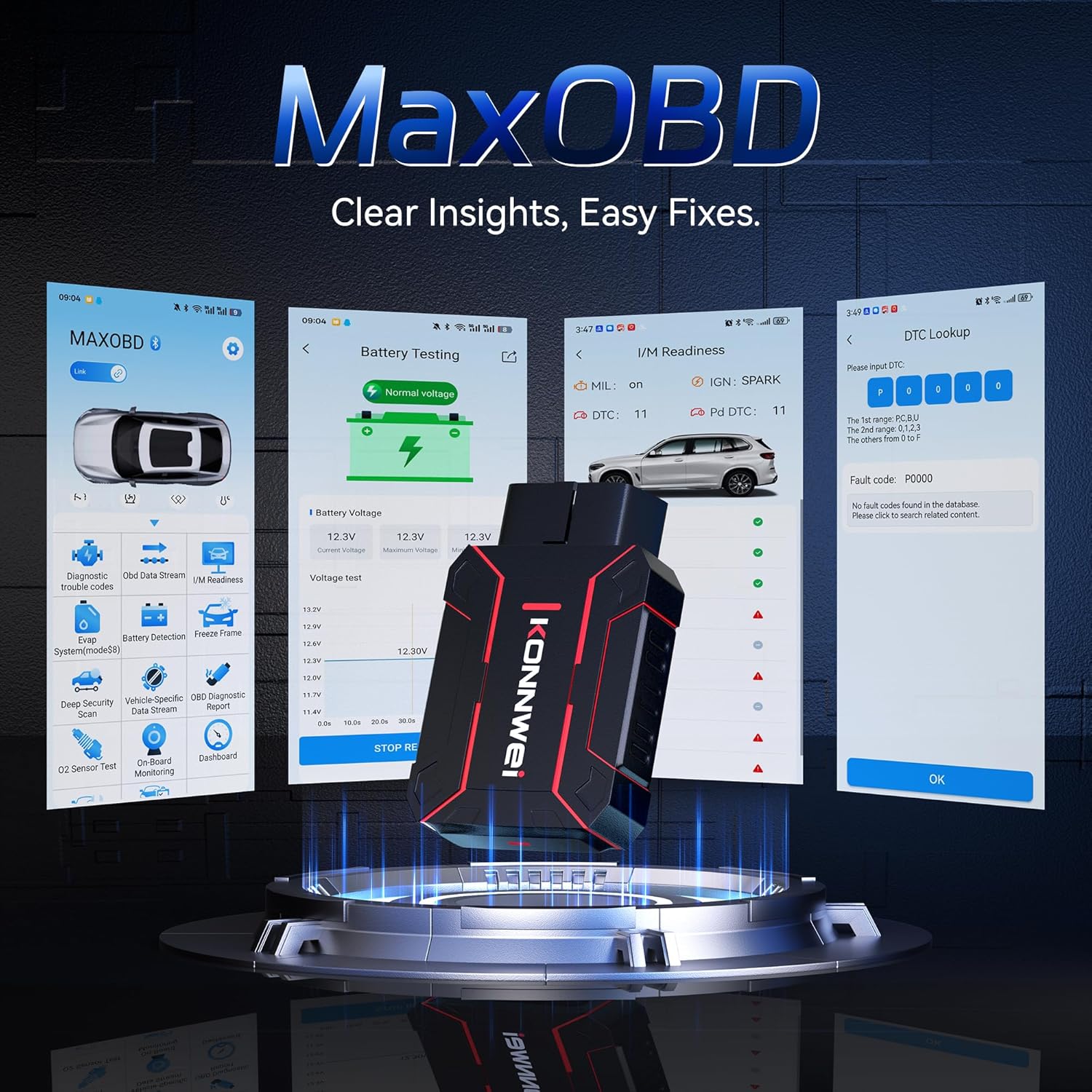
Image: The KONNWEI MAXOBD OBD2 Scanner device, illustrating its physical form and various diagnostic screen interfaces such as battery testing, I/M readiness, and DTC lookup.
Ključne komponente:
- Priključek OBD-II: Connects to the vehicle's Data Link Connector (DLC).
- LCD zaslon: Shows test results and menu options.
- Gumbi za krmarjenje: Uporablja se za pomikanje po menijih in izbiranje možnosti.
- Enter/Exit Buttons: Confirm selections or return to previous screens.
4. Nastavitev
Follow these steps to set up your MAXOBD OBD2 Scanner:
- Poiščite priključek OBD-II v vozilu: 16-pinski priključek za podatkovno povezavo (DLC) se običajno nahaja pod armaturno ploščo na voznikovi strani vozila. Če ga ne najdete, glejte servisni priročnik za vaše vozilo.
- Priključite skener: Plug the MAXOBD scanner's OBD-II connector firmly into the vehicle's DLC. Ensure a secure connection.
- Vklop: Once connected, the scanner will automatically power on. If it does not, turn the vehicle's ignition to the 'ON' position (engine off).
5. Navodila za uporabo
The MAXOBD scanner offers various diagnostic functions. Use the navigation buttons to move through menus and the Enter button to select options.

Image: A visual representation of a vehicle highlighting various systems (Engine, ABS, SAS, SRS, DPF, TPMS) that the MAXOBD scanner can perform a full system scan on.
Funkcije glavnega menija:
- Preberite kode: Retrieves Diagnostic Trouble Codes (DTCs) from the vehicle's ECU. These codes indicate specific issues detected by the vehicle's onboard diagnostic system.
- Izbriši kode: Clears all DTCs from the vehicle's ECU and turns off the Malfunction Indicator Lamp (MIL). Preden izbrišete kode, se prepričajte, da je osnovna težava odpravljena.
- I/M pripravljenost: Checks the status of emission-related monitoring systems to determine if they are ready for an emissions test.
- Podatkovni tok: Displays real-time operational parameters from the vehicle's sensors and components. This can include engine RPM, vehicle speed, oxygen sensor readings, and more.
- Zamrzni okvir: Captures a snapshot of sensor data at the moment a DTC was set. This data can help identify the conditions under which a fault occurred.
- Test senzorja O2: Retrieves O2 sensor monitoring test results for the most recently completed tests from the vehicle's onboard computer.
- Preizkus vgrajenega monitorja: Pridobi rezultate za komponente in sisteme pogonskega sklopa, povezane z emisijami, ki se ne spremljajo neprekinjeno.
- Preizkus sistema EVAP: Začne preizkus tesnosti sistema za nadzor emisij izhlapevanja vozila.
- Informacije o vozilu: Prikaže identifikacijsko številko vozila (VIN), kalibracijsko številko (CALID) in številko potrditve kalibracije (CVN).
Izvajanje diagnostičnega skeniranja:
- Connect the scanner to the vehicle's DLC and turn the ignition to 'ON'.
- From the main menu, select 'Read Codes' and press Enter.
- The scanner will communicate with the vehicle and display any detected DTCs.
- Use the navigation buttons to scroll through the codes and their descriptions.
- To clear codes, return to the main menu, select 'Erase Codes', and confirm.
6. Vzdrževanje
Proper maintenance ensures the longevity and reliable operation of your MAXOBD scanner.
- Čiščenje: Uporabite mehko, damp krpo za čiščenje zunanjosti skenerja. Ne uporabljajte abrazivnih čistil ali topil.
- Shranjevanje: Store the scanner in a dry, clean environment away from extreme temperatures and direct sunlight. Keep it in its original packaging or a protective case when not in use.
- Posodobitve programske opreme: Občasno preverite uradno obvestilo KONNWEI website for available software updates to ensure your scanner has the latest vehicle compatibility and features. Follow the instructions provided on the website for updating the device.
7. Odpravljanje težav
If you encounter issues with your MAXOBD scanner, refer to the following common problems and solutions:
| Težava | Možen vzrok | rešitev |
|---|---|---|
| Skener se ne vklopi. | Loose connection; vehicle ignition off; faulty OBD-II port. | Ensure the scanner is securely plugged into the DLC. Turn vehicle ignition to 'ON'. Test on another vehicle if possible. |
| Sporočilo »Napaka povezave« ali »Napaka v komunikaciji«. | Loose connection; vehicle not OBD-II compliant; ignition off; communication protocol issue. | Verify connection. Ensure vehicle is OBD-II compliant (most vehicles 1996 and newer). Turn ignition to 'ON'. Try a different vehicle if available. |
| Zaslon je prazen ali zamrznjen. | Software glitch; power interruption. | Disconnect and reconnect the scanner. If the issue persists, contact customer support. |
If the problem persists after attempting these solutions, please contact KONNWEI customer support for further assistance.
8. Specifikacije
- Znamka: KONNWEI
- Model: maxobdTM
- vir energije: Napajanje z baterijo (prek priključka OBD-II)
- Operacijski sistem: Linux
- Velikost zaslona: 2.8 palcev
- Vrsta avtomobilske opreme: Universal Fit (for OBD-II compliant vehicles)
- Dimenzije paketa: 10.04 x 7.28 x 2.76 palcev
9. Garancija in podpora
KONNWEI products are designed for reliability and performance. For warranty information, please refer to the documentation included with your purchase or visit the official KONNWEI website. For technical support, troubleshooting assistance, or any other inquiries, please contact KONNWEI customer service through their official channels.
KONNWEI Official Webspletno mesto: Obiščite trgovino KONNWEI na Amazonu