1. Uvod
This manual provides essential information for the setup, operation, maintenance, and troubleshooting of your Thunderobot Zero 18 Pro Gaming Laptop. Please read this manual thoroughly before using your device to ensure optimal performance and longevity.
2. Nastavitev
2.1 Razpakiranje in začetni pregled
Previdno odstranite vse komponente iz embalaže. Preverite, ali so vsi elementi, navedeni v razdelku »Kaj je v škatli«, prisotni in nepoškodovani. Če kateri koli elementi manjkajo ali so poškodovani, se nemudoma obrnite na podporo strankam.
- THUNDEROBOT Zero 18 Laptop
- Napajalni adapter
- Dokumentacija (ta priročnik)
2.2 Priključitev napajalnika
Priključite napajalnik na vhodno vtičnico prenosnika in ga nato priključite v stensko vtičnico. Pred prvo uporabo je priporočljivo, da baterijo popolnoma napolnite.
Slika: Zadaj view of the Thunderobot Zero 18 Pro laptop showing the power input port and other connections.
2.3 Začetni zagon in namestitev sistema Windows
Press the power button to turn on the laptop. Follow the on-screen instructions to complete the Windows 11 Home setup process. This includes selecting your region, language, connecting to a network, and creating a user account.
3. Navodila za uporabo
3.1 Tipkovnica in sledilna ploščica
The laptop features a full-featured backlit keyboard with a numeric pad and a responsive touchpad. Refer to the image below for key layout and special function keys.
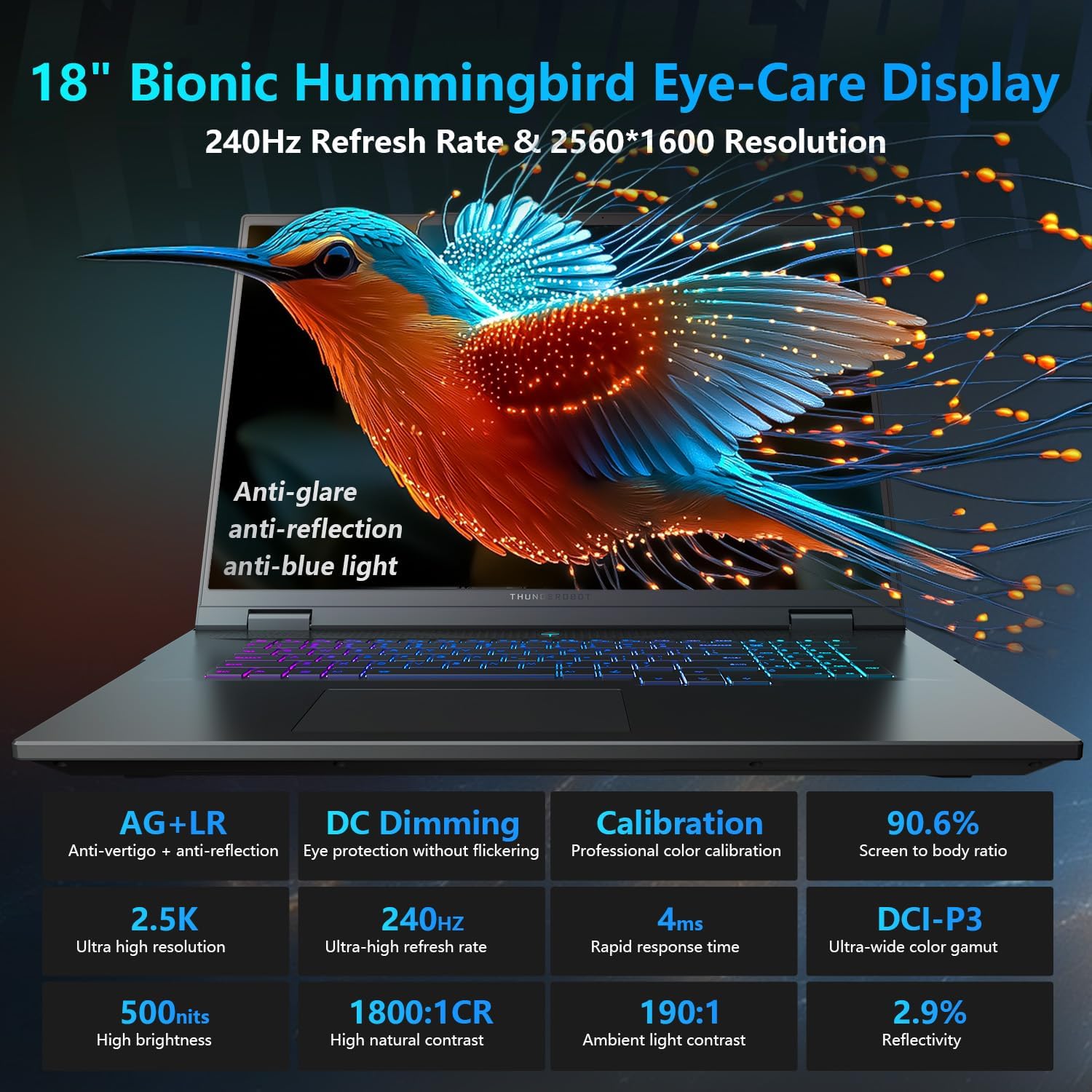
Image: Close-up of the Thunderobot Zero 18 Pro's per-key RGB backlit keyboard and touchpad.
Funkcijske tipke: Uporabite Fn key in combination with the F1-F12 keys for various functions such as adjusting brightness, volume, and toggling Wi-Fi.
3.2 Funkcije zaslona
Your laptop is equipped with an 18-inch QHD+ 2.5K Eye-Care display with a 240Hz refresh rate. This display offers anti-glare, anti-reflection, and blue-light reduction features for extended viewudobje.

Image: The Thunderobot Zero 18 Pro laptop display showcasing its vibrant QHD+ resolution and narrow bezels.
3.3 Priključki za povezljivost
The laptop provides a range of ports for connecting peripherals and external devices:
- 3x SuperSpeed USB-A ports
- 2x USB-C ports (including Thunderbolt 5)
- vrata HDMI
- Ethernetna vrata RJ-45
- Avdio priključek

Slika: Stran view of the Thunderobot Zero 18 Pro laptop highlighting the various connectivity ports.
3.4 Inteligentni nadzorni center z umetno inteligenco
Utilize the pre-installed AI Intelligent Control Center software to manage performance modes, RGB lighting, and monitor system status. System mode switching requires the device to be connected to a power source.
Image: Screenshot of the AI Intelligent Control Center software interface, showing options for performance tuning, intelligent light adjustment, and comprehensive system adjustments.
4. Vzdrževanje
4.1 Čiščenje prenosnika
Regularly clean the screen with a soft, lint-free cloth and a screen-safe cleaning solution. Use a soft brush or compressed air to remove dust from the keyboard and ventilation grilles. Avoid using harsh chemicals or abrasive materials.
4.2 Skrb za baterije
To prolong battery life, avoid fully discharging the battery frequently. Store the laptop in a cool, dry place when not in use for extended periods. The laptop supports 100W PD charging.
4.3 Posodobitve programske opreme
Keep your operating system and drivers updated to ensure optimal performance and security. Check the Thunderobot official webspletno mesto za najnovejše posodobitve gonilnikov za vaš model.
5. Odpravljanje težav
5.1 Prenosnik se ne vklopi
- Prepričajte se, da je napajalnik varno priključen tako na prenosnik kot na delujočo električno vtičnico.
- Preverite delovanje vtičnice tako, da vanjo priključite drugo napravo.
- Če je baterija popolnoma izpraznjena, jo pustite polniti vsaj 30 minut, preden jo poskusite vklopiti.
5.2 Težave z zaslonom
- If the screen is black, try adjusting the brightness using the function keys.
- Connect an external monitor to check if the issue is with the laptop's display or the graphics card.
- Update your graphics drivers via the AI Intelligent Control Center or Thunderobot's official webmesto.
5.3 Upočasnitev delovanja
- Check for background applications consuming high CPU or RAM resources using Task Manager.
- Ensure the laptop's cooling system is not obstructed and is functioning correctly. Use the AI Intelligent Control Center to monitor temperatures and fan speeds.
- Run a disk cleanup and defragmentation (for HDDs) or TRIM (for SSDs) to optimize storage.
6. Specifikacije
| Funkcija | Podrobnost |
|---|---|
| Ime modela | ZERO 18 Pro |
| Procesor | Intel Core Ultra 9 275HX (24 jeder, do 5.40 GHz) |
| Grafika | GeForce RTX 5070 Ti (namenska) |
| RAM | 32 GB DDR5 (4800 MHz) |
| Shranjevanje | 1TB PCIe M.2 SSD |
| Zaslon | 18-inch QHD+ (2560x1600) 240Hz Eye-Care Display |
| Operacijski sistem | Windows 11 Home |
| Brezžična povezljivost | Wi-Fi 6E, Bluetooth |
| Pristanišča | 3x USB-A, 2x USB-C (Thunderbolt 5), HDMI, RJ-45, Audio Jack |
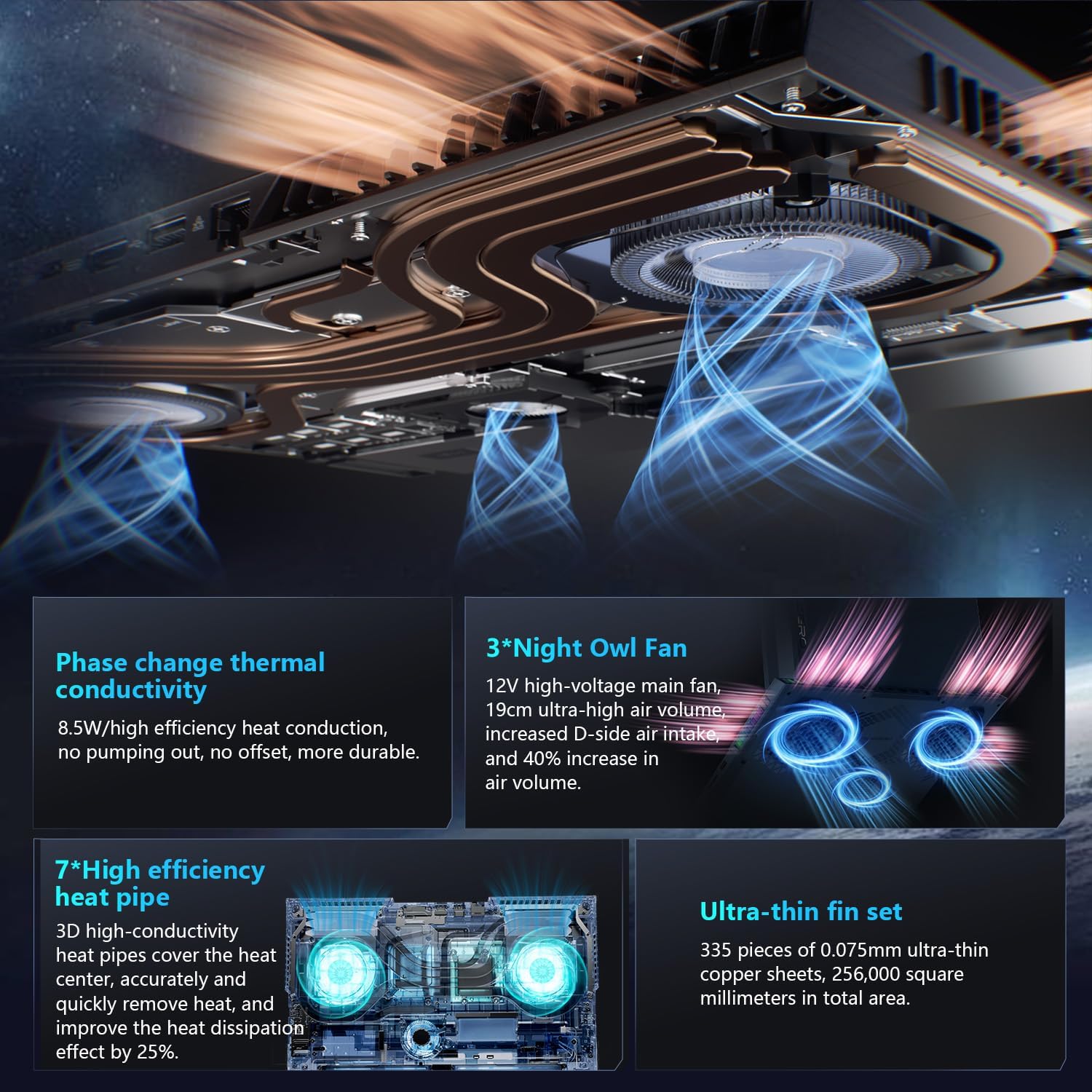
| Hladilni sistem | 270W Thermal System with 3x Night Owl fans, 7x heat pipes |
| Dimenzije (DxŠxV) | 16.04 x 11.78 x 1.41 palcev |
| Teža | 15 funtov |
7. Garancija in podpora
Every Thunderobot laptop includes a 12-month warranty, offering expert support, thorough diagnostics, and genuine parts if a repair is needed. A 90-day warranty is provided on all warranty replacement parts, ensuring hassle-free repairs.
For technical assistance, warranty claims, or further information, please visit the official Thunderobot support website or contact their customer service. Upgrading RAM or adding a second SSD may void the warranty; please consult with customer service before making such modifications.
Image: Graphic detailing Thunderobot's warranty and support policy.
8. Videoposnetki izdelkov
8.1 THUNDEROBOT Gaming E-Sports Partner
Video: Prekoračitevview of Thunderobot's involvement in e-sports and their commitment to gaming performance.
8.2 THUNDEROBOT Series Display
Video: A demonstration of the display features and visual quality of the Thunderobot Zero series laptops.
8.3 Thunderobot RGB lights
Video: A showcase of the customizable RGB lighting features on Thunderobot laptops, including keyboard and chassis lighting.


