Uvod
This manual provides instructions for the YOSUN Replacement Remote Control, designed for use with Apple TV 4K and HD models. This remote offers essential control functions without requiring complex setup. Please read this manual thoroughly before use.
Pomembna opomba: This remote control does NOT support Siri or voice control functions. It also does not feature Bluetooth or touchpad functionality. Power, Volume, and Mute buttons are compatible with specific TV brands only (Samsung, LG, Vizio, Hisense, Sony, Amazon Fire TV, Toshiba, Insignia Fire TV).
Združljivost naprave
The YOSUN Replacement Remote Control is compatible with the following Apple TV models:
- Apple TV Remote (white) A1156 MA128LL/A
- Apple TV Remote (aluminum) MM4T2AM/A
- Siri Remote (1st Gen) / Apple TV Remote (1st Gen) MQGD2LL/A
- Siri Remote (2nd Gen) / Apple TV Remote (2nd Gen) MJFM3LL/A
- Siri Remote (3rd Gen) / Apple TV Remote (3rd Gen) MNC73AM/A
This remote is designed to work with Apple TV (1st/2nd/3rd Gen), Apple TV HD (4th/5th Gen), and Apple TV 4K (1st/2nd/3rd Gen).
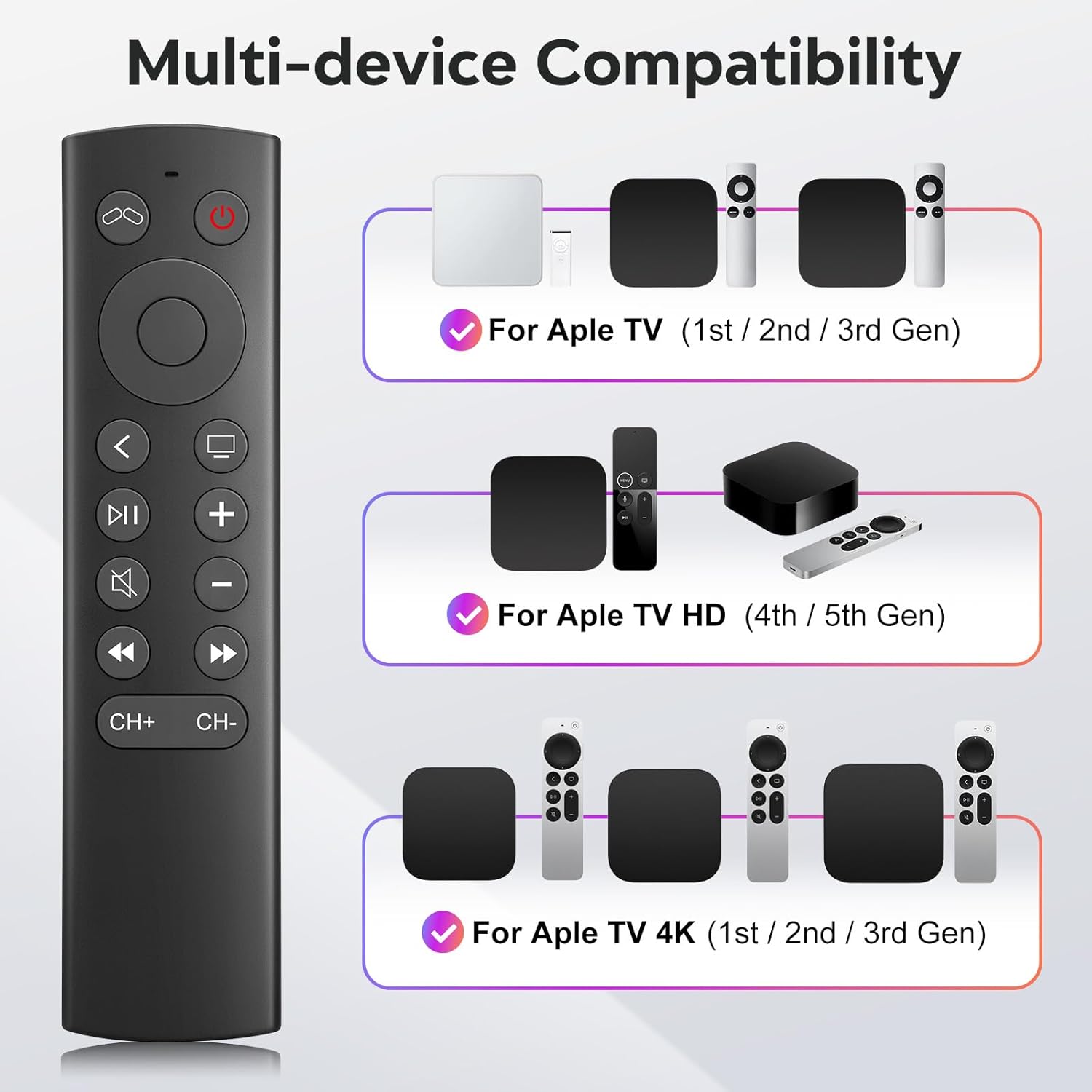
Figure 1: Multi-device compatibility overview for the YOSUN remote.
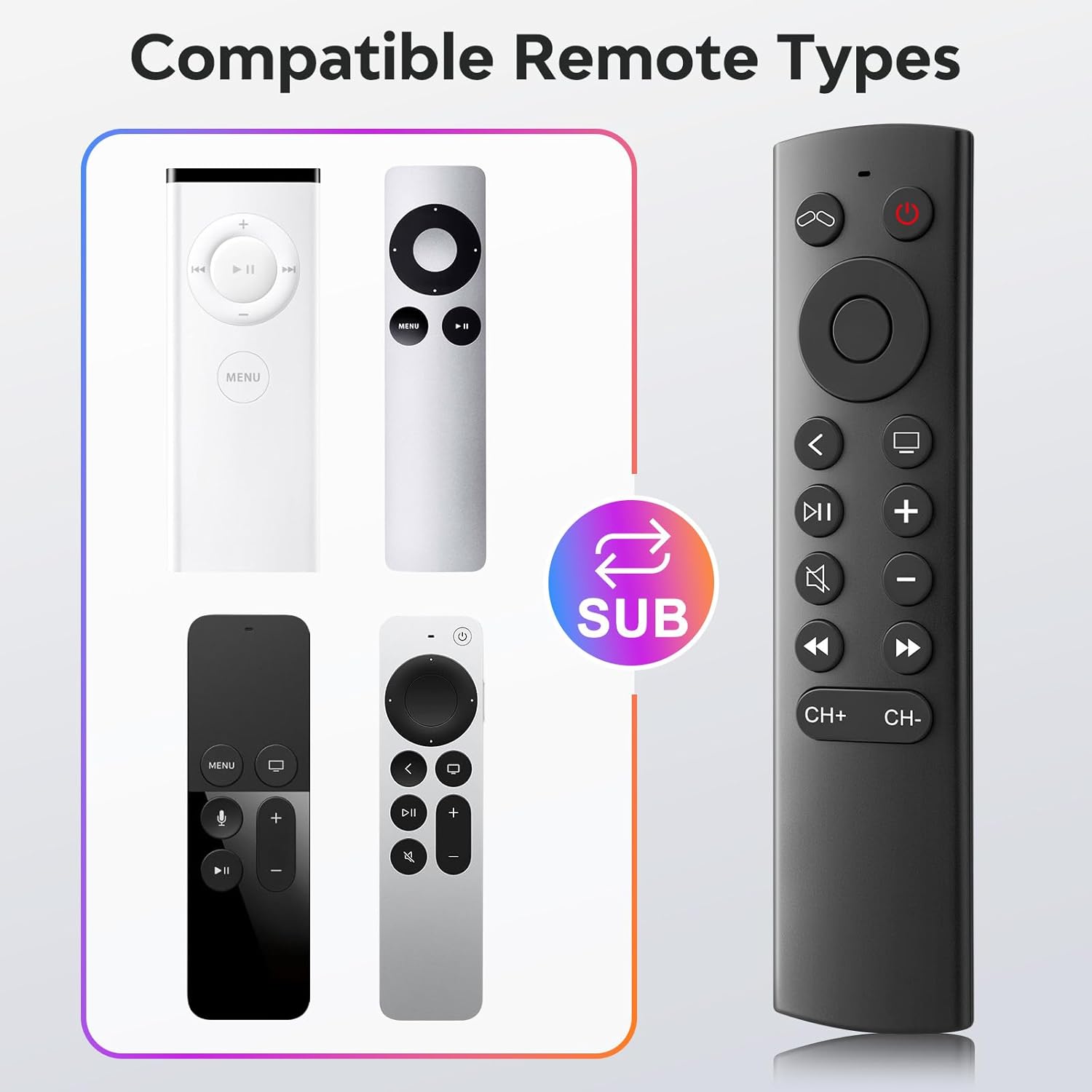
Figure 2: Compatible remote types that the YOSUN remote can replace.
Navodila za namestitev
- Vstavite baterije: Open the battery compartment on the back of the remote control. Insert two (2) AAA batteries, ensuring correct polarity (+/-). (Batteries are not included).
- Seznanjanje ni potrebno: This remote control operates using infrared (IR) technology and does not require any programming or pairing with your Apple TV device. It is ready to use immediately after battery installation.
- Unlock Previous Device (if applicable): If you are replacing an older Apple TV remote (1st, 2nd, or 3rd Gen), you might need to "unlock" the old device using its original remote control first. This ensures the new remote can connect properly.
- Kliknite na TV moč button on the YOSUN remote.
- Wait for the "unlocked" icon (two interlocking circles, one purple, one orange) to appear on your screen.
- Kliknite na TV moč button once more to "unlock" your old device.
- Once unlocked, the YOSUN remote should function as usual.
Note: The "Unlock / Locked" function only supports Apple TV (1st / 2nd / 3rd Gen).
Slika 3: Diagram namestitve baterije.
Navodila za uporabo
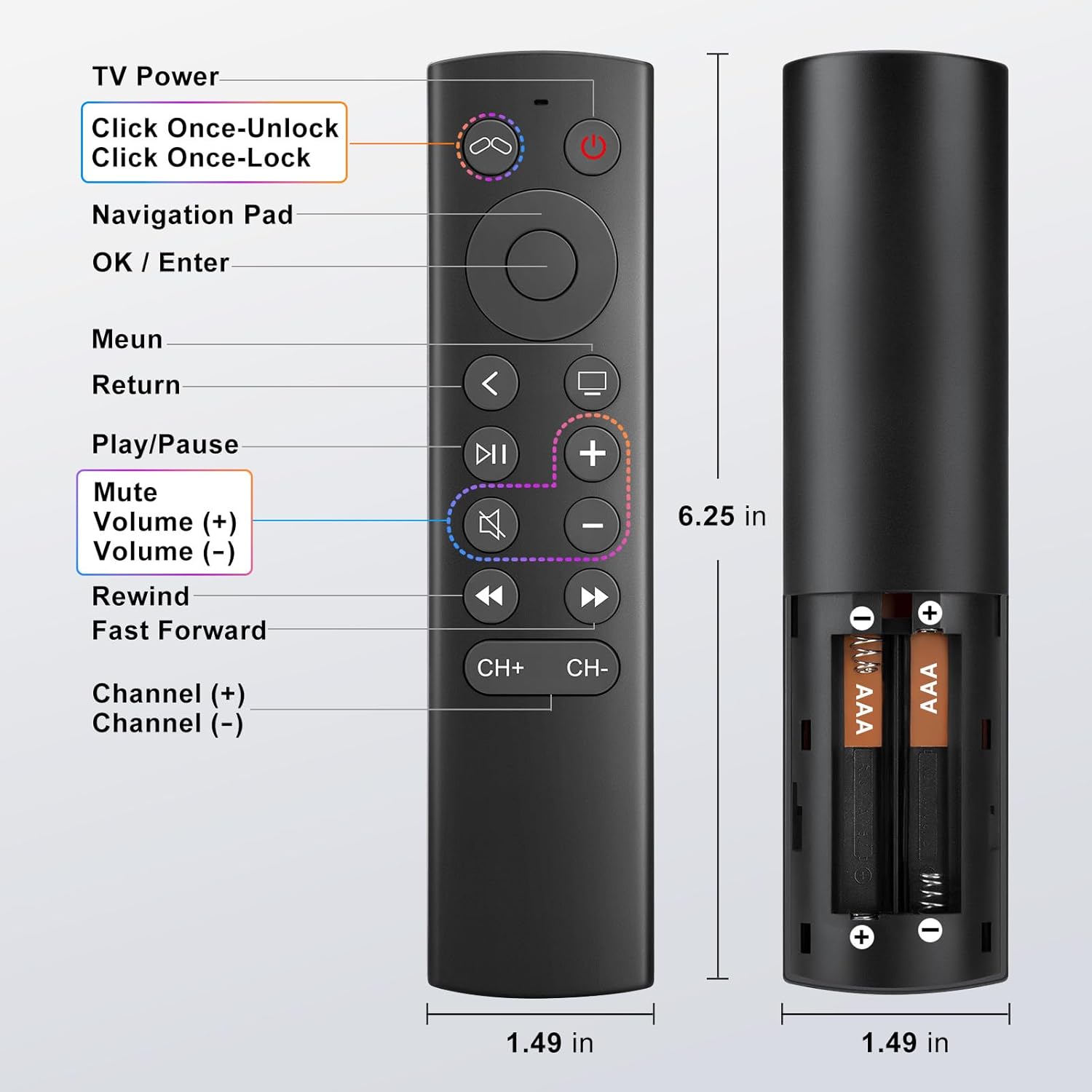
The YOSUN Replacement Remote Control provides intuitive access to your Apple TV functions. Refer to the button layout below for specific controls.
Slika 4: Razporeditev in funkcije gumbov daljinskega upravljalnika.
Ključne funkcije:
- Gumb za vklop televizorja: Controls the power of your television.
- Navigacijska tipkovnica (gor, dol, levo, desno): Navigacija po menijih in vsebini.
- OK / Enter Button: Potrjuje izbire.
- Gumb menija: Returns to the previous menu or home screen.
- Gumb za vrnitev: Vrne se na prejšnji zaslon.
- Gumb za predvajanje/pavzo: Nadzira predvajanje predstavnosti.
- Gumb za izklop zvoka: Mutes or unmutes TV audio.
- Volume (+) / Volume (-) Buttons: Prilagodi glasnost televizorja.
- Rewind / Fast Forward Buttons: Controls media playback speed.
- Channel (+) / Channel (-) Buttons: Changes channels (if supported by your TV setup).
Note on TV Control Buttons: The Power, Volume, and Mute buttons are designed to control your television directly. These buttons are compatible with Samsung, LG, Vizio, Hisense, Sony, Amazon Fire TV, Toshiba, and Insignia Fire TV brands only. For other TV brands, these buttons may not function.

Figure 5: Important functional limitations of the remote.
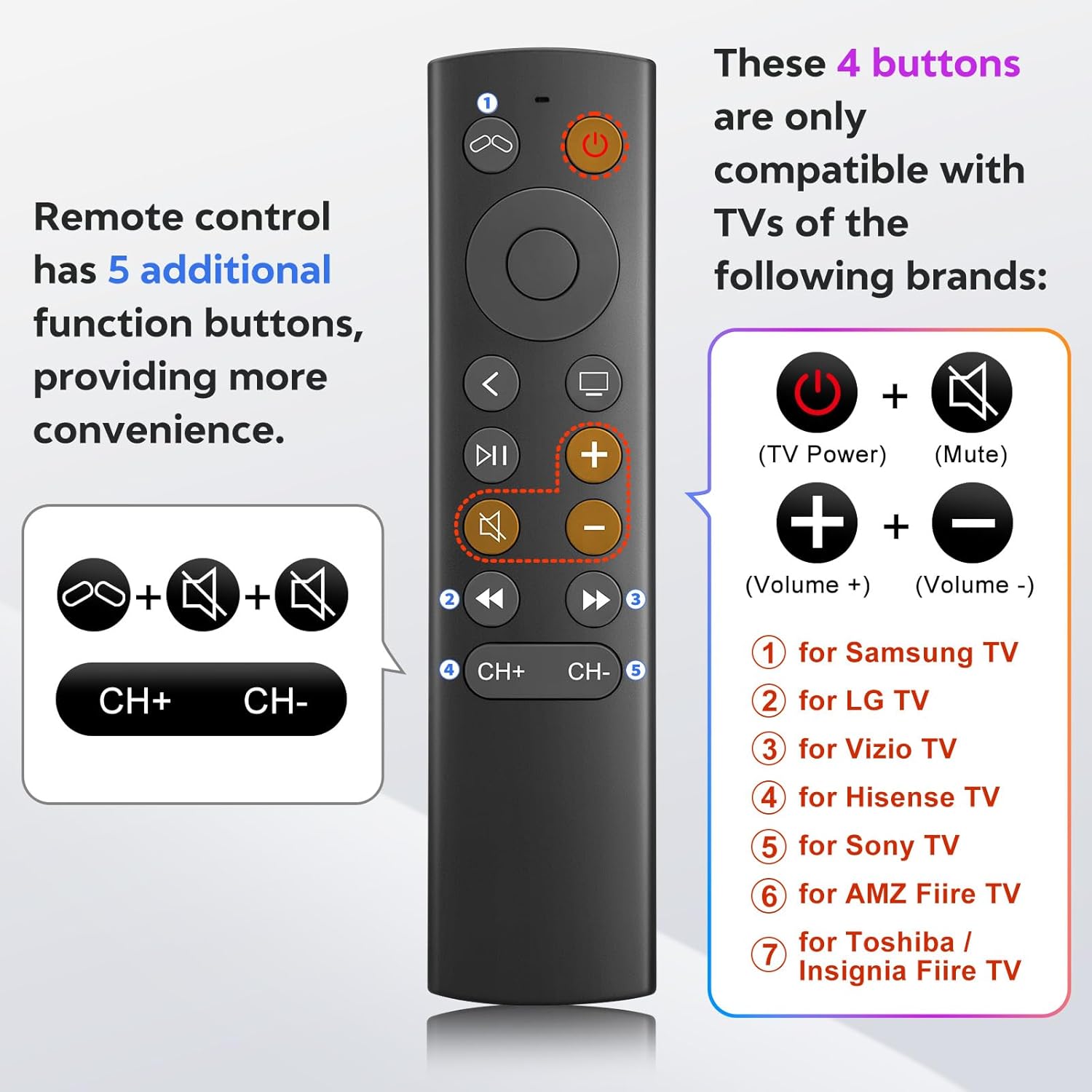
Figure 6: TV control button compatibility.
Vzdrževanje
- Čiščenje: Za čiščenje daljinskega upravljalnika uporabljajte mehko, suho krpo. Ne uporabljajte tekočih čistil ali abrazivnih materialov.
- Zamenjava baterije: Replace batteries when the remote's response becomes sluggish or stops working. Always replace both AAA batteries at the same time.
- Shranjevanje: Daljinski upravljalnik shranjujte na hladnem in suhem mestu, stran od neposredne sončne svetlobe in ekstremnih temperatur.
Odpravljanje težav
- Problem: Remote is not responding.
- Preverite baterije: Prepričajte se, da so baterije pravilno vstavljene s pravilno polarnostjo in da niso prazne. Po potrebi jih zamenjajte z novimi baterijami AAA.
- Vidnem polju: Ensure there is a clear line of sight between the remote and your Apple TV. Infrared remotes require direct line of sight.
- "Unlock" Procedure: If you are using an older Apple TV (1st, 2nd, or 3rd Gen), ensure you have performed the "unlock" procedure as described in the Setup Instructions.
- Problem: Power, Volume, or Mute buttons are not working on my TV.
- Združljivost: These buttons are only compatible with specific TV brands: Samsung, LG, Vizio, Hisense, Sony, Amazon Fire TV, Toshiba, and Insignia Fire TV. If your TV is not one of these brands, these functions may not work.
- Problem: No Siri, voice control, Bluetooth, or touchpad functionality.
- Intended Design: This remote is an infrared replacement and is specifically designed without these advanced features to offer a simpler, direct control experience. These are not malfunctions.
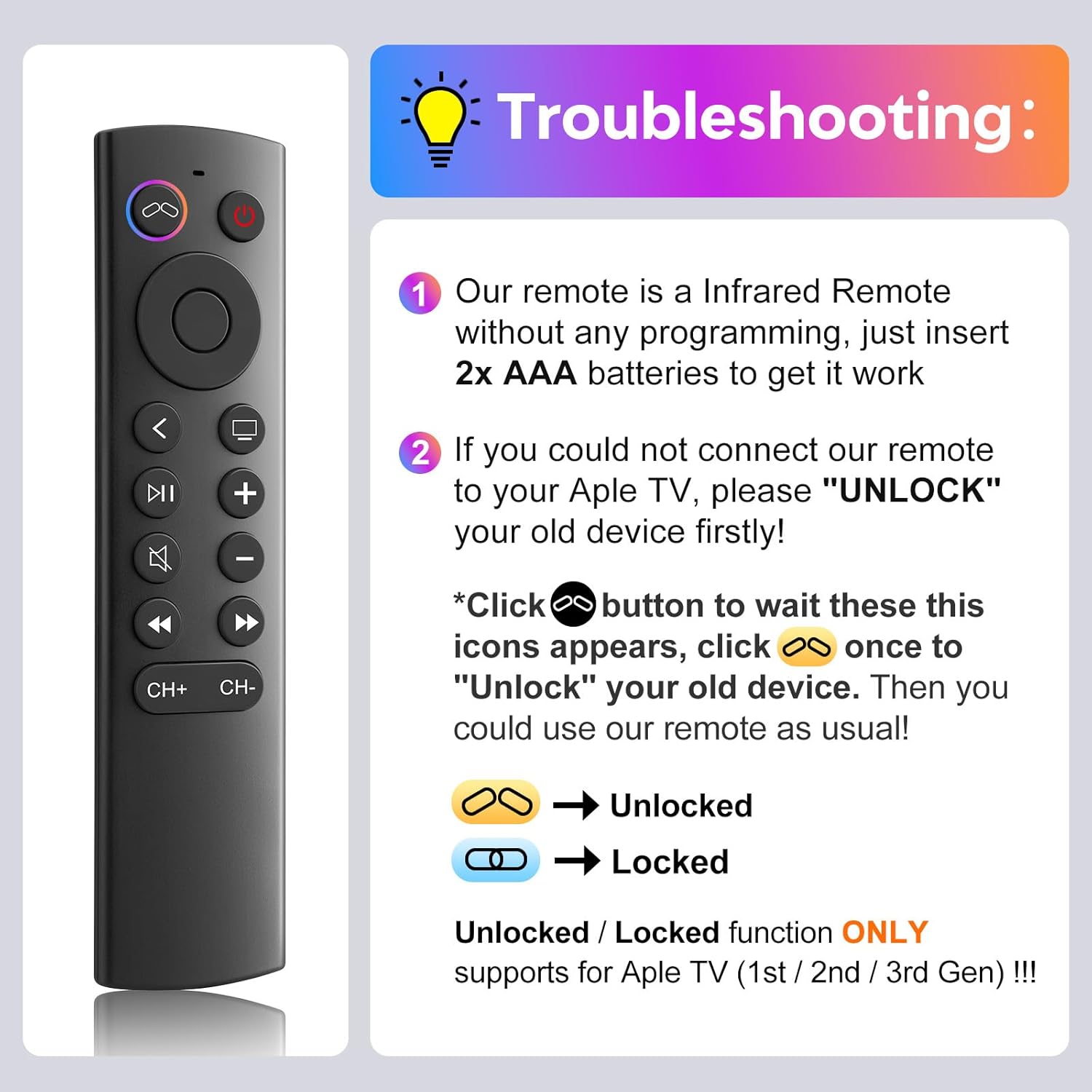
Figure 7: Troubleshooting guide for common issues.
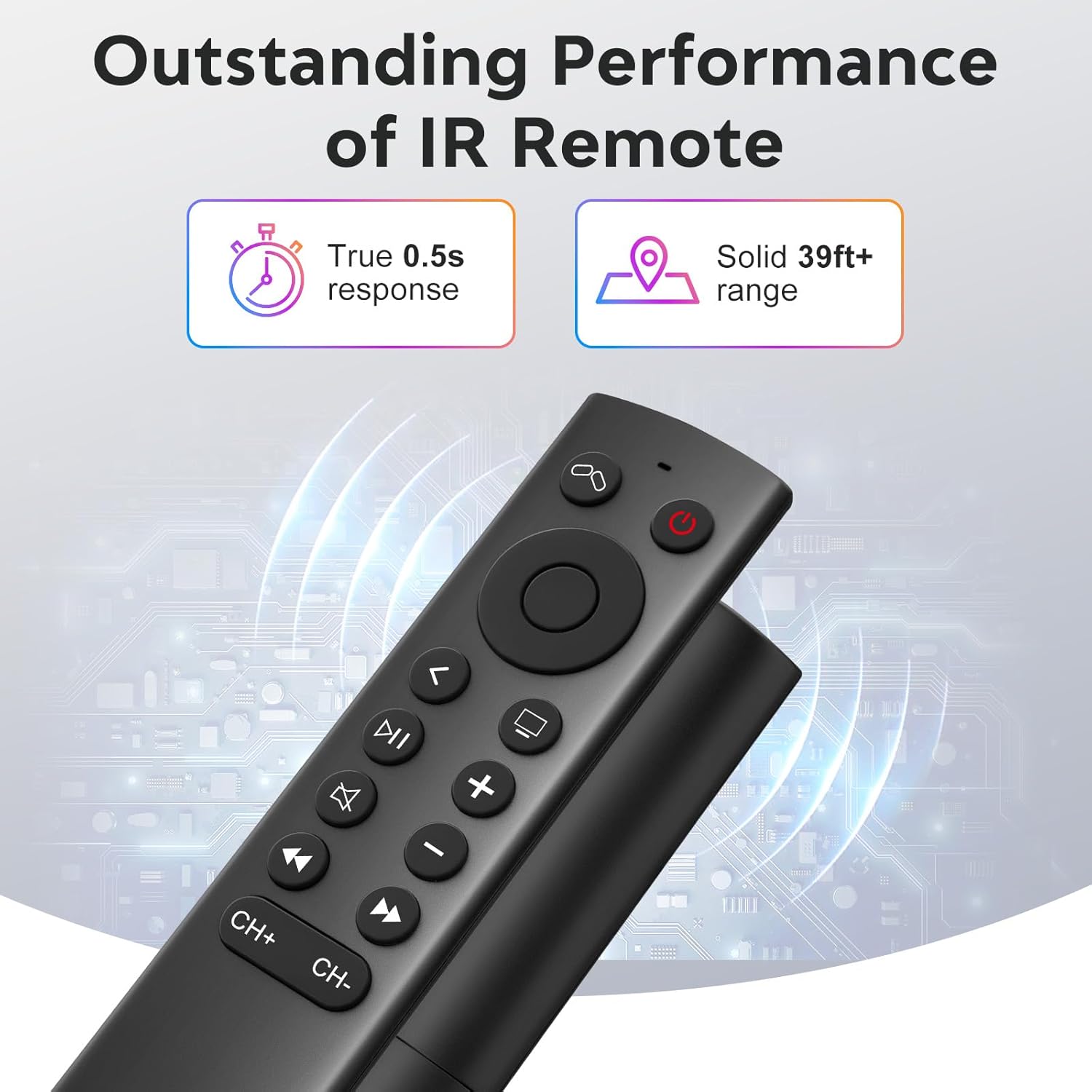
Figure 8: Visual comparison of unlocked vs. locked device states.
Specifikacije
| Znamka | YOSUN |
| Številka modela | MJFM3LL |
| Dimenzije izdelka | 6.29 x 1.57 x 0.66 palcev |
| Teža predmeta | 1.44 unč |
| barva | Črna |
| Posebna funkcija | Programiranje ni potrebno |
| Največje število podprtih naprav | 1 |
| Združljive naprave | Apple TV (various generations) |
| Odzivni čas | True 0.5s response |
| Območje delovanja | Solid 39ft+ range (approx. 10 meters) |
Figure 9: Performance features of the IR remote.
Garancija in podpora
This YOSUN Replacement Remote Control comes with a 1-Year Warranty. For warranty claims or technical support, please contact YOSUN customer service through the retailer where the product was purchased.
Prosimo, shranite dokazilo o nakupu za namene garancije.
Video predstavitev izdelka
Video 1: Kratek pregledview of the YOSUN Replacement Remote Control for Apple TV, highlighting its features and compatibility.