1. Uvod
This manual provides essential information for setting up, operating, maintaining, and troubleshooting your Thunderobot Storm 15 4050 Gaming Laptop. Please read it thoroughly to ensure optimal performance and longevity of your device.
Ključne značilnosti:
- Procesor: Intel Core i7-13620H (10 jeder, do 4.9 GHz)
- Grafika: GPE za prenosnike NVIDIA GeForce RTX 4050
- Pomnilnik: 32 GB DDR4 RAM-a (3200 MHz)
- Shranjevanje: 1TB PCIe M.2 SSD
- Zaslon: 15.6-inch Full HD (1920x1080) 165Hz, 100% sRGB, DC Dimming
- Operacijski sistem: Windows 11 Home
- Hlajenje: Advanced Frost Cooling System with multi-heat-pipe design and high-pressure turbine fan
- Tipkovnica: Full-size backlit keyboard with numeric keypad
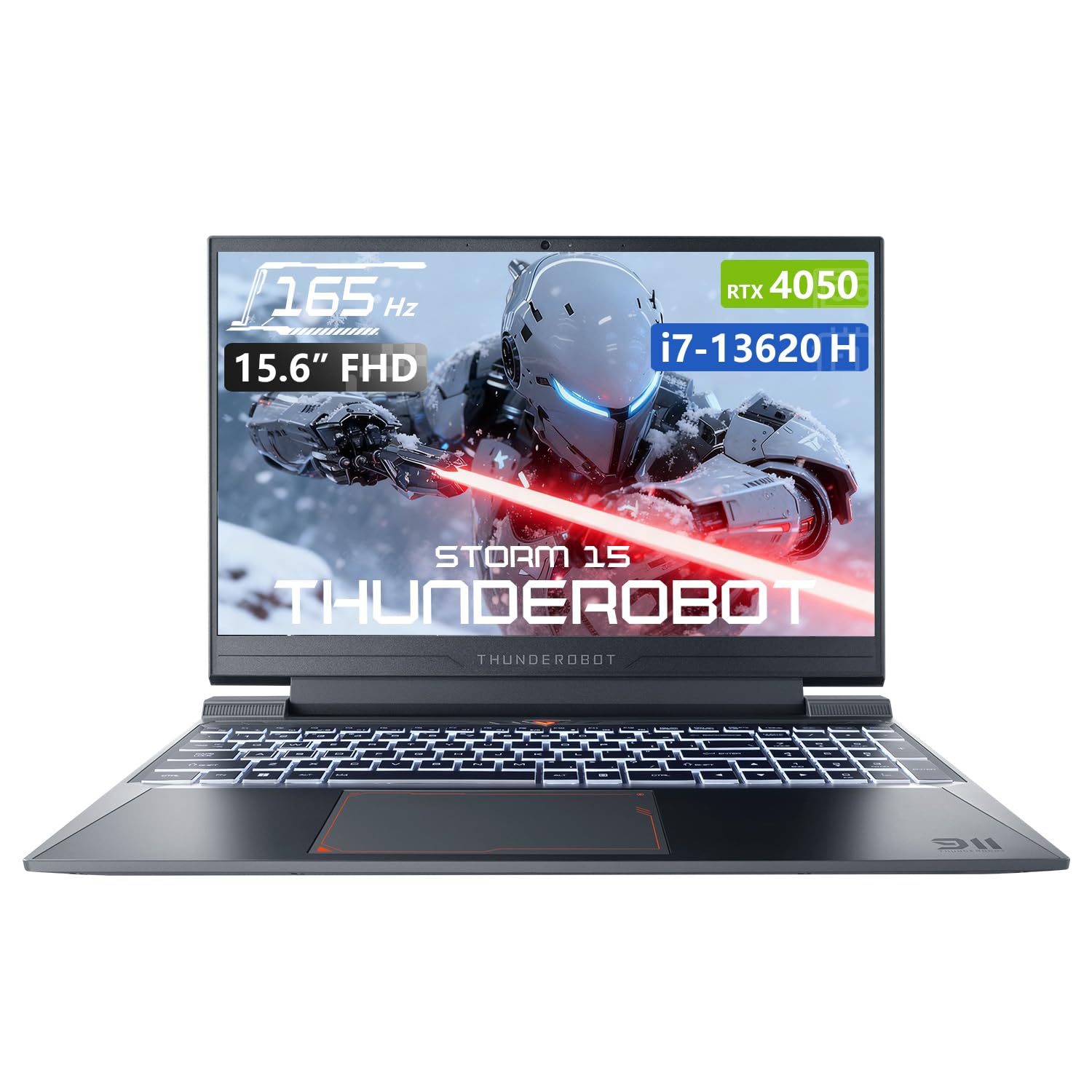
Image: The Thunderobot Storm 15 4050 Gaming Laptop, showcasing its sleek design and backlit keyboard.
2. Nastavitev
2.1 Začetni vklop
- Razpakiraj: Previdno vzemite prenosnik in vso dodatno opremo iz embalaže.
- Priključite napajanje: Priključite napajalnik v napajalna vrata prenosnika in nato v stensko vtičnico.
- Vklop: Odprite pokrov prenosnika in pritisnite gumb za vklop, ki se običajno nahaja nad tipkovnico ali ob strani.
- Začetna nastavitev: Sledite navodilom na zaslonu, da dokončate namestitev sistema Windows 11 Home, vključno z jezikom, regijo, omrežno povezavo in ustvarjanjem uporabniškega računa.
2.2 Priključitev zunanjih naprav
Vaš prenosnik je opremljen z različnimi priključki za priključitev zunanjih naprav.

Image: Diagram illustrating the various ports and slots available on the Thunderobot Storm 15 laptop.
- Naprave USB: Connect USB mice, keyboards, external drives, or other peripherals to the USB 3.1 Type-A ports or the USB 3.1 Gen 2 Type-C port.
- Zunanji zaslon: Use the HDMI port to connect an external monitor or TV.
- Omrežje: Za stabilno žično internetno povezavo priključite ethernetni kabel v vrata RJ-45.
- Avdio: Connect headphones or external speakers to the 3.5mm Combo Jack.
3. Upravljanje prenosnika
3.1 Funkcije zaslona
The 15.6-inch Full HD display offers a 165Hz refresh rate for smooth visuals and 100% sRGB color gamut for accurate color reproduction. DC dimming technology helps reduce screen flickering.
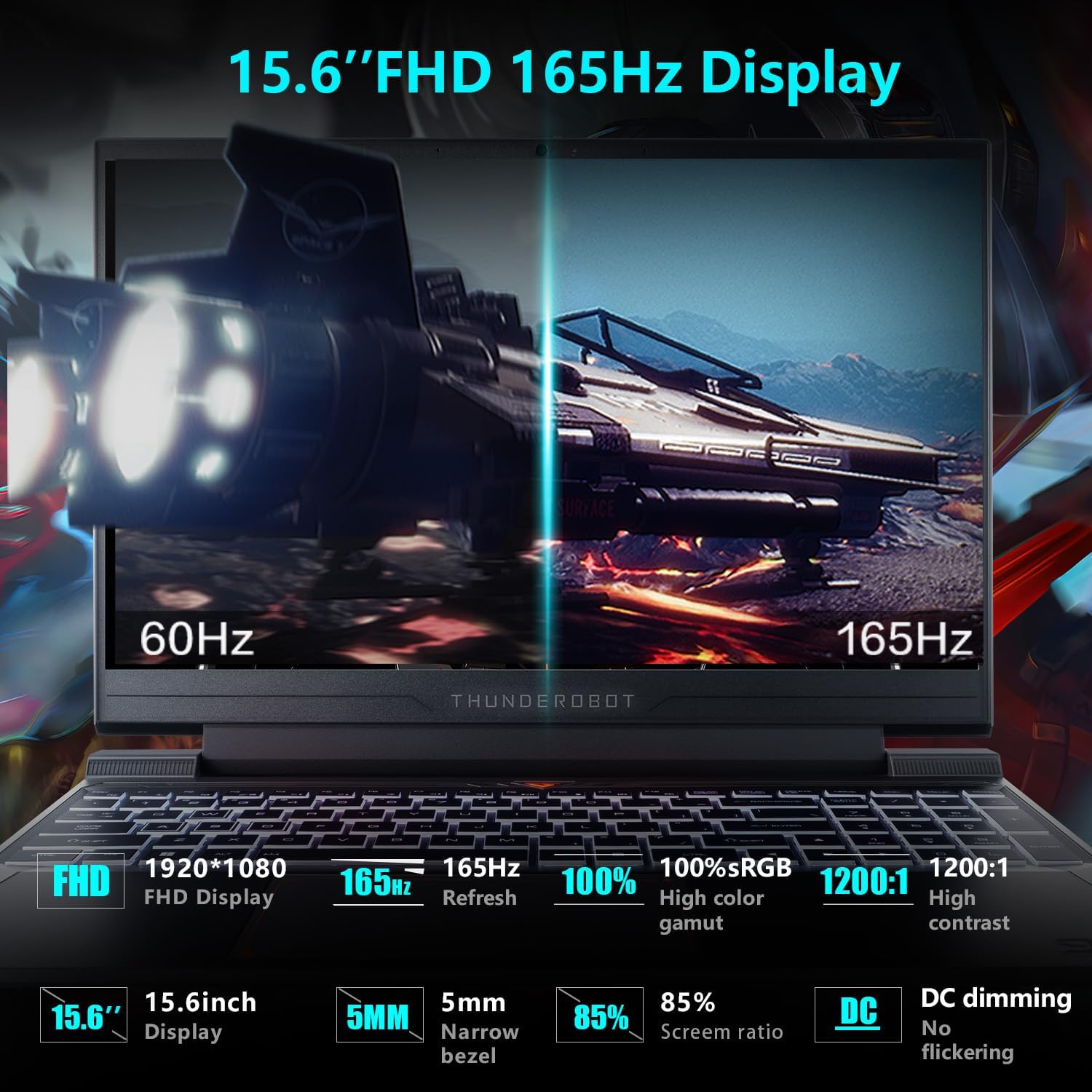
Image: Close-up of the 15.6-inch Full HD 165Hz display, highlighting its smooth motion capabilities.
3.2 Tipkovnica in sledilna ploščica
The full-size backlit keyboard includes a numeric keypad for enhanced productivity and gaming. The anti-fingerprint surface helps maintain a clean appearance.
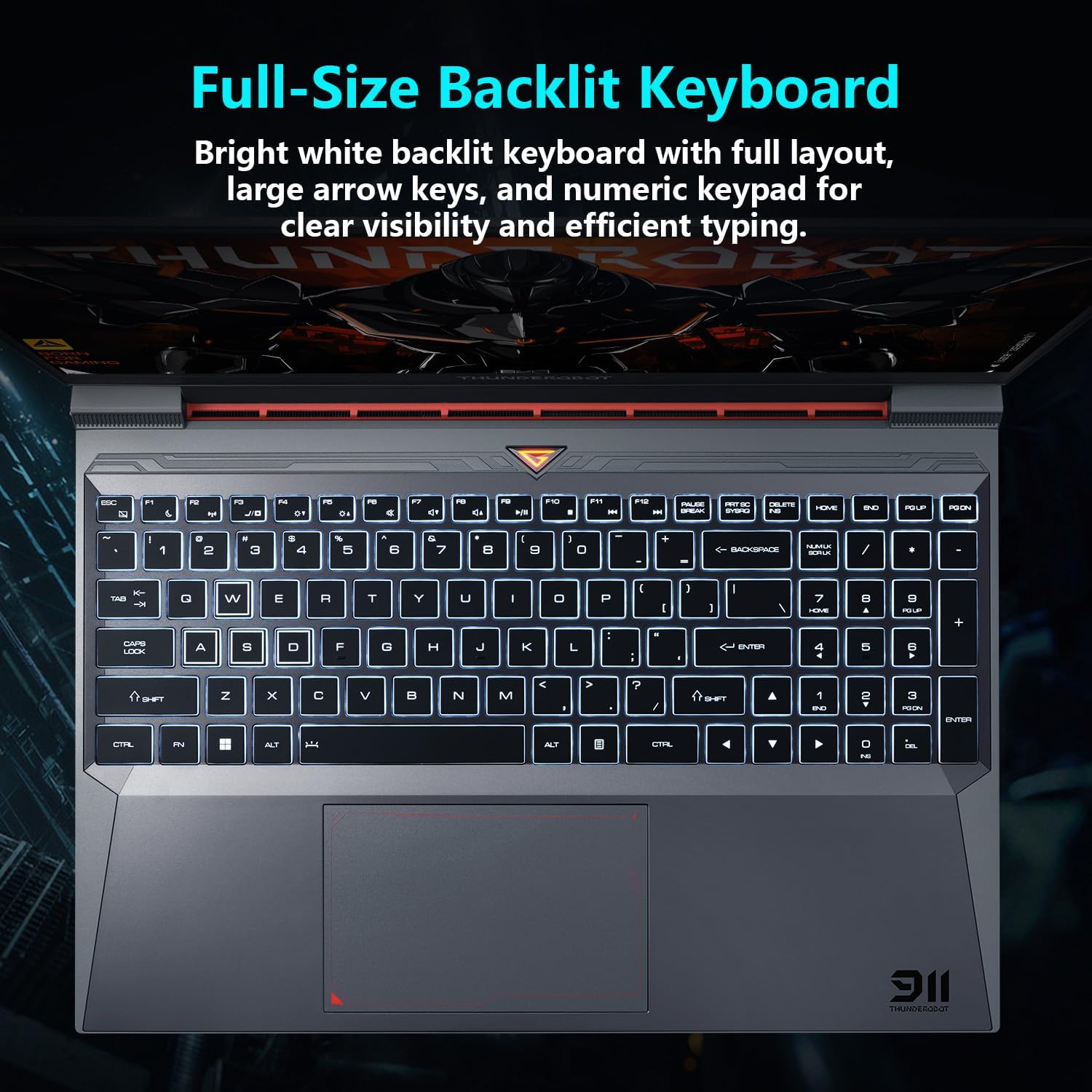
Slika: View of the full-size backlit keyboard with its bright white backlighting and numeric keypad.
3.3 Avdio sistem
Experience immersive sound with the laptop's professional sound certification and high-specification speaker design.
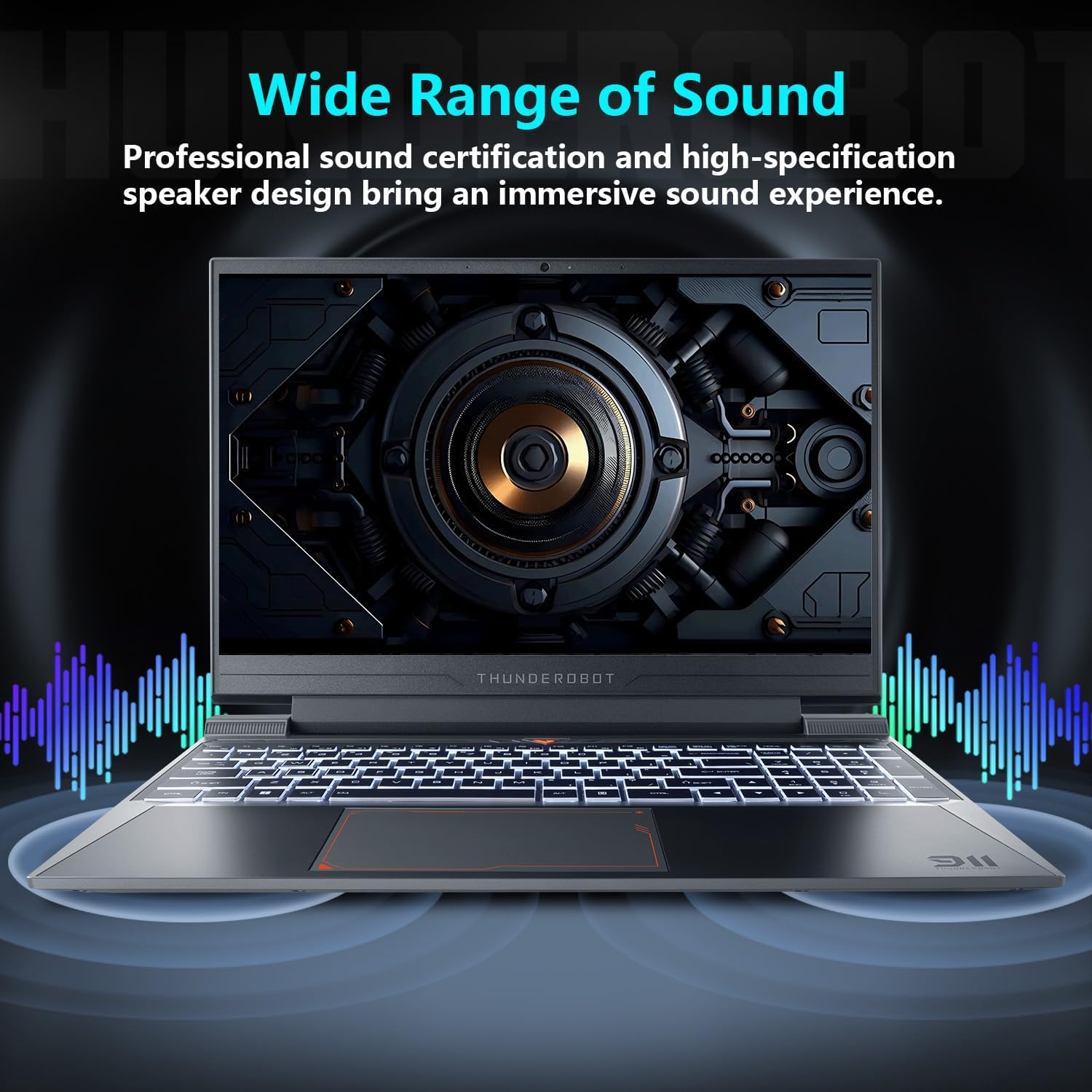
Image: Laptop displaying sound waves, illustrating its wide range of sound capabilities.
3.4 Hladilni sistem
The Advanced Frost Cooling System features multi-heat-pipe design (10mm/8mm composite pipes), a high-pressure turbine fan with 80 ultra-thin LCP blades, and 126 dense copper fins (28,000mm²) to ensure efficient heat dissipation. This design keeps critical components cool during intensive use.
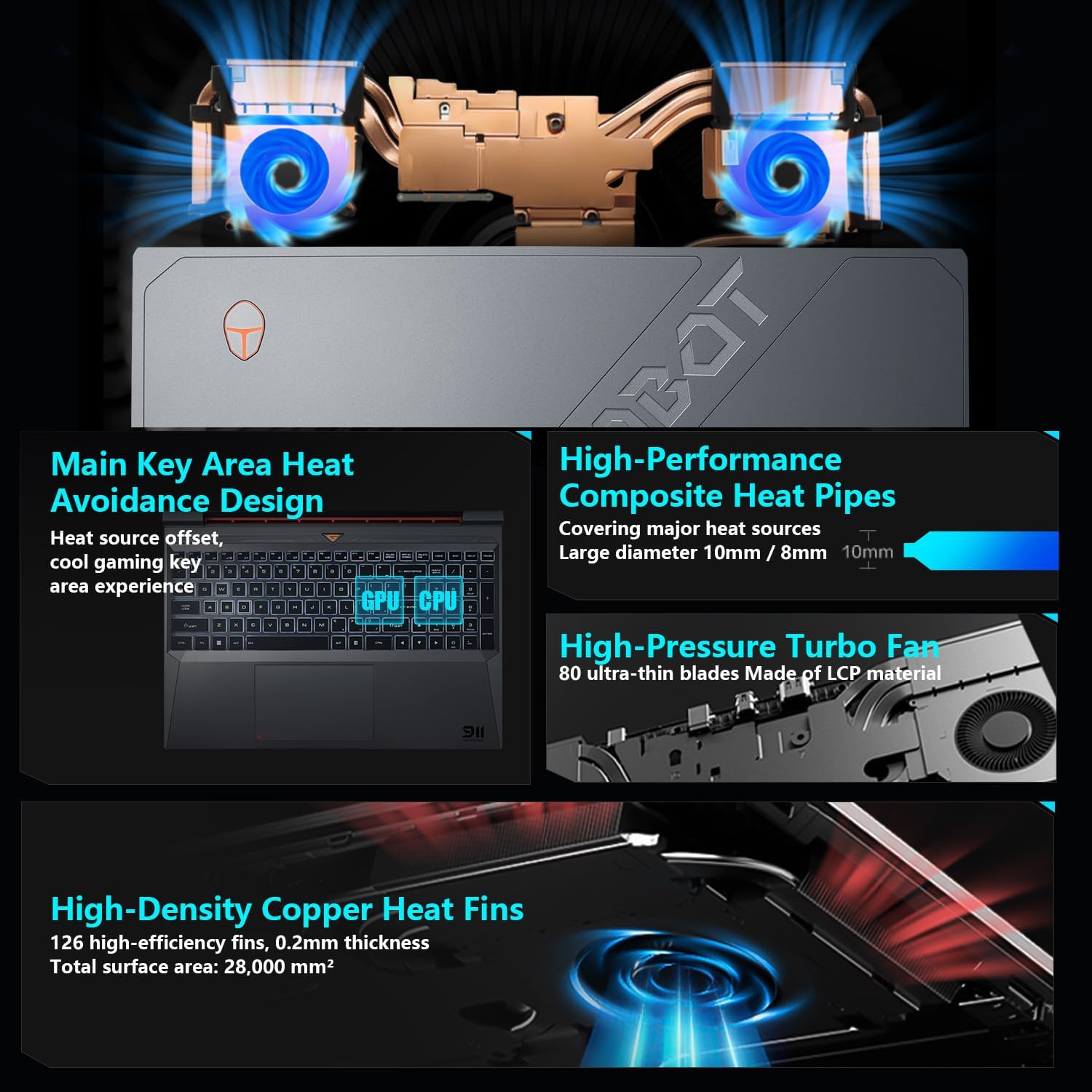
Image: Diagram showing the internal cooling system with heat pipes, fans, and copper fins.
3.5 Control Center Software
The Control Center software allows you to adjust and switch between various performance modes (e.g., Berserk mode, Game mode, Audio and Video Office mode) and customize fan speed and lighting settings. Access it by typing "Control Center" in the Windows search bar or using designated function keys.

Image: Screenshots of the Control Center software interface, showing options for performance modes, fan adjustment, and lighting controls.
4. Vzdrževanje
4.1 Čiščenje
- zaslon: Uporabite mehko krpo, ki ne pušča vlaken dampz vodo ali čistilom za zaslone. Izogibajte se agresivnim kemikalijam.
- Tipkovnica in ohišje: Za brisanje površin uporabite mehko krpo. Za čiščenje prahu med tipkami in prezračevalnimi odprtinami lahko uporabite stisnjen zrak.
- zračniki: Regularly check and clean the cooling vents to prevent dust buildup, which can hinder airflow and performance.
4.2 Posodobitve programske opreme
Keep your operating system and drivers updated to ensure optimal performance and security. Windows Update will handle OS updates, and you can check the Thunderobot support website for the latest driver versions for your specific model.
5. Odpravljanje težav
5.1 Pogoste težave
- Prenosnik se ne vklopi: Ensure the AC adapter is securely connected to both the laptop and a working power outlet. Check if the power button is functioning correctly.
- Pregrevanje: Ensure cooling vents are not blocked. Use the Control Center to adjust fan speeds. Consider using the laptop on a hard, flat surface to improve airflow.
- Težave s prikazom: If the screen is blank, try connecting an external monitor to check if the issue is with the laptop's display or the graphics output. Update graphics drivers.
- Počasna zmogljivost: Check for background applications consuming resources. Ensure sufficient free storage space. Run a malware scan.
- Peripheral not detected: Ensure the peripheral is correctly plugged into the appropriate port. Try a different port or restart the laptop. Update relevant drivers.
5.2 Kontaktirajte podporo
If you encounter issues that cannot be resolved using this guide, please refer to the Thunderobot official support channels for assistance.
6. Specifikacije
| Funkcija | Podrobnost |
|---|---|
| Velikost prikaza stalnega zaslona | 15.6 palcev |
| Ločljivost zaslona | 1920 x 1080 slikovnih pik |
| Največja ločljivost zaslona | 1920 x 1080 slikovnih pik |
| Procesor | Intel Core i7-13620H (4.9 GHz max turbo) |
| RAM | 32 GB DDR4 (3200 MHz) |
| Trdi disk | 1 TB SSD (PCIE x 4) |
| Grafični koprocesor | GPE za prenosnike NVIDIA GeForce RTX 4050 |
| Brezžična vrsta | 802.11ax, Bluetooth |
| Število vrat USB 3.0 | 3 |
| Operacijski sistem | Windows 11 Home |
| Teža predmeta | 12 funtov |
| Dimenzije izdelka | 14.12 x 10.14 x 0.94 palcev |
| barva | Črna |
| Posebna funkcija | Osvetljena tipkovnica, numerična tipkovnica |

Image: Performance benchmarks comparing the RTX 4050 and Intel Core i7-13620H against previous generations.
7. Garancija in podpora
Vsak prenosnik Thunderobot ima 12-mesečna garancija, ki ponuja strokovno podporo, temeljito diagnostiko in originalne dele, če je potrebno popravilo. Poleg tega 90-dnevna garancija je vključena v garancijo za vse nadomestne dele, kar zagotavlja brezskrbna popravila. Vaše popolno zadovoljstvo je naša zaveza.
For further support, please visit the official Thunderobot webspletno mesto ali se obrnite na njihovo službo za stranke.
Video: Prekoračitevview of the Thunderobot Storm 15 Laptop, showcasinnjegove lastnosti in obliko.