Uvod
This manual provides essential instructions for setting up, operating, and maintaining your LIGE EF21-J Smart Watch. Please read this guide thoroughly to ensure proper use and to fully utilize all features of your device. This smart watch is designed to be a versatile companion for both business and sports activities, offering advanced health monitoring, communication, and fitness tracking capabilities.
Vsebina paketa
Preverite, ali so v paketu vsi elementi:
- 1 x LIGE EF21-J Smart Watch
- 1 x Stainless Steel Strap
- 1 x silikonski trak
- 1 x magnetni polnilni kabel USB
- 1 x polnilni kabel Type-C
- 1 x Navodila za uporabo (ta dokument)
Konec izdelkaview
The LIGE EF21-J Smart Watch features a 1.43-inch AMOLED display, a durable metal case, and interchangeable straps to suit various occasions. It integrates advanced sensors for comprehensive health and fitness tracking.

Image: The LIGE EF21-J Smart Watch shown in different lifestyle scenarios, highlighting its adaptability for business, casual, and active use.
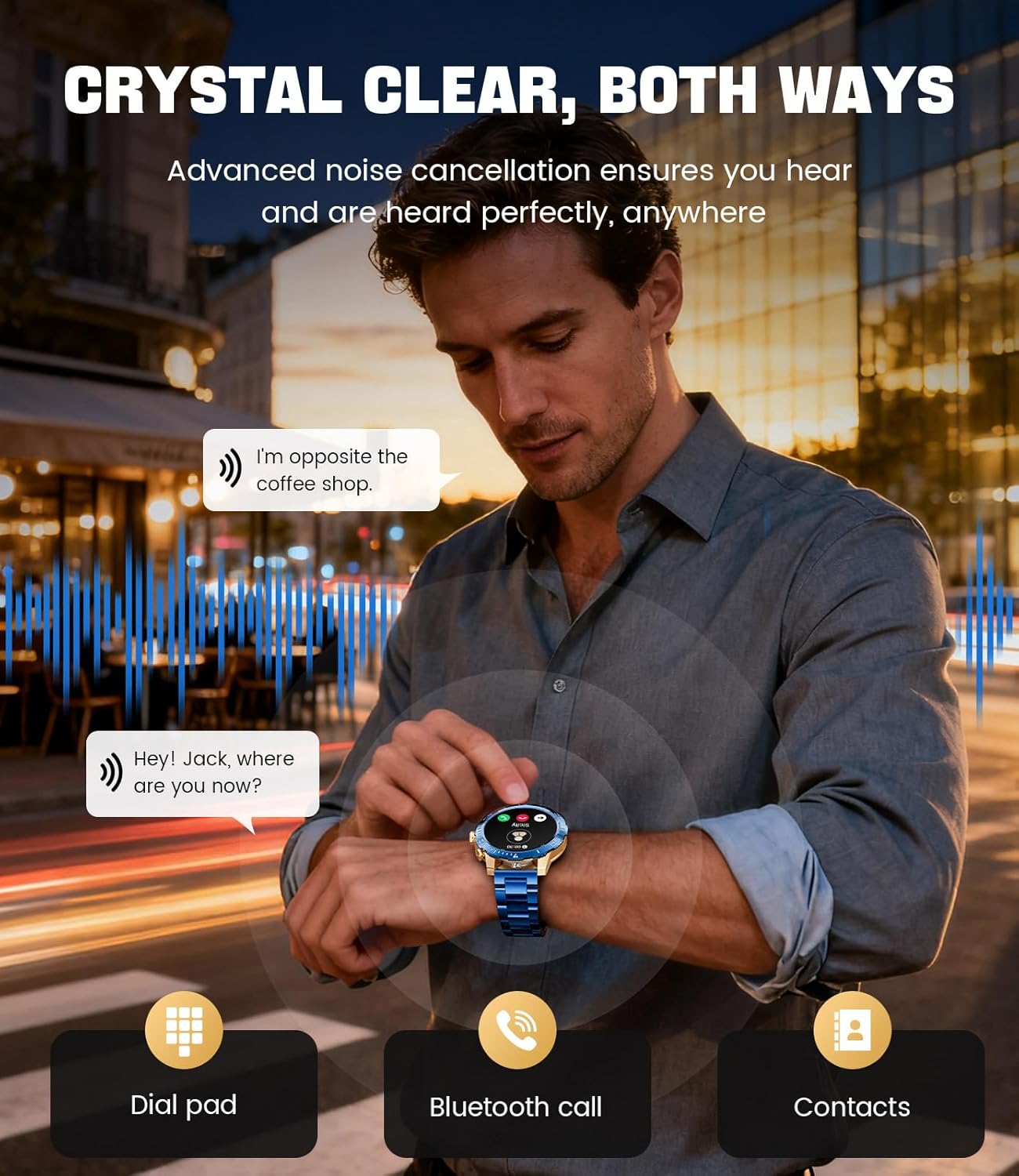
Image: A close-up of the LIGE EF21-J Smart Watch screen showing an incoming call, demonstrating its Bluetooth calling capability with clear audio.

Image: The LIGE EF21-J Smart Watch interface showing a selection of sports modes, including golf, climbing, and running, indicating its extensive activity tracking features.

Image: The LIGE EF21-J Smart Watch screen displaying heart rate, blood oxygen, and sleep data, illustrating its 24/7 health monitoring capabilities.
Video: Uradna video predstavitev izdelkaasing the LIGE EF21-J Smart Watch's key features, including its AMOLED display, rotary encoder crown, charging capabilities, compatibility, sports modes, health monitoring, and various smart functions.
Nastavitev
1. Polnjenje pametne ure
Before first use, fully charge your LIGE EF21-J Smart Watch. The watch comes with both a USB magnetic charging cable and a Type-C charging cable for convenience.
- Connect the magnetic end of the charging cable to the charging points on the back of the watch. Ensure it snaps securely into place.
- Connect the USB or Type-C end of the cable to a compatible power adapter (not included) or a computer's USB port.
- The watch display will indicate charging status. A full charge typically takes approximately 2-3 hours.

Image: The LIGE EF21-J Smart Watch connected to its magnetic charging cable, illustrating the charging process and the inclusion of both USB and Type-C cable options.
2. Namestitev aplikacije
Za odklepanje vseh funkcij pametne ure prenesite in namestite spremljevalno aplikacijo na pametni telefon.
- The LIGE EF21-J Smart Watch uses the FitCloudPro App.
- Iskanje "FitCloudPro" in the Apple App Store (for iOS 12.0+ devices) or Google Play Store (for Android 8.0+ devices).
- Prenesite in namestite aplikacijo.
3. Seznanjanje naprav
Pair your smart watch with the FitCloudPro app via Bluetooth to synchronize data and enable smart features.
- Prepričajte se, da je Bluetooth na vašem pametnem telefonu omogočen.
- Open the FitCloudPro app and create an account or log in.
- Sledite navodilom v aplikaciji, da dodate novo napravo. Aplikacija bo poiskala razpoložljive naprave.
- Select "EF21-J" or the corresponding device name from the list.
- Potrdite zahtevo za seznanjanje tako na pametnem telefonu kot na uri.
- Ko je ura združena, bo sinhronizirala čas in podatke z vašim telefonom.
Navodila za uporabo
Osnovna navigacija
- Zaslon na dotik: Za navigacijo po menijih in funkcijah podrsnite levo, desno, gor ali dol. Dotaknite se za izbiro.
- Rotary Encoder Crown: Za pomikanje po seznamih ali prilagajanje nastavitev zavrtite krono. Pritisnite krono za vrnitev na začetni zaslon ali potrditev izbire.
- Stranski gumb: Typically used for quick access to sports modes or as a back button.
Bluetooth klicanje
Klicajte in sprejemajte klice neposredno z zapestja, ko je naprava povezana s pametnim telefonom.
- Prepričajte se, da je vaša ura povezana s telefonom prek povezave Bluetooth.
- To make a call: Access the dial pad or contacts list on your watch.
- To answer a call: When a call comes in, tap the green answer icon on the watch screen.
- To reject a call: Tap the red reject icon.
Pametna obvestila
Receive alerts for calls, messages, and app notifications directly on your watch.
- Enable notification permissions for the FitCloudPro app in your phone's settings.
- Configure which app notifications you wish to receive through the FitCloudPro app.
- Povlecite navzdol s številčnice ure do view nedavna obvestila.
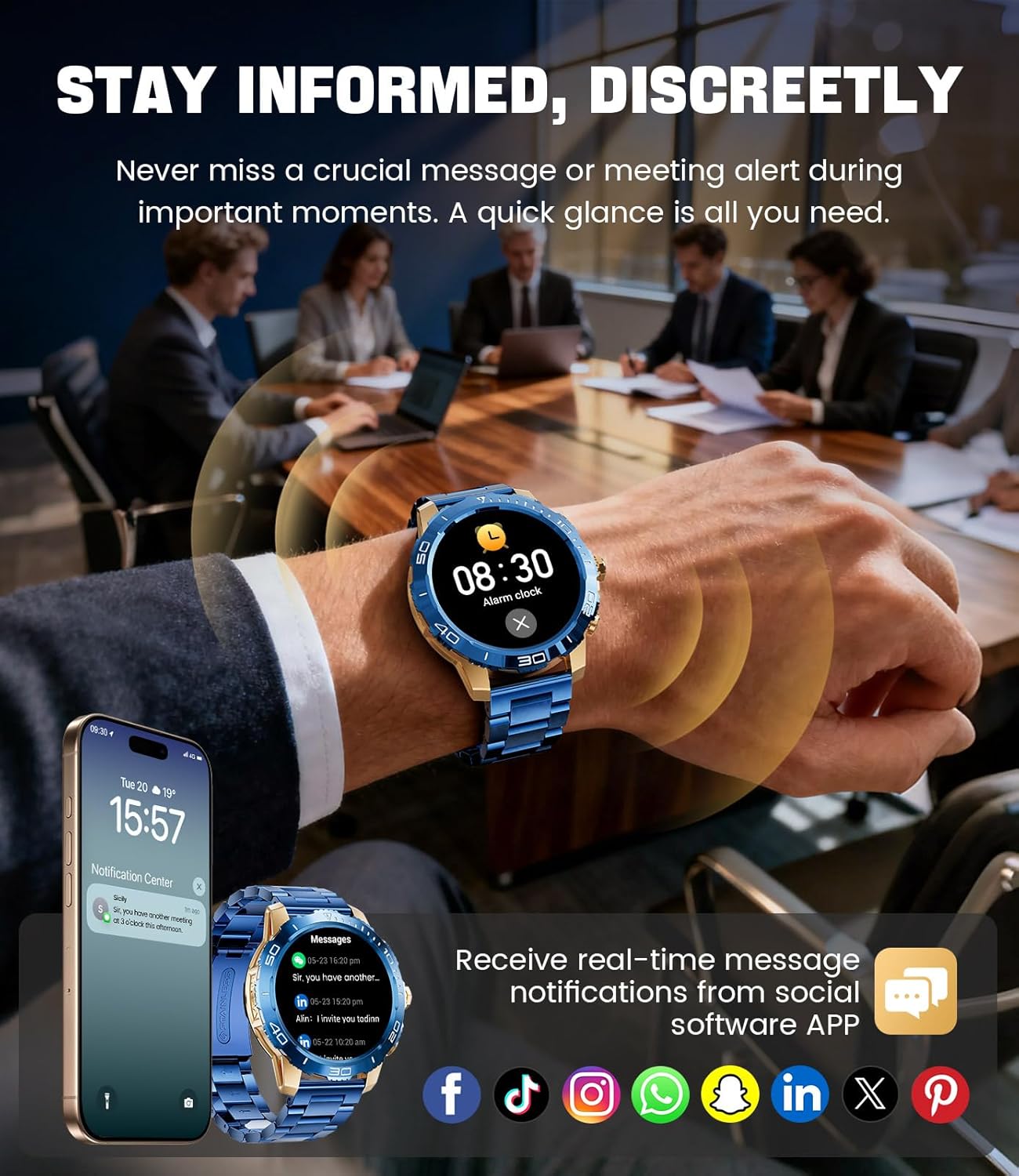
Image: The LIGE EF21-J Smart Watch screen showing incoming message notifications from various social media applications, demonstrating its ability to keep users informed discreetly.
Športni načini
The watch supports over 200 sports modes to accurately track your physical activities.
- Access the sports mode menu from the main interface.
- Select your desired activity (e.g., running, cycling, yoga, basketball).
- The watch will begin tracking metrics such as distance, steps, calories burned, and heart rate.
- End your workout by following the on-screen prompts. Data will sync to the FitCloudPro app for detailed analysis.
Spremljanje zdravja
Monitor your heart rate, blood oxygen, and sleep patterns throughout the day.
- Srčni utrip: Ura neprekinjeno spremlja vaš srčni utrip. View real-time data on the watch or historical trends in the app.
- Kisik v krvi (SpO2): Izmerite raven kisika v krvi po potrebi.
- Sledenje spanju: Wear the watch to bed to track your sleep duration and quality. Data includes deep sleep, light sleep, and awake times.
- Spremljanje stresa: The watch can also provide insights into your daily stress levels.
Important: The LIGE EF21-J Smart Watch is not a medical device. Health data provided is for reference only and should not be used for medical diagnosis or treatment. Consult a healthcare professional for any health concerns.
Druge funkcije
The watch offers a variety of additional features to enhance your daily life:
- Glasovni asistent: Interact with your phone's voice assistant directly from your watch.
- Nadzor predvajalnika glasbe: Upravljajte predvajanje glasbe na pametnem telefonu (predvajanje, začasna ustavitev, preskakovanje skladb).
- Vremenska napoved: Pridobite vremenske posodobitve v realnem času.
- Budilka: Nastavite alarme, ki vas bodo zbudili ali opomnili na opravila.
- Sedeči opomnik: Prejemajte opozorila za gibanje po obdobjih neaktivnosti.
- Opomnik za pitje vode: Nastavite si opomnike za ohranjanje hidracije.
- Svetilka: Uporabite zaslon ure kot majhno svetilko.
- Najdi moj telefon: Poiščite seznanjeni pametni telefon.
- Zaščita z geslom: Enhance security with a screen lock password.

Image: The LIGE EF21-J Smart Watch interface showcasing a range of smart functions, including music control, weather, breath training, drink reminders, flashlight, and health monitoring summaries.
Upravljanje baterije
The LIGE EF21-J Smart Watch is equipped with an 800mAh battery, designed for extended use.
- Tipična uporaba: Expect over 10 days of battery life with regular use.
- Čas pripravljenosti: The watch can last over 30 days in standby mode.
- Polnjenje: Use the provided USB magnetic or Type-C charging cables. Always use a compatible 5V/1A power adapter.
- Optimizacija baterije: To extend battery life, reduce screen brightness, limit background app refresh, and disable unnecessary notifications.
Vzdrževanje
- Čiščenje: Regularly wipe the watch screen and body with a soft, dry cloth. For stubborn dirt, use a slightly damp krpo in temeljito posušite.
- Vodoodpornost: The watch has an IP68 water resistance rating, meaning it is protected against dust and can withstand immersion in water up to 1.5 meters for up to 30 minutes. It is suitable for daily use, hand washing, and light rain. Avoid hot water, saunas, or diving, as steam and high pressure can compromise the seal.
- Nega traku: Clean silicone straps with mild soap and water. For stainless steel straps, use a soft brush and mild cleaning solution, then dry completely.
- Shranjevanje: Uro shranjujte na hladnem in suhem mestu, ko je ne uporabljate. Izogibajte se ekstremnim temperaturam.
Odpravljanje težav
| Težava | rešitev |
|---|---|
| Ura se ne vklopi | Prepričajte se, da je ura popolnoma napolnjena. Priključite jo na polnilnik za vsaj 30 minut. |
| Seznanitev s telefonom ni mogoča |
|
| Obvestila niso prejeta |
|
| Netočni zdravstveni podatki | Ensure the watch is worn snugly on your wrist, about one finger's width from your wrist bone. Avoid excessive movement during measurements. Remember, this is not a medical device. |
| Kratka življenjska doba baterije |
|
Specifikacije
| Funkcija | Podrobnost |
|---|---|
| Številka modela | EF21-J |
| Zaslon | 1.43-palčni AMOLED, 466 x 466 slikovnih pik |
| Kapaciteta baterije | 800 mAh litij polimer |
| Življenjska doba baterije (tipična) | 10+ dni |
| Čas pripravljenosti | 30+ dni |
| Povezljivost | Bluetooth |
| Vodoodpornost | IP68 |
| Združljivost operacijskega sistema | Android 8.0+ ali iOS 12.0+ |
| Spremljevalna aplikacija | FitCloudPro |
| Spremljanje zdravja | Srčni utrip, krvni kisik, sledenje spanju, spremljanje stresa |
| Športni načini | 200+ načinov |
| Posebne lastnosti | Bluetooth Call, Voice Assistant, Music Control, Weather, Alarm, Sedentary Reminder, Drink Reminder, Flashlight, Find My Phone, Password Protection, AMOLED Always On Display |
| Teža predmeta | 7.1 unče (201 gramov) |
| Dimenzije paketa | 6 x 4 x 0.9 palcev (15.24 x 10.16 x 2.29 cm) |
Garancija in podpora
LIGE provides customer support for your EF21-J Smart Watch. If you encounter any issues or have questions regarding your device, please contact us through the Amazon messaging system. Our professional customer service team is available to assist you.
Za posebne garancijske pogoje glejte dokumentacijo o nakupu.


