Uvod
This instruction manual provides essential information for the safe and efficient operation of your Skyworth 60Q6600H 60-Inch QLED+ 4K Google TV. Please read this manual thoroughly before using the television and retain it for future reference. It covers setup, operation, maintenance, and troubleshooting to ensure you get the best experience from your new TV.
Pomembne varnostne informacije
To reduce the risk of electric shock, fire, or damage, always follow these basic safety precautions:
- vir energije: Televizor priključite samo na napajanje z izmenično napetostjo 100–240 V, 50/60 Hz.
- Prezračevanje: Ensure adequate ventilation. Do not block ventilation openings. Maintain a minimum distance of 10 cm (4 inches) around the TV for proper airflow.
- Voda in vlaga: Televizorja ne izpostavljajte dežju ali vlagi. Na televizor ne postavljajte predmetov, napolnjenih s tekočinami, kot so vaze.
- Viri toplote: Keep the TV away from heat sources like radiators, heat registers, stoves, or other apparatus (including amplifiers), ki proizvajajo toploto.
- Čiščenje: Pred čiščenjem izključite televizor iz stenske vtičnice. Uporabite mehko, suho krpo. Ne uporabljajte tekočih čistil ali aerosolnih čistil.
- Servisiranje: Tega izdelka ne poskušajte servisirati sami. Vsa servisna dela prepustite usposobljenemu servisnemu osebju.
- otroci: Nadzorujte otroke, da se ne igrajo s televizorjem.
Vsebina paketa
Preverite, ali so v vašem paketu priloženi vsi spodaj navedeni elementi:
- Skyworth 60Q6600H 60-Inch QLED+ 4K Google TV
- Daljinski upravljalnik
- TV Stand (Base)
- Uporabniški priročnik (ta dokument)
- Garancijska kartica
- Napajalni kabel
- Vijaki za sestavo stojala
Vodnik za namestitev
1. Razpakiranje televizorja
Carefully remove the TV from its packaging. It is recommended to have two people for this process due to the size and weight of the television. Place the TV face down on a soft, flat surface (like a blanket or foam) to prevent screen damage during stand installation.
2. Pritrditev stojala
Če televizorja ne nameravate namestiti na steno, namestite priloženo stojalo:
- Poravnajte podstavke stojala z ustreznimi režami na spodnji strani televizorja.
- Secure each stand base with the provided screws using a screwdriver. Ensure the stands are firmly attached.
- Televizor previdno dvignite v pokončen položaj in ga postavite na stabilno, ravno površino.
Montaža na steno: The Skyworth 60Q6600H is wall-mountable. If you choose to wall-mount, please refer to the instructions provided with your wall-mount bracket (sold separately) and ensure professional installation for safety.
3. Povezovanje zunanjih naprav
Connect your external devices to the TV's ports. The TV features multiple connectivity options:
- HDMI (HDMI 2.1): Za naprave visoke ločljivosti, kot so predvajalniki Blu-ray, igralne konzole in televizijski sprejemniki.
- USB: Za priključitev USB-naprav za predvajanje medijev files.
- Lokalno omrežje (Ethernet): Za žično internetno povezavo.
- Vhod za anteno/kabel: Za priklop antenskega ali kabelskega televizijskega signala.
- Avdio izhod: Za priklop zunanjih zvočnih sistemov.
4. Začetni vklop in prva namestitev
- Napajalni kabel priključite na televizor in nato v stensko vtičnico.
- Pritisnite gumb za vklop na daljinskem upravljalniku ali na samem televizorju.
- Sledite navodilom na zaslonu, da dokončate začetno nastavitev, ki vključuje:
- Izbira jezika.
- Connecting to a Wi-Fi network (or using a wired LAN connection).
- Prijava z Google Računom za dostop do funkcij, aplikacij in Google Pomočnika Google TV.
- Scanning for available TV channels (if using an antenna).
Upravljanje televizorja
1. Funkcije daljinskega upravljalnika
The included remote control allows you to navigate the TV's interface and control various functions. Familiarize yourself with the buttons for power, volume, channel, input selection, Google Assistant, and app shortcuts.
2. Navigating Google TV Interface
Google TV organizes your content from various streaming services and live TV into a personalized home screen. Use the directional pad and OK button on your remote to browse recommendations, access your apps, and manage settings.
3. Uporaba pametnih funkcij
- Google Assistant: Pritisnite gumb Google Assistant na daljinskem upravljalniku in govorite v mikrofon, da poiščete vsebino, upravljate pametne domače naprave, dobite odgovore in še več.
- Vgrajen Chromecast: Cast content (videos, photos, music) directly from your compatible smartphone, tablet, or computer to the TV. Look for the Cast icon in supported apps.
- Aplikacije: Access pre-installed apps like Netflix, YouTube, and Prime Video. Download thousands more from the Google Play Store.
4. Nastavitve slike
Your Skyworth 60Q6600H features advanced display technologies. Adjust picture settings via the TV's menu to optimize your viewizkušnje.
- QLED+ Display: Enjoy vibrant colors and enhanced brightness.
- HDR10+: Provides superior contrast and color accuracy for compatible content.
- Eye Care 5.0: Reduces blue light emission to minimize eye strain during prolonged viewing.
- 120Hz Turbo Motion & MEMC: Enhances motion clarity, reducing blur and judder in fast-paced scenes.
- Način filmskega ustvarjalca: Preserves the original aspect ratio, colors, and frame rates of films as intended by the director.
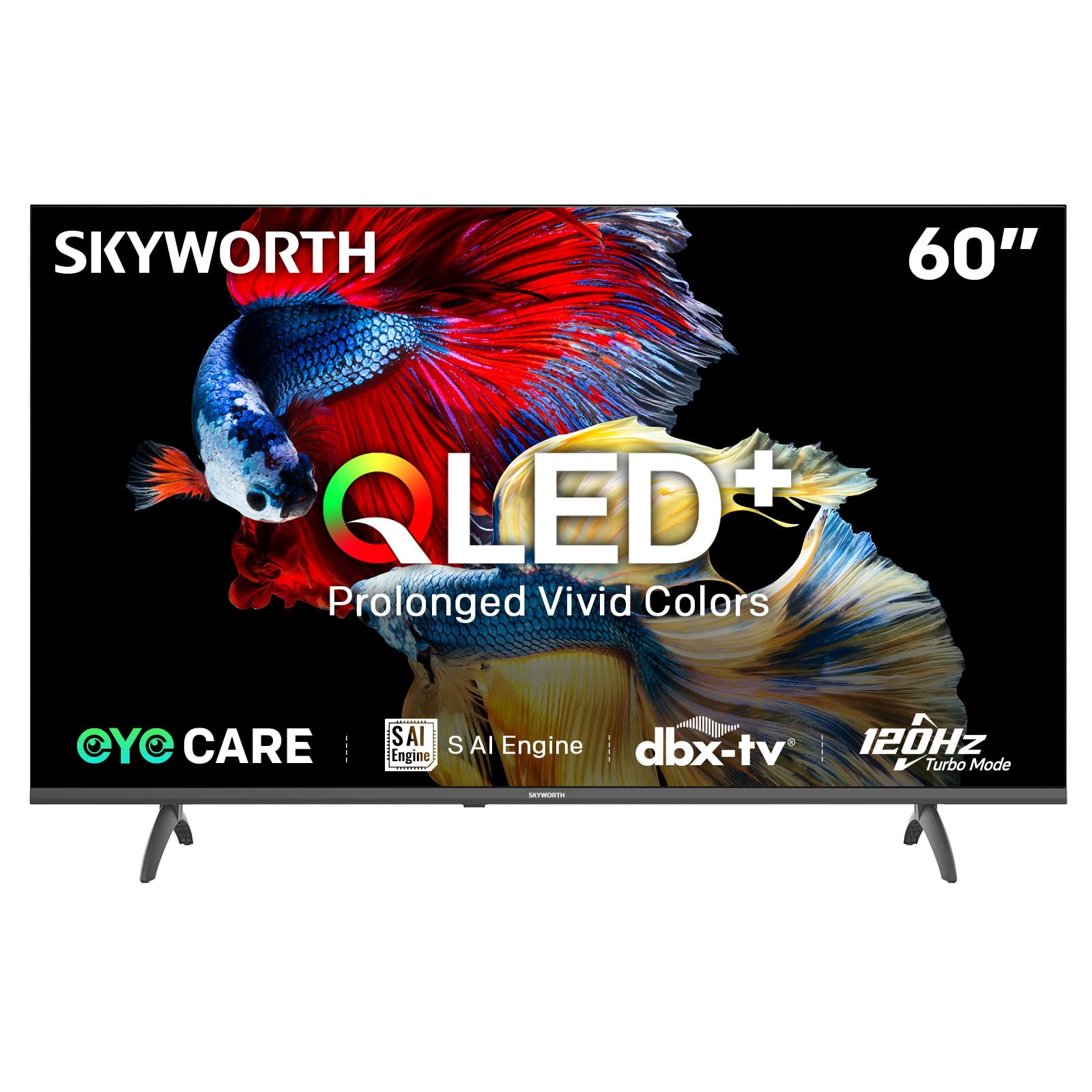
Image: A diagram illustrating the "No-Fading Extended Watching" feature, comparing Skyworth's stable and eco-friendly quantum dot performance over 10 years against conventional quantum dots.

Image: A graphic explaining the QLED+ technology, emphasizing its vivid, eco-friendly, brilliant, and prolonged color performance.

Image: An illustration of the 120Hz Turbo Motion feature, depicting a motocross rider with multiple frames to show enhanced motion clarity compared to 60Hz.
5. Nastavitve zvoka
The TV is equipped with 2x15W speakers and supports Dolby Digital/DBX audio processing for clear and powerful sound. Adjust sound modes (e.g., Standard, Music, Movie) and equalizer settings in the audio menu.

Image: A visual highlighting Skyworth's collaboration with Total Sonics for enhanced audio quality, featuring a sound wave graphic and a person associated with audio engineering.
6. Način igre
Activate Game Mode for reduced input lag and optimized picture settings when connecting gaming consoles, providing a more responsive gaming experience.
7. DVB-T2 Tuner
The integrated DVB-T2 tuner allows you to receive digital terrestrial television broadcasts. Perform a channel scan in the TV settings to find available channels.
Vzdrževanje
1. Čiščenje televizorja
- zaslon: Zaslon nežno obrišite z mehko krpo, ki ne pušča vlaken. Za trdovratne madeže rahlo obrišiteampKrpo namočite v vodo ali specializirano čistilo za zaslone (prepričajte se, da je varno za televizijske zaslone) in nežno obrišite. Tekočine nikoli ne pršite neposredno na zaslon.
- Televizijsko telo: Za brisanje prahu z okvirja in stojala televizorja uporabite mehko, suho krpo.
- Pomembno: Pred čiščenjem vedno izključite televizor iz električne vtičnice.
2. Posodobitve programske opreme
Your Google TV may receive automatic software updates to improve performance and add new features. Ensure your TV is connected to the internet for these updates. You can also manually check for updates in the TV's settings menu.
3. Shranjevanje in ravnanje
If storing the TV for an extended period, keep it in a cool, dry place, preferably in its original packaging. When moving the TV, always lift it with at least two people and avoid putting pressure on the screen.
Odpravljanje težav
Preden se obrnete na podporo strankam, poskusite z naslednjimi rešitvami za pogoste težave:
| Težava | Možna rešitev |
|---|---|
| Brez moči |
|
| Ni slike, vendar je zvok prisoten |
|
| Ni zvoka, vendar je slika prisotna |
|
| Daljinski upravljalnik ne deluje |
|
| Težave z omrežno povezavo |
|
Ponastavitev na tovarniške nastavitve
If problems persist, a factory reset may resolve them. This will erase all personal settings and installed apps, returning the TV to its original factory state. Navigate to Nastavitve > Sistem > O napravi > Ponastavi > Ponastavitev na tovarniške nastavitve in potrdite svojo izbiro.
Specifikacije
Detailed technical specifications for the Skyworth 60Q6600H TV:
| Funkcija | Podrobnost |
|---|---|
| Model | 60Q6600H |
| Velikost zaslona | 60 palcev |
| Tehnologija zaslona | QLED+ |
| Resolucija | 3840 x 2160 (4K UHD) |
| Hitrost osveževanja | 120Hz Turbo Motion |
| Podpora za HDR | HDR10+ |
| Svetlost | 300 nit |
| Barvna lestvica | 90 % DCI-P3 |
| Tehnologija za nego oči | Eye Care 5.0 |
| Operacijski sistem | Google TV |
| Avdio izhod | 2 x 15W zvočnika |
| Avdio tehnologija | Dolby Digital, DBX |
| Povezljivost | HDMI 2.1, USB, LAN, Bluetooth 5.1, Dual-band WiFi |
| sprejemnik | DVB-T2 |
| Dimenzije izdelka (s stojalom) | 134.5Š x 29.9G x 85.8V cm |
| Dimenzije izdelka (brez stojala) | 134.5Š x 8.8G x 78.5V cm |
| Teža (s stojalom) | 15.9 kg |
| Teža (brez stojala) | 12.1 kg |

Image: A detailed diagram illustrating the width, depth, and height dimensions of the Skyworth Q6600H 60-inch TV, both with and without its stand.
Garancija in podpora
Informacije o garanciji
Your Skyworth 60Q6600H TV comes with a 3-letna garancija proizvajalca. This warranty covers defects in materials and workmanship under normal use. Please retain your proof of purchase for warranty claims. For full terms and conditions, refer to the included Warranty Card.
Spare part availability information is not available or provided.
Podpora uporabnikom
If you encounter issues that cannot be resolved using the troubleshooting guide, or for any other inquiries, please contact Skyworth customer support. Refer to your Warranty Card or the official Skyworth webspletno mesto za najnovejše kontaktne podatke.
Spletni viri: Visit the official Skyworth website for FAQs, software downloads, and additional support resources.


