Uvod
The ShanWan Wireless Controller is a versatile gaming peripheral designed for use across multiple platforms, including PC, iPhone, Android, Nintendo Switch, and Steam. It offers tri-mode connectivity (Bluetooth, 2.4G wireless, and USB-C wired) to ensure a seamless gaming experience. This manual provides detailed instructions for setup, operation, maintenance, and troubleshooting to help you maximize your controller's performance.
Note: This controller is not compatible with Xbox or PlayStation 4/5 consoles.
Vsebina paketa
- ShanWan Wireless Controller
- Polnilni kabel USB-C
- 2.4G brezžični adapter
- Uporabniški priročnik (ta dokument)
Kontrolnik je končanview
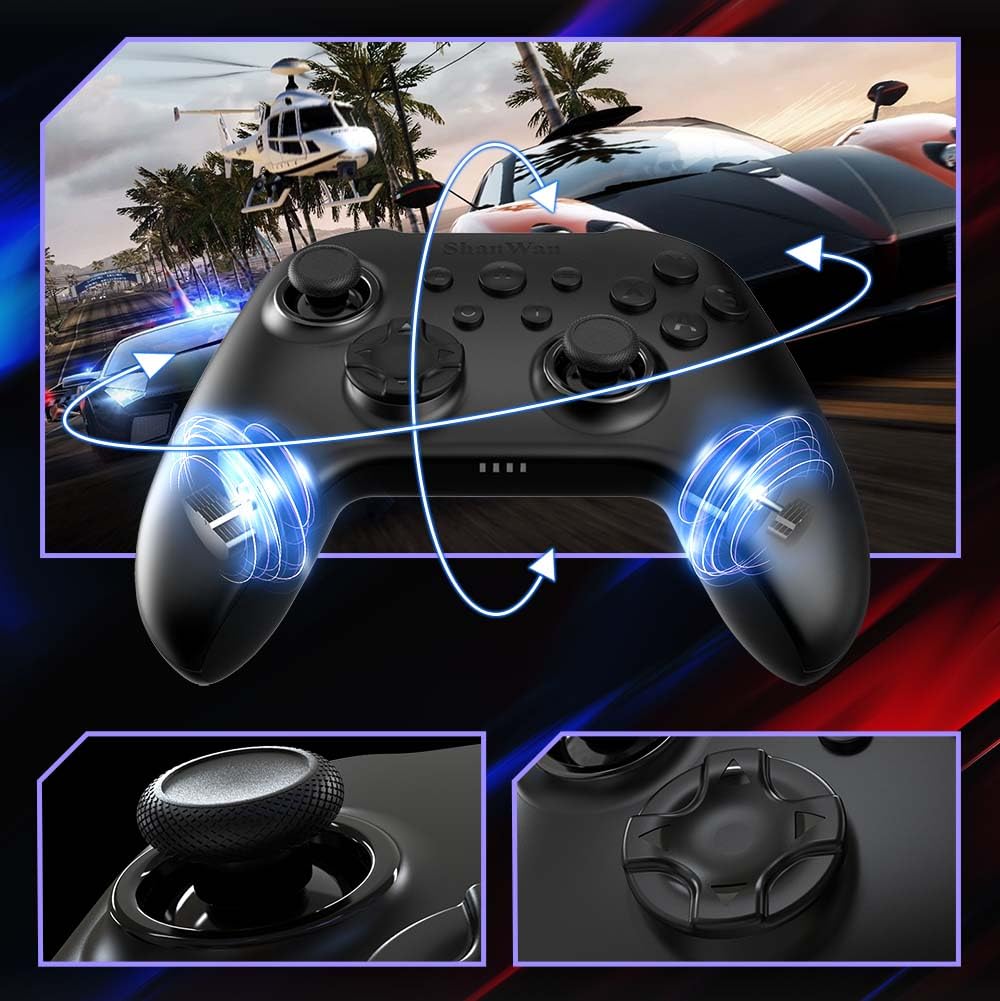
Slika: Spredaj view of the ShanWan Wireless Controller, showcasing its ergonomic design, dual joysticks, D-pad, and face buttons (A, B, X, Y).
Slika: Nazaj view of the ShanWan Wireless Controller, highlighting the mode switch for different platforms (X, D, S).
Ključne značilnosti:
- Igralne palice z Hallovim efektom: Designed for precision with no dead zones and anti-drift capabilities.
- Durable Gel Buttons: Conductive gel buttons tested for 1 million clicks for long-lasting performance.
- 6-osni žiroskop: Zagotavlja natančno zaznavanje gibanja za poglobljeno igranje.
- Dvojni vibracijski motorji: Delivers strong and subtle haptic feedback for an enhanced gaming experience.
- Turbo funkcija: Omogoča hitro, ponavljajoče se pritiskanje gumbov.
Nastavitev
1. Polnjenje krmilnika
Before initial use, fully charge the controller using the provided USB-C cable. Connect the USB-C end to the controller and the USB-A end to a power source (e.g., computer USB port, USB wall adapter). The charging indicator lights will show charging status and turn off when fully charged.
2. Povezovanje z napravami
The ShanWan Wireless Controller supports three connection modes: Bluetooth, 2.4G Wireless, and USB-C Wired. Ensure the mode switch on the back of the controller is set to the appropriate platform before attempting to connect.

Slika: Visual representation of the controller's tri-mode connectivity, illustrating Bluetooth, 2.4G wireless, and USB-C wired options.
Mode Switch Settings:
- 'S' Mode: For Nintendo Switch.
- 'X' Mode: For PC (X-input), Android.
- 'D' Mode: For PC (D-input), iOS.
Povezava Bluetooth:
- Set the mode switch on the back of the controller to the desired platform ('S', 'X', or 'D').
- Press and hold the pairing button (usually a small button on the top or back) until the indicator lights flash rapidly.
- On your device (PC, iPhone, Android, Switch), go to Bluetooth settings and search for new devices.
- Select "ShanWan Controller" or a similar name from the list to pair.
- Ko je naprava seznanjena, bodo indikatorske lučke na krmilniku začele neprekinjeno svetiti.
2.4G Wireless Connection (for PC/Switch):
- Set the mode switch on the back of the controller to 'X' (for PC) or 'S' (for Switch).
- Insert the 2.4G wireless dongle into a USB port on your PC or Switch dock.
- Press the Home button on the controller to power it on. It should automatically connect to the dongle.
- The indicator lights will become solid once connected.
Žična povezava USB-C:
- Connect the USB-C cable to the controller and the other end to your PC or Switch dock.
- The controller will automatically be recognized as a wired device.
- No specific mode switch setting is required for wired connection, but setting it to the correct platform mode ('X' for PC, 'S' for Switch) is recommended for optimal compatibility.
Navodila za uporabo
Vklop/izklop:
- Vklop: Press the Home button once.
- Ugasniti: Press and hold the Home button for 3-5 seconds, or the controller will automatically power off after a period of inactivity.
Nadzor gibanja:
The built-in 6-axis gyroscope provides motion control capabilities, particularly useful for games on Nintendo Switch or other compatible platforms. Ensure the game supports motion controls for this feature to function.
Vibracijske povratne informacije:
The dual vibration motors provide haptic feedback during gameplay. The intensity of the vibration can often be adjusted through game settings or the Gamepad Space app.
Turbo funkcija:
To activate the Turbo function for a specific button:
- Press and hold the button you wish to set to Turbo.
- While holding the button, press the Turbo button (refer to controller layout for location).
- The button will now repeatedly register presses as long as it is held down.
To deactivate Turbo for a button, repeat the process.
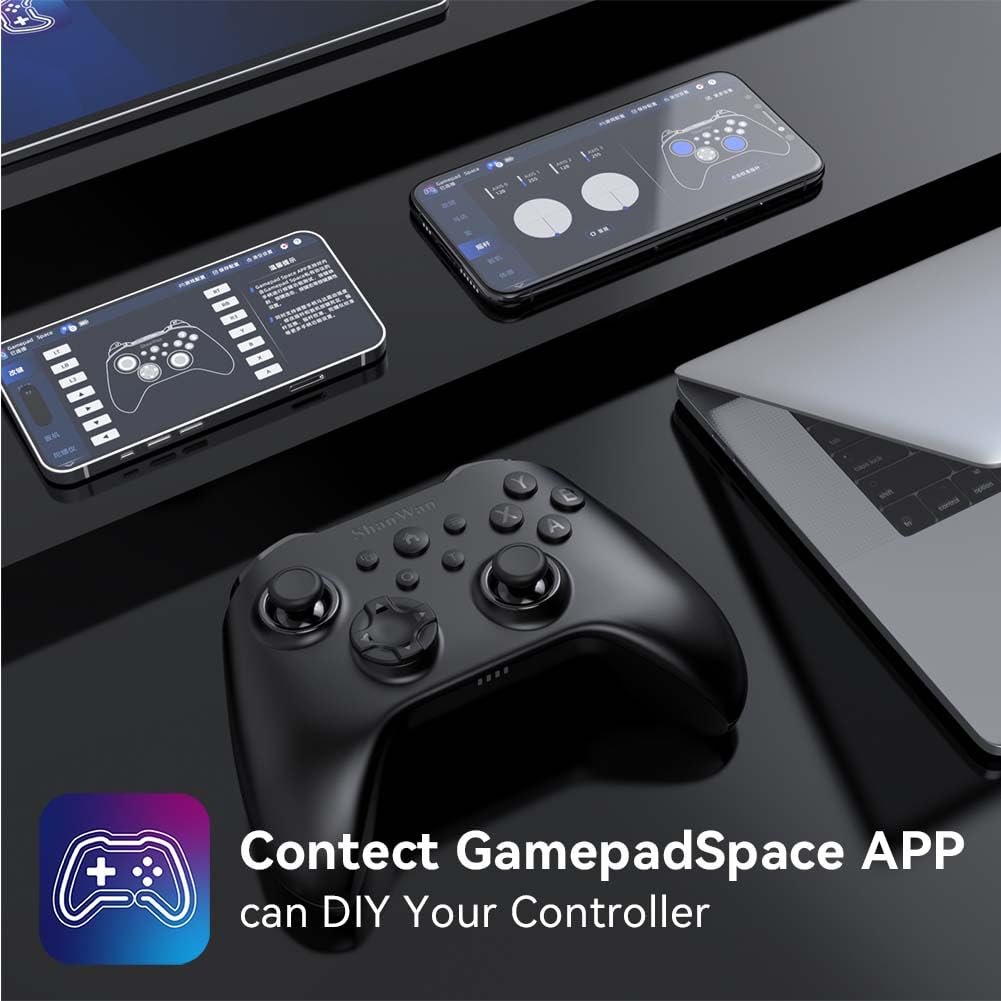
Software Customization (Gamepad Space App):
Enhance your gaming experience by customizing controller settings using the Gamepad Space mobile application.

Slika: A ShanWan controller alongside smartphones displaying the Gamepad Space app, illustrating options for calibration and on-the-fly adjustments.
- Download the "Gamepad Space" app from your mobile device's app store.
- Connect your controller to your mobile device via Bluetooth.
- V aplikaciji lahko:
- Nadgradite vdelano programsko opremo.
- Prilagodite mrtva območja ročice in sprožilca.
- Prilagodite intenzivnost vibracij.
- Testni gumbi.
Vzdrževanje
- Čiščenje: Za čiščenje krmilnika uporabite mehko, suho krpo. Izogibajte se uporabi agresivnih kemikalij ali abrazivnih materialov.
- Shranjevanje: Krmilnik shranjujte na hladnem in suhem mestu, stran od neposredne sončne svetlobe in ekstremnih temperatur.
- Vzdrževanje baterije: Za podaljšanje življenjske dobe baterije se izogibajte pogostemu popolnemu praznjenju krmilnika. Redno ga polnite, tudi če ga ne uporabljate nenehno.
Odpravljanje težav
Krmilnik se ne povezuje:
- Prepričajte se, da je krmilnik napolnjen.
- Verify the mode switch on the back of the controller is set correctly for your platform (S, X, or D).
- Za Bluetooth se prepričajte, da je Bluetooth vaše naprave vklopljen in da je krmilnik v načinu seznanjanja.
- For 2.4G wireless, ensure the dongle is properly inserted and the controller is in the correct mode.
- Poskusite znova zagnati krmilnik in napravo.
Vhodni zamik ali prekinitve povezave:
- Prepričajte se, da v bližini ni močnih elektromagnetnih motenj.
- Move closer to your device for a stronger wireless signal.
- Prepričajte se, da baterija krmilnika ni skoraj prazna.
- Consider using a wired USB-C connection for the most stable experience.
Joystick Drift or Unresponsive Buttons:
- Calibrate the joysticks and test buttons using the Gamepad Space app.
- Ensure the controller's firmware is up to date via the Gamepad Space app.
- Očistite okolico gumbov in igralnih palic, da odstranite morebitne umazanije.
Specifikacije
| Model | B0FS13DT2B |
| Tehnologija povezljivosti | Bluetooth, 2.4G brezžično, USB-C žično |
| Združljive naprave | Android, iOS, Nintendo Switch, Nintendo Switch 2, PC |
| Vrsta krmilnika | Igralni plošček |
| Količina gumbov | 12 |
| Posebne lastnosti | Hall Effect Joysticks, 6-Axis Gyroscope, Dual Vibration, Turbo Function, Software Customization |
| Vir napajanja | Napajanje na baterije |
| Teža predmeta | 300 gramov |
| Mere predmeta (D x Š x V) | 2.5 cm x 4 cm x 6 cm |
Garancija in podpora
ShanWan products are designed for reliability and performance. For specific warranty information, please refer to the documentation included with your purchase or visit the official ShanWan support website. If you encounter any issues not covered in this manual, please contact ShanWan customer support for assistance.
Spletna podpora: Visit the ShanWan Store on Amazon


