1. Uvod
The FiiO K13 R2R is a high-fidelity desktop Digital-to-Analog Converter (DAC) and Headphone Amplifier designed to deliver exceptional audio performance. It features a proprietary 24-bit R2R DAC, powerful output capabilities, versatile connectivity, and advanced sound customization options. This manual provides essential information for setting up, operating, and maintaining your FiiO K13 R2R.
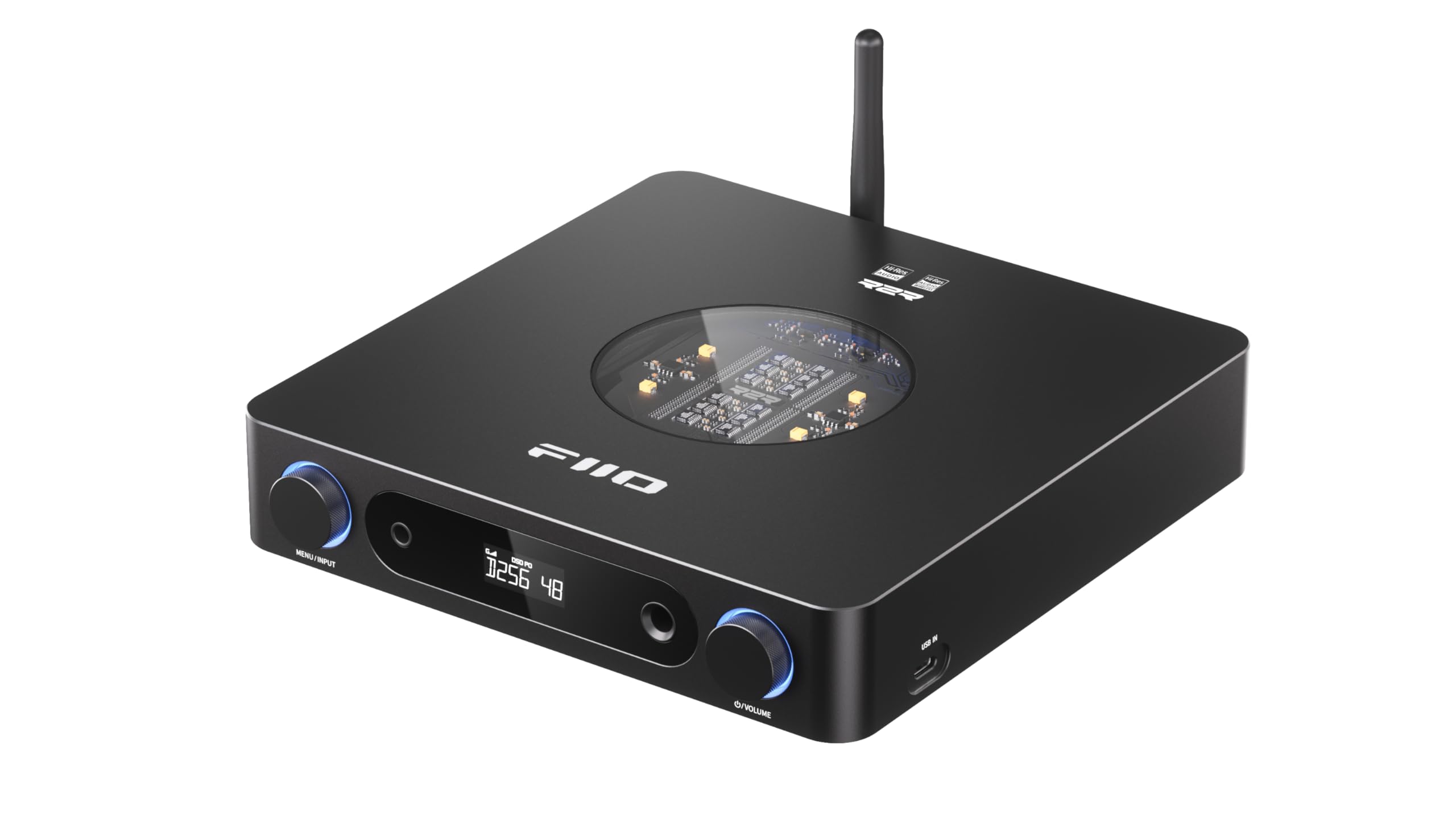
Figure 1: FiiO K13 R2R Desktop DAC & Headphone Amp (črna)
Key features include a fully differential 24Bit R2R DAC, NOS/OS dual modes for flexible listening, versatile desktop DAC and preamp/slušalke amp functionality, 10-band high-precision PEQ with auto EQ, and LDAC Bluetooth 5.4 wireless HiFi support.
2. Kaj je v škatli
Please check the contents of your FiiO K13 R2R package:
- Vodnik za hiter začetek
- AC power cord*1
- Infrared remote control*1
- USB podatkovni kabel * 1
- Headphone adapter*1

Figure 2: Package contents of the FiiO K13 R2R.
3. Izdelek je končanview
Sprednja plošča
The front panel of the FiiO K13 R2R features essential controls and output ports for easy access and operation.

Slika 3: Spredaj view of the FiiO K13 R2R, showing the display, headphone outputs, and control knobs.
- Menu/Input Knob: Rotate to navigate menus or adjust settings. Press to confirm selection or switch input sources.
- Zaslon: Prikazuje trenutni vhod, sampling rate, volume level, and menu options.
- 6.35 mm enojni izhod za slušalke: Standardni priključek za slušalke.
- 4.4 mm uravnotežen izhod za slušalke: Balanced headphone jack for enhanced audio performance.
- Gumb za glasnost: Rotate to adjust the output volume.
Zadnja plošča
The rear panel provides a comprehensive array of input and output connections for integration into various audio systems.

Slika 4: Zadaj view of the FiiO K13 R2R, detailing the various input and output ports.
- Uravnotežen XLR izhod (L/R): Za priklop na uravnoteženo amplifierji ali aktivni zvočniki.
- RCA linijski izhod (L/R): Za priklop na neuravnotežene amplifierji ali aktivni zvočniki.
- Koaksialni vhod: Digitalni avdio vhod.
- Optični vhod: Digitalni avdio vhod.
- USB IN (Type-C): For connecting to a computer or other USB audio sources.
- VHOD ZA ENOSMESNI TOČAK (12 V): External DC power input option.
- AC Power Input (100-240V): Main power connection.
- Bluetooth antena: For wireless Bluetooth reception.
Poudarki notranje arhitekture
The FiiO K13 R2R incorporates advanced internal components for superior audio fidelity.

Figure 5: Diagram illustrating the fully differential 24Bit R2R DAC resistor arrays.
- Fully Differential 24Bit R2R DAC: Composed of 192 ultra-precise 0.1% thin-film resistors for a unique analog-like timbre.
- Specially-designed DC/AC Dual Power Supplies: Built-in 30W switching power supply with alloy nickel-plated shielding, plus an external DC power input option for cleaner power.
- ELNA RA3 Audiophile-grade Electrolytic Capacitors: Ensures a pure, stable power supply for warm and natural sound.
- Fully Balanced Audio Amplifier vezje: Utilizes fully differential signal processing for excellent interference rejection, minimal distortion, and high dynamic range.
4. Nastavitev
Napajalni priključek
- Connect the provided AC power cord to the AC Power Input on the rear panel of the K13 R2R.
- Plug the other end of the AC power cord into a suitable wall outlet.
- Alternatively, for an external DC power supply, connect a 12V-2.5A (or greater) supply with a 5.5*2.1mm connector to the DC IN port.
Avdio povezave
Choose the appropriate connection method based on your audio source and output devices.
- USB povezava: Connect your computer or other USB audio source to the USB IN (Type-C) port using the provided USB data cable.
- Optična/koaksialna povezava: Connect your digital audio source (e.g., CD player, TV) to the Optical Input or Coaxial Input ports.
- Izhod za slušalke: Connect your headphones to either the 6.35mm Single-Ended or 4.4mm Balanced Headphone Output on the front panel. Use the provided adapter if necessary.
- Linijski izhod: Connect the Balanced XLR Output or RCA Line Out to your amplifier ali aktivni zvočniki.
Bluetooth združitev
The FiiO K13 R2R supports high-resolution Bluetooth 5.4 streaming.
- Ensure the Bluetooth antenna is securely attached to the rear panel.
- Power on the FiiO K13 R2R.
- Press the Menu/Input knob to cycle through input modes until 'BT' (Bluetooth) is selected on the display.
- On your mobile device or Bluetooth player, enable Bluetooth and search for available devices.
- Select 'FiiO K13 R2R' from the list to pair. Once connected, the display will indicate a successful Bluetooth connection.
Video 1: This video demonstrates Bluetooth receiver functionality using a similar FiiO product (K9 Pro). The pairing process for the K13 R2R is similar.
5. Navodila za uporabo
Osnovno delovanje
- Vklop/izklop: Press the power button (usually integrated with the Menu/Input knob or a dedicated button) to turn the device on or off.
- Nadzor glasnosti: Rotate the Volume Knob on the front panel to adjust the output volume for headphones or line outputs.
- Izbira vnosa: Press the Menu/Input knob to cycle through available input sources (USB, Optical, Coaxial, Bluetooth). The selected input will be shown on the display.
NOS/OS Dual Modes
The K13 R2R offers two distinct operating modes for audio processing:

Figure 6: Illustration of NOS (Non-Oversampling) and OS (Oversampling) modes.
- NOS (Non-Oversampling) Mode: Preserves the original sampling rate for a pure, natural, and organic sound.
- OS (Oversampling) Mode: Upsamples audio to 384kHz for improved audio metrics, delivering finer and clearer sound.
- To switch between modes, navigate through the device's menu using the Menu/Input knob.
10-Band High-Precision PEQ
Customize your sound with the integrated 10-band Parametric Equalizer (PEQ).

Slika 7: Nprample of the 10-band high-precision PEQ interface.
- The PEQ can be accessed and customized via the FiiO Control app or a web vmesnik.
- Adjust 10 frequency bands to tailor the sound to your preference or correct headphone response.
- Access presets like vintage PEQ or share EQ profiles.
6. Vzdrževanje
- Čiščenje: Za čiščenje zunanjosti naprave uporabite mehko, suho krpo. Izogibajte se uporabi tekočih čistil ali topil.
- Shranjevanje: Napravo shranjujte na hladnem in suhem mestu, stran od neposredne sončne svetlobe in ekstremnih temperatur.
- Ravnanje: Handle the device with care to prevent damage from drops or impacts.
7. Odpravljanje težav
- Ni zvoka:
- Check all cable connections (power, input, output) are secure.
- Ensure the correct input source is selected on the K13 R2R.
- Verify the volume level is not set to minimum or muted.
- Preizkusite z različnimi slušalkami ali zvočniki, da ugotovite, v čem je težava.
- Težave s povezavo Bluetooth:
- Ensure the K13 R2R is in Bluetooth pairing mode.
- Move your mobile device closer to the K13 R2R to improve signal strength.
- Forget the device on your mobile device's Bluetooth settings and attempt to re-pair.
- Popačen zvok:
- Preverite kakovost zvočnega vira.
- Ensure the volume is not set too high, causing clipping.
- Verify that the correct sampling rate is being used.
8. Specifikacije
| Funkcija | Specifikacija |
|---|---|
| Številka modela | K13 R2R |
| Vrsta DAC | FiiO Self-Developed Fully Differential 24Bit R2R DAC |
| Izhodna moč | Powerful 2400mW Output |
| Različica Bluetooth | Bluetooth 5.4 (LDAC, AAC, SBC codecs) |
| Podpora za dekodiranje | PCM 384 kHz/32 bitov, DSD256 |
| Izenačevalnik | 10-Band High-Precision PEQ |
| Izhodi | XLR Balanced Line Out, Dual RCA Outputs, 4.4mm Balanced Headphone Out, 6.35mm Single-Ended Headphone Out |
| Napajalnik | Dual Power Supply (Built-in 30W, External DC 12V-2.5A option) |
| Teža predmeta | 3.24 funtov |
| Dimenzije paketa | 12.24 x 9.53 x 2.52 palcev |
9. Garancija in podpora
For warranty information, technical support, and further assistance, please refer to the official FiiO webspletno mesto ali se obrnite neposredno na njihovo službo za stranke. Za uveljavljanje garancije shranite račun.
Uradni FiiO Webspletno mesto: www.fiio.com


