1. Izdelek je končanview
The MONTECH HyperFlow Digital 240 CPU Liquid Cooler is an all-in-one (AIO) liquid cooling solution designed for efficient heat dissipation in computer systems. It features a powerful pump, two 120mm E28 ARGB fans, and a real-time digital display for monitoring CPU and GPU temperatures. This cooler is compatible with various Intel and AMD platforms.
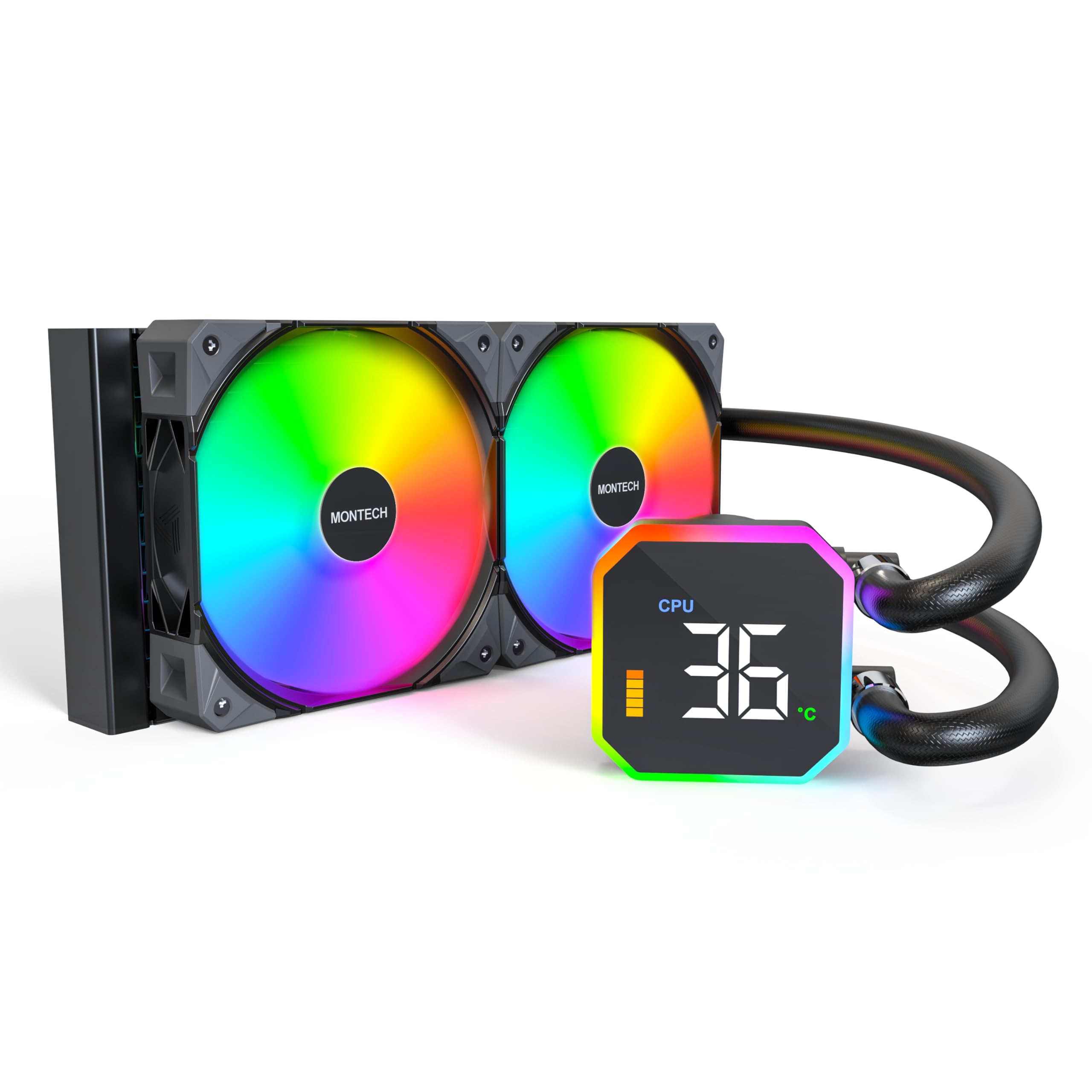
Image: The MONTECH HyperFlow Digital 240 CPU Liquid Cooler, showcasing the radiator, fans, pump, and digital display.
2. Vsebina paketa
Preden nadaljujete z namestitvijo, preverite, ali so v paketu prisotne vse komponente.
- MONTECH HyperFlow Digital 240 AIO Liquid Cooler (Radiator, Pump with Digital Display, Pre-installed Fans)
- Mounting Hardware for Intel Sockets (1151/1200/1700/1851/20XX)
- Mounting Hardware for AMD Sockets (AM3/AM4/AM5)
- Cables (Fan power, ARGB, USB for display)
- Uporabniški priročnik (ta dokument)

Slika: Prekoview diagram illustrating the main components and features of the HyperFlow Digital AIO cooler.
3. Tehnične specifikacije
| Funkcija | Specifikacija |
|---|---|
| Dimenzije izdelka | 11.08 cm D x 1.07 cm Š x 4.8 cm V |
| Metoda hlajenja | voda |
| Hitrost črpalke | 3100 RPM (±10%) |
| Vrsta ventilatorja | E28 ARGB Fans |
| Velikost ventilatorja | 120 mm |
| Maximum Fan Rotational Speed | 2200 RPM (±10%) |
| Zmogljivost pretoka zraka | 96.27 kubičnih čevljev na minuto (CFM) |
| Statični tlak | 4.13 mm HXNUMXO |
| Nivo hrupa | 36.25 decibelov (največ) |
| Debelina radiatorja | 27 mm |
| Radiator FPI | 20 FPI (Fins Per Inch) |
| Vrsta napajalnega konektorja | 4-Pin PWM |
| voltage | 12 volta |
| Material | Aluminum (Radiator) |
| Združljive naprave | CPU, Desktop |
| Intel Socket Support | 1151/1200/1700/1851/20XX |
| AMD Socket Support | AM3/AM4/AM5 |
| Teža predmeta | 4.6 funtov |
4. Vodič za namestitev
The MONTECH HyperFlow Digital 240 is designed for hassle-free installation with pre-installed fans and pre-applied thermal paste.
4.1. Pripravite svoj sistem
- Izklopite računalnik in odklopite vse kable.
- Odprite ohišje računalnika, da dostopate do matične plošče in procesorja.
- Remove any existing CPU cooler. Clean the CPU surface if necessary.
4.2. Namestite radiator in ventilatorje
The fans are pre-installed on the radiator. Determine the optimal mounting location in your case (e.g., top, front) ensuring adequate clearance.

Image: Illustration of radiator and fan dimensions (27mm radiator, 28mm fan thickness) to ensure proper fit within a PC case.

Image: A visual guide demonstrating how the radiator and fans fit into a computer case, highlighting the total thickness of 55mm.
4.3. Namestite črpalko/hladilno ploščo
The cold plate has pre-applied thermal paste. Select the appropriate mounting brackets for your CPU socket (Intel or AMD).

Slika: Bližnji posnetek view of the pump and cold plate, showing the pre-applied thermal paste for convenience.

Image: Visual representation of the different mounting brackets for Intel (1151/1200/1700/1851/20XX) and AMD (AM3/AM4/AM5) sockets.

Image: A detailed diagram showing the compatibility of the cooler with various Intel and AMD CPU sockets.
4.4. Priključite kable
Connect the pump's USB cable to a Motherboard USB 2.0 header. Connect the fan and ARGB cables to appropriate headers on your motherboard or a compatible controller.

Image: Step-by-step guide for connecting the pump to the motherboard's USB 2.0 header and installing the necessary software.
5. Navodila za uporabo
5.1. Spremljanje digitalnega prikaza
The integrated digital display provides real-time monitoring of your CPU and GPU temperatures. This allows for quick assessment of your system's thermal performance.
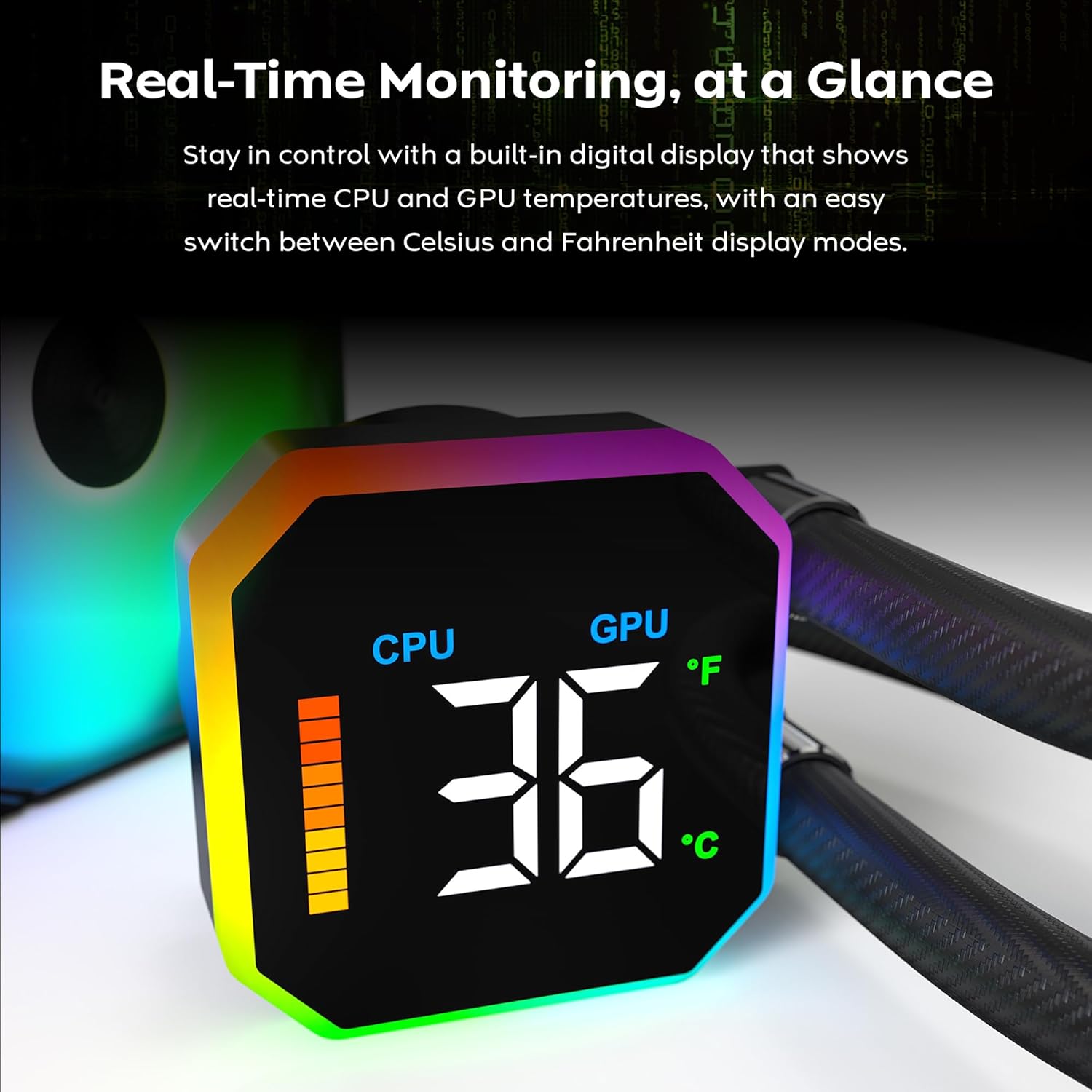
Image: The digital display on the pump head showing real-time CPU temperature and a temperature bar graph.

Slika: Bližnji posnetek view of the digital display, clearly showing the CPU temperature reading.
5.2. Preklapljanje temperaturnih enot
The display allows for quick switching between Celsius (°C) and Fahrenheit (°F) temperature units. Refer to the software interface for this setting.

Image: The software interface demonstrating the options to switch between CPU/GPU temperature display and Celsius/Fahrenheit units.
5.3. Fan Performance
The E28 performance fans operate up to 2200 RPM, providing strong airflow and static pressure for efficient heat dissipation. Fan speeds are typically controlled via PWM signals from the motherboard or dedicated fan controller.

Image: Details of the E28 ARGB Performance Fan, highlighting its fan speed, static pressure, and airflow capabilities.

Image: A visual representation of the fan's operational speed range (800-2200 RPM) and its 28mm thickness.
6. Vzdrževanje
Redno vzdrževanje pomaga zagotoviti optimalno delovanje in dolgo življenjsko dobo vašega hladilnika tekočin.
- Čiščenje prahu: Občasno očistite prah z reber hladilnika in lopatic ventilatorja s stisnjenim zrakom. Med čiščenjem se prepričajte, da se ventilatorji ne vrtijo, da preprečite poškodbe.
- Vizualni pregled: Regularly check the tubing for any signs of kinks, leaks, or damage. Inspect the pump block for secure mounting.
- Termalna pasta: The cooler comes with pre-applied thermal paste. If you need to remount the cold plate, clean off the old thermal paste from both the CPU and cold plate, and apply a new layer of high-quality thermal paste.
7. Odpravljanje težav
If you encounter issues with your MONTECH HyperFlow Digital 240, refer to the following common troubleshooting steps:
- No Display/Incorrect Temperature Readings:
- Ensure the USB 2.0 cable from the pump is securely connected to a motherboard header.
- Verify that the MONTECH software is correctly installed and running.
- Check for any software updates for the cooler.
- High CPU/GPU Temperatures:
- Confirm that the pump is running (you may feel a slight vibration or hear a low hum).
- Check that the fans are spinning correctly and are not obstructed.
- Ensure the cold plate is making proper contact with the CPU. Re-seat the cooler if necessary, applying new thermal paste.
- Verify that the radiator is free of dust and has adequate airflow.
- Prekomeren hrup ventilatorja:
- Check if any cables are interfering with the fan blades.
- Prepričajte se, da so ventilatorji varno nameščeni in da ne vibrirajo ob ohišju.
- Adjust fan curves in your motherboard's BIOS or fan control software to reduce speeds at lower temperatures.
- ARGB osvetlitev ne deluje:
- Ensure all ARGB cables are correctly connected to the motherboard's ARGB header or a dedicated controller.
- Check your motherboard's ARGB software or dedicated controller software for lighting settings.
8. Garancija in podpora
The MONTECH HyperFlow Digital 240 CPU Liquid Cooler comes with a 6-letna garancija od datuma nakupa. Ta garancija pokriva napake v materialu in izdelavi pri normalni uporabi.
For technical support, warranty claims, or further assistance, please visit the official Montech webspletno mesto ali se obrnite na njihov oddelek za pomoč strankam. Obiščete lahko tudi Montech Store on Amazon za informacije o izdelku in vire podpore.
9. Uradni videoposnetek izdelka
Video: Uradna video predstavitev izdelkaasing the features and functionality of the MONTECH HyperFlow Digital Liquid AIO CPU Cooler. This video demonstrates the real-time temperature display, fan performance, and overall design.


