Uvod
This manual provides comprehensive instructions for the installation, operation, and maintenance of your REOLINK Argus Series B430-B Battery-WiFi Camera. Please read this manual carefully before using the product to ensure proper functionality and safety.
Kaj je v škatli
- REOLINK Argus Series B430-B Camera
- Montažni komplet (vijaki, stenski sidri)
- USB polnilni kabel
- Vodnik za hiter začetek
Konec izdelkaview
Familiarize yourself with the camera's components and design.
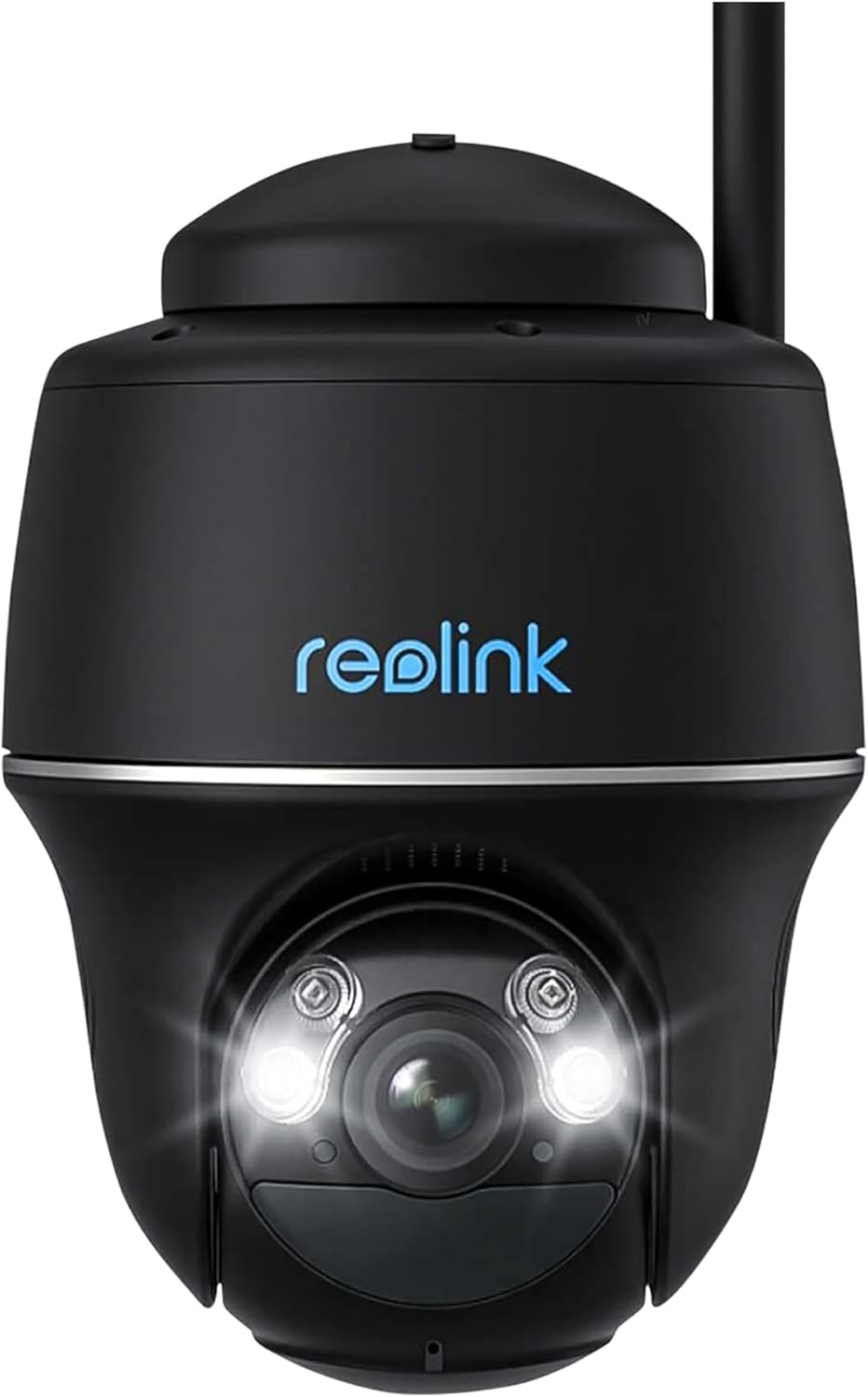
Slika 1: Spredaj view of the REOLINK Argus Series B430-B Battery-WiFi Camera, showing the lens, LED lights, and Reolink logo. This camera features a dome form factor and is designed for versatile placement.
The REOLINK Argus Series B430-B is a battery-powered Wi-Fi security camera designed for both indoor and outdoor use. It features a dome form factor, 1440p video resolution, and supports voice control via Amazon Alexa and Google Assistant.
Nastavitev
1. Polnjenje baterije
Before initial use, fully charge the camera battery using the provided USB cable and a 5V/2A power adapter (not included). The charging indicator light will turn solid blue when fully charged.
2. Downloading the Reolink App
Download and install the Reolink App from the App Store (iOS) or Google Play (Android). The app is essential for camera setup and operation.
3. Začetna nastavitev kamere
- Odprite aplikacijo Reolink in tapnite ikono »+«, da dodate novo napravo.
- Skenirajte QR kodo na ohišju fotoaparata.
- Sledite navodilom na zaslonu, da kamero povežete z omrežjem Wi-Fi 2.4 GHz.
- Create a device password and name for your camera.
4. Namestitev kamere
The camera can be mounted indoors or outdoors, including ceiling installation. Ensure the mounting location has good Wi-Fi signal strength.

Slika 2: The REOLINK Argus Series B430-B camera mounted on an exterior wall, demonstrating a typical installation scenario for outdoor surveillance.
Montaža na steno:
- Izvrtajte luknje v skladu s šablono za montažo.
- Insert wall anchors if mounting on masonry or concrete.
- Pritrdite montažni nosilec z vijaki.
- Attach the camera to the bracket and adjust the angle.
Optional Solar Panel Installation: For continuous power, consider connecting a compatible REOLINK solar panel. Ensure the solar panel is positioned to receive maximum sunlight.
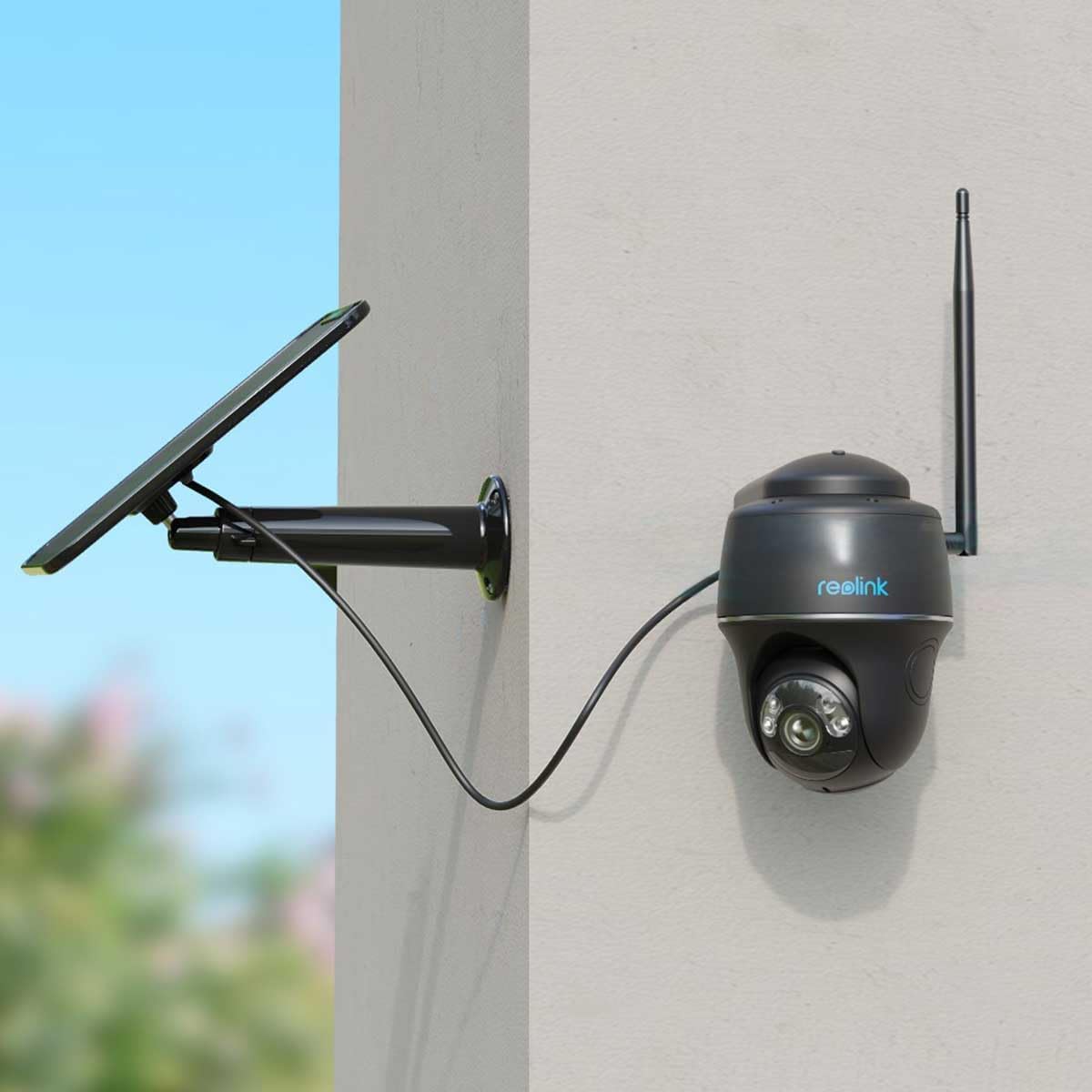
Slika 3: The REOLINK Argus Series B430-B camera connected to an external solar panel for continuous charging, mounted on a wall. This setup provides extended battery life.

Slika 4: The REOLINK Argus Series B430-B camera and its solar panel installed outdoors, demonstrating its waterproof design and resilience in rainy conditions.
Upravljanje kamere
1. V živo View
Open the Reolink App and tap on your camera to access the live view. You can pan, tilt, and zoom digitally, as well as use two-way audio to communicate through the camera.
2. Snemanje in predvajanje
The camera records motion-triggered events. Access recorded footage via the "Playback" section in the Reolink App. You can filter by date and event type to quickly find specific recordings.
3. Nastavitve zaznavanja gibanja
Customize motion detection sensitivity, detection zones, and notification preferences in the camera settings within the app. This helps reduce false alarms and ensures you receive relevant alerts.
4. Integracija pametnega doma
The REOLINK Argus Series B430-B supports Amazon Alexa and Google Assistant. Follow the instructions in the Reolink App or your smart home device app to link your camera for voice control and live view on compatible smart displays.
Vzdrževanje
1. Skrb za baterijo
- Avoid exposing the camera to extreme temperatures, which can affect battery life.
- Recharge the battery promptly when the low battery notification appears.
- If using a solar panel, ensure it is clean and receives adequate sunlight for optimal charging.
2. Čiščenje
Objektiv in ohišje fotoaparata obrišite z mehko krpoamp cloth. Do not use harsh chemicals or abrasive cleaners, as these can damage the camera's surfaces or lens coating.
3. Posodobitve vdelane programske opreme
Redno preverjajte in nameščajte posodobitve vdelane programske opreme prek aplikacije Reolink, da zagotovite optimalno delovanje, varnost in dostop do novih funkcij.
Odpravljanje težav
Kamera se ne povezuje z omrežjem Wi-Fi
- Prepričajte se, da je vaše omrežje Wi-Fi 2.4 GHz, saj kamera ne podpira omrežij 5 GHz.
- Check Wi-Fi signal strength at the camera's location. Move the camera closer to the router if the signal is weak.
- Restart your router and the camera to refresh network connections.
- Preverite, ali je geslo za Wi-Fi, vneseno med nastavitvijo, pravilno.
Slaba kakovost videa
- Check your internet upload speed; a stable connection is crucial for clear video.
- Prepričajte se, da je objektiv fotoaparata čist in brez prahu ali madežev.
- Adjust video quality settings in the Reolink App to a lower resolution if bandwidth is limited.
Baterija se hitro izprazni
- Reduce motion detection sensitivity or detection zones to minimize unnecessary recordings.
- Ensure the camera is not in an area with constant motion, which triggers frequent recordings.
- Consider connecting a REOLINK solar panel for continuous charging and extended battery life.
Specifikacije
| Funkcija | Podrobnost |
|---|---|
| Model | B430-B |
| Video ločljivost | 1440p (2560 x 1440) |
| Hitrost sličic | 15 sličic na sekundo |
| Povezljivost | 2.4 GHz Wi-Fi (IEEE 802.11b/g/n) |
| Vir napajanja | Rechargeable Battery (compatible with Reolink Solar Panel) |
| Vodoodpornost | Vodotesen |
| Faktor oblike | Kupola |
| Združljivost s pametnim domom | Amazon Alexa, Googlov pomočnik |
| Vrsta namestitve | Strop, stena |
| Delovno okolje | Notranji in zunanji |
| barva | Črna |
Garancija in podpora
Za informacije o garanciji in tehnično podporo obiščite uradno spletno stran REOLINK. website or contact their customer service. You can also find more resources on the REOLINK Brand Store.


