1. Uvod
This manual provides essential information for the proper installation, operation, and maintenance of your CAMECHO Qualcomm 8-Core 4G+64G Car Stereo. Please read this manual thoroughly before using the product to ensure optimal performance and safety.
2. Compatible Car Models
This Android head unit is designed for specific BMW models. Please verify your vehicle's compatibility before installation.
- 2000-2006 BMW X5 Radio E53
- 1996-2003 BMW 5 Series E39 M5 Radio
- 1994-2001 BMW E38 Radio
Opomba: If your original radio has a 4.3" or 7" screen with a 12-pin plug, or if the navigation drive is located in the rear of your car, an extra 6m extension cable may be required (sold separately).

Image: Various BMW dashboards showing compatibility and installation examples.
3. Vsebina paketa
Prepričajte se, da so v vašem paketu prisotni vsi spodaj navedeni predmeti:
- 1 x Android Head Unit
- 1 x AHD vzvratna kamera
- 1 x zunanji mikrofon
- 1 x Protocol Box (CANBUS)
- 1 x GPS antena
- 1 x Radijska antena
- 1 x napajalni kabel
- 2 x USB kabla
- 1 x RCA Input / Output cable
- 1 x vhodni kabel za zadnjo kamero
- 1 x Accessories set
- 1 x namestitveno orodje
- 1 x uporabniški priročnik

Slika: Podrobna view of the head unit dimensions and all accessories included in the package.
4. Nastavitev in namestitev
4.1 CANBUS Connection
The included CANBUS protocol box is essential for retaining factory functions like steering wheel controls. Ensure it is correctly connected.
- Connect the CANBUS box to the designated harness.
- Plug the 8-pin cable into the connector of the head unit. Failure to do so will prevent steering wheel control from functioning.
Opomba: After connecting the CANBUS, you need to set the Protocol correctly. Go to "Settings" > "Factory Settings" (password: 8888) > "Protocol Settings", then choose "Luzheng - BMW - Compatible" with your car model.

Image: Wiring diagram for CANBUS connection and instructions for setting the protocol.
4.2 Troubleshooting: No Sound
Če po namestitvi ne slišite nobenega zvoka, sledite tem korakom:
- Povežite AMP cable from the RCA harness to the ACC cable of the Power harness.
- Open the "Car Amplifier" app from the top bar's drag-down page.
- Za moč amplifier, connect the power cable of the amplifier to the ACC cable of the Power harness.

Image: Visual guide for resolving sound issues, including wiring and software settings.
4.3 Namestitev kamere za vzvratno vožnjo
The AHD backup camera provides a clear image for reversing. Ensure correct wiring for proper function.
- Connect the positive pole of the power supply of the car's reversing light.
- Connect the negative pole of the power supply of the car's reversing light.
- The reversing trigger is controlled by the stereo and does not require a separate connection.
Nasvet: The reversing input must be plugged in even when the reversing camera is not used.
Opomba: Set the camera resolution via Car Settings > Factory Settings (password: 8888) > Protocol parameter settings > Reversing settings > Reverse video resolution ("NTSC/PAL" or "AHD/25"), then restart your car.

Image: Wiring instructions for the AHD backup camera and necessary software adjustments.
5. Navodila za uporabo
5.1 Brezžični Apple CarPlay in Android Auto
Brezžično povežite pametni telefon za dostop do navigacije, glasbe, klicev in še več.
- Za Apple CarPlay: Enable Bluetooth on your iPhone and pair with the car radio. Turn on the "Zlink" app. If connection fails, connect your phone to the car radio's hotspot. Keep Bluetooth and hotspot connected.
- Za Android Auto: Ensure you have the "Android Auto" app installed on your phone. Enable Bluetooth on your Android phone and pair with the car radio. Turn on the "Zlink" app.

Image: Step-by-step guide for wireless CarPlay and Android Auto setup.
5.2 GPS navigacija
The unit features a built-in GPS module supporting both online and offline navigation. You can use various third-party apps from the Google Play Store.
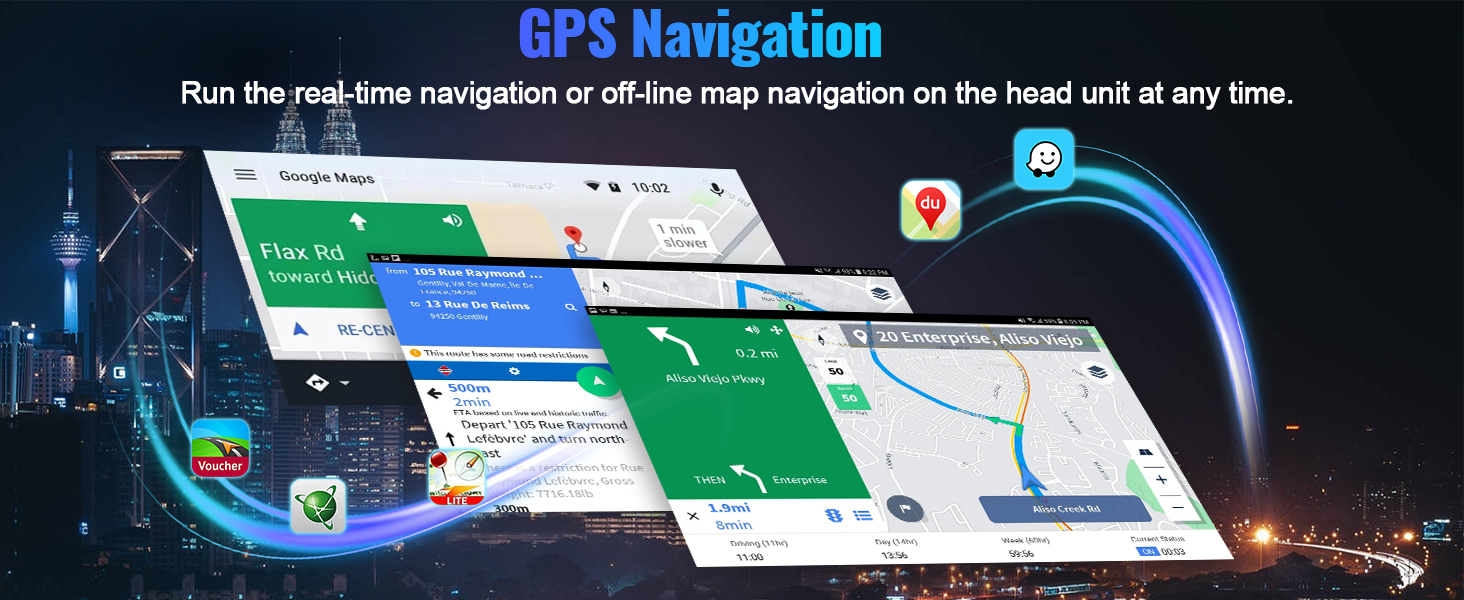
Image: Display of the GPS navigation system with map interface.
5.3 Bluetooth 5.1 & FM RDS Radio
Enjoy hands-free calling and wireless audio streaming with Bluetooth 5.1. Tune into FM/RDS radio with 10-station presets.

Image: Car stereo display showing Bluetooth calling and FM radio functions.
5.4 DSP Hi-Res Audio
The built-in DSP (Digital Signal Processor) with Hi-Res audio allows for dynamic sound quality and customizable listening experience.

Image: Screenshot of the DSP audio settings and equalizer on the car stereo.
5.5 WiFi povezava
Connect to WiFi or your mobile hotspot to download apps, stream videos, and access online content.

Image: Car stereo display showing WiFi settings and various app icons.
5.6 Screen Mirroring / Picture-in-Picture (PIP)
Mirror your phone's screen to the car radio touchscreen. The unit supports Picture-in-Picture (PIP) functionality for multitasking (Note: Video output is not supported).

Image: A smartphone screen mirrored onto the car stereo display.
5.7 UI Customization
The unit offers a decent user interface with 3D car model display and multiple UI design options for personalization.

Image: Different user interface themes and a 3D car visualizer feature.
6. Specifikacije
- procesor: Qualcomm 8-Core Snapdragon
- Operacijski sistem: Android 15
- RAM: 4 GB
- ROM: 64 GB
- Zaslon: 9-palčni IPS zaslon na dotik
- Resolucija: 1280*720
- Bluetooth: Različica 5.1
- Avdio izhod: MOSFET 4*50W, Built-in DSP Hi-Res
- Povezljivost: Wireless Apple CarPlay & Android Auto, GPS, FM/RDS Radio, WiFi
- Posebne lastnosti: AHD Backup Camera support, Steering Wheel Control retention, 1080P video playback, Dual USB ports, Phone Mirror Link, Picture-in-Picture function.
- Dimenzije izdelka: 11.3 cm D x 1.6 cm Š x 5.3 cm V
- Teža artikla: 0.035 unč
7. Vzdrževanje
Za zagotovitev dolge življenjske dobe in optimalnega delovanja vašega avtomobilskega stereo sistema upoštevajte ta navodila za vzdrževanje:
- Čiščenje zaslona: Use a soft, lint-free cloth to gently wipe the screen. Avoid abrasive cleaners or harsh chemicals that may damage the display.
- Posodobitve programske opreme: Periodically check for software updates to ensure your unit has the latest features and bug fixes. Updates can usually be found on the manufacturer's webspletnega mesta ali prek nastavitev enote.
- Nadzor temperature: Izogibajte se izpostavljanju enote ekstremnim temperaturam. Dolgotrajna izpostavljenost neposredni sončni svetlobi ali zelo nizkim temperaturam lahko vpliva na delovanje in življenjsko dobo.
- Preverjanje povezave: Occasionally check all wiring connections behind the unit to ensure they are secure and free from corrosion.
8. Odpravljanje težav
Če naletite na kakršne koli težave, si oglejte naslednje pogoste korake za odpravljanje težav:
- Brez napajanja: Check all power connections and the vehicle's fuse box. Ensure the ACC and B+ wires are correctly connected.
- Ni zvoka: Refer to section 4.2 for detailed troubleshooting steps regarding sound issues.
- Težave s povezavo Bluetooth: Ensure Bluetooth is enabled on both your phone and the car stereo. Try unpairing and re-pairing the devices. Clear Bluetooth cache on your phone if necessary.
- Izguba GPS signala: Ensure the GPS antenna is properly installed and has a clear line of sight to the sky. Check for any obstructions.
- Upravljanje na volanu ne deluje: Verify the CANBUS connection and ensure the correct protocol is selected in the factory settings (refer to section 4.1).
- Zamrzovanje/neodzivnost zaslona: Try restarting the unit. If the issue persists, a factory reset may be required (consult the user manual for specific steps).
9. Garancija in podpora
This product comes with a 1-year warranty from the date of purchase. For technical support, warranty claims, or further assistance, please contact CAMECHO customer service.
Kontaktni podatki: Please refer to your purchase documentation or the official CAMECHO webza najnovejše kontaktne podatke za podporo.

Image: Customer support details, including an email address for assistance.


