1. Uvod
Hvala za nakupasing the ZEBRONICS Zeb Vigor 100 Tower Speaker. This manual provides essential information for the safe and efficient operation of your device. Please read it thoroughly before use and retain it for future reference.
2. Varnostna navodila
- Ne izpostavljajte zvočnika vodi ali vlagi.
- Ne odpirajte zvočnika casing; vsa servisna dela prepustite usposobljenemu osebju.
- Zvočnika ne izpostavljajte neposredni sončni svetlobi, virom toplote in odprtemu ognju.
- Ensure proper ventilation around the speaker to prevent overheating.
- Uporabljajte samo napajalni kabel, ki je priložen napravi.
- Izogibajte se dolgotrajnemu poslušanju pri visoki glasnosti, da preprečite poškodbe sluha.
3. Vsebina paketa
Preverite, ali so v paketu prisotni vsi elementi:
- Trolley DJ Speaker: 1 Unit
- Daljinski upravljalnik: 1 enota
- Wireless Microphone: 1 Unit
- Napajalni kabel: 1 enota
- Input Cable (3.5mm): 1 Unit
- QR Code Guide: 1 Unit
4. Izdelek je končanview
The ZEBRONICS Zeb Vigor 100 is a versatile tower speaker designed for various audio applications, featuring multiple connectivity options and a robust sound output.
Ključne značilnosti:
- Triple Full Range 20.32cm Drivers for comprehensive sound.
- 100W RMS Output for powerful audio delivery.
- TWS (True Wireless Stereo) Function for connecting two speakers.
- Karaoke & Mic Recording Function with included Wireless MIC.
- Multiconnectivity: Bluetooth v5.0, USB, mSD, AUX, FM.
- LED Display for easy navigation.
- Daljinski upravljalnik za udobno upravljanje.
- Carry Handle & Wheels for portability.
- RGB Lights for visual effects.
- Dual 6.3mm Microphone input.
- Vgrajena polnilna baterija.
- Dedicated Control Buttons for intuitive use.
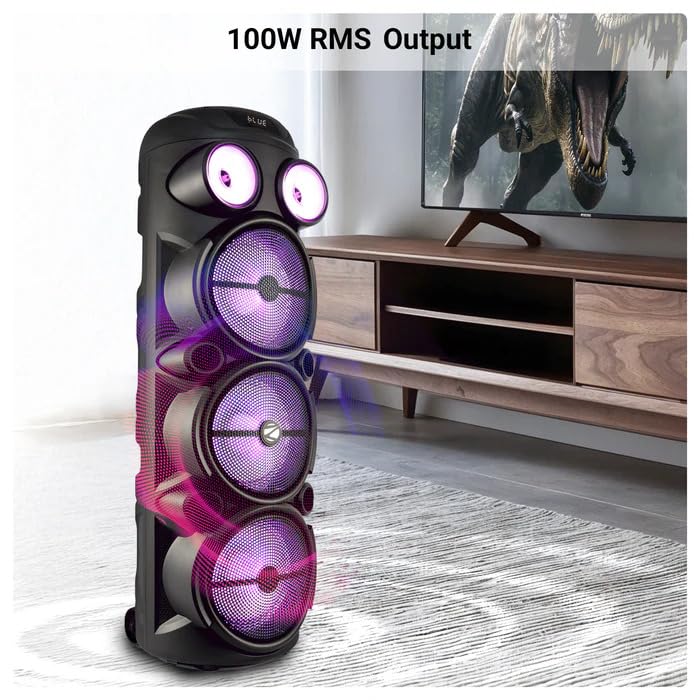
Image: The ZEBRONICS Zeb Vigor 100 Tower Speaker showcasing its 100W RMS output, positioned next to a television.
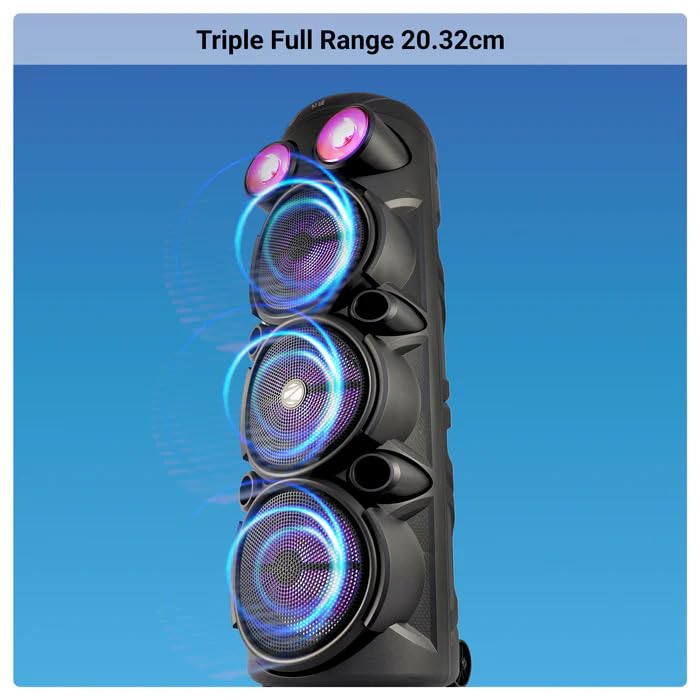
Slika: Bližnji posnetek view of the ZEBRONICS Zeb Vigor 100 highlighting its triple full-range 20.32cm drivers.
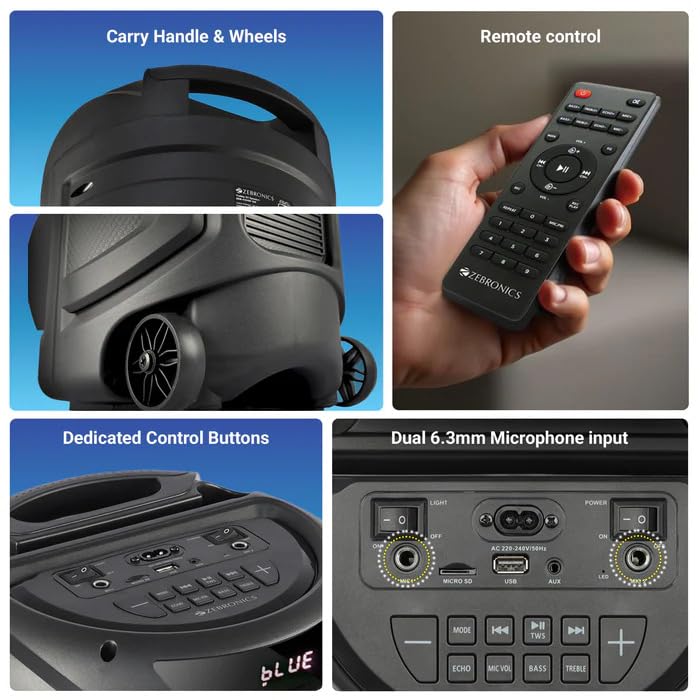
Image: A collage showing the speaker's carry handle and wheels for portability, the included remote control, the dedicated control buttons on the top panel, and the dual 6.3mm microphone inputs on the rear panel.
5. Nastavitev
5.1 Polnjenje zvočnika
Before initial use, fully charge the speaker. Connect the provided power cord to the speaker's AC input and a suitable power outlet. The charging time is approximately 9.8 hours. A full charge provides up to 5 hours of playback at 50% volume with LED lights off.
5.2 Vklop/izklop
Locate the power switch on the speaker's control panel. Toggle the switch to the 'ON' position to power on the speaker. Toggle to 'OFF' to power off.
6. Navodila za uporabo
6.1 Bluetooth Connection (BT v5.0)
- Power on the speaker. The speaker will automatically enter Bluetooth mode or you can select it using the 'MODE' button.
- Omogočite Bluetooth na mobilni napravi ali računalniku.
- Iskanje available devices and select "ZEB-VIGOR 100" from the list.
- Once paired, the speaker will indicate a successful connection, and you can begin playing audio.
6.2 USB/mSD Playback
- Insert a USB flash drive or mSD card (up to 32GB) containing MP3 audio filev ustrezno pristanišče.
- The speaker will automatically detect the storage device and begin playback. If not, press the 'MODE' button to select USB or mSD mode.
- Use the control buttons or remote to play, pause, skip tracks, or adjust volume.
6.3 AUX vhod
- Connect one end of the 3.5mm input cable to the AUX port on the speaker.
- Connect the other end to the audio output jack of your external device (e.g., smartphone, MP3 player).
- Press the 'MODE' button to select AUX input.
- Control playback and volume from your external device or the speaker.
6.4 FM radio
- Pritisnite gumb »MODE«, da izberete način FM radia.
- Press the Play/Pause button to auto-scan and save available FM stations (frequency range 87.5 MHz - 108 MHz).
- Za navigacijo med shranjenimi postajami uporabite gumba Prejšnja/Naslednja skladba.
6.5 Karaoke & Mic Recording Function
- Connect the wireless microphone or a wired microphone (not included) to one of the dual 6.3mm microphone inputs.
- Adjust the microphone volume and echo using the dedicated controls.
- To record, ensure a USB drive or mSD card is inserted. Press the 'REC' button (if available on the control panel/remote) to start recording. Press again to stop.
6.6 Funkcija TWS (pravi brezžični stereo)
To connect two Zeb Vigor 100 speakers for a stereo experience:
- Prepričajte se, da sta oba zvočnika vklopljena in v načinu Bluetooth.
- On one speaker (this will be the master), press and hold the 'TWS' button. The speaker will indicate it is searching for another TWS device.
- The two speakers will automatically pair. Once connected, they will function as a stereo pair.
- Connect your mobile device to the master speaker via Bluetooth as described in section 6.1.
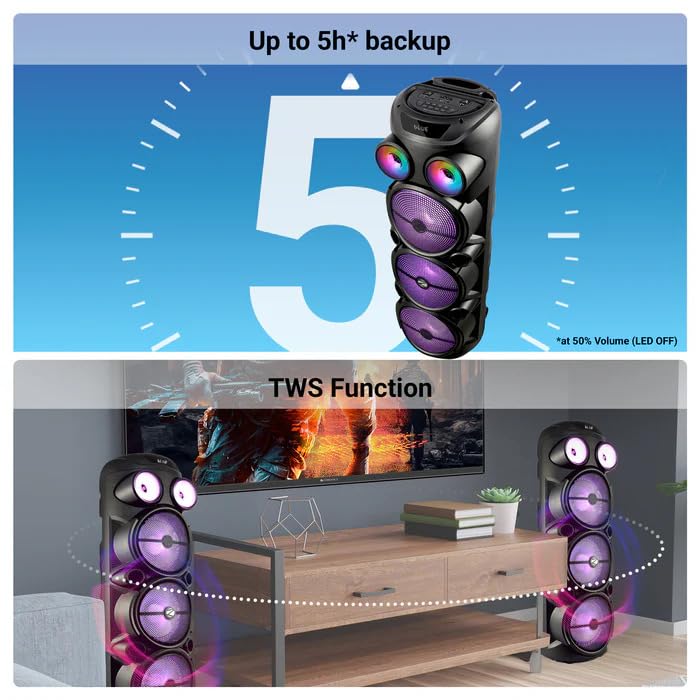
Image: The ZEBRONICS Zeb Vigor 100 speaker highlighting its up to 5-hour battery backup and the True Wireless Stereo (TWS) function, showing two speakers connected wirelessly.
6.7 RGB luči
The speaker features dynamic RGB lights. Use the dedicated 'LIGHT' switch or button on the control panel or remote to cycle through different light modes or turn them off.
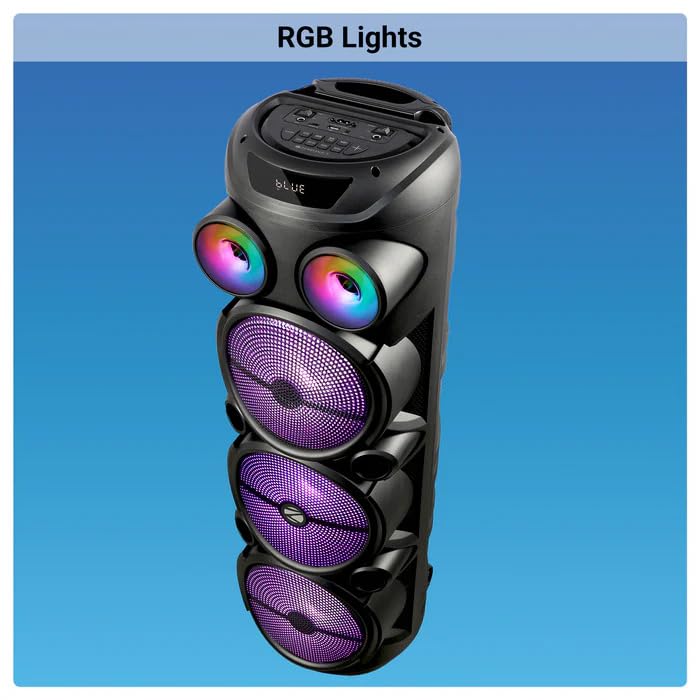
Image: The ZEBRONICS Zeb Vigor 100 Tower Speaker with its vibrant RGB lights illuminated.
6.8 Nadzorna plošča in daljinski upravljalnik
The speaker features a top-mounted control panel with buttons for mode selection, playback control, volume adjustment, microphone controls, and light control. A remote control is also provided for convenient operation from a distance.
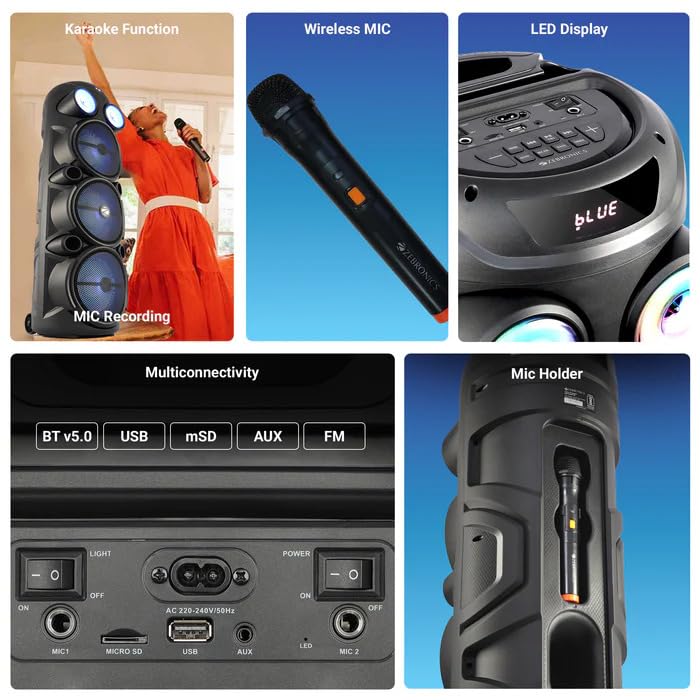
Slika: Podrobna view of the ZEBRONICS Zeb Vigor 100's control panel, showing options for Bluetooth v5.0, USB, mSD, AUX, and FM connectivity, along with various control buttons.
7. Vzdrževanje
- Čiščenje: Za čiščenje zunanjosti zvočnika uporabite mehko, suho krpo. Ne uporabljajte abrazivnih čistil ali topil.
- Shranjevanje: Ko zvočnika dlje časa ne uporabljate, ga shranite na hladnem in suhem mestu, stran od neposredne sončne svetlobe in ekstremnih temperatur.
- Vzdrževanje baterije: Da podaljšate življenjsko dobo baterije, se izogibajte pogostemu popolnemu praznjenju baterije. Zvočnik redno polnite, tudi če ga ne uporabljate.
8. Odpravljanje težav
| Težava | Možen vzrok | rešitev |
|---|---|---|
| Zvočnik se ne vklopi. | Battery is depleted or power cord is not connected. | Napolnite zvočnik ali se prepričajte, da je napajalni kabel varno priključen. |
| Ni zvoka. | Volume is too low, incorrect mode selected, or device not properly connected. | Increase volume, select the correct input mode (BT, USB, AUX, FM), or re-establish connection. |
| Bluetooth seznanjanje ne uspe. | Speaker is not in pairing mode, or device is too far. | Ensure speaker is in Bluetooth mode, move device closer, or clear previous pairings on your device. |
| Mikrofon ne deluje. | Microphone not powered on, or volume too low. | Ensure wireless mic has batteries and is powered on. Adjust mic volume. |
9. Specifikacije
| Funkcija | Specifikacija |
|---|---|
| izhodna moč (RMS) | 100 W |
| Velikost gonilnika | Full range 20.32cm x 3, Tweeter 3.8cm |
| Impedanca | Full range 4Ω x 1, 8Ω x 2; Tweeter 8Ω |
| Frekvenčni odziv | 65Hz-18kHz |
| Razmerje S/N | ≥60dB |
| File Podpora za formate (USB/SD) | MP3 |
| Vrstni vnos | 3.5 mm |
| Max Supported USB/SD Memory Size | 32 GB |
| FM frekvenčno območje | 87.5 MHz - 108 MHz |
| Čas polnjenja | 9.8 uri |
| Čas predvajanja | 5 hours* (at 50% Volume, LED OFF) |
| Ime Bluetooth | ZEB-VIGOR 100 |
| Različica Bluetooth | v5.0 |
| Mera izdelka (Š x G x V) | 28.6 x 28.5 x 90 cm |
| Neto teža | 6.4 kg |
| Vrsta priključka | Pomožni, USB |
| Število kanalov | 2 |
| Avdio vhod | Wired Microphone, Wireless Microphone, Line-Level Input |
| barva | Črna |
| Združljive naprave | Audio Player, DJ Mixer, DVD Player, Drum, Guitar, Headphone, Headset, Karaoke System, Keyboard, Laptop, MP3 Player, Microphone, Piano, Smartphone, Tablet, Television |
10. Garancija in podpora
10.1 Informacije o garanciji
The ZEBRONICS Zeb Vigor 100 Tower Speaker comes with a 1 leta garancije od datuma nakupa. Za uveljavljanje garancije shranite račun. Garancija krije proizvodne napake pri normalnih pogojih uporabe.
10.2 Proizvajalec
Zebronics India Pvt Ltd.
13/7 Smith Road, Royapettah, Chennai, Tamil Nadu - 600 002, India
10.3 Podpora strankam
For technical assistance, service, or warranty inquiries, please contact Zebronics customer support through their official website or the contact information provided in the QR code guide included in your package.


