1. Uvod
The Aurzen Roku TV Smart Projector (Model A02A11) offers a comprehensive home entertainment solution with a built-in Roku streaming experience. This portable projector delivers 1080P Full HD resolution, Dolby Audio, and convenient features like auto-focus and keystone correction. Designed for versatility, it is suitable for various environments, from home theaters to outdoor movie nights, and integrates seamlessly with smart home ecosystems.
2. Kaj je v škatli
- Aurzen EAZZE D1R Roku TV Projector x1
- Remote Control x1 (2*AAA Batteries Not Included)
- Napajalni kabel x1
- Warranty Card x1 & Quick Start Guide x1
- Note: No HDMI Cable Included
3. Izdelek je končanview
The Aurzen Roku TV Smart Projector combines high-quality projection with the convenience of the Roku streaming platform. Below are its key features and components.
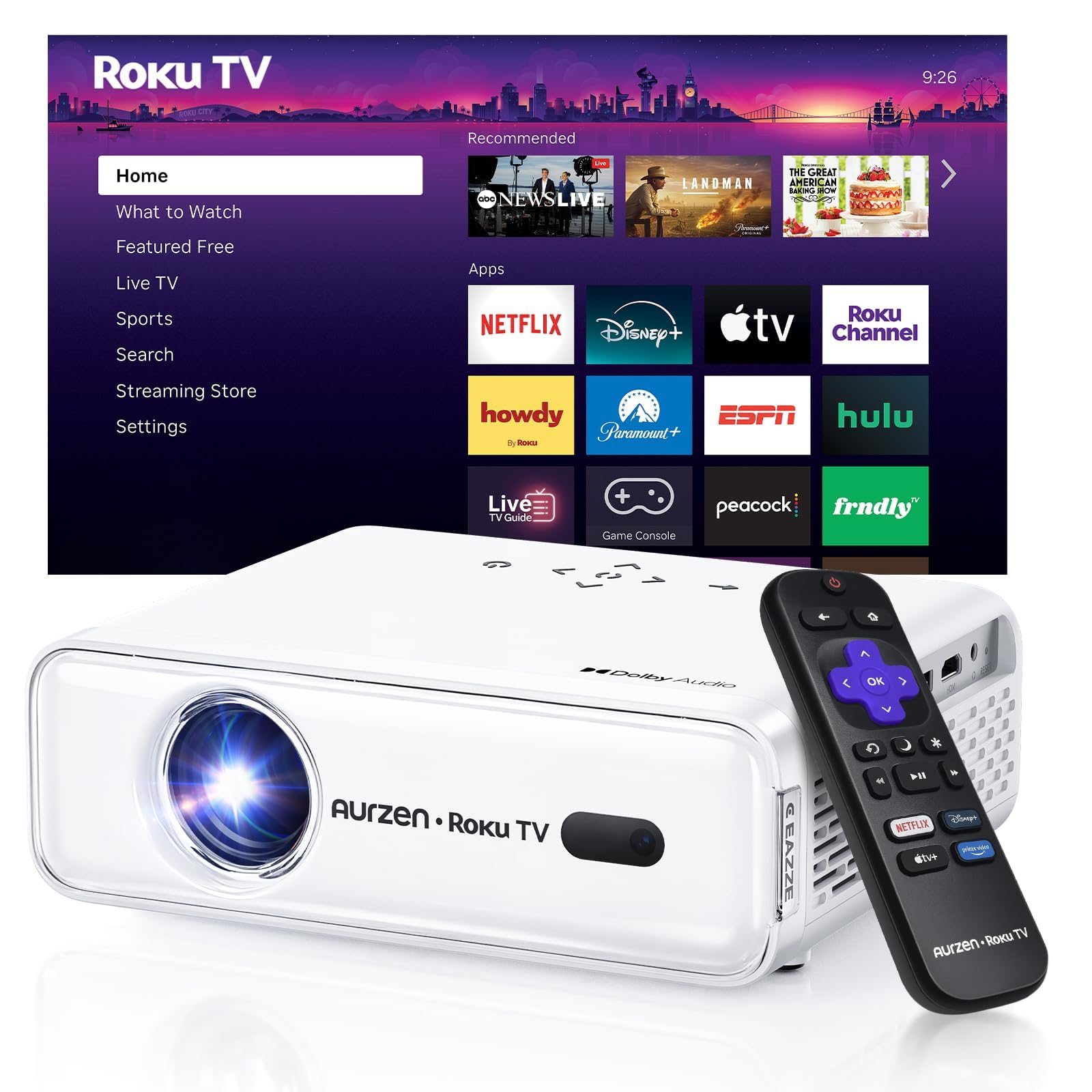
Slika 1: Spredaj view of the Aurzen Roku TV Smart Projector.
3.1. Roku TV Streaming Experience
Enjoy America's #1 TV streaming platform built directly into your projector. Access popular apps like Netflix, Prime Video, Disney+, Hulu, YouTube, Roku Channel, and Apple TV. A Roku account and internet connection are required for activation.

Figure 2: The simple and fast Roku TV home screen interface.
3.2. High-Definition Visuals
The projector offers 1080P Full HD resolution, providing enhanced clarity and detail for your favorite movies and TV shows. It can project a massive screen size from 60 to 150 inches, ideal for home theater and outdoor viewing.
3.3. Brightness Levels
Choose from 3 brightness levels to suit your environment:
- Low (LOW POWER): For dim environments like basements.
- Medium (STANDARD): Suitable for cozy bedrooms.
- High (VIVID): For living rooms or outdoor nights, cutting through extra light for sharp visuals.
3.4. Samodejne prilagoditve
Advanced auto-focus and auto-keystone correction features instantly adjust for a sharp, aligned screen. Simply place the projector, power it on, and enjoy a perfectly adjusted image without manual setup.

Figure 3: Illustration of the automatic focus and keystone correction.
3.5. Immersive Audio
Experience deep, resonant audio with Dolby Audio and built-in Dual 5W speakers. These speakers deliver crisp, powerful sound that fills the room, making you feel part of the action.

Figure 4: Dolby Audio integration for enhanced sound quality.
3.6. Možnosti povezovanja
The projector supports dual-band WiFi (2.4G/5G) for smooth, lag-free streaming and Bluetooth 5.2 for connecting to headphones or external speakers. It also includes HDMI and USB ports for wired connections.
Slika 5: Zadaj view of the projector showing USB, HDMI, and audio ports.
3.7. Integracija pametnega doma
The projector is compatible with Apple HomeKit, Siri, Alexa, and Google Assistant, allowing for easy voice control and seamless integration into your smart home ecosystem.

Figure 6: Projector's compatibility with various smart home voice assistants.
4. Nastavitev
4.1. Začetni vklop
- Napajalni kabel priključite na projektor in električno vtičnico.
- Pritisnite gumb za vklop na projektorju ali daljinskem upravljalniku, da ga vklopite.
- The projector will automatically perform auto-focus and auto-keystone correction upon startup.
4.2. Roku Account and Internet Connection
A Roku account and an active internet connection are required for full functionality and activation of the Roku streaming platform. Follow the on-screen prompts to connect to your Wi-Fi network and set up or log in to your Roku account.
5. Navodila za uporabo
5.1. Navigacija po začetnem zaslonu Roku
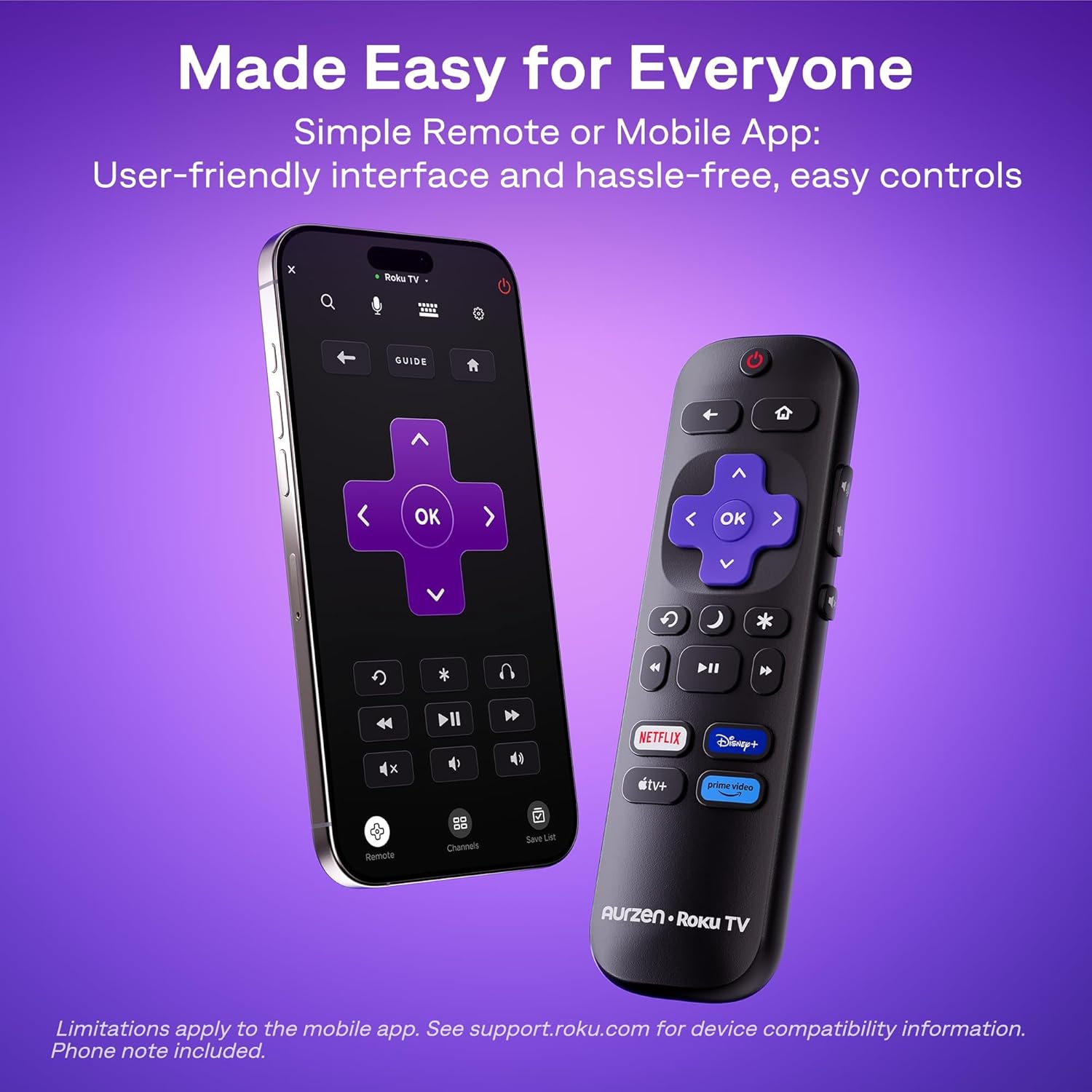
The Roku interface offers intuitive navigation, quick search, and personalized recommendations. Use the included remote control or the Roku mobile app to browse channels, search for content, and access settings.
5.2. Daljinski upravljalnik
The included remote control provides easy access to all Roku functions. For enhanced control, including typing and voice commands, download the Roku mobile app on your smartphone.
5.3. Prilagoditev svetlosti
To change the brightness mode, navigate to the projector settings via the Roku menu and select your preferred brightness level (Low, Medium, or High) based on your viewokolje.
5.4. Casting and Screen Mirroring
The projector supports Apple AirPlay for seamless streaming of videos, photos, and music from your Apple devices. It also supports other casting features for compatible devices.

Figure 7: Stream content effortlessly using Apple AirPlay.
6. Povezljivost
6.1. Povezava Wi-Fi
Connect to your home network using dual-band Wi-Fi (2.4G/5G) for stable and fast streaming. Navigate to the network settings in the Roku menu to set up your Wi-Fi connection.
6.2. Bluetooth seznanjanje
Pair Bluetooth 5.2 compatible headphones or speakers for a private listening experience or enhanced audio. Access Bluetooth settings in the Roku menu to pair your devices.
6.3. HDMI and USB Ports
Use the HDMI port to connect external devices such as gaming consoles, Blu-ray players, or laptops. The USB port allows for playback of media files pogona USB.
7. Vzdrževanje
7.1. Čiščenje leče
Lečo projektorja nežno obrišite z mehko krpo, ki ne pušča vlaken. Za trdovratne madeže uporabite čistilno raztopino za leče, posebej zasnovano za optične površine. Izogibajte se abrazivnim materialom, ki bi lahko opraskali lečo.
7.2. Čiščenje prezračevalnih odprtin
Regularly clean the projector's ventilation grilles to prevent dust buildup, which can affect performance and lead to overheating. Use a soft brush or a can of compressed air to remove dust.
7.3. Shranjevanje
When not in use, store the projector in a cool, dry place away from direct sunlight and extreme temperatures. If storing for an extended period, consider using the original packaging or a protective case to prevent dust accumulation and damage.
8. Odpravljanje težav
8.1. Dim Image
Zagotovite viewing environment is sufficiently dark. Adjust the projector's brightness setting to High (VIVID) mode if there is ambient light. For optimal clarity, use the projector in a dark room.
8.2. Zamegljena ali popačena slika
The projector features automatic focus and keystone correction. If the image appears blurry or distorted, try moving the projector slightly to trigger the automatic adjustment. Alternatively, navigate to 'Projector settings' in the Roku menu to manually adjust focus and keystone.
8.3. Ni zvoka ali slaba kakovost zvoka
Check the projector's volume settings. If using external Bluetooth speakers, ensure they are properly paired and charged. For wired connections, verify that audio cables are securely connected. The built-in speakers support Dolby Audio, but for a more immersive experience, consider connecting to a dedicated sound system via Bluetooth or the audio output port.
8.4. Težave s povezljivostjo
For Wi-Fi problems, ensure your router is working and the projector is within range. Reconnect to the Wi-Fi network via Roku settings. For Bluetooth, ensure the device is in pairing mode. For HDMI/USB, check cable connections and ensure the correct input source is selected.
8.5. Input Lag for Gaming
While the projector offers a large screen, it may not be ideal for fast-paced competitive gaming due to potential input lag. For optimal gaming performance, a dedicated gaming monitor or TV is recommended.
9. Specifikacije
| Funkcija | Podrobnost |
|---|---|
| Znamka | Aurzen |
| Številka modela | A02A11 |
| Ločljivost zaslona | 1920 x 1080 (1080p polna visoka ločljivost) |
| Svetlost | 280 ANSI lumeni |
| Tehnologija povezljivosti | WiFi (2.4G/5G), Bluetooth 5.2, HDMI, USB, Audio |
| Posebne lastnosti | Roku Streaming Experience, Dolby Audio, Auto Focus & Keystone, Official Apple AirPlay, Ecosystem Compatible (Apple HomeKit, Siri, Alexa, Google Assistant) |
| Teža predmeta | 4.64 funtov |
| Dimenzije paketa | 13.19 x 9.45 x 4.29 palcev |
| barva | Bela |
10. Garancija in podpora
Aurzen products are designed for quality and reliability. For warranty information, please refer to the Warranty Card included in your product packaging. For technical support or customer service, please visit the official Aurzen webspletno mesto ali se obrnite neposredno na njihovo ekipo za podporo strankam. Za uveljavljanje garancije shranite račun.
11. Varnostne informacije
- Ne glejte neposredno v lečo projektorja, ko jeamp je vklopljen, saj lahko to povzroči poškodbe oči.
- Ensure proper ventilation around the projector to prevent overheating. Do not block any ventilation openings.
- Projektor hranite stran od vode ali drugih tekočin.
- Use only the power cord provided with the projector.
- Do not attempt to open or repair the projector yourself. Refer all servicing to qualified service personnel.
- Hraniti izven dosega otrok.


