1. Varnostne informacije
Pred uporabo monitorja natančno preberite vsa navodila. Priročnik shranite za poznejšo uporabo.
- Monitorja ne izpostavljajte dežju ali vlagi, da preprečite požar ali električni udar.
- Ne odpirajte monitorja casing. V notranjosti ni delov, ki bi jih lahko uporabnik popravil. Vsa servisna dela prepustite usposobljenemu osebju.
- Monitor postavite na stabilno, ravno površino, da preprečite njegov padec.
- Zagotovite ustrezno prezračevanje okoli monitorja. Ne blokirajte prezračevalnih odprtin.
- Uporabljajte samo napajalnik, ki je priložen monitorju.
- Če monitorja dalj časa ne boste uporabljali, izključite napajalni kabel iz vtičnice.
2. Vsebina paketa
Preverite, ali so v paketu vsi elementi:
- CRUA 34-inch Ultrawide Gaming Monitor
- Stojalo za monitor (podstavek in vrat)
- Napajalnik in kabel
- HDMI kabel
- Kabel DisplayPort (DP)
- Uporabniški priročnik
- Vijaki za sestavo stojala
3. Nastavitev
3.1 Sestavljanje stojala
- Monitor previdno vzemite iz embalaže in ga položite na mehko površino, da bo zaščiten.
- Pritrdite vrat stojala na zadnjo ploščo monitorja s priloženimi vijaki.
- Podstavek stojala priključite na vrat stojala in ga pritrdite z namenskim vijakom.
- Sestavljeni monitor postavite na stabilno mizo.
The monitor stand allows for tilt adjustment to find your optimal viewvhodni kot.
3.2 Stenska montaža (neobvezno)
This monitor supports VESA wall mounting (75x75mm). To wall mount:
- Če je stojalo že pritrjeno, ga odstranite z monitorja.
- Attach a compatible VESA 75x75mm wall mount bracket (not included) to the monitor's rear panel using appropriate screws.
- Za varno namestitev sledite navodilom, ki so priložena stenskemu nosilcu.

Slika: Zadaj view of the monitor highlighting the 75x75mm wall mount area and various input ports.
3.3 Povezovanje z napravo
Računalnik ali igralno konzolo priključite na monitor z enim od razpoložljivih vrat:
- DisplayPort (DP 1.4): For optimal performance, especially for high refresh rates and FreeSync.
- HDMI (HDMI 1.4 x2): Compatible with most devices.
Connect the power adapter to the monitor's DC input and then plug it into a power outlet.
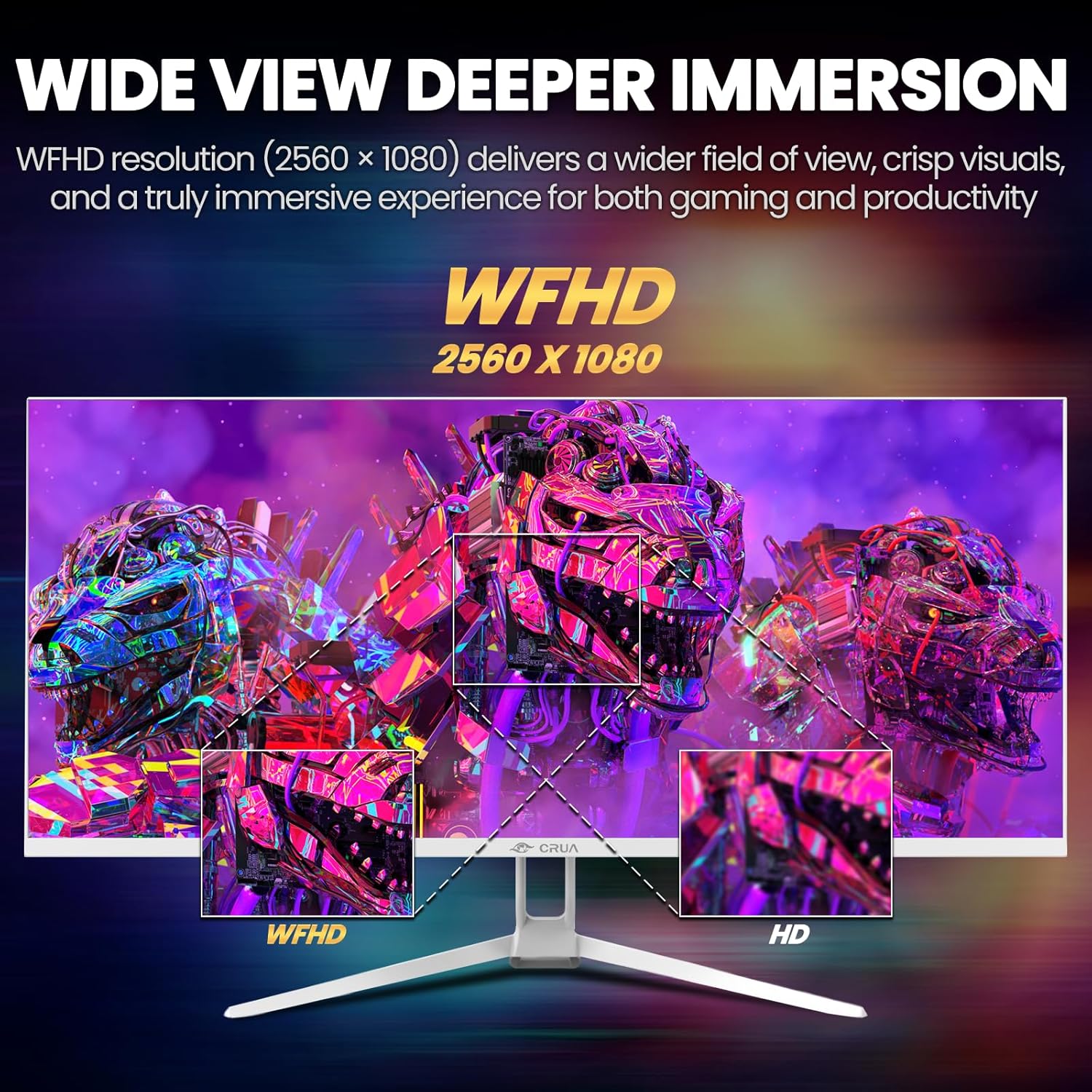
Image: A detailed diagram illustrating the monitor's connectivity options, including two HDMI 1.4 ports, one DisplayPort 1.4, an audio output, a USB charging port, and the DC power input.
4. Navodila za uporabo
4.1 Vklop/izklop
Press the power button, typically located on the bottom or rear of the monitor, to turn it on or off. The power indicator light will illuminate when the monitor is on.
4.2 Zaslonski meni (OSD)
The OSD menu allows you to adjust various monitor settings. Access it by pressing the OSD menu button (often a joystick-like button or a set of dedicated buttons) on the monitor.
- Navigacija: Use the OSD buttons or joystick to navigate through the menu options.
- Izbira: Pritisnite gumb za izbiro, da vstopite v podmeni ali potrdite nastavitev.
- Izhod: Za vrnitev ali zapiranje zaslonskega menija uporabite gumb za izhod.
4.3 Nastavitve slike
Adjust visual parameters for optimal viewing:
- Svetlost: Nadzira celotno svetilnost zaslona.
- Kontrast: Prilagodi razliko med svetlimi in temnimi območji.
- Barvna temperatura: Izbere prednastavljene barvne načine (npr. Toplo, Hladno, Uporabniško).
- Filter modre svetlobe: Zmanjšuje oddajanje modre svetlobe, da zmanjša obremenitev oči med dolgotrajno uporabo.
- Razmerje stranic: Set to 21:9 for ultrawide content or other options as needed.

Image: The CRUA ultrawide monitor showcasing its 21:9 aspect ratio, demonstrating how it provides more horizontal screen space compared to a standard 16:9 display.
4.4 Nastavitve zvoka
The monitor includes built-in speakers. Adjust volume through the OSD menu or your connected device. An external audio output port is also available for headphones or external speakers.
4.5 AMD FreeSync
To enable AMD FreeSync for tear-free gaming, ensure your graphics card supports FreeSync and that it is enabled in your graphics card's control panel. Then, activate FreeSync within the monitor's OSD menu.

Image: A visual comparison demonstrating the effect of AMD FreeSync, showing a torn image when FreeSync is off and a smooth image when FreeSync is on, highlighting the 120Hz refresh rate.
5. Vzdrževanje
5.1 Čiščenje zaslona
- Izklopite monitor in izključite napajalni kabel.
- Narahlo uporabite mehko krpo, ki ne pušča vlaken dampz vodo ali specializiranim čistilom za zaslone.
- Wipe the screen gently. Do not press hard or use abrasive cleaners.
5.2 Splošna nega
- Monitor hranite stran od neposredne sončne svetlobe, virov toplote in prekomernega prahu.
- Izogibajte se postavljanju težkih predmetov na monitor ali njegove kable.
- Do not spray cleaning liquids directly onto the monitor.
6. Odpravljanje težav
Če imate težave z monitorjem, si oglejte naslednje pogoste težave in rešitve:
| Težava | Možna rešitev |
|---|---|
| Na zaslonu ni slike | Ensure power cable is securely connected and the monitor is turned on. Check video cable (HDMI/DP) connections to both monitor and computer. Select the correct input source via the OSD menu. |
| Slika utripa ali je nestabilna | Check video cable connections. Ensure your graphics card drivers are up to date. If using FreeSync, try disabling it temporarily to see if the issue persists. Adjust refresh rate in your computer's display settings. |
| Ni zvoka iz vgrajenih zvočnikov | Increase volume via the OSD menu and your computer's sound settings. Ensure the correct audio output device is selected on your computer. Check if the audio cable (if used) is properly connected. |
| Barve so videti napačne | Reset picture settings to factory defaults via the OSD menu. Adjust color temperature and individual RGB values if available. |
If the problem persists after trying these solutions, please contact CRUA customer support.
7. Specifikacije
Key technical specifications for the CRUA 34-inch Ultrawide Gaming Monitor (Model CR340AU):
| Funkcija | Specifikacija |
|---|---|
| Velikost zaslona | 34 palcev |
| Vrsta plošče | IPS |
| Resolucija | 2560 x 1080 (WFHD) |
| Razmerje stranic | 21:9 |
| Hitrost osveževanja | 120Hz |
| Odzivni čas | (Not specified in provided data, typical for IPS is 1-5ms GTG) |
| Svetlost | 350 cd/m² |
| Barvna lestvica | 120 % sRGB |
| Barvna globina | 8-bit (16.7 Million Colors) |
| Viewing kotov | 178° (vodoravno/navpično) |
| Prilagodljiva sinhronizacija | AMD FreeSync |
| Povezljivost | 2x HDMI 1.4, 1x DisplayPort 1.4, Audio Out, USB Charging, DC Power Input |
| Vgrajeni zvočniki | ja |
| Stenski nosilec | VESA 75x75 mm |
| Dimenzije izdelka | 9.4 x 24.13 x 17.47 palcev |
| Teža predmeta | 14.92 funtov |
8. Garancija in podpora
CRUA provides high-quality computer monitors and customer service. For any questions or support needs regarding your CRUA 34-inch Ultrawide Gaming Monitor, please contact CRUA customer support.
Refer to your purchase documentation or the official CRUA webZa posebne garancijske pogoje in kontaktne podatke obiščite spletno mesto.


