Uvod
Thank you for choosing the GMBACK Wireless Pro Controller. This manual provides detailed instructions for setting up, operating, and maintaining your controller to ensure optimal performance and an enhanced gaming experience. Please read this manual thoroughly before use.
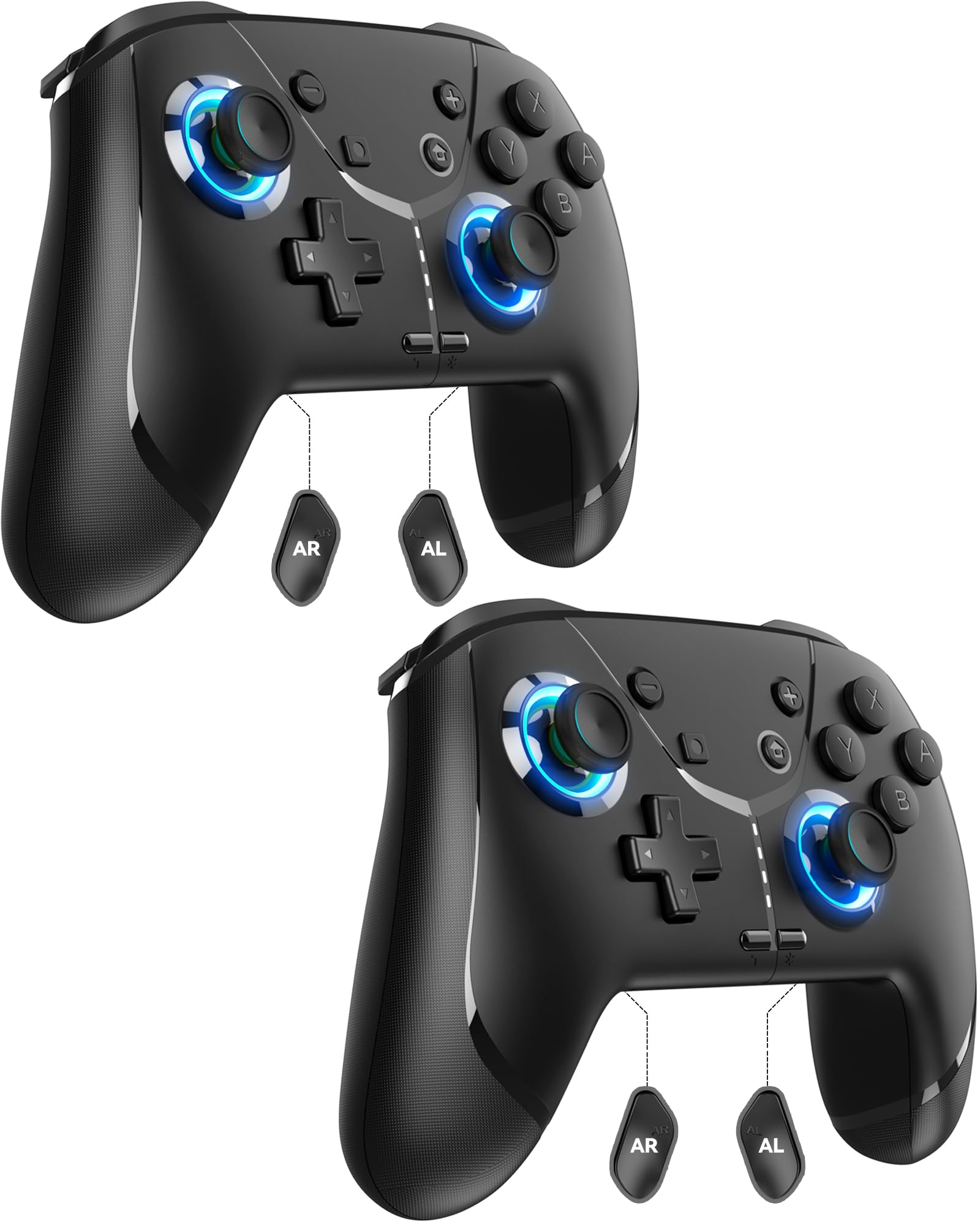
Image: GMBACK Wireless Pro Controller, front view.
Vsebina paketa
- 2 x GMBACK Wireless Pro Controllers
- 2 x polnilna kabla USB-C
- 1 x uporabniški priročnik
Kako začeti
1. Združevanje z Nintendo Switch
- Prepričajte se, da je vaša konzola Nintendo Switch vklopljena in posodobljena na najnovejšo sistemsko programsko opremo.
- V meniju HOME izberite 'Krmilniki', potem 'Spremeni oprijem/vrstni red'.
- On the GMBACK controller, press and hold the Gumb za sinhronizacijo (located on the top edge near the USB-C port) for 3-5 seconds until the LED indicators begin to flash rapidly.
- The controller will automatically pair with the Switch. Once paired, the player LED(s) on the bottom of the controller will light up solid.

Image: GMBACK Wireless Pro Controller connected to a Nintendo Switch console.
2. Povezava z računalnikom (žično)
- Connect the GMBACK controller to your PC using the provided USB-C cable.
- The controller will be recognized as a standard gamepad. Drivers may install automatically.
- For optimal compatibility, ensure your PC's operating system is up to date.
3. Polnjenje krmilnika
- Connect the controller to a USB power source (e.g., Switch dock, PC, USB wall adapter) using the provided USB-C cable.
- The LED indicators will show charging status. A full charge typically takes 2-3 hours.
- The controller features an 800mAh battery, providing approximately 15-20 hours of playtime on a full charge.

Image: Visual representation of the 800mAh battery, 15-20 hours playtime, and 2-3 hours charging time.
Ključne lastnosti in funkcije
1. Loop Macro Function
The controller supports a loop macro function, allowing you to record and replay a sequence of up to 30 seconds of button presses and joystick movements. This includes joysticks, triggers, D-pad, ABXY, and +/- buttons.
- Posneti: Refer to the detailed instructions in the included user manual for specific recording steps.
- To Start/Stop Loop: Drži Turbo gumb in Makro gumb simultaneously. The controller will automatically replay your recorded actions in a continuous loop.

Slika: Zadaj view of the controller highlighting the AR and AL programmable buttons and the text 'Loop Macro Function'.
2. 6-Axis Gyro Sensor
The integrated 6-axis gyro sensor provides precise motion detection, allowing for intuitive control in compatible games that utilize motion sensing. This enhances immersion and gameplay accuracy.

Image: Controller being used for a racing game, illustrating the 6-Axis Gyro Sensor feature.
3. Customizable Turbo Function
The controller offers three adjustable turbo speeds for rapid-fire actions. This feature can be set to either auto-fire or manual-fire mode.
- To Adjust Turbo Speed: Refer to the included user manual for specific button combinations to cycle through the three turbo speeds.
- To Activate/Deactivate Turbo: Pritisnite Turbo gumb along with the desired action button.

Image: Controller displaying the 'Auto & Manual Turbo' feature with a gaming background.
4. Dual Vibration Adjustment
Experience immersive feedback with four levels of dual vibration intensity: None, Weak, Medium, and Strong. Adjust the vibration to your preference for different games.
- To Adjust Vibration: Consult the user manual for the specific button combination to cycle through vibration levels.

Image: Controller illustrating the four levels of dual vibration: None, Weak, Medium, Strong.
5. RGB osvetlitev
The controller features dynamic RGB lighting around the joysticks, enhancing the visual appeal during gameplay. The lighting can be adjusted or turned off.
- To Adjust RGB Lighting: Refer to the user manual for instructions on changing lighting modes or turning off the lights.

Slika: Predstavitev krmilnikaasing its RGB lighting feature around the joysticks.
6. Remappable ABXY Buttons
The ABXY buttons can be remapped to switch between Nintendo Switch and Xbox layouts, providing flexibility for different gaming preferences without needing to physically remove any buttons.
- To Remap ABXY: Follow the instructions in the user manual for the specific button sequence to switch layouts.

Image: Controller illustrating the ABXY button function switching between Nintendo Switch and Xbox layouts.
7. Screenshot and Home Wake-up
- The controller includes a dedicated Gumb za posnetek zaslona for capturing in-game moments.
- The Gumb Domov can be used to wake up your Nintendo Switch console from sleep mode.
Vzdrževanje
- Čiščenje: Za čiščenje krmilnika uporabite mehko, suho krpo. Izogibajte se uporabi agresivnih kemikalij ali abrazivnih materialov.
- Shranjevanje: Krmilnik shranjujte na hladnem in suhem mestu, stran od neposredne sončne svetlobe in ekstremnih temperatur.
- Vzdrževanje baterije: Za podaljšanje življenjske dobe baterije se izogibajte pogostemu popolnemu praznjenju krmilnika. Redno ga polnite, tudi če ga ne uporabljate nenehno.
Odpravljanje težav
- Krmilnik se ne povezuje:
- Prepričajte se, da je krmilnik napolnjen.
- Verify the Switch is in 'Change Grip/Order' mode.
- Try restarting both the Switch and the controller.
- Prepričajte se, da nobena druga brezžična naprava ne povzroča motenj.
- Gumbi se ne odzivajo:
- Check if the controller is properly paired.
- Test button functionality in Switch system settings.
- Ensure the controller's firmware is up to date (if applicable, check GMBACK support webspletnem mestu).
- Težave s polnjenjem:
- Uporabite priloženi kabel USB-C.
- Poskusite z drugim virom napajanja USB.
- Prepričajte se, da je polnilna vrata na krmilniku čista in brez umazanije.
Specifikacije
| Funkcija | Podrobnost |
|---|---|
| Model | HD6900 |
| Združljivost | Nintendo Switch 2, Switch, Switch Lite, Switch OLED, Windows PC (wired) |
| Kapaciteta baterije | 800 mAh |
| Igralni čas | 15-20 ur |
| Čas polnjenja | 2-3 ur |
| Povezljivost | Brezžično (Bluetooth), Žično (USB-C) |
| Posebne lastnosti | Loop Macro, 6-Axis Gyro Sensor, Dual Vibration (4 levels), Adjustable Turbo (3 speeds), RGB Lighting, Remappable ABXY, Screenshot, Home Wake-up |
| Teža predmeta | 8.5 unč |
| Dimenzije paketa | 6.54 x 5.31 x 5.28 palcev |
Uradni videoposnetek izdelka
Video: Konecview of the GMBACK Wireless Switch Controller, demonstrating its features and compatibility with Nintendo Switch, Switch Lite, and Switch OLED consoles.
Garancija in podpora
GMBACK products come with a standard manufacturer's warranty. For detailed warranty information, technical support, or any inquiries regarding your controller, please refer to the contact information provided on the product packaging or visit the official GMBACK webmesto.

Image: Icon representing customer support.
