1. Uvod
This manual provides detailed instructions for the safe and efficient use of your LG 43QNED82AUA 43 Inch QNED AI 4K Smart TV, along with the included Walts Large/Extra Large Full Motion Mount and Amber Protection 3-Outlet-Surge Surge Protector. Please read this manual thoroughly before installation and operation, and retain it for future reference.
Vsebina paketa
- LG 43QNED82AUA 43 Inch QNED AI 4K Smart TV
- Čarobni daljinski upravljalnik
- Napajalni kabel
- Walts Large/Extra Large Full Motion Mount
- Amber Protection 3-Outlet-Surge Surge Protector
- Uporabniški priročniki in dokumentacija

Slika 1.1: Spredaj view of the LG 43QNED82AUA 43 Inch QNED AI 4K Smart TV.

Slika 1.2: stran view of the LG 43QNED82AUA 43 Inch QNED AI 4K Smart TV, showing the included stand.
2. Nastavitev
2.1 Razpakiranje in začetni pregled
Carefully remove all components from the packaging. Inspect for any signs of damage. If any items are missing or damaged, contact your retailer immediately.
2.2 Mounting the TV (Walts Full Motion Mount)
The Walts Large/Extra Large Full Motion Mount allows for flexible positioning of your TV. Ensure the mounting surface is strong enough to support the weight of the TV and mount. The TV supports VESA 200 x 200 mounting patterns. The mount is compatible with VESA patterns up to 700mm x 500mm.
- Pritrditev nosilcev za TV: Secure the vertical brackets to the back of your LG TV using the appropriate screws provided with the mount. Ensure they are aligned with the VESA mounting holes.
- Namestite stensko ploščo: Locate wall studs and securely attach the wall plate of the mount to the wall using the provided hardware. Use a level to ensure it is straight.
- Obesite TV: Carefully lift the TV and hook the attached brackets onto the wall plate. Secure the TV to the mount according to the mount's specific instructions.
- Prilagodi položaj: Utilize the full motion capabilities to extend, swivel, and tilt the TV to your desired viewvhodni kot.

Figure 2.1: Walts Full Motion Mount in an extended position.

Slika 2.2: Spredaj view of the Walts Full Motion Mount.
2.3 Priklop napajanja in perifernih naprav
- Prenapetostna zaščita: Plug the Amber Protection 3-Outlet-Surge Surge Protector into a wall outlet. The LED indicator will glow blue when working, confirming protection for your devices up to 1225 Joules.
- Napajalni kabel: Connect the TV's power cable to the TV and then to one of the outlets on the Amber Protection Surge Protector.
- Naprave HDMI: Connect external devices (e.g., Blu-ray player, game console) to the TV's HDMI ports (3 available).
- Naprave USB: Connect USB storage devices to the TV's USB port (1 available).
- Antena/kabel: Connect your antenna or cable TV source to the RF Input.
- Optični zvok: For external audio systems, connect an optical cable to the SPDIF (Optical Digital Audio Out) port.

Figure 2.3: Amber Protection 3-Outlet-Surge Surge Protector.
2.4 Čarovnik za začetno nastavitev
Upon first power-on, the TV will guide you through an initial setup process. This includes language selection, network connection (Wi-Fi 5), channel scanning, and remote control pairing.
3. Navodila za uporabo
3.1 Čarobni daljinski upravljalnik
The Magic Remote Control allows for intuitive navigation using point-and-click, scroll, and voice commands. Refer to the separate Magic Remote manual for detailed button functions.
3.2 Funkcije pametnega televizorja (webOS 25)
Vaš LG televizor deluje na webOS 25, providing access to a wide range of streaming services and applications. Supported services include Netflix, Max, Disney+, YouTube, Prime Video, ESPN, Apple TV, Sling TV, and more. Navigate the home screen to access apps, inputs, and settings.
3.3 Picture and Display Settings
- Dinamična QNED barva: Experience vibrant and accurate colors with 100% Color Volume.
- Zatemnitev Pro: Enhances contrast with precise local dimming control.
- HDR10 Pro: Delivers a dramatic visual experience with improved brightness and contrast in compatible content.
- Procesor Alpha 7 AI druge generacije: This processor automatically optimizes picture and sound quality, including 4K upscaling and Dynamic Tone Mapping Pro.

Figure 3.1: Visual representation of Dynamic QNED Color technology.
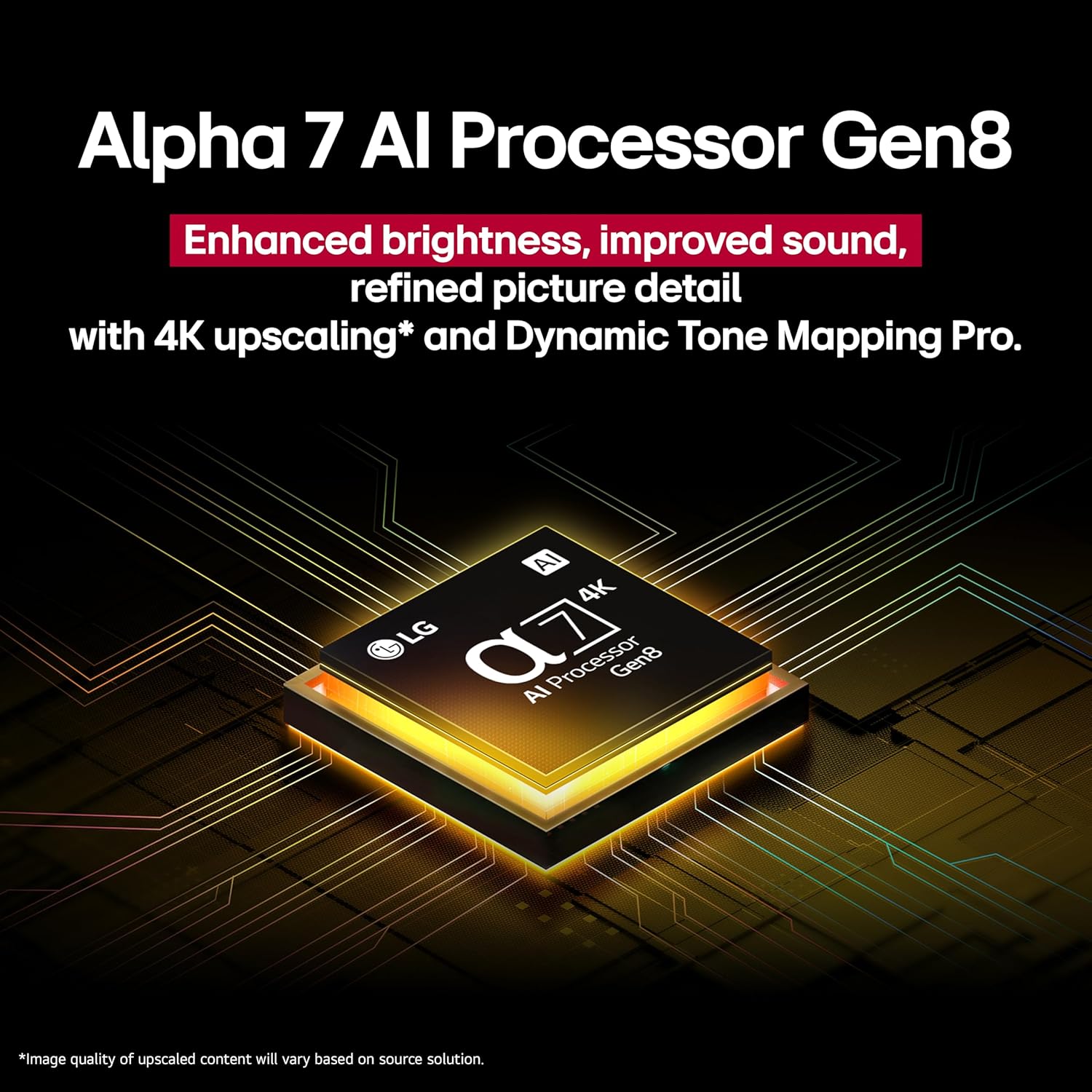
Figure 3.2: Close-up of the Alpha 7 AI Processor Gen8 chip.
3.4 Nastavitve zvoka
- LG Sound Sync: Wirelessly connect compatible LG soundbars or speakers.
- Zvočni način Deli: Share sound settings across compatible devices.
- Bluetooth Surround Ready: Connect Bluetooth speakers for a surround sound experience.
- WOW orkester: Integrates TV speakers with a compatible soundbar for enhanced audio.
3.5 Funkcije in povezljivost umetne inteligence
- AI Concierge, AI Search, AI Chatbot, Voice ID: Utilize these features for personalized content recommendations, quick searches, and voice recognition.
- Integracija pametnega doma: Compatible with Google Assistant, Amazon Alexa, Apple Home, and Apple AirPlay2.
- Game Service & ALLM: Access gaming services and benefit from Auto Low Latency Mode for a smoother gaming experience.
4. Vzdrževanje
4.1 Cleaning the TV Screen and Body
Before cleaning, unplug the TV from the power outlet. Use a soft, dry cloth to gently wipe the screen and TV body. For stubborn marks, lightly dampen the cloth with water or a specialized screen cleaner. Avoid using harsh chemicals, abrasives, or direct spraying of liquids onto the TV.
4.2 Posodobitve programske opreme
Ensure your TV's software is up to date for optimal performance and security. You can usually check for and install updates through the TV's settings menu under "General" or "Support."
5. Odpravljanje težav
| Težava | Možen vzrok | rešitev |
|---|---|---|
| Brez moči | Power cable disconnected; surge protector off/tripped | Check power cable connection; ensure surge protector is on and functioning. |
| Ni slike, vendar je zvok prisoten | Izbran napačen vhodni vir; težava z zunanjo napravo | Verify correct HDMI input; check external device power and connection. |
| Brez zvoka | Volume muted; external audio system issue; incorrect audio output setting | Unmute volume; check external audio system; adjust TV audio output settings. |
| Daljinski upravljalnik ne deluje | Batteries depleted; obstruction; remote not paired | Replace batteries; remove obstructions; re-pair Magic Remote (refer to remote manual). |
| Težave z omrežno povezavo | Wi-Fi signal weak; router issue; incorrect password | Restart router; check Wi-Fi password; move TV closer to router or use wired connection. |
Za dodatno pomoč se obrnite na podporo LG. webspletno mesto ali se obrnite na službo za stranke.
6. Specifikacije
| Funkcija | Podrobnost |
|---|---|
| Velikost zaslona | 43 palcev |
| Znamka | LG |
| Tehnologija zaslona | QNED |
| Resolucija | 4K |
| Hitrost osveževanja | 60 Hz |
| Mere izdelka (D x Š x V) | 10.1"D x 38.1"Š x 25"V |
| Teža predmeta | 21.6 funta |
| Ime modela | 43QNED82AUA |
| barva | Črna |
| Operacijski sistem | webOS 25 |
| Vrsta krmilnika | Čarobni daljinski upravljalnik |
| Total Number of HDMI Ports | 3 |
| Skupno število vrat USB | 1 |
| Brezžična tehnologija | Bluetooth, WiFi |
| Vrsta namestitve | Wall Mount (VESA 200 x 200) |
| Modelno leto | 2025 |
| Podprte internetne storitve | Netflix, Max, Disney+, YouTube, Prime Video, ESPN, Apple TV, Sling TV, and More |
| Način avdio izhoda | Surround |
| Število avdio kanalov | 2 |
7. Videoposnetki izdelkov
Video 7.1: Overview of the LG QNED82AUA Series TV, highlighting its key features and design. This video is provided by Walts TV.
8. Garancija in podpora
Your LG 43QNED82AUA TV comes with a manufacturer's warranty. Please refer to the warranty card included in your package for specific terms and conditions. For technical support, service, or warranty claims, please visit the official LG webspletno mesto ali se obrnite na njihovo službo za pomoč strankam. Shranite račun kot dokazilo o nakupu.
For support regarding the Walts Full Motion Mount or Amber Protection Surge Protector, please refer to their respective documentation or contact their customer support channels.