Uvod
Thank you for choosing the Blukar K9129 Rechargeable HeadlampTa priročnik vsebuje bistvene informacije za varno in učinkovito uporabo vaše glave.ampPred uporabo ga natančno preberite in ga shranite za poznejšo uporabo.
Konec izdelkaview
Ključne značilnosti
- Dual Color Temperatures: Features both white and warm light options for various environments.
- Več načinov osvetlitve: Offers 12 modes, including standard and motion sensor modes, with XPG White, XPG Warm, COB White, XPG+COB White, COB Red, and COB Red Strobe.
- Nadzor senzorja gibanja: Allows hands-free operation by waving your hand within 15cm.
- USB-C za polnjenje: Built-in 1200mAh battery provides up to 30 hours of runtime on a single charge.
- Zatemnjena svetlost: Stepless dimming from 100% to 30% with memory function.
- Adjustable & Comfortable: 45° nastavljiv lamp head and a comfortable, washable elastic headband.
- IPX5 Vodoodporen: Designed to resist water splashes from all angles.
Vsebina paketa
- Blukar K9129 Headlamp
- Polnilni kabel USB-C
- Helmet Clips (4x)
- Uporabniški priročnik (ta dokument)
Nastavitev
1. Začetno polnjenje
Pred prvo uporabo popolnoma napolnite glavoamp. Connect the provided USB-C charging cable to the headlamp's charging port and to a USB power source (e.g., AC charger, power bank, computer). The 4 battery indicators will show charging progress. A full charge typically takes 2-3 hours.
Slika: Vzglavjeamp being charged via its USB-C port. It can be connected to various USB power sources like an AC adapter, power bank, or computer.
2. Prilagajanje naglavnega traku
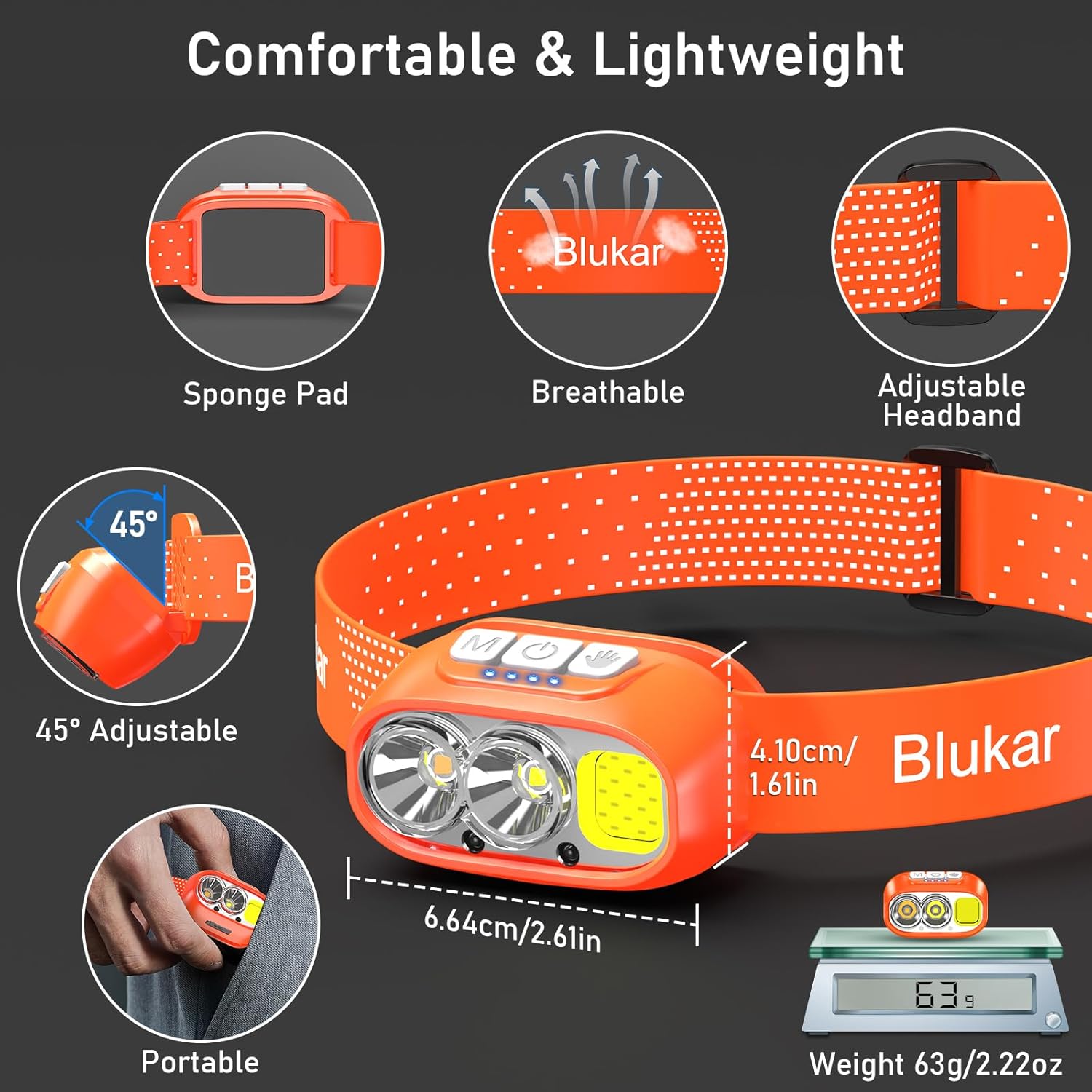
The elastic headband is adjustable to fit various head sizes. Adjust the length for a comfortable and secure fit. The headband is also removable and washable for hygiene.

Image: Details of the headlamp's comfortable and lightweight design, showing the adjustable headband, sponge pad, and 45-degree tilt capability.
3. Attaching to a Helmet (Optional)
Use the included 4 helmet clips to securely attach the headlamp to a helmet for a stable fit during activities.
Navodila za uporabo
Funkcije gumbov

Image: Close-up of the headlamp's top panel, highlighting the three independent control buttons: 'M' for Normal Mode, a hand icon for Sensor Mode, and a power icon for Power & Dimmer.
- Normal Mode Button (M): Short press to cycle through standard lighting modes.
- Sensor Mode Button (Hand Icon): Short press to activate motion sensor mode (green light indicates activation). Once active, wave your hand within 15cm to turn the light on/off.
- Power & Dimmer Button (Power Icon):
- Short press to turn the light on/off.
- Long press to adjust brightness steplessly (100%-30%).
- Features a memory function for the last used brightness and mode.
Načini osvetlitve
Vodjaamp offers 12 lighting modes, accessible via the Normal Mode button and Sensor Mode button.

Image: Visual representation of the 12 lighting modes available, including various white light combinations, red light, and sensor modes. It also illustrates the stepless dimming function.
- Standard Modes (6): XPG White Light, XPG Warm Light, COB White Light, XPG+COB White Light, COB Red Light, COB Red Light Strobe.
- Sensor Modes (6): The same 6 modes as above, activated by the Sensor Mode button.
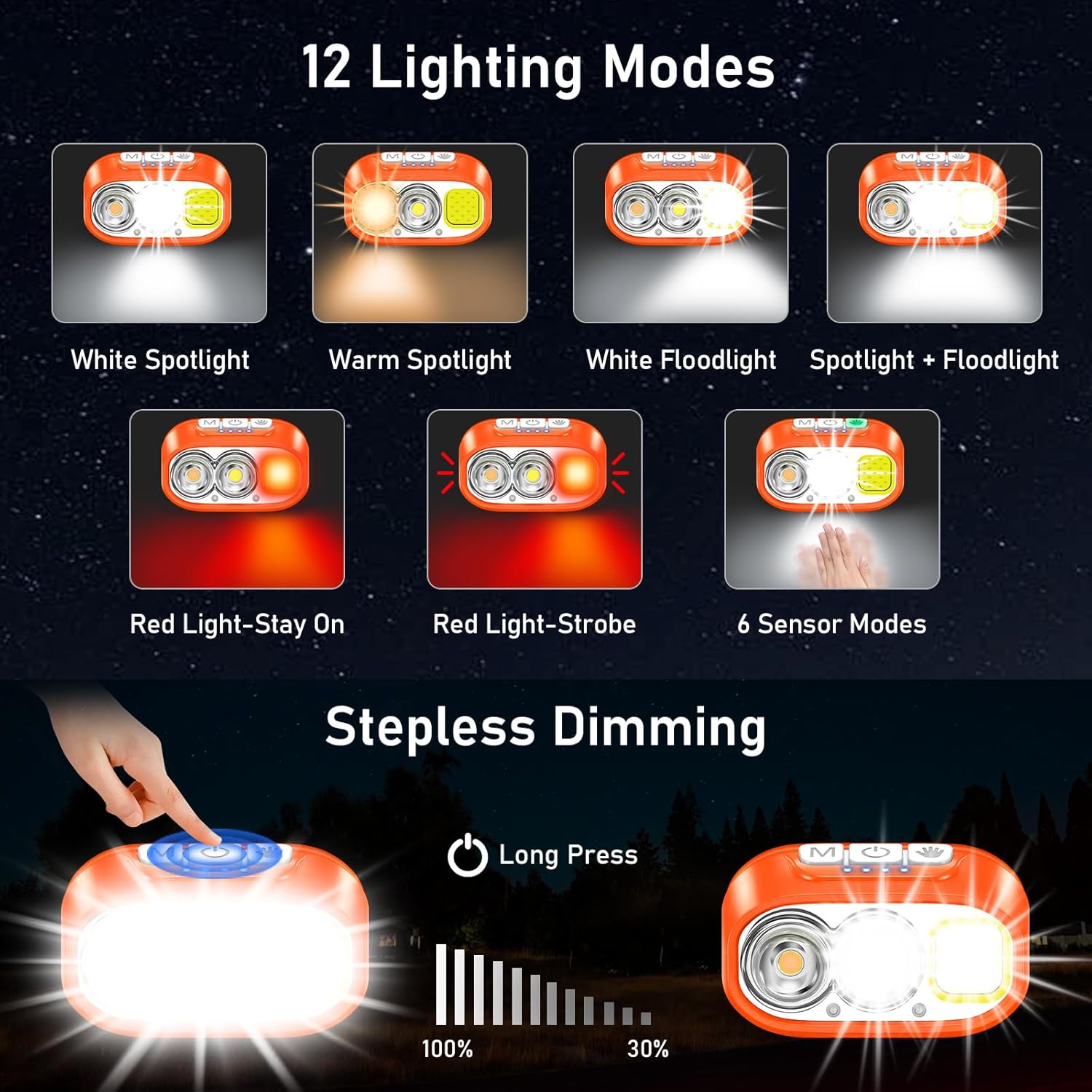
Image: Illustration of the three main light sources: White Light for general use, Warm Light for challenging weather conditions like fog or snow, and Red Light for specialized uses like night fishing or emergency signaling.
Delovanje senzorja gibanja
To use the motion sensor, press the Sensor Mode button. A green indicator light will illuminate. Once active, simply wave your hand within 15cm (approximately 6 inches) in front of the headlamp to toggle the light on or off without touching the buttons.
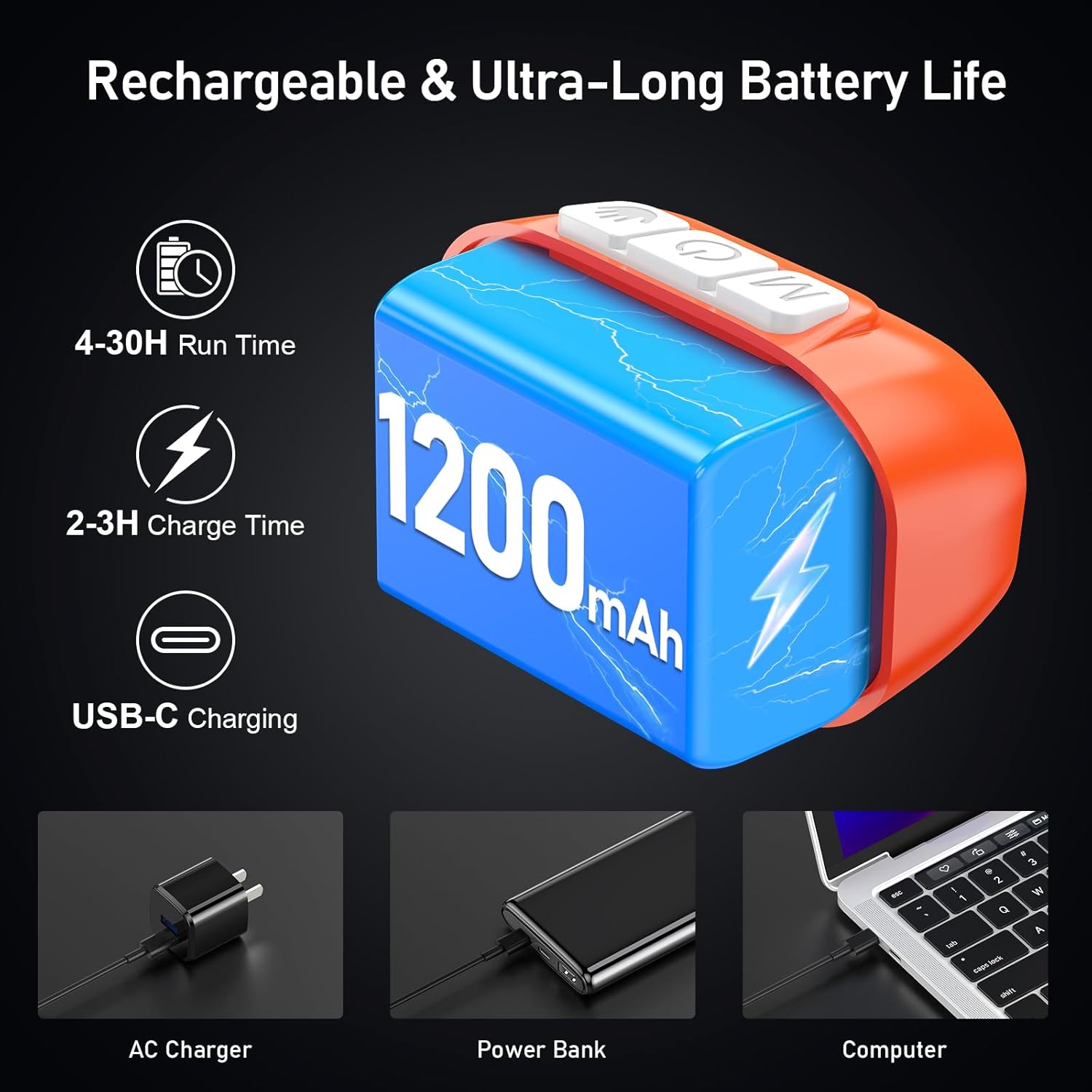
Image: A person demonstrating the motion sensor mode, turning the headlamp on and off with a hand wave while working on a car engine, highlighting the 15cm sensing distance.
Nastavitev kota žarka
Vodjaamp unit can be tilted up or down by 45° to direct the light precisely where needed.
Slika: Vzglavjeamp unit is shown with an arrow indicating its 45-degree adjustable tilt capability.
Vzdrževanje
- Čiščenje: The elastic headband is removable and washable. Clean the headlamp telo z mehkim, damp krpo. Ne uporabljajte abrazivnih čistil ali topil.
- Vzdrževanje baterije: Za podaljšanje življenjske dobe baterije napolnite naglavno slušalkoamp regularly, even if not in frequent use. Avoid fully discharging the battery for extended periods.
- Shranjevanje: Shranite glavoamp na hladnem in suhem mestu, stran od neposredne sončne svetlobe in ekstremnih temperatur.
- Vodoodpornost: Vodjaamp is IPX5 waterproof, meaning it can resist water splashes. Do not submerge the headlamp v vodi.
Slika: Vzglavjeamp is shown with water splashing over it, illustrating its IPX5 waterproof capability, which protects against water jets from any direction.
Odpravljanje težav
| Težava | Možen vzrok | rešitev |
|---|---|---|
| Headlamp turns off unexpectedly in sensor mode. | Sensor reacting to unintended movement or objects. | Switch off the sensor mode if not needed, or ensure no objects are passing within 15cm of the sensor. |
| Headlamp se ne vklopi. | Baterija je prazna. | Napolnite glavoamp v celoti z uporabo priloženega kabla USB-C. |
| Svetlobna moč je šibka. | Low battery or dimming function activated. | Recharge the battery. Long press the Power & Dimmer button to increase brightness. |
| Headlamp se ne polni. | Okvarjen kabel ali vir napajanja. | Try a different USB-C cable or a different USB power source. Ensure the cable is securely connected. |
Specifikacije
| Številka modela | K9129 |
| Znamka | Blukar |
| Material | ABS |
| barva | Oranžna |
| Dimenzije izdelka | 2.61"D x 1.61"Š x 1.38"V |
| Teža predmeta | 84 gramov (2.96 unč) |
| Kapaciteta baterije | 1200 mAh |
| Vrsta baterije | Litijev polimer |
| Čas polnjenja | 2-3 ur |
| Runtime | Up to 4 hours (ultra-bright mode), up to 30 hours (soft light mode) |
| Ocena vodotesnosti | IPX5 |
| Vključene komponente | USB kabel |
Garancija in podpora
Blukar products are designed for reliability and performance. For any questions, technical support, or warranty inquiries, please contact Blukar customer service through the retailer where the product was purchased or visit the official Blukar webmesto.
Za garancijske zahtevke shranite dokazilo o nakupu.


