1. Uvod
This manual provides essential information for setting up, operating, maintaining, and troubleshooting your HP 27-inch FHD Touchscreen All-in-One Desktop. Please read these instructions carefully before using your device to ensure optimal performance and longevity.
The HP 27-inch All-in-One Desktop is designed for versatile use, featuring an Intel Ultra 7 155U 12-Core processor, 32 GB DDR5 RAM, and a 1 TB SSD for efficient performance. Its 27-inch Full HD touchscreen display offers an interactive experience, complemented by Intel IrisX Graphics and Windows 11 Pro operating system.
2. Kaj je v škatli
Preverite, ali so v embalaži prisotne vse komponente:
- HP 27-inch All-in-One Desktop
- Žična tipkovnica
- Žična miška
- Napajalnik in kabel
- Webcam (integrated or separate, depending on model configuration)
- Dokumentacija (Hitri vodnik, Garancijske informacije)
3. Navodila za namestitev
3.1 Razpakiranje in namestitev
- Carefully remove the All-in-One desktop and all accessories from the packaging.
- Place the desktop on a stable, flat surface, ensuring adequate ventilation around the device. Avoid placing it near heat sources or in direct sunlight.
3.2 Priključitev zunanjih naprav
- Connect the wired keyboard to an available USB Type-A port on the back of the desktop.
- Connect the wired mouse to another available USB Type-A port.
- If your model includes a separate webcam, connect it to a USB port.
3.3 Napajalni priključek
- Connect the power adapter cable to the power input port on the desktop.
- Priključite napajalnik v ozemljeno električno vtičnico.
3.4 Začetni vklop
- Pritisnite gumb za vklop, ki se običajno nahaja na stranskem ali spodnjem robu zaslona.
- Follow the on-screen instructions to complete the Windows 11 Pro setup, including language selection, network connection (Wi-Fi 6E supported), and user account creation.

Image: HP 27-inch All-in-One Desktop showcasing its ultra-slim design and adjustable stand. The display is a 27-inch Full HD screen.
4. Navodila za uporabo
4.1 Uporaba zaslona na dotik
The 27-inch Full HD (1920 x 1080) IPS touchscreen allows for intuitive interaction. Use gestures similar to a tablet or smartphone for navigation, zooming, and scrolling. The display features a three-sided micro-edge design and wide-viewing angles for an immersive visual experience.

Image: Visual representation of the HP 27-inch All-in-One Desktop's display features, highlighting the three-sided micro-edge, wide-viewing angles, and a 90% screen-to-body ratio.
4.2 Povezljivost in vrata
Your desktop offers a variety of ports for connecting external devices:
- USB Type-C 5Gbps Signaling Rate: 1 port for modern peripherals and fast data transfer.
- USB Type-A 5Gbps Signaling Rate: 2 vhoda za standardne USB naprave.
- USB 2.0 Type-A: 2 ports for basic peripherals like keyboards and mice.
- HDMI-out 1.4: 1 port for connecting an external monitor or display.
- RJ45 LAN Ethernet port: 1 vrata za žično omrežno povezavo.
- Kombinacija slušalk/mikrofona: 1 vhod/izhod za avdio.

Slika: Podroben zadnji del view of the HP 27-inch All-in-One Desktop, illustrating the arrangement and types of ports available, including USB Type-C, HDMI, Ethernet, USB Type-A, and the power supply connection.
4.3 Using the Privacy Camera and Audio
The HP True Vision 1080p FHD IR Tilt Privacy Camera features a pop-up mechanism for privacy. Push down to hide the camera when not in use. The integrated dual array digital microphones and dual 2W speakers provide clear audio for video calls and multimedia.

Image: The HP 27-inch All-in-One Desktop highlighting its pop-up privacy camera, dual microphones, and advanced noise reduction capabilities for enhanced communication.
5. Funkcije nadview
- Procesor: Equipped with the Intel Ultra 7 155U 12-Core processor, offering speeds up to 4.8 GHz, 12 MB Intel Smart Cache, and 14 threads for robust multitasking and performance.
- Grafika: Features Intel IrisX Graphics for clear visuals and support for everyday tasks and light creative work.
- Pomnilnik in pomnilnik: Comes with 32 GB DDR5 5600MHz RAM and a 1 TB SSD for fast boot times, quick application loading, and ample zmogljivost shranjevanja.
- Brezžična povezljivost: Includes Realtek Rtl8852Be Wi-Fi 6 (2x2) and Bluetooth 5.3 for high-speed wireless networking and peripheral connections.
- Operacijski sistem: Pre-installed with Windows 11 Pro, providing a secure and productive computing environment.
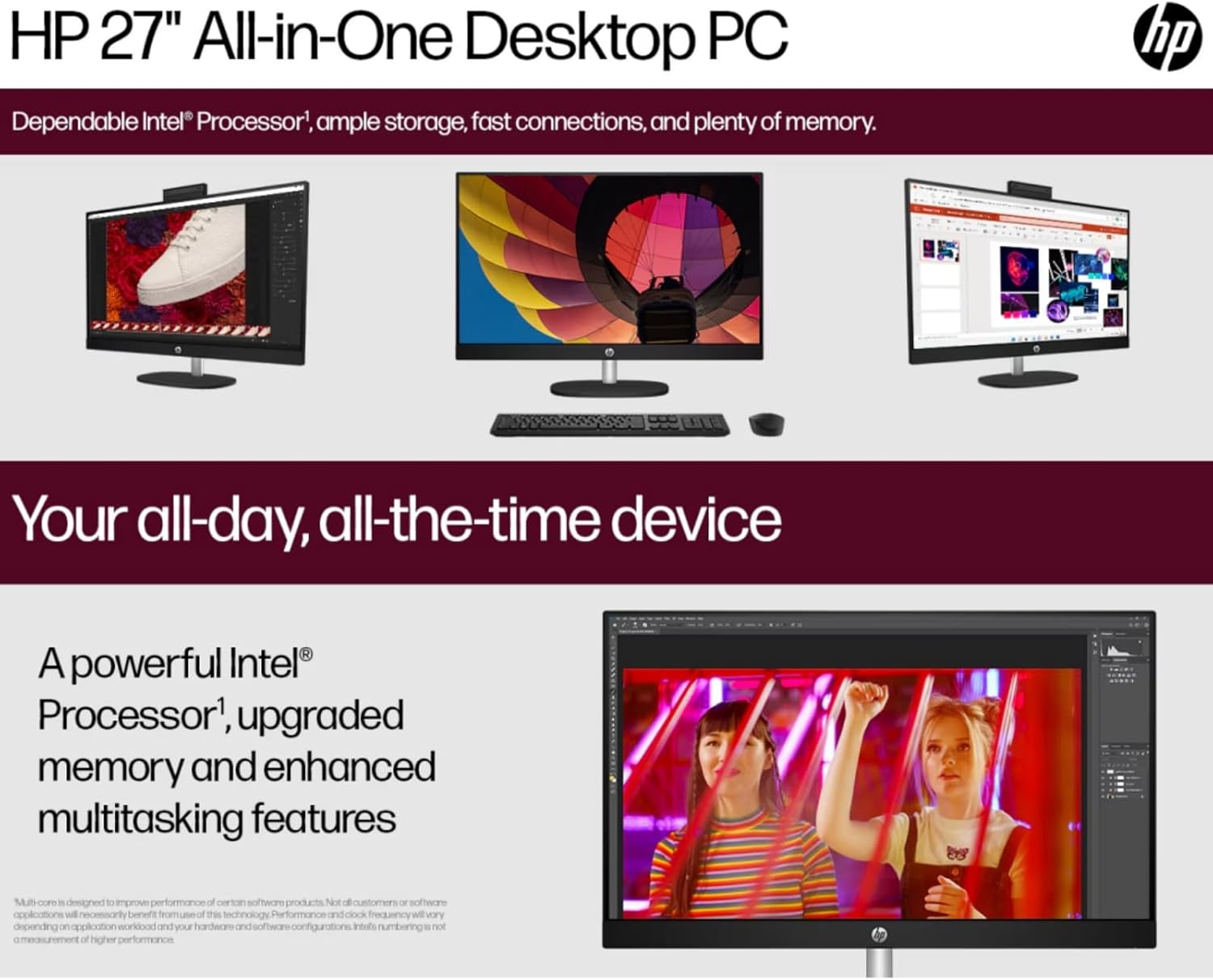
Image: The HP 27-inch All-in-One Desktop illustrating its capability for enhanced multitasking, powered by a robust Intel Processor and upgraded memory.
5.1 Okoljski vidiki
This product is designed with environmental responsibility in mind. It incorporates recycled materials, including post-consumer recycled and ocean-bound plastics, and is EPEAT Gold Registered and ENERGY STAR® Certified.

Image: An infographic showing the HP 27-inch All-in-One Desktop's commitment to sustainability, detailing the use of reclaimed coffee grounds and post-consumer recycled plastics in its construction.
6. Vzdrževanje
6.1 Cleaning the Display and Chassis
- Turn off the desktop and unplug the power cord before cleaning.
- Uporabite mehko krpo, ki ne pušča vlaken, dampened with water or a non-abrasive screen cleaner to wipe the display. Avoid harsh chemicals.
- Za ohišje uporabite mehko, suho krpo.
6.2 Posodobitve programske opreme
Regularly check for and install operating system updates (Windows Update) and driver updates (HP Support Assistant) to ensure optimal performance and security.
6.3 Prezračevanje
Ensure that the ventilation openings on the desktop are not blocked to prevent overheating. Keep the area around the desktop clear of obstructions.
7. Odpravljanje težav
Ta razdelek obravnava pogoste težave, na katere lahko naletite.
7.1 Brez napajanja
- Prepričajte se, da je napajalni kabel varno priključen tako na namizni računalnik kot na električno vtičnico.
- Preverite delovanje električne vtičnice tako, da vanjo priključite drugo napravo.
- Preverite napajalnik za morebitne vidne poškodbe.
7.2 Težave z zaslonom
- Če je zaslon prazen, se prepričajte, da je namizje vklopljeno.
- Prilagodite nastavitve svetlosti zaslona.
- Če je priključen zunanji monitor, se prepričajte, da je v nastavitvah sistema Windows izbran pravilen izhod za prikaz.
7.3 Periferna naprava se ne odziva
- Ensure the keyboard or mouse is properly connected to a USB port.
- Poskusite priključiti periferno napravo na drug USB vhod.
- Znova zaženite namizje.
7.4 Težave z brezžično povezljivostjo
- Preverite, ali je v nastavitvah sistema Windows omogočen Wi-Fi.
- Znova zaženite usmerjevalnik in modem.
- Prepričajte se, da ste v dosegu omrežja Wi-Fi.
8. Specifikacije
| Funkcija | Podrobnost |
|---|---|
| Znamka | HP |
| Številka modela | HP 27 All-In-One Desktop |
| Operacijski sistem | Windows 11 Pro |
| Procesor | Intel Ultra 7 155U (12 Cores, up to 4.8 GHz) |
| RAM | 32 GB DDR5 5600 MHz |
| Shranjevanje | 1 TB SSD (PCIE x 2) |
| Grafika | Intel IrisX Graphics (Integrated) |
| Zaslon | 27-inch FHD (1920 x 1080) Touchscreen IPS, Anti-Glare, 300 Nits |
| Brezžična povezljivost | Wi-Fi 6E (802.11ax), Bluetooth 5.3 |
| Pristanišča | 1x USB Type-C 5Gbps, 2x USB Type-A 5Gbps, 2x USB 2.0 Type-A, 1x HDMI-out 1.4, 1x RJ45, 1x Headphone/Microphone Combo |
| Kamera | HP True Vision 1080p FHD IR Tilt Privacy Camera |
| Avdio | Dual 2W Speakers, Integrated Dual Array Digital Microphones |
| Dimenzije (DxŠxV) | 24.11 x 20.35 x 7.34 palcev |
| Teža | 14.81 funtov |
9. Garancija in podpora
Za podrobne informacije o garanciji glejte garancijski list, ki je priložen izdelku, ali obiščite uradno spletno mesto za podporo HP. website. HP provides various support resources, including drivers, software updates, and troubleshooting guides.
Podporo običajno najdete na support.hp.com and entering your product's serial number or model name.