1. Uvod
This manual provides essential information for the safe and efficient use of your Doro Leva E20 4G Flip Phone. Designed with seniors in mind, this phone features a large 2.8-inch display, contrasting keys, loud and clear sound, HD voice, a camera, and a dedicated assistance button. Please read these instructions carefully before using your new phone.

Image 1: Doro Leva E20 highlighting key features such as 4G connectivity, large display, clear sound, and hearing aid compatibility.
2. Nastavitev
2.1. Vstavljanje SIM kartice in baterije
Before using your phone, you must insert a SIM card (provided by your mobile network operator) and the battery.
- Open the phone: Gently open the flip phone to access the battery compartment.
- Odstranite pokrov baterije: Locate the notch on the back cover and carefully lift it off.
- Vstavite kartico SIM: Slide the SIM card into the designated slot with the gold contacts facing down and the cut corner aligned as shown in the diagram (refer to your quick start guide for a visual).
- Vstavite baterijo: Place the battery into its compartment, ensuring the contacts align with those in the phone.
- Zamenjajte pokrov: Snap the battery cover back into place until it clicks.
2.2. Polnjenje telefona
Your phone's battery may not be fully charged upon purchase. It is recommended to fully charge the battery before first use.
- Priključite polnilnik: Plug the USB Type-C cable into the charging port on the phone.
- Priključite na napajanje: Drugi konec polnilnika priključite v stensko vtičnico.
- Indikator polnjenja: The charging indicator on the screen will show the charging status. The phone is fully charged when the indicator shows a full battery icon.
2.3. Vklop/izklop
- Za vklop: Pritisnite in držite rdečo Končaj klic/Vklop/izklop gumb, dokler se ne prikaže logotip Doro.
- Za izklop: Pritisnite in držite rdečo Končaj klic/Vklop/izklop button, then select 'Power off' from the options on the screen.
3. Navodila za uporabo
3.1. Osnovne funkcije
- Klicanje:
- S tipkovnico vnesite telefonsko številko.
- Pritisnite zeleno Pokliči gumb za začetek klica.
- Sprejem klica: Simply open the flip phone to answer an incoming call. Alternatively, press the green Pokliči gumb.
- Končanje klica: Close the flip phone or press the red Končaj klic gumb.
- Prilagoditev glasnosti: Use the volume buttons located on the side of the phone during a call or when playing media.
3.2. Pošiljanje in prejemanje sporočil (SMS)
- V glavnem meniju se pomaknite do Sporočila.
- Izberite Novo sporočilo.
- Vnesite telefonsko številko prejemnika ali jo izberite iz svojih stikov.
- S tipkovnico vnesite sporočilo.
- Pritisnite Pošlji.
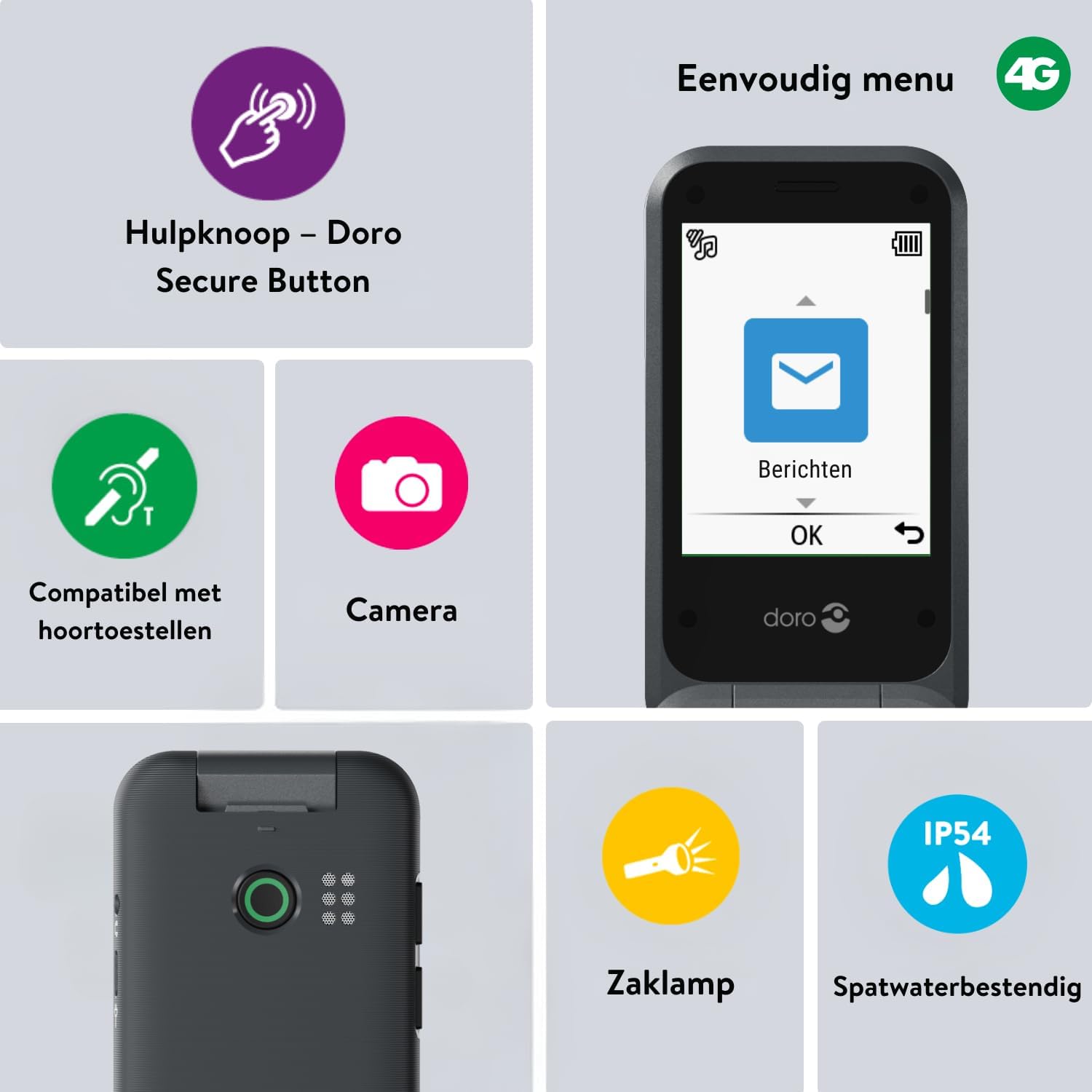
Image 2: The Doro Leva E20's simple menu interface, showing the 'Messages' icon, along with other features like the assistance button, camera, flashlight, and IP54 splash resistance.
3.3. Kamera
Doro Leva E20 vključuje osnovno kamero za zajemanje fotografij.
- V glavnem meniju izberite Kamera.
- Kadrirajte posnetek z uporabo zaslona kot viewiskalec.
- Pritisnite OK gumb za fotografiranje.
3.4. Assistance Button (Doro Secure Button)
The dedicated assistance button is a key safety feature, allowing you to quickly contact pre-set emergency numbers.
- Nastavitev: Refer to the phone's settings menu under 'Assistance' to program emergency contacts.
- Aktiviranje: Press and hold the assistance button (located on the back of the phone) for a few seconds. The phone will automatically call and send an SMS to your pre-programmed emergency contacts.

Image 3: The Doro Leva E20's Doro Secure Button, designed for quick access to emergency contacts.
3.5. Svetilka
To activate the built-in flashlight:
- Locate the flashlight icon or dedicated button (if available) on the phone or in the quick settings menu.
- Press the corresponding key or navigate to the option to turn the flashlight on/off.
3.6. Gumbi za hitri dostop
The Doro Leva E20 features quick access buttons for frequently used functions.
- Priljubljeni stiki: Assign frequently called numbers to speed dial keys.
- Kamera: A dedicated button or menu option for quick camera access.
- Sporočila: A dedicated button or menu option for quick message access.

Image 4: The Doro Leva E20 in hand, showcasing the keypad with quick access buttons for favorite contacts, camera, and messages.
4. Vzdrževanje
4.1. Čiščenje naprave
Za ohranjanje optimalnega stanja telefona:
- Use a soft, dry, lint-free cloth to clean the screen and body of the phone.
- Izogibajte se uporabi močnih kemikalij, čistilnih topil ali močnih detergentov.
- Telefona ne izpostavljajte prekomerni vlagi.
4.2. Skrb za baterijo
The Doro Leva E20 is powered by a rechargeable battery. To maximize battery life and performance:
- Charge the phone regularly. Avoid letting the battery drain completely before recharging.
- Baterije ne izpostavljajte ekstremnim temperaturam.
- Če telefona ne boste uporabljali dlje časa, ga pred shranjevanjem napolnite na približno 50 %.
4.3. Vodoodpornost
The Doro Leva E20 has an IP54 rating, meaning it is protected against dust ingress and splashing water from any direction. It is not designed to be submerged in water.
5. Odpravljanje težav
Če imate težave z Doro Leva E20, poskusite naslednje rešitve:
| Težava | Možna rešitev |
|---|---|
| Telefon se ne vklopi | Ensure the battery is charged. Connect the charger and try again. Check if the battery is correctly inserted. |
| Ne morem klicati ali sprejemati klicev | Check if the SIM card is correctly inserted. Ensure you have network coverage. Contact your service provider if the issue persists. |
| Slaba kakovost zvoka | Adjust the volume. Ensure the speaker/microphone is not blocked. If using a hearing aid, ensure compatibility settings are correct. |
| Baterija se hitro izprazni | Reduce screen brightness. Close unused applications. Limit background data usage. Ensure the phone is not in an area with poor network signal, which can increase battery consumption. |
If these steps do not resolve the issue, please contact Doro customer support.
6. Specifikacije
- Ime modela: Leva E20
- Operacijski sistem: Mocor OS
- Model procesorja: Cortex A7
- Velikost zaslona: 2.8 palcev
- Resolucija: 320 x 240
- Celična tehnologija: 4G
- Povezljivost: USB tipa C
- Kapaciteta pomnilnika: 17 GB
- barva: Črna
- Vodoodpornost: IP54 (odporno proti brizganju vode)
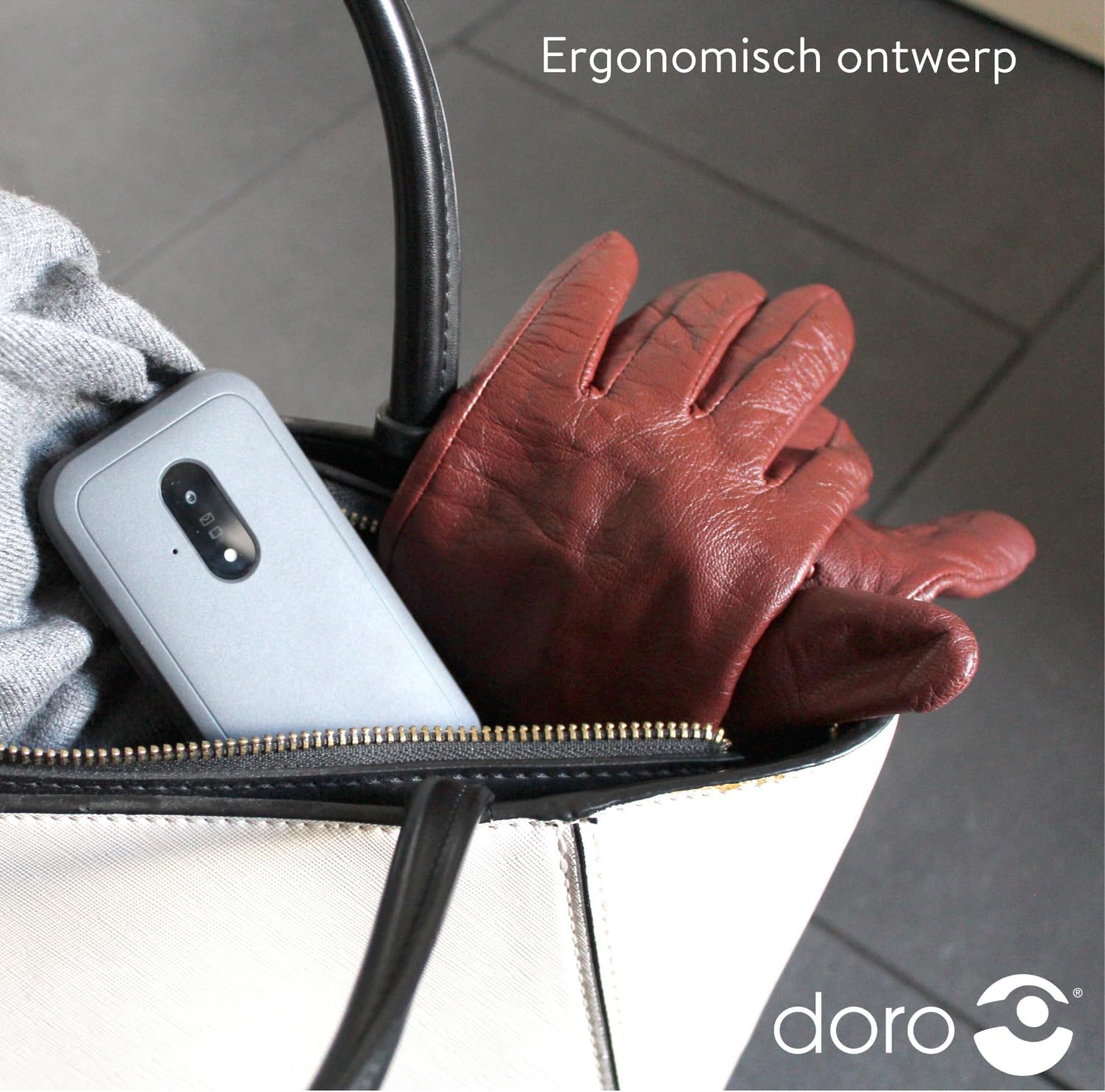
Image 5: The Doro Leva E20's ergonomic design allows for easy portability, fitting comfortably in a bag.
7. Garancija in podpora
Your Doro Leva E20 is manufactured by Doro. For specific warranty information, including terms and conditions, please refer to the warranty card included with your product or visit the official Doro website. For technical support, troubleshooting assistance beyond this manual, or service inquiries, please contact Doro customer support directly.
Proizvajalec: Doro
Webspletno mesto: www.doro.com (Please check your regional Doro website for local support contact details.)


