Konec izdelkaview
The ASTRO Gaming A20 Gen 2 Wireless Headset provides a high-quality audio experience for gaming across multiple platforms. Designed for comfort and performance, it features low-latency wireless connectivity and a convenient flip-to-mute microphone.
Ključne značilnosti:
- Next-Gen Compatibility: Seamlessly works with PlayStation 5, PlayStation 4, Windows, and Mac OS.
- Lag-Free Wireless Audio: 2.4GHz USB wireless transmitter ensures low-latency, high-quality sound.
- Dolgotrajna baterija: Up to 15 hours of wireless gaming on a single charge.
- Mikrofon Flip-to-mute: Flexible boom mic with an intuitive flip-to-mute function for instant control.
- Celodnevno udobje: Lightweight design with padded headband and ear cushions for extended wear.
Kaj je v škatli
- A20 Brezžične slušalke
- USB oddajnik
- Polnilni kabel USB-C na USB-A
Navodila za namestitev
Follow these steps to set up your ASTRO Gaming A20 Gen 2 Wireless Headset:
- Napolnite slušalke: Connect the headset to a power source using the provided USB-C to USB-A charging cable. Ensure the headset is fully charged before first use for optimal battery life.
- Connect the USB Transmitter: Plug the USB transmitter into an available USB port on your PlayStation console (PS5 or PS4) or your Windows/Mac computer. The transmitter facilitates the 2.4GHz wireless connection.
- Vklop: Turn on your ASTRO Gaming A20 Gen 2 Wireless Headset. The headset should automatically pair with the USB transmitter. Refer to your device's audio settings to ensure the headset is selected as the input and output device.
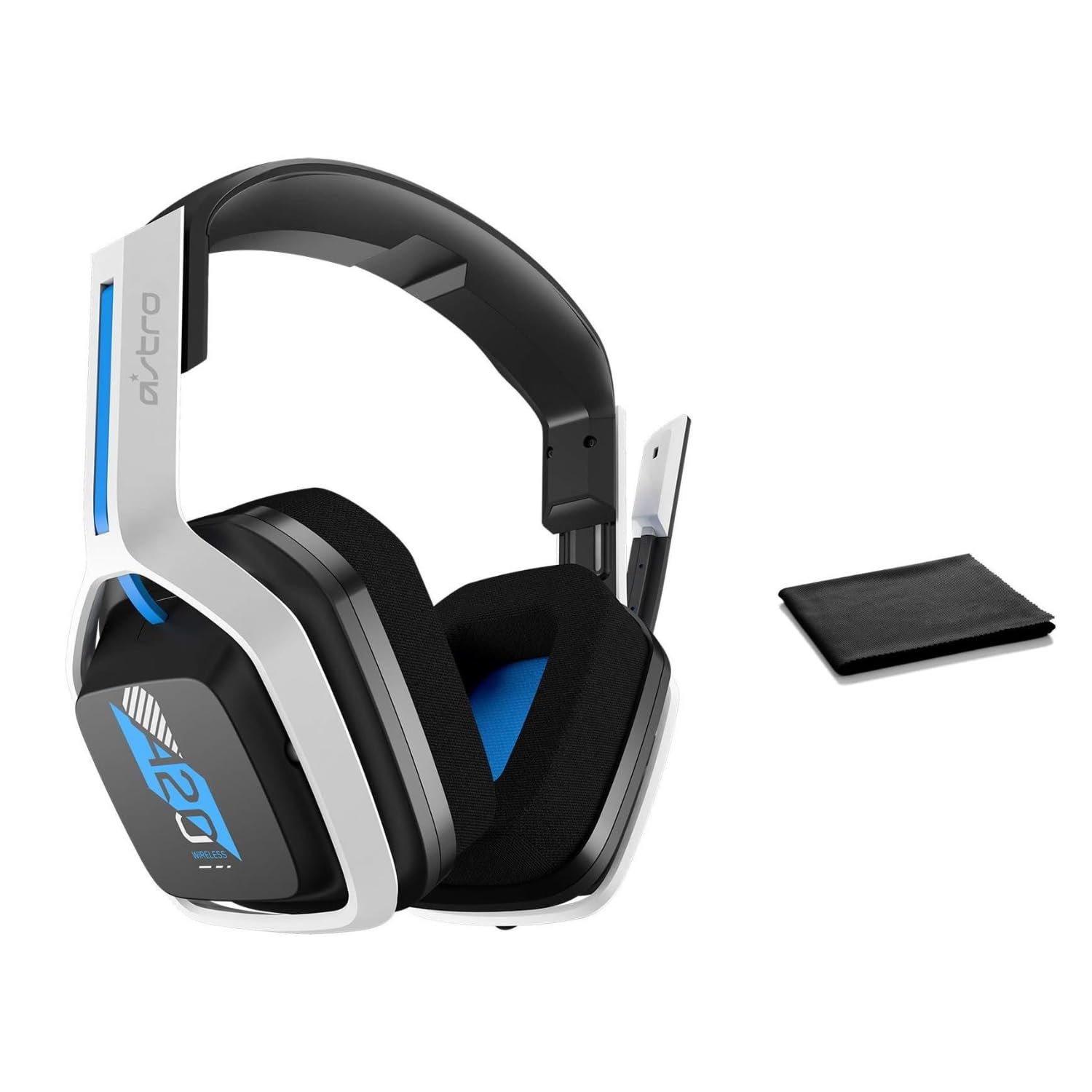
Image: The ASTRO Gaming A20 Gen 2 Wireless Headset, ready for use.
Navodila za uporabo
Funkcionalnost mikrofona
The headset features a flexible boom microphone with a flip-to-mute function. To mute your microphone, simply flip the boom arm upwards. To unmute and activate the microphone, flip the boom arm back down to its original position.
Nadzor glasnosti
Adjust the audio volume using the dedicated volume control located on the headset. Rotate the dial or press the buttons (depending on the specific model variant) to increase or decrease the sound output.
Vzdrževanje
Za zagotovitev dolge življenjske dobe in optimalne zmogljivosti slušalk:
- Čiščenje: Use the included premium microfiber cloth to gently wipe down the headset and accessories. This helps keep your headset dust-free and smudge-free.
- Shranjevanje: Ko slušalk ne uporabljate, jih shranjujte na čistem in suhem mestu, stran od ekstremnih temperatur in neposredne sončne svetlobe.
- Vzdrževanje baterije: For best battery health, avoid fully discharging the headset frequently. Charge it regularly.
Odpravljanje težav
If you encounter issues with your ASTRO Gaming A20 Gen 2 Wireless Headset, consider the following:
- Ni zvoka/mikrofon ne deluje: Ensure the USB transmitter is securely plugged into your device and the headset is powered on and paired. Check your device's audio settings to confirm the headset is selected as the default input/output. For the microphone, ensure it is not in the 'flipped-up' (muted) position.
- Težave s povezavo: Try unplugging and re-plugging the USB transmitter. If issues persist, try connecting to a different USB port.
- Baterija se ne polni: Verify the charging cable is properly connected to both the headset and the power source. Try a different USB port or power adapter.
- Posodobitev vdelane programske opreme: Visit the official ASTRO Gaming support website for any available firmware updates for your headset, as these can resolve various performance issues.
Specifikacije
| Funkcija | Podrobnost |
|---|---|
| Ime modela | 939-001876 |
| Znamka | ASTRO Gaming |
| Tehnologija povezljivosti | Brezžično |
| Brezžična komunikacija | 2.4GHz Wireless |
| Združljive naprave | Mac OS, PlayStation 4, Playstation 5, Windows |
| Življenjska doba baterije | 15 ur |
| Čas polnjenja | 15 ur |
| Mikrofon | Obrni za izklop zvoka |
| Namestitev ušesa | Nad ušesi |
| Teža predmeta | 11.2 unče (318 grama) |
| Material | Plastika |
| Vključene komponente | A20 Wireless Headset, USB transmitter, USB-C to USB-A charging cable |
Garancija in podpora
For detailed warranty information and technical support, please refer to the official ASTRO Gaming webspletno mesto ali se obrnite na njihovo službo za stranke. Shranite dokazilo o nakupu za uveljavljanje garancije.


