1. Izdelek je končanview
This manual provides instructions for the TRYX Panorama 360 ARGB SE All-in-One (AIO) liquid CPU cooler and the ROTA SL ARGB 3-in-1 120mm case fan bundle. This system is designed to provide efficient cooling for your CPU while offering extensive visual customization through its integrated curved screen and ARGB lighting.

Slika 1.1: Konecview of the TRYX Panorama 360 ARGB SE AIO and ROTA SL ARGB Case Fan Bundle components.
Ključne značilnosti:
- Vrtljiv 6.67-palčni ukrivljeni AMOLED zaslon: Features a 60Hz refresh rate, 2K display, and 400nit brightness for a clear visual experience. The screen is rotatable for flexible orientation.
- 3D anamorfni učinek: Enhances content depth, supporting custom-formatted 3D videos for a naked-eye 3D visual experience. Includes preloaded "Waterfall" 3D animation.
- ASETEK Cooling Solution (Adela): Provides a 280W TDP cooling capacity, suitable for CPU-intensive tasks and gaming, ensuring stable performance.
- KANALI Software Customization: Allows customization of the AIO cooler display with instant content switching, split-screen display, and system information monitoring. Supports various media formats (PNG/JPG/GIF/MP4/AVI up to 1080P, 500MB).
- ROTA SL ARGB Case Fans: Features Gen2 ARGB lighting, magnetic cable connections, and contact point transmission for simplified installation and cable management.
2. Vsebina paketa
Preden nadaljujete z namestitvijo, preverite, ali so v paketu prisotne vse komponente.
- TRYX Panorama 360 ARGB SE 360mm AIO Liquid Cooler (Radiator, Pump/Block with Curved Screen, Tubing)
- 3x TRYX ROTA SL ARGB 120mm Case Fans
- Mounting Hardware for various CPU sockets (Intel/AMD)
- Vijaki ventilatorja
- Termalna pasta
- Cables (USB, ARGB, Fan Power)
- Uporabniški priročnik (ta dokument)
3. Vodič za namestitev
3.1. Kontrolni seznam pred namestitvijo
- Prepričajte se, da ima ohišje računalnika dovolj prostora za 360 mm radiator.
- Identify your CPU socket type (e.g., Intel LGA1700/1200/115X, AMD AM5/AM4) and select the corresponding mounting hardware.
- Gather necessary tools: Phillips head screwdriver, cleaning cloth, isopropyl alcohol (for CPU cleaning).
- Izklopite računalnik in odklopite vse kable.
3.2. CPU Block and Screen Module Installation
- Prepare your CPU socket by installing the correct backplate and standoffs according to your motherboard's instructions.
- Apply a small amount of thermal paste to the center of your CPU's integrated heat spreader (IHS).
- Carefully place the pump/cold plate assembly onto the CPU, aligning the mounting holes.
- Secure the pump/cold plate with the provided thumb screws, tightening them in a diagonal pattern until snug. Do not overtighten.
- The display module is rotatable. Adjust its orientation as desired. Ensure the four screws are evenly tightened during installation to prevent screen sagging.

Image 3.1: Illustration of the rotatable display module. Ensure even tightening of screws during installation.

Slika 3.2: Razstavljeno view of the Asetek Adela liquid cooling solution components.
3.3. Namestitev radiatorja in ventilatorja
- Attach the three ROTA SL ARGB 120mm fans to the radiator using the longer fan screws. Ensure the fan airflow direction is correct for your case's cooling strategy (typically pushing air through the radiator).
- Mount the radiator assembly to your PC case. Common locations include the top or front panel.
- Connect the ROTA SL ARGB fans. These fans feature contact point transmission and magnetic cables for simplified wiring. Align the contact points between fans and use the magnetic cable to connect the fan chain to your fan controller or motherboard.

Image 3.3: Magnetic cable connection for simplified fan wiring and control.

Image 3.4: Contact point transmission ensures stable power and speed regulation between fans, reducing visible wiring.
3.4. Kabelske povezave
- Napajalni kabel črpalke priključite na prosti priključek CPU_FAN ali AIO_PUMP na matični plošči.
- Connect the ARGB cable from the pump/screen module to a 5V ARGB header on your motherboard or a compatible ARGB controller.
- Connect the USB cable from the pump/screen module to an internal USB 2.0 header on your motherboard. This is required for KANALI software functionality.
- Connect the magnetic fan cable to your fan controller or motherboard fan header.
4. Navodila za uporabo
4.1. KANALI Software Installation and Setup
To unlock the full potential of your TRYX Panorama SE AIO, download and install the latest version of the KANALI software from the official TRYX website. The software allows for display customization, system monitoring, and ARGB control.

Slika 4.1: Konecview of the KANALI software interface for customization and control.
4.2. Prilagajanje zaslona
- Takojšnje preklapljanje vsebine zaslona: Use KANALI to quickly change the content displayed on the 6.67-inch curved AMOLED screen.
- Zaslon z razdeljenim zaslonom: Configure the screen to show multiple pieces of information simultaneously, such as system statistics and custom media.
- Custom Content Library: Upload your own images (PNG/JPG), GIFs, and videos (MP4/AVI up to 1080P, 500MB) to personalize the display.
- 3D Anamorphic Effects: Access a library of preloaded 3D animations, including the "Waterfall" mode, for enhanced visual depth.
- Filters and Hardware Tags: Apply visual filters and display hardware information tags neposredno na zaslonu.
- Near Zero Resource Usage: The display operates independently with its own 4-core CPU, 2GB RAM, and 8GB storage, minimizing impact on your PC's resources.

Image 4.2: KANALI software demonstrating Split Screen Mode for displaying multiple data points.

Image 4.3: The Custom Content Library within KANALI, allowing users to upload personal media.

Image 4.4: Options for customizable filters and hardware tag prikaz na zaslonu.

Image 4.5: Diagram illustrating the independent processing unit of the display, ensuring minimal system resource usage.
4.3. Krmiljenje osvetlitve ARGB
The KANALI software also provides control over the Gen2 ARGB lighting of the ROTA SL fans and the AIO pump head. Customize lighting effects, colors, and synchronization to match your system's aesthetic.
5. Vzdrževanje
- Čiščenje prahu: Regularly clean dust from the radiator fins and fan blades using compressed air or a soft brush. Ensure fans are not spinning during cleaning.
- Kabelske povezave: Periodically check all cable connections (power, ARGB, USB) to ensure they are secure.
- Liquid Loop: Hladilnik tekočine AIO je sistem z zaprto zanko in ne zahteva dolivanja ali vzdrževanja hladilne tekočine. Ne poskušajte odpreti črpalke ali radiatorja.
- Čiščenje zaslona: Use a soft, lint-free cloth to gently wipe the curved screen. Avoid harsh chemicals or abrasive materials.
6. Odpravljanje težav
6.1. Pogoste težave in rešitve
| Izdaja | Možen vzrok | rešitev |
|---|---|---|
| Ni prikaza na zaslonu | USB cable not connected or loose. KANALI software not installed or running. | Ensure the USB 2.0 cable from the pump is securely connected to the motherboard. Install and run the KANALI software. Check power connections. |
| Fans/ARGB Not Lighting Up | ARGB cable not connected or loose. Magnetic fan connections not secure. KANALI software not controlling ARGB. | Verify the 5V ARGB cable is connected to the motherboard/controller. Ensure fans are properly connected via magnetic contact points. Check ARGB settings in KANALI software. |
| Visoke temperature procesorja | Pump not running. Insufficient thermal paste. Radiator airflow obstructed. Fans not spinning or spinning too slowly. | Check pump power connection and ensure it's running (you might feel slight vibration). Reapply thermal paste if necessary. Clean radiator fins. Check fan connections and speeds in BIOS/KANALI. |
| Screen Sagging | Unevenly tightened screws on the display module. | Loosen and then evenly tighten the four screws securing the display module. |
7. Specifikacije
| Funkcija | Podrobnost |
|---|---|
| Model | TRYX Panorama 360 ARGB SE AIO, TRYX ROTA SL ARGB 3in1 120mm Case Fan |
| Metoda hlajenja | Tekočina (AIO) |
| Velikost radiatorja | 360 mm |
| TDP Cooling Capacity | Do 280 W |
| Vrsta zaslona | 6.67-palčni ukrivljeni AMOLED |
| Ločljivost zaslona | 2K |
| Hitrost osveževanja zaslona | 60Hz |
| Svetlost zaslona | 400 nit |
| Velikost ventilatorja | 120 mm |
| Hitrost ventilatorja | 500-1850 RPM ±10% |
| Pretok zraka ventilatorja | 65.64 CFM (Max) |
| Statični tlak ventilatorja | 2.49 mmAq (Max) |
| Raven hrupa ventilatorja | 28.87 dB(A) (Low Noise Operation) |
| Vrsta ležaja ventilatorja | FDB (fluid dinamični ležaj) |
| Materiali | Aluminum, Copper, Plastic |
| Vrsta napajalnega konektorja | 4-pin |
| Wattage | 280 vatov |

Image 7.1: Detailed fan performance specifications including noise, static pressure, airflow, and RPM.
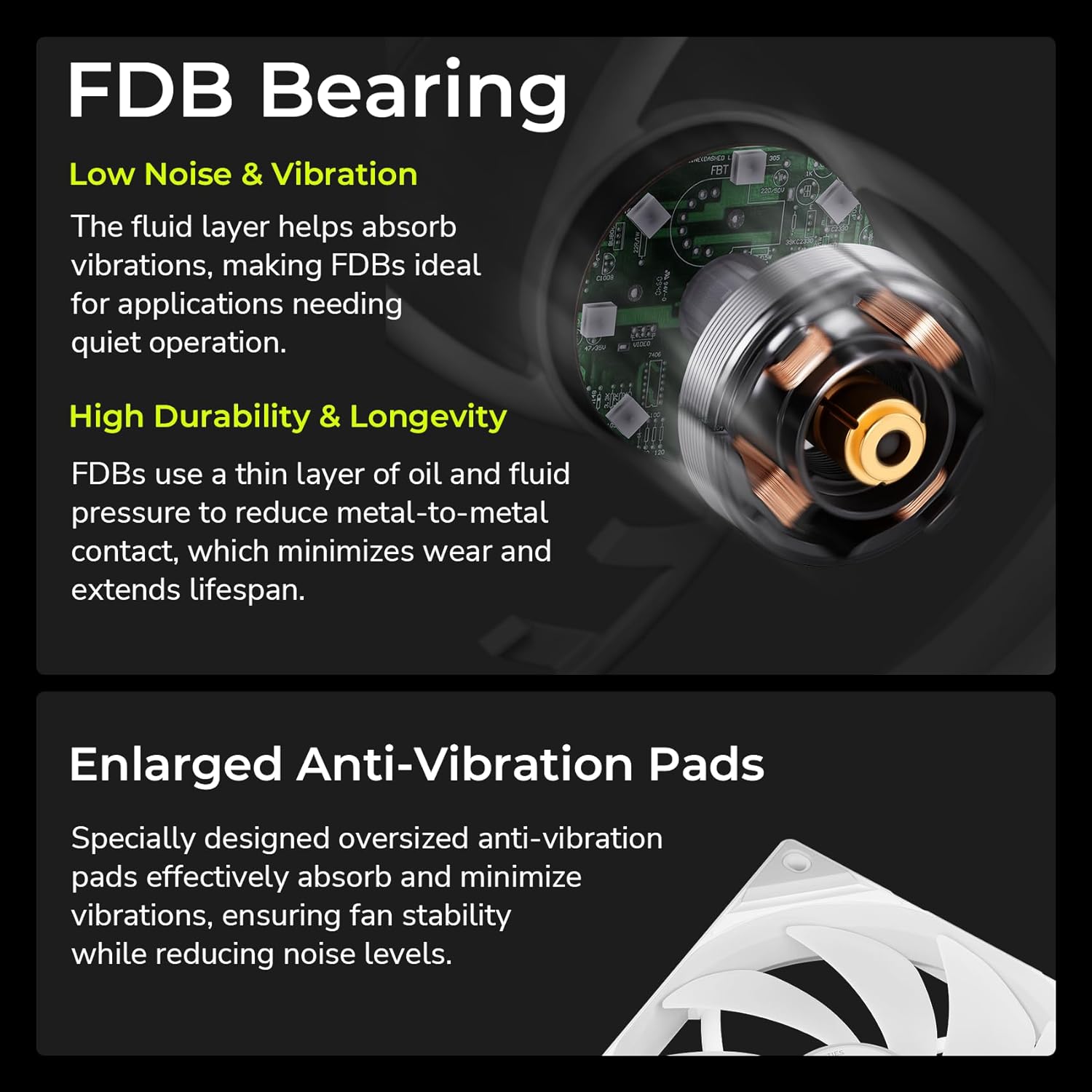
Image 7.2: Explanation of Fluid Dynamic Bearing (FDB) technology and enlarged anti-vibration pads for quiet and durable operation.
8. Garancija in podpora
For warranty information, please refer to the official TRYX webali se obrnite na svojega prodajalca.
The KANALI software includes a built-in support window for direct assistance. Ensure you have the latest version of the KANALI software installed for access to this feature.

Image 8.1: The built-in support window within the KANALI software for user assistance.


