1. Uvod
This manual provides essential information for the safe and effective installation, operation, and maintenance of your Blaupunkt CALI 900 9-inch Touchscreen Single DIN Receiver and the accompanying BPS-E653 6-inch 3-Way Car Speakers. Please read this manual thoroughly before use and retain it for future reference.
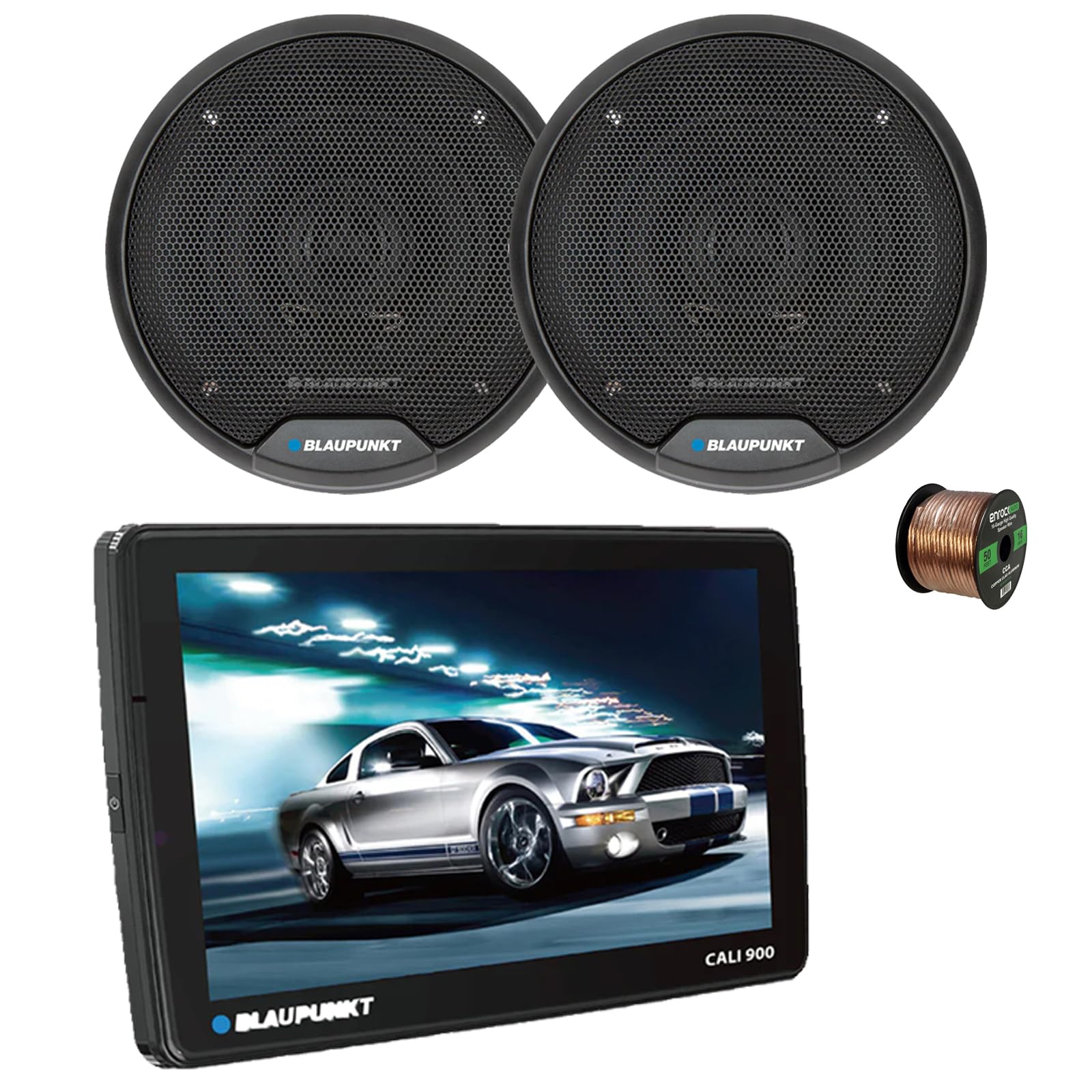
Image 1.1: Blaupunkt CALI 900 Receiver. This image shows the front view of the CALI 900 receiver with its 9-inch QLED touchscreen display, featuring a car image on the screen.
2. Varnostne informacije
- Priporočena profesionalna namestitev: Due to the complexity of car audio systems, professional installation is highly recommended. Incorrect installation can lead to damage to the product, vehicle, or personal injury.
- vir energije: Napravo priključite samo na 12V enosmerno napajanje z negativno ozemljitvijo.
- Ožičenje: Ensure all wiring is correctly connected according to the wiring diagram. Incorrect wiring can cause malfunctions or damage. Avoid short circuits.
- Prezračevanje: Zagotovite zadostno prezračevanje okoli enote, da preprečite pregrevanje.
- Varnost pri vožnji: Naprave ne upravljajte na način, ki bi vas motil od vožnje. Vedno dajte prednost varnosti v cestnem prometu.
- Stopnje glasnosti: Izogibajte se pretirano visoki glasnosti, ki lahko poslabša vašo sposobnost slišati prometne zvoke ali prometne nesreče.
3. Vsebina paketa
The Blaupunkt CALI 900 bundle includes the following components:
- Blaupunkt CALI 900 9" Touchscreen Single DIN Receiver
- 2x Blaupunkt BPS-E653 6" 3-Way Car Speakers
- 50 metrov žice za zvočnike kalibra 16
- Mounting Hardware and Wiring Harness (for receiver)
- Speaker Grilles and Mounting Screws (for speakers)
4. Izdelek je končanview
4.1 CALI 900 Receiver Features
The CALI 900 is a versatile single DIN digital multimedia receiver designed for modern vehicle integration.
- Zaslon: 9-inch QLED Touchscreen (1280x720 resolution) with capacitive touch panel.
- Operacijski sistem: Android 10.0 OS with A53 quad-core processor (2.0GHz) and 2+32G memory.
- Povezljivost: Built-in WiFi (5G), Bluetooth (4.1 version), Wireless Apple CarPlay & Android Auto.
- Navigacija: Vgrajen GPS.
- Avdio: DSP audio processing, 32-band equalizer, RCA 4.1 Channel Output (FL/FR/RL/RR/SUB).
- Vhodi: Two rear USB ports.
- Dodatno: Support for 720P and 1080P AHD camera, Seven Colors Illumination.

Slika 4.1: Spredaj view of the Blaupunkt CALI 900 Receiver. This image displays the sleek design of the receiver's front panel and large touchscreen.

Image 4.2: CALI 900 Floating Panel and Connectivity. This image illustrates the floating panel design, showing how the screen can be adjusted, and highlights compatibility with Apple CarPlay and Android Auto.
4.2 BPS-E653 Speaker Features
The BPS-E653 speakers are designed to deliver clear and dynamic audio performance.
- Tip: 6-inch 3-Way Coaxial Speaker.
- Nizkotonec: Polypropylene cone with rubber surround.
- Tweeter: PET balanced dome tweeter with neodymium magnet, ceramic w/PET diaphragm super tweeter.
- Upravljanje moči: 40 Watt Max (20 Watt RMS) per speaker.
- Oblikovanje: Steel basket, zero tweeter protrusion, includes grilles for flush fit.

Image 4.3: Blaupunkt BPS-E653 6-inch Car Speakers. This image shows a pair of the BPS-E653 speakers with their protective grilles.
5. Nastavitev in namestitev
5.1 Splošna navodila za namestitev
- Preden začnete z električnimi deli, odklopite negativni pol akumulatorja vozila.
- Ensure all wiring is routed away from moving parts, heat sources, and sharp edges.
- Use appropriate tools and protective gear.
- Consult your vehicle's service manual for specific dashboard and panel removal instructions.
5.2 Receiver Installation (CALI 900)
The CALI 900 is a single DIN unit with a floating 9-inch display. Install the main chassis into your vehicle's single DIN opening. The display can then be adjusted for optimal viewvhodni kot.
- Secure the single DIN chassis into the vehicle's dashboard using the provided mounting hardware.
- Connect the wiring harness to the receiver and then to the vehicle's corresponding wires (power, ground, accessory, speaker outputs, etc.).
- Connect any additional accessories such as GPS antenna, USB cables, or camera inputs.
- Attach the 9-inch display panel to the main chassis and adjust its position.
5.3 Speaker Installation (BPS-E653)
The BPS-E653 speakers are designed for standard 6-inch openings. Ensure the mounting location is clear and provides adequate depth.
- Remove existing speakers or prepare the mounting location.
- Connect the provided 16-gauge speaker wire to the speaker terminals, ensuring correct polarity (+ to + and - to -).
- Zvočnike varno namestite s priloženimi vijaki.
- Install the speaker grilles if desired.

Image 5.1: 16-Gauge Speaker Wire. This image shows the spool of 16-gauge speaker wire included for connecting your speakers.
5.4 Žične povezave
Refer to the wiring diagram included with your receiver for specific connections. General connections include:
- rumena žica: Konstantno 12V (baterija)
- Rdeča žica: Switched 12V (Accessory)
- Črna žica: Tla
- Modra žica: Daljinski vklop (za amplifier/antenna)
- Zvočniške žice: Connect to the BPS-E653 speakers, ensuring correct polarity for each channel (Front Left, Front Right, Rear Left, Rear Right).
Ko so vse povezave vzpostavljene, ponovno priključite negativni pol akumulatorja vozila.
6. Navodila za uporabo
6.1 Vklop/izklop
- Vklop: Turn your vehicle's ignition to the ACC or ON position. The receiver should power on automatically. If not, press the power button on the unit.
- Ugasniti: Turn your vehicle's ignition to the OFF position. The receiver will power off.
6.2 Vmesnik zaslona na dotik
The 9-inch QLED touchscreen provides intuitive control. Tap icons to select functions, swipe to navigate menus, and use pinch-to-zoom gestures where applicable.
6.3 Brezžični Apple CarPlay in Android Auto
- Prepričajte se, da sta Bluetooth in Wi-Fi na vašem pametnem telefonu omogočena.
- On the receiver, select the CarPlay or Android Auto icon.
- Follow the on-screen prompts to pair your phone via Bluetooth. Once paired, the system will establish a Wi-Fi connection for wireless CarPlay/Android Auto.
- For wired connection, connect your smartphone to one of the receiver's USB ports.
6.4 Bluetooth seznanjanje
- On the receiver, select the Bluetooth icon.
- V mobilni napravi omogočite Bluetooth in poiščite razpoložljive naprave.
- Select "Blaupunkt CALI 900" from the list on your device.
- Po potrebi potrdite kodo za seznanjanje.
- Ko sta seznanjena, lahko prostoročno kličete in pretakate zvok.
6.5 AM/FM radio
- Select the Radio icon from the main menu.
- Z zaslonskimi kontrolami lahko poiščete postaje, ročno nastavite postaje ali izberete prednastavljene postaje.
6.6 Predvajanje prek USB-ja
- Insert a USB drive into one of the rear USB ports.
- The receiver will automatically detect the USB device and display its contents.
- Navigate through folders and select audio or video files za predvajanje.
6.7 GPS navigacija
The built-in GPS allows for navigation. Ensure the GPS antenna is properly installed and has a clear view of the sky. Access navigation through the dedicated icon on the main menu.
6.8 Nastavitve zvoka
Access the audio settings menu to adjust sound parameters:
- Izenačevalnik: Use the 32-band equalizer to fine-tune frequency response.
- DSP: Digital Sound Processing offers various sound enhancements and sound stage prilagoditve.
- Balance/Fader: Adjust sound distribution between left/right and front/rear speakers.
- Nadzor nizkotonca: Adjust subwoofer output level and crossover frequency if a subwoofer is connected to the RCA output.
7. Vzdrževanje
7.1 Čiščenje
- zaslon: Zaslon na dotik nežno obrišite z mehko krpo, ki ne pušča vlaken. Za trdovratne madeže rahlo obrišiteampKrpo obrišite z vodo ali čistilom za zaslone. Ne uporabljajte abrazivnih čistil ali topil.
- Enota: Wipe the main unit and speaker grilles with a dry, soft cloth. Avoid getting liquids inside the unit.
7.2 Posodobitve programske opreme
Periodically check the official Blaupunkt website for any available software or firmware updates for your CALI 900 receiver. Updates can improve performance, add features, or fix bugs. Follow the instructions provided with the update files previdno.
8. Odpravljanje težav
| Težava | Možen vzrok | rešitev |
|---|---|---|
| Brez napajanja za sprejemnik | Blown fuse; incorrect wiring (power/ground); ignition off. | Check vehicle fuses and receiver fuse. Verify power and ground connections. Ensure ignition is on. |
| Iz zvočnikov ni zvoka | Speaker wires disconnected or shorted; volume too low; mute activated; incorrect audio source. | Check all speaker connections for proper polarity and shorts. Increase volume. Deactivate mute. Select correct audio source. |
| Težave s povezavo Bluetooth | Naprava ni v načinu seznanjanja; sprejemnik ni zaznan; motnje. | Ensure both devices are in pairing mode. Delete previous pairings and try again. Move closer to the receiver. |
| Zaslon na dotik se ne odziva | System freeze; temporary software glitch. | Perform a soft reset (refer to receiver manual for specific button combination or small reset hole). If issue persists, disconnect battery for 5 minutes. |
| CarPlay/Android Auto se ne povezuje | Phone settings; cable issue (for wired); Wi-Fi/Bluetooth off. | Ensure phone is compatible and has the latest OS. Check phone settings for CarPlay/Android Auto permissions. Try a different USB cable. Verify Wi-Fi and Bluetooth are active. |
9. Specifikacije
9.1 CALI 900 Receiver Specifications
| Funkcija | Specifikacija |
|---|---|
| Zaslon | 9-inch QLED Touchscreen (1280x720) |
| Operacijski sistem | Android 10.0 |
| Procesor | Štirijedrni A53, 2.0 GHz |
| Spomin | 2 GB RAM + 32 GB ROM |
| Povezljivost | WiFi (5G), Bluetooth 4.1, Wireless Apple CarPlay & Android Auto |
| Navigacija | Vgrajen GPS |
| Obdelava zvoka | DSP, 32-band Equalizer |
| Vrata USB | 2x Rear USB |
| Dimenzije | Single DIN chassis with floating panel |
| Teža predmeta | 15 ounces (Receiver only) |
| UPC | 840440916147 |
9.2 BPS-E653 Speaker Specifications
| Funkcija | Specifikacija |
|---|---|
| Vrsta | 6-palčni 3-smerni koaksialni zvočnik |
| Ravnanje z močjo | 20W RMS / 40W Max (per speaker) |
| Impedanca | 4 Ohm |
| Frekvenčni odziv | 65Hz - 20KHz |
| Občutljivost | 84.5 dB |
| Material nizkotonca | PP Cone with Rubber Surround |
| Material visokotonca | Neodymium Tweeter Magnet, PET Balanced Dome Tweeter, Ceramic w/PET Diaphragm Super Tweeter |
| Material košare | Jeklo |

Image 9.1: BPS-E653 Speaker Diagram. This image provides a detailed view of the BPS-E653 speaker components and lists its key specifications.
10. Garancija in podpora
10.1 Informacije o garanciji
Izdelki Blaupunkt so izdelani po visokokakovostnih standardih. Za posebne garancijske pogoje glejte garancijski list, ki je priložen izdelku, ali obiščite uradno spletno stran Blaupunkt. webspletnega mesta. Shranite dokazilo o nakupu za uveljavljanje garancije.
10.2 Podpora strankam
If you encounter any issues or have questions not covered in this manual, please contact Blaupunkt customer support. You can typically find contact information (phone, email, or support portal) on the official Blaupunkt webspletno mesto:
When contacting support, please have your product model (CALI 900, BPS-E653) and proof of purchase ready.


