1. Uvod
This manual provides essential information for the safe and efficient use of your HP 140W USB-C AC Adapter (Model TPN-LA29). Please read this manual thoroughly before using the product and retain it for future reference.
The HP 140W USB-C AC Adapter is designed to provide reliable power to compatible HP laptops, including the HP Spectre 2-in-1 Laptop 16-aa0023dx, HP OMEN Transcend Laptop 14-fb0000 RTX 4050 4060, and HP Spectre x360 16-aa0000 Ultra 7 RTX 4050 models. It features a USB-C connector for versatile compatibility and fast charging capabilities.
2. Varnostne informacije
Upoštevajte naslednje varnostne ukrepe, da preprečite poškodbe ali škodo na napravi:
- Uporabljajte samo z združljivimi napravami, kot je navedeno v tem priročniku.
- Adapterja ne izpostavljajte vodi, vlagi ali ekstremnim temperaturam.
- Pazite, da adapter ne pade ali da ga ne izpostavljate močnim udarcem.
- Do not attempt to disassemble or modify the adapter. This will void the warranty and may cause electric shock or fire.
- Prepričajte se, da je vtičnica lahko dostopna in pravilno ozemljena.
- Disconnect the adapter from the power outlet during lightning storms or when unused for extended periods.
- Adapter hranite izven dosega otrok.
- If the adapter or cable is damaged, discontinue use immediately and seek professional assistance.
3. Vsebina paketa
Preverite, ali so v paketu vsi elementi:
- HP 140W USB-C AC Adapter (Model TPN-LA29)
- Napajalni kabel
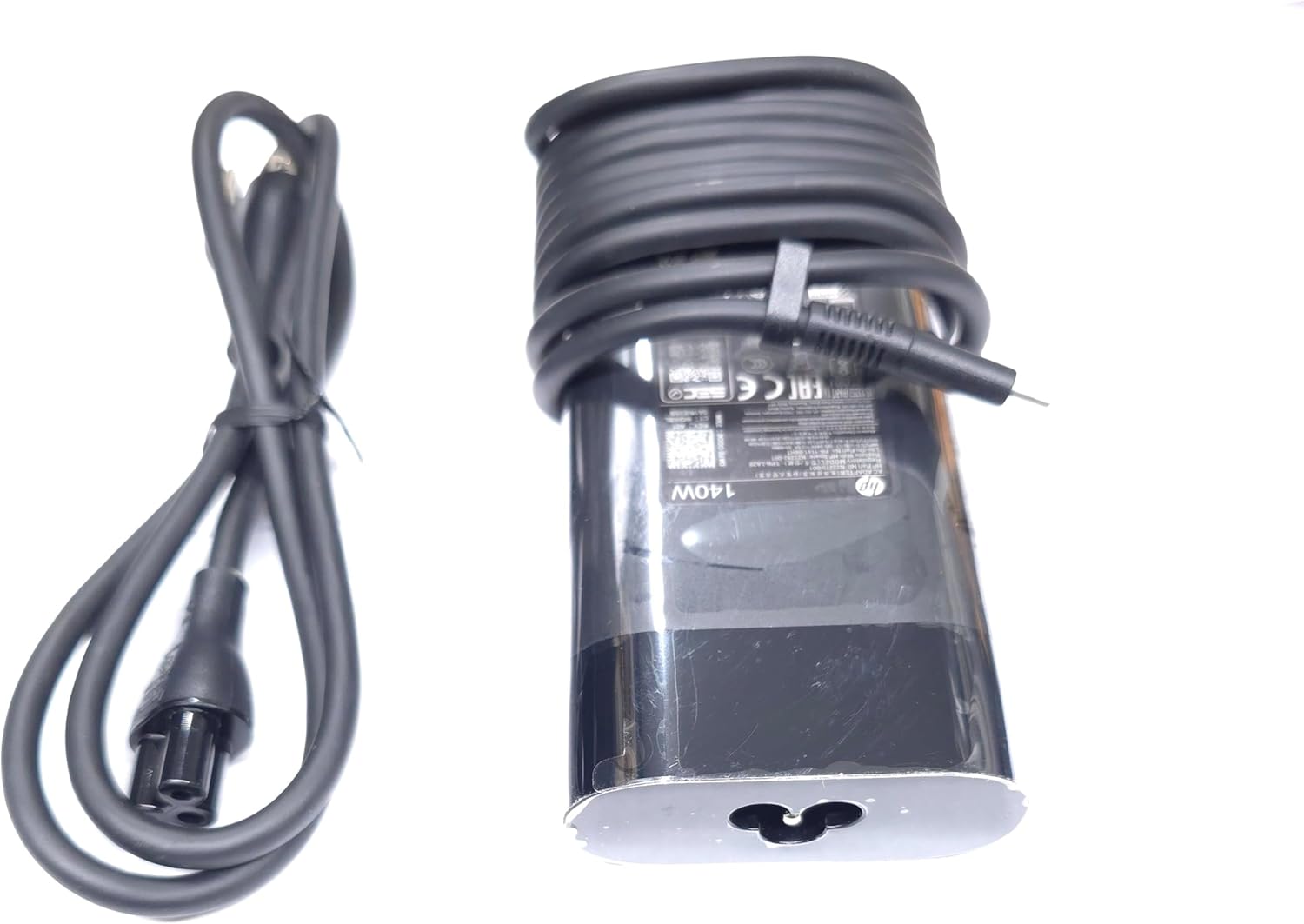
Image: The HP 140W USB-C AC Adapter and its accompanying power cord, as typically found in the product packaging.
4. Navodila za nastavitev
Follow these steps to set up your HP 140W USB-C AC Adapter:
- Priključite napajalni kabel: Insert the power cord into the AC input port on the HP 140W USB-C AC Adapter. Ensure a firm connection.
- Priključite na električno vtičnico: Drugi konec napajalnega kabla priključite v standardno stensko vtičnico.
- Povezava z prenosnikom: Insert the USB-C connector of the adapter into the USB-C charging port on your compatible HP laptop.
- Preverite povezavo: Confirm that your laptop indicates it is receiving power or charging.

Image: The USB-C end of the adapter cable, ready to be connected to a compatible laptop's charging port.
5. Navodila za uporabo
The HP 140W USB-C AC Adapter is designed for automatic operation. Once connected, it will provide power to your laptop and charge its battery.
- Indikator polnjenja: Your laptop's operating system or physical indicator light will show the charging status.
- Optimalna zmogljivost: For best performance, ensure the adapter is placed in a well-ventilated area to prevent overheating.
- Prekinitev povezave: To disconnect, first unplug the USB-C connector from your laptop, then unplug the power cord from the wall outlet.
6. Vzdrževanje in nega
Proper care ensures the longevity and optimal performance of your adapter:
- Čiščenje: Za čiščenje adapterja uporabite mehko, suho krpo. Ne uporabljajte tekočih čistil ali topil.
- Shranjevanje: When not in use, store the adapter in a cool, dry place. Avoid tightly wrapping the cables to prevent damage.
- Pregled: Periodically inspect the adapter and cables for any signs of wear, cuts, or damage. If damage is found, replace the adapter.
7. Odpravljanje težav
If you encounter issues with your HP 140W USB-C AC Adapter, refer to the following common problems and solutions:
| Težava | Možen vzrok | rešitev |
|---|---|---|
| Prenosnik se ne polni. | Loose connection, faulty outlet, incompatible device. |
|
| Adapter je vroč na dotik. | Normalno delovanje, slabo prezračevanje, prekomerna obremenitev. |
|
| Sparking at outlet when plugging in. | Normal inrush current, faulty outlet. |
|
8. Specifikacije
Detailed technical specifications for the HP 140W USB-C AC Adapter:
- Številka modela: TPN-LA29
- Vnos: AC 100V - 240V, 2.5A, 50-60Hz (Worldwide Use)
- Izhod:
- 5.0V / 3.0A (15.0W)
- 9.0V / 3.0A
- 12.0V / 5.0A
- 15.0V / 5.0A
- 20.0V / 5.0A
- 28.0V / 5.0A
- Skupna izhodna moč: 140 W
- Vrsta priključka: USB-C (vrsta C)
- barva: Črna
- Teža artikla: Približno 1 funt (0.45 kg)
- Dimenzije paketa: 7.83 x 6.93 x 1.26 palcev (19.89 x 17.60 x 3.20 cm)
- Compatible P/N: TPN-LA29, N22270-001, N22282-001, PA-1141-08HT
- Proizvajalec: Lite-On Technology Corp.
- Posebna lastnost: Hitro polnjenje
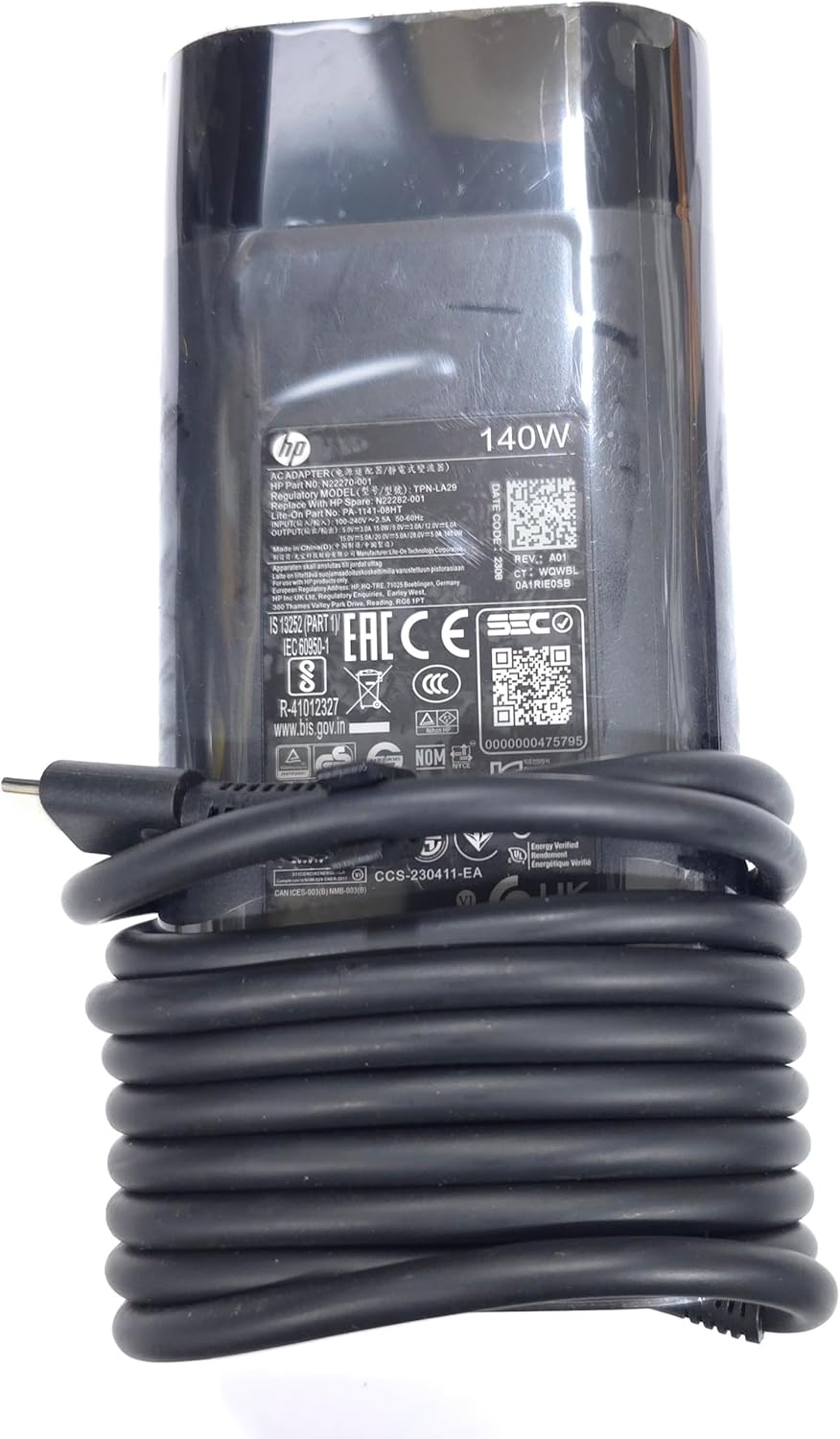
Slika: Bližnji posnetek view of the adapter's label, displaying detailed electrical specifications and model information.
9. Garancija in podpora
For warranty information and technical support, please refer to the documentation provided with your original HP laptop or visit the official HP support website. The manufacturer, Lite-On Technology Corp., provides the adapter under HP's quality standards.
Spletna podpora: For the latest drivers, troubleshooting guides, and product information, visit www.hp.com/support.
Obrnite se na podporo: Refer to your region-specific HP support contact details for phone or chat assistance.