Uvod
Thank you for choosing the JOOAN W3-Dual Lens Outdoor Security Camera. This camera features a unique dual-lens design, providing comprehensive surveillance with 2K HD resolution. It supports both 2.4Ghz and 5Ghz dual-band WiFi, wired connectivity, PTZ rotation, two-way audio, and advanced motion detection with various alert options. This manual provides detailed instructions for installation, operation, and maintenance to ensure optimal performance and security.
Varnostne informacije
- Ensure the camera is powered by the provided adapter and power cord. This device is not battery-powered.
- Install the camera in a location with stable WiFi signal for optimal performance.
- Izogibajte se postavljanju kamere v bližino močnih virov elektromagnetnih motenj.
- Ne poskušajte razstavljati ali spreminjati fotoaparata, saj boste s tem razveljavili garancijo in ga lahko poškodovali.
- Ensure all cables are properly secured and protected from environmental elements.
- For outdoor installation, ensure the camera is securely mounted to prevent accidental falls.
Vsebina paketa
Preverite, ali so v paketu vsi elementi:
- JOOAN W3-Dual Lens Security Camera (x1)
- Napajalnik (x1)
- Napajalni kabel (x1)
- Screws Bag (x1)
- Uporabniški priročnik (x1)

Image: Contents of the JOOAN W3-Dual Lens Security Camera package, including the camera, power adapter, power cord, mounting screws, and user manual.
Konec izdelkaview
The JOOAN W3-Dual Lens camera features two independent lenses for comprehensive coverage. The upper lens is fixed, while the lower lens offers Pan-Tilt-Zoom (PTZ) functionality. It is designed for outdoor use with IP66 weather resistance.
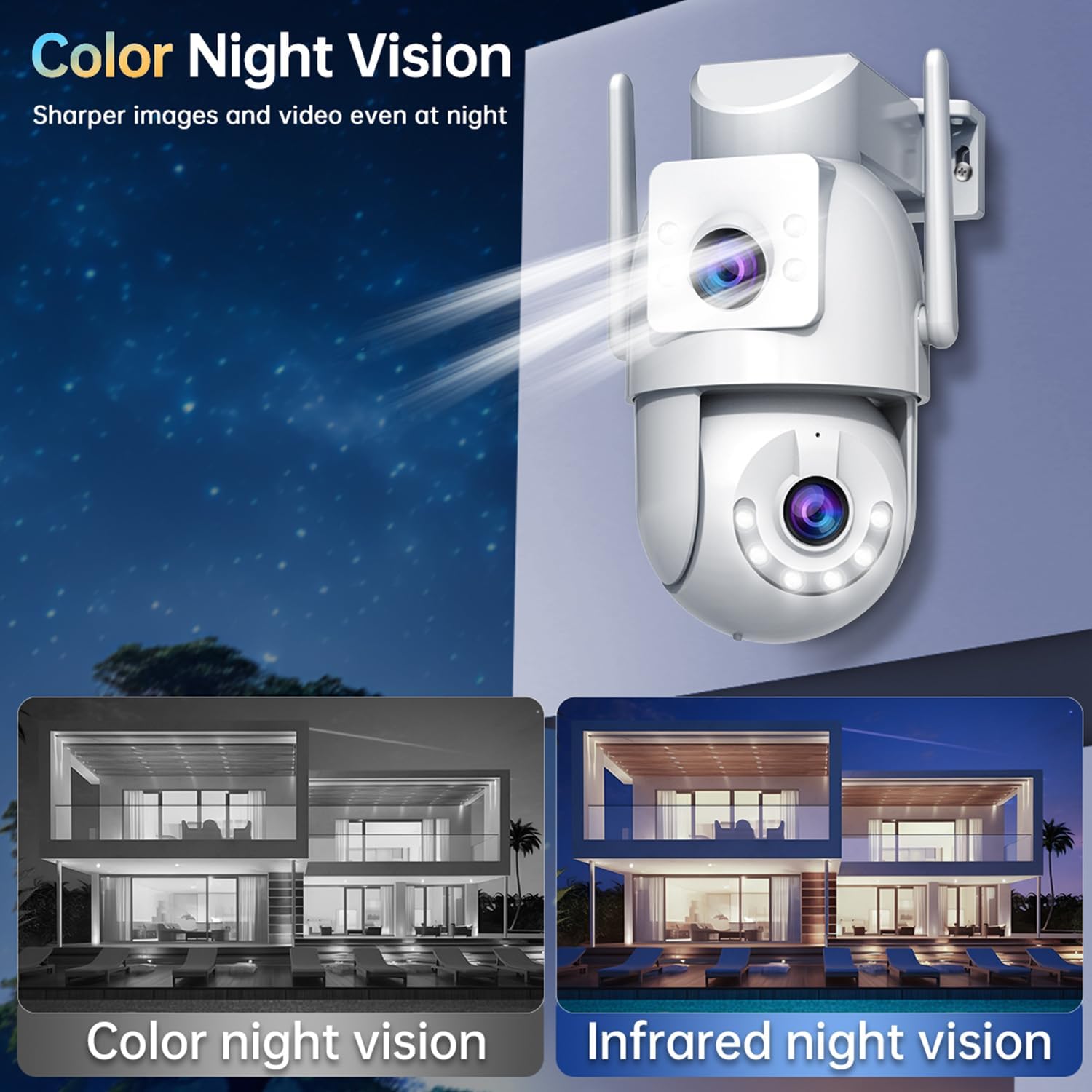
Slika: spredaj view of the JOOAN W3-Dual Lens Security Camera, showing both lenses, LED lights, and antennas.

Slika: Bližnji posnetek view highlighting the MicroSD card slot and the reset button on the camera body.
Nastavitev
1. Namestitev kamere
Kamera podpira montažo na strop in steno. Izberite lokacijo, ki zagotavlja želeno viewing angle and has a stable WiFi signal. The camera is IP66 weatherproof, suitable for outdoor installation.
- Use the included screws to securely attach the mounting bracket to your chosen surface.
- Pritrdite kamero na nosilec.
- For ceiling mounting, the image can be flipped in the app settings if needed.

Slika: npramples of the camera installed on a wall and mounted on a ceiling, demonstrating its versatility.
2. Napajalni priključek
Connect the provided power adapter to the camera's power input and plug it into a standard electrical outlet. The camera requires a continuous power supply and is not battery-operated.

Image: The camera connected to a power outlet via its power cable and adapter.
3. Omrežna povezava
The camera supports dual-band WiFi (2.4Ghz and 5Ghz) and wired Ethernet connection. Follow the in-app instructions to connect your camera to your home network.
- WiFi povezava: Open the app, select 'Add Device', and follow the prompts to connect to your WiFi network. Ensure your phone is connected to the same WiFi network during setup.
- Žična povezava: Connect an Ethernet cable from your router to the camera's Ethernet port. The camera will automatically attempt to connect to the network.
- AP način: If direct connection fails, the camera may enter AP (Access Point) mode, allowing you to connect directly to its WiFi hotspot for initial configuration.

Image: Illustrates the camera's support for 5G/2.4G WiFi, Bluetooth, and Wired connectivity.
4. Namestitev aplikacije
Download the official JOOAN camera app from your smartphone's app store (iOS App Store or Google Play Store). Register an account and log in to begin adding your device.

Image: A smartphone displaying the live view from the JOOAN camera app, showing two camera feeds simultaneously.
5. Namestitev kartice MicroSD
The camera supports MicroSD cards from 8GB to 256GB for local storage. Power off the camera before inserting or removing the MicroSD card.
- Locate the MicroSD card slot on the camera body.
- Nežno vstavite kartico MicroSD v režo, dokler se ne zaskoči.
- Format the MicroSD card through the camera app settings after installation for proper functionality.
Navodila za uporabo
1. V živo View & Dual Lens Monitoring
Access the live feed from both lenses simultaneously through the app. The dual-lens design allows you to monitor two different areas at once, eliminating blind spots.
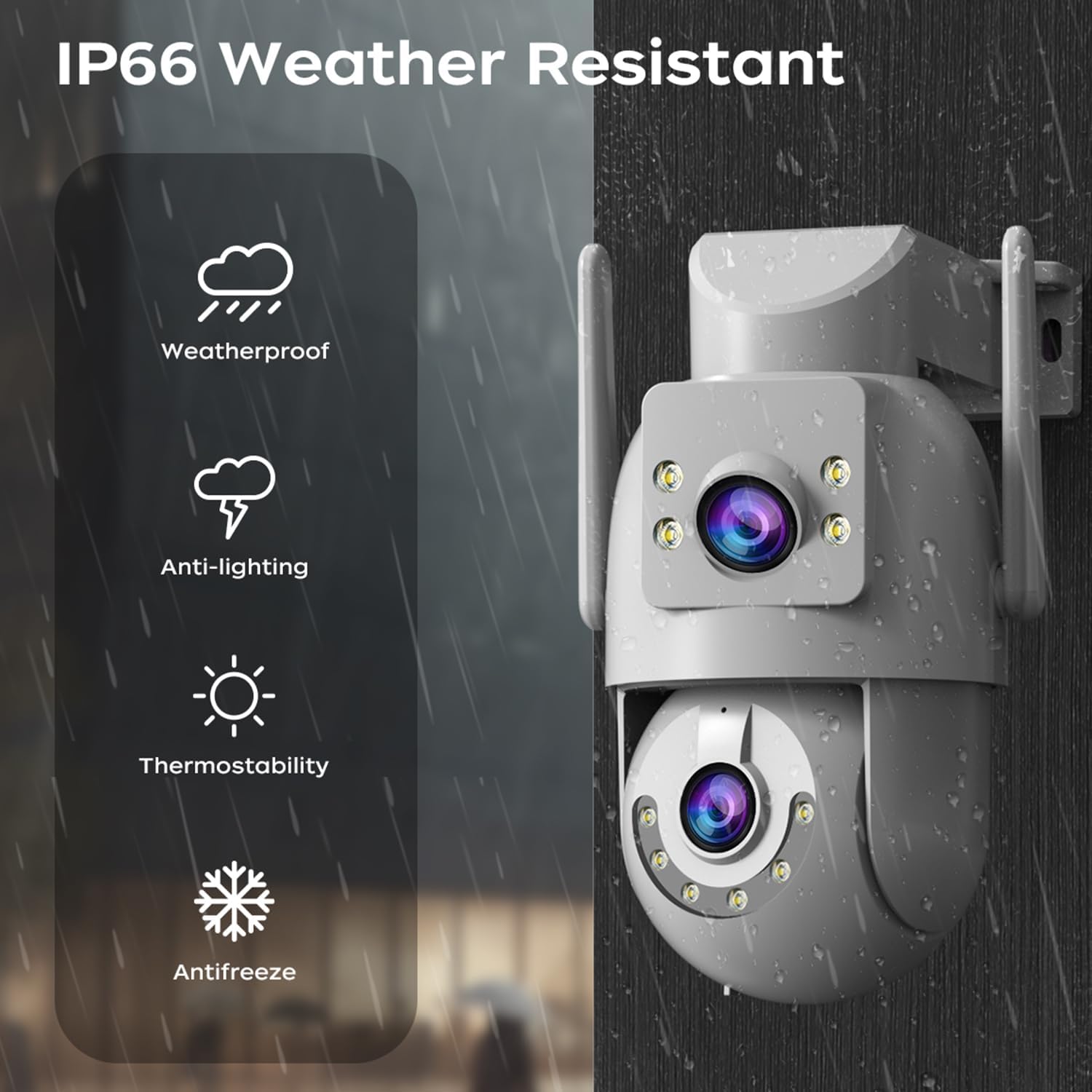
Image: A visual representation of the dual-lens camera monitoring two distinct areas simultaneously, displayed on a smartphone screen.
2. Nadzor PTZ
The lower lens offers Pan-Tilt-Zoom (PTZ) capabilities. Use the controls within the app to remotely adjust the camera's viewvhodni kot.
- Ponev: Zavrtite kamero vodoravno do 355 stopinj.
- Nagib: Navpično nastavite kamero do 90 stopinj.
- Digitalni zoom: Za podrobnejši pregled povečajte prenos v živo s prsti.

Image: A smartphone screen showing PTZ controls, with arrows indicating the camera's pan and tilt movement.
3. Dvosmerni zvok
Utilize the built-in microphone and speaker for two-way communication. This allows you to speak to visitors or deter intruders directly through the camera.
- Tap the microphone icon in the app to speak.
- Adjust audio volume as needed within the app.

Image: A person speaking into a smartphone, with a delivery person at the door, illustrating the two-way audio communication feature.
4. Načini nočnega vida
The camera offers three night vision modes to suit different lighting conditions:
- Infrared Night Vision (B/W): Zagotavlja jasne črno-bele slike v popolni temi z uporabo infrardečih LED diod.
- Nočni vid v polni barvi: Utilizes white LEDs to provide full-color images at night.
- Pametni barvni nočni vid: The camera automatically switches from infrared to full-color vision when motion is detected, providing detailed color footage when needed.
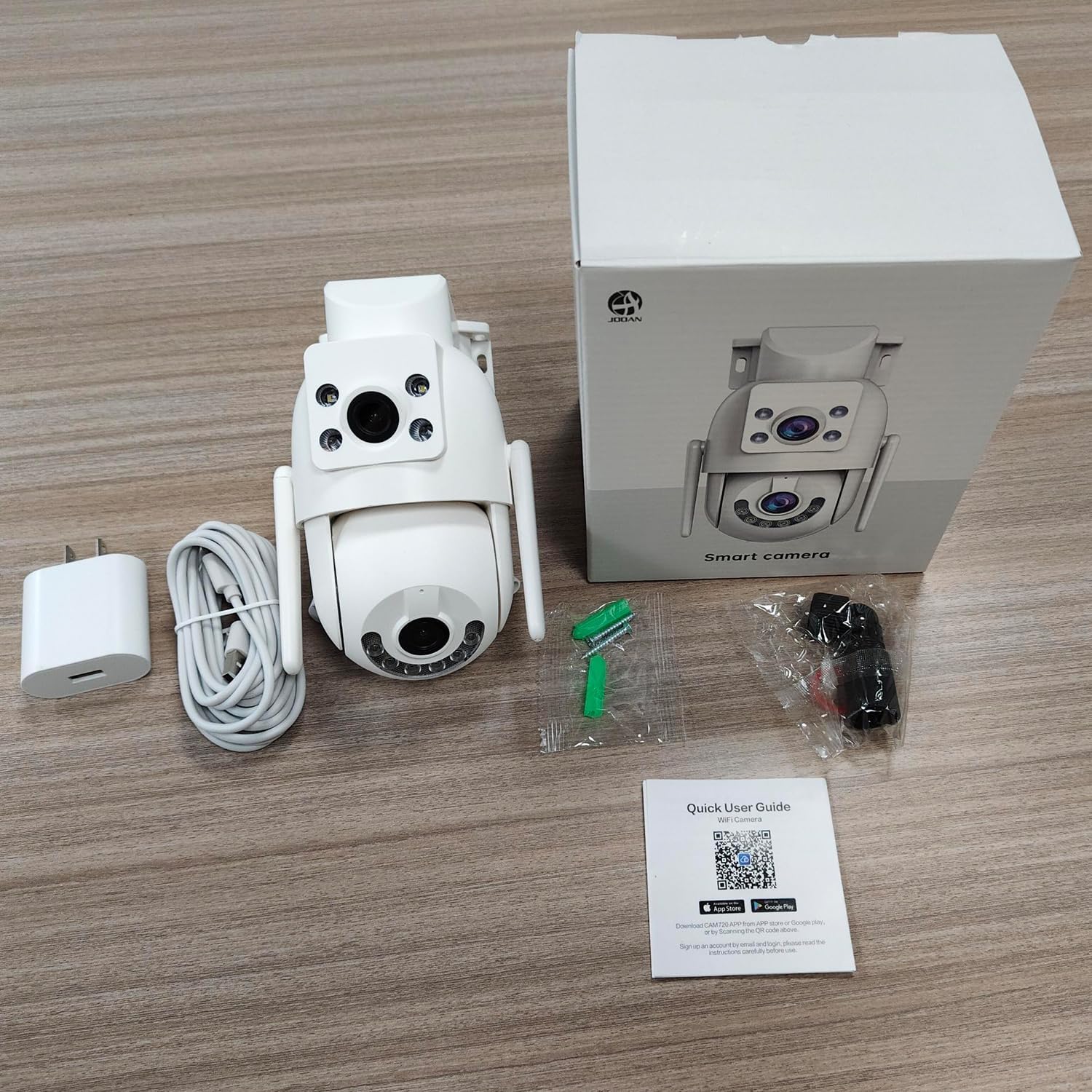
Image: Comparison of color night vision and infrared night vision, showing sharper and more detailed images in color at night.

Slika: Visual examples of Infrared Night Vision, Full Color Night Vision, and Smart Color Night Vision modes.
5. Zaznavanje gibanja in opozorila
The camera features advanced motion and sound detection capabilities. Customize detection zones, sensitivity, and alert types within the app.
- Zaznavanje gibanja: Receive instant push notifications to your phone when motion is detected.
- Zaznavanje joka: Alerts you to unusual sounds, such as crying, in the monitored area.
- Light & Sound Alarm: Configure the camera to activate a floodlight and/or siren upon detection to deter intruders.
- Customized Setup: Adjust detection methods, sensitivity levels, specific detection areas, and alert schedules.

Image: An illustration showing motion detection in action, with an alert notification on a smartphone.

Image: Depicts the camera's motion detection triggering a floodlight and siren, with a notification appearing on a phone.
6. Samodejno sledenje
Enable auto-tracking for the PTZ lens. When motion is detected, the camera will automatically pan to follow the moving object within its field of view.

Image: A visual demonstration of the auto-tracking feature, showing the camera panning to follow a moving person.
7. Možnosti shranjevanja
The camera supports two primary storage methods for recorded footage:
- Shranjevanje kartice MicroSD: Records continuously or based on events to a locally installed MicroSD card (8-256GB, not included).
- Shramba v oblaku: Offers secure cloud storage for alarm records. This allows you to access footage even if the camera is lost or damaged. Cloud storage typically requires a subscription.

Image: Icons representing cloud storage and MicroSD card storage, with a visual of the MicroSD card slot on the camera.

Image: Illustrates MicroSD card storage and cloud storage options for recording and playback.
8. Souporaba dostopa
You can share camera access with family members or trusted individuals through the app, allowing multiple users to view v živo in prejemajte opozorila.

Image: Multiple individuals viewing the camera feed on their smartphones, demonstrating the sharing feature.
9. Integracija pametnega doma
The JOOAN W3-Dual Lens camera is compatible with smart home platforms like Amazon Alexa, allowing for voice control and integration into your smart home ecosystem.
- Follow the instructions in the app to link your camera with your Alexa account.
- Uporabite glasovne ukaze za view vir kamere na združljivih pametnih zaslonih.

Slika: Oseba, ki komunicira z napravo, ki podpira Alexo, da view the camera feed, indicating smart home compatibility.
Vzdrževanje
- Čiščenje: Regularly wipe the camera lenses with a soft, dry cloth to ensure clear image quality. Do not use harsh chemicals.
- Posodobitve vdelane programske opreme: Check the app periodically for firmware updates. Keeping your camera's firmware up-to-date ensures optimal performance, security, and access to new features.
- Napajanje: Ensure the power connection remains secure and free from damage.
Odpravljanje težav
| Izdaja | Možna rešitev |
|---|---|
| Kamera brez povezave | Check WiFi signal strength, ensure power supply is connected, restart camera and router. |
| Ne morem se povezati z WiFi | Ensure correct WiFi password, try 2.4Ghz network if 5Ghz fails, move camera closer to router, reset camera. |
| Slaba kakovost slike | Clean the camera lenses, check network bandwidth, ensure adequate lighting for night vision. |
| Ni opozoril za zaznavanje gibanja | Verify motion detection is enabled in app settings, adjust sensitivity, check alert schedule. |
| Kartica MicroSD ne snema | Ensure card is inserted correctly, format card in app, check card capacity and health. |
Specifikacije
| Funkcija | Podrobnost |
|---|---|
| Številka modela | W3-U |
| Ločljivost zajema videa | 3 MP (2K*2) |
| Tehnologija povezljivosti | Wi-Fi (2.4Ghz/5Ghz), Wired (Powerline) |
| Vir napajanja | Električni z vrvico (5 V, 7.5 W) |
| Vrsta namestitve | Stropni nosilec, stenski nosilec |
| Viewkota | 360 stopinj (PTZ) |
| Posebne lastnosti | Dual Lens, 2-Way Audio, Motion Detection, Auto Tracking, Color Night Vision, IP66 Weatherproof |
| Shranjevanje | MicroSD Card (8-256GB), Cloud Storage |
| Združljive naprave | Pametni telefon (Android/iOS) |
| Teža predmeta | 1.15 funtov |
| Dimenzije | 6.93 x 5.79 x 4.29 palcev |
Garancija in podpora
JOOAN products come with a standard manufacturer's warranty. For specific warranty details, please refer to the warranty card included in your package or contact JOOAN customer support.
If you encounter any issues or have questions regarding your JOOAN W3-Dual Lens Security Camera, please contact our customer support team. Contact information can typically be found on our official website or within the camera app's 'About Us' section.