1. Uvod
This manual provides essential information for setting up, operating, maintaining, and troubleshooting your Roku Smart TV 2025 – 24-Inch Select Series 720p HD TV. Please read these instructions carefully before using your television.
The Roku Select Series HD TV offers a streamlined entertainment experience. It features bright HD picture quality, auto speech clarity, and a night mode. Access free live television directly from the home screen and utilize the voice remote for content discovery across various applications. This television is suitable for various rooms including bedrooms, living rooms, kitchens, or children's rooms.
2. Kaj je v škatli
Preverite, ali so v embalaži prisotne vse komponente:
- Roku Select Series 24" HD TV
- Stojala in vijaki
- Roku Voice Remote with batteries
- Vodnik za hiter začetek

Image: The Roku Select Series TV box contents, showing the television, remote, and stand components.
3. Nastavitev
3.1 Pritrditev stojal za televizor
- Televizor previdno položite z zaslonom navzdol na mehko, čisto površino, da preprečite praske.
- Vsako stojalo poravnajte z ustreznimi luknjami za vijake na spodnji strani televizorja.
- Stojala pritrdite s priloženimi vijaki. Prepričajte se, da so trdno priviti.
3.2 Priključitev zunanjih naprav
Your Roku TV includes multiple ports for connecting external devices:
- Vrata HDMI: Connect devices such as cable boxes, gaming consoles, or Blu-ray players. The HDMI 1 (ARC) port supports Audio Return Channel for simplified audio connections.
- Vrata USB: For media playback from a USB drive or powering compatible devices.
- Vhod za anteno/kabel: Priključite anteno za oddajanje po zraku ali kabelsko televizijo.
- Optični avdio izhod: Za povezavo z zvočno palico ali avdio sprejemnikom.
- AV vhod: Za priključitev starejših naprav s kompozitnimi video in stereo avdio kabli.

Image: Close-up of the back of the Roku TV, highlighting the HDMI, USB, optical, and AV input ports.
3.3 Začetni vklop in omrežna povezava
- Napajalni kabel priključite na televizor in nato v stensko vtičnico.
- Insert the included AAA batteries into the voice remote.
- Pritisnite gumb za vklop na daljinskem upravljalniku, da vklopite televizor.
- Sledite navodilom na zaslonu, da izberete jezik, se povežete z omrežjem Wi-Fi in aktivirate svoj račun Roku.
4. Operating Your Roku TV
4.1 Uporaba glasovnega daljinskega upravljalnika
The Roku Voice Remote simplifies navigation and content search. It features dedicated buttons for popular streaming services and voice control capabilities.
- Glasovni gumb: Press and hold to speak commands for searching content, launching apps, or controlling playback.
- Navigacijska plošča: Use the directional arrows and OK button to move through menus and select items.
- Bližnjice aplikacij: Dedicated buttons provide quick access to services like Netflix, Disney+, and Prime Video.
- Nadzor glasnosti: Adjust TV volume directly from the remote.
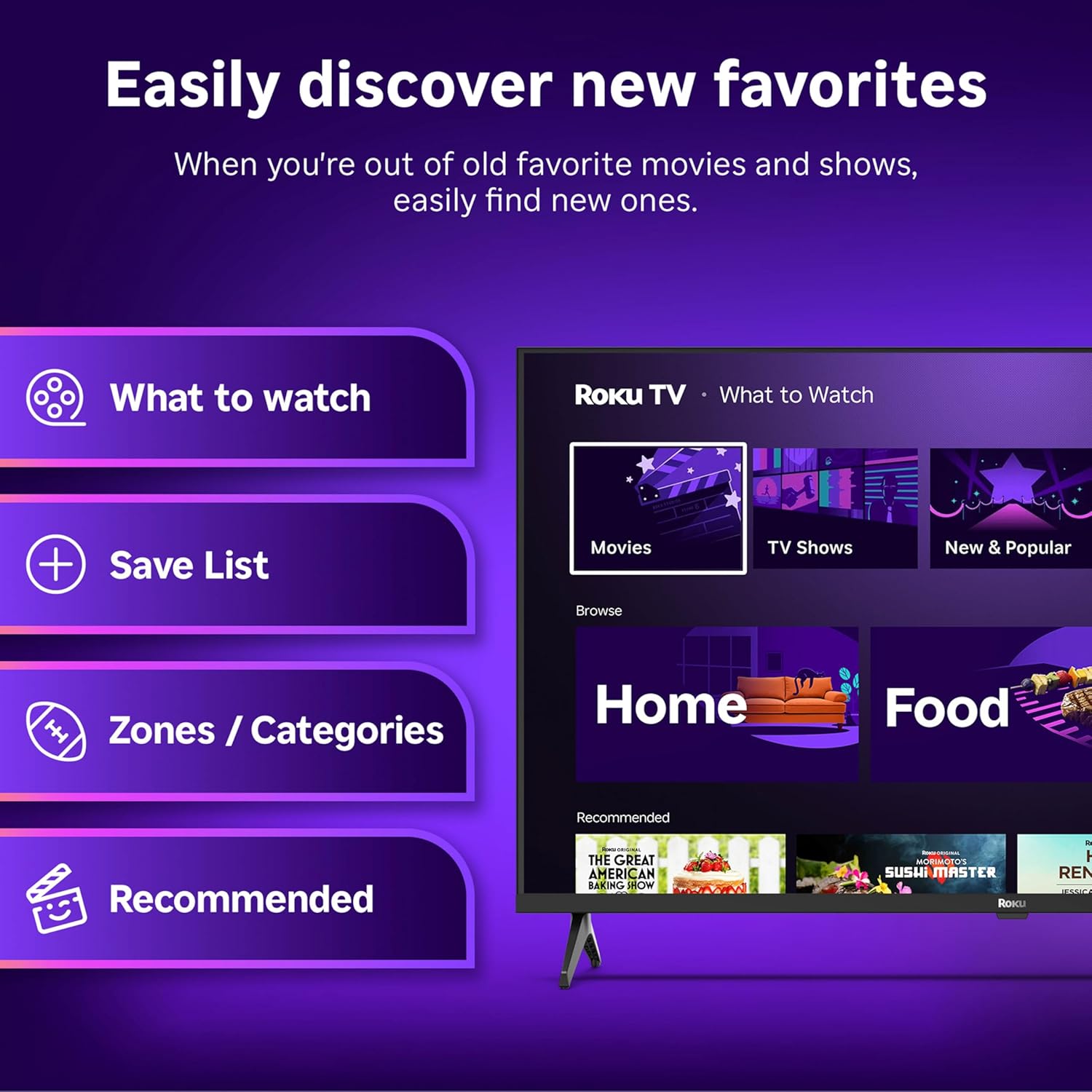
Image: The Roku Voice Remote, showing its layout and key functions.
4.2 Streaming and App Navigation
The Roku TV home screen provides quick access to all your streaming channels and inputs. You can customize the order of your apps for personalized access.
- Domači zaslon: Displays your installed apps, recommended content, and TV inputs.
- Trgovina s pretočnimi vsebinami: Brskajte in dodajte nove kanale za pretakanje.
- TV v živo: Access free live television channels directly from the home screen.
- Iskanje: Use the search function or voice remote to find movies, shows, actors, or directors across various services.

Image: The Roku TV user interface, showing the home screen with app tiles and menu options.
4.3 Nastavitve slike in zvoka
Your Roku TV features Smart Picture technology to optimize viewing and offers enhanced audio features.
- Smart Picture: Automatically adjusts picture settings based on the content being viewed (e.g., movie, sports, vivid, standard).
- Audio Clarity: Designed for clear speech and louder sound.
- Bluetooth Headphone Mode: Connect your wireless headphones for private listening.

Image: A vibrant nature scene displayed on the Roku TV, demonstrating the clear picture quality.
4.4 Integracija pametnega doma
The Roku TV integrates with various smart home ecosystems for convenient voice control and content sharing.
- Glasovni nadzor: Compatible with Roku Voice, Siri, Alexa, and Google Assistant for hands-free operation.
- Apple AirPlay: Effortlessly share videos, photos, and music from your Apple devices to your TV.

Image: A Roku TV screen with a smart speaker nearby, illustrating voice control integration with smart home systems.
5. Vzdrževanje
5.1 Čiščenje televizorja
- Pred čiščenjem vedno izključite televizor iz električnega omrežja.
- Zaslon in ohišje nežno obrišite z mehko krpo, ki ne pušča vlaken.
- Za trdovratne madeže rahlo obrišiteampKrpo obrišite z vodo ali blagim, neabrazivnim čistilom za zaslone. Čistila nikoli ne pršite neposredno na zaslon.
- Izogibajte se uporabi agresivnih kemikalij, abrazivnih gobic ali topil.
5.2 Posodobitve programske opreme
Your Roku TV receives automatic software updates to provide new features and improve performance. Ensure your TV is connected to the internet to receive these updates.
6. Odpravljanje težav
If you encounter issues with your Roku TV, try the following basic troubleshooting steps:
- Brez napajanja: Prepričajte se, da je napajalni kabel varno priključen tako v televizor kot v delujočo električno vtičnico. Poskusite z drugo vtičnico.
- Brez slike/zvoka: Verify that the correct input source is selected. Check all cable connections (HDMI, AV, etc.) are secure.
- Daljinski upravljalnik se ne odziva: Zamenjajte baterije v daljinskem upravljalniku. Prepričajte se, da med daljinskim upravljalnikom in televizorjem ni ovir.
- Težave z omrežno povezavo: Restart your Wi-Fi router. Go to the TV's network settings to reconnect to your Wi-Fi.
- Aplikacija se ne nalaga: Try restarting the app. If the issue persists, remove the app and reinstall it from the Streaming Store.
- Tovarniška ponastavitev: As a last resort, a factory reset can resolve many software issues. This will erase all personal settings and installed apps. Access this option through the TV's Settings menu.
7. Specifikacije
| Funkcija | Specifikacija |
|---|---|
| Znamka | Roku |
| Številka modela | 24R2D5 |
| Velikost zaslona | 24 palcev |
| Tehnologija zaslona | LED |
| Resolucija | 720p |
| Hitrost osveževanja | 60 Hz |
| Razmerje stranic | 16:9 |
| Tehnologija povezljivosti | Bluetooth, WiFi |
| Posebne lastnosti | Bluetooth Headphone Mode, Dolby Audio, Voice Remote |
| Teža predmeta | 5.7 funta |
| Dimenzije izdelka | 7 x 21.1 x 14.3 palcev |
| Potrebne baterije | 2 bateriji AAA (za daljinski upravljalnik) |
8. Garancija in podpora
For warranty information and technical support, please refer to the documentation included with your product or visit the official Roku support webmesto. Shranite račun za garancijske zahtevke.
Roku offers various support resources, including online FAQs, troubleshooting guides, and customer service contact options.


