Uvod
The ASUS TUF Gaming VG249QM5A is a 23.8-inch Full HD monitor designed for an enhanced gaming experience. It incorporates a 240Hz refresh rate and 0.3ms response time, alongside AMD FreeSync™ Premium and NVIDIA® G-SYNC® compatibility for smooth visuals. This monitor offers improved color performance, Gaming AI features, and convenient control via the DisplayWidget Center.
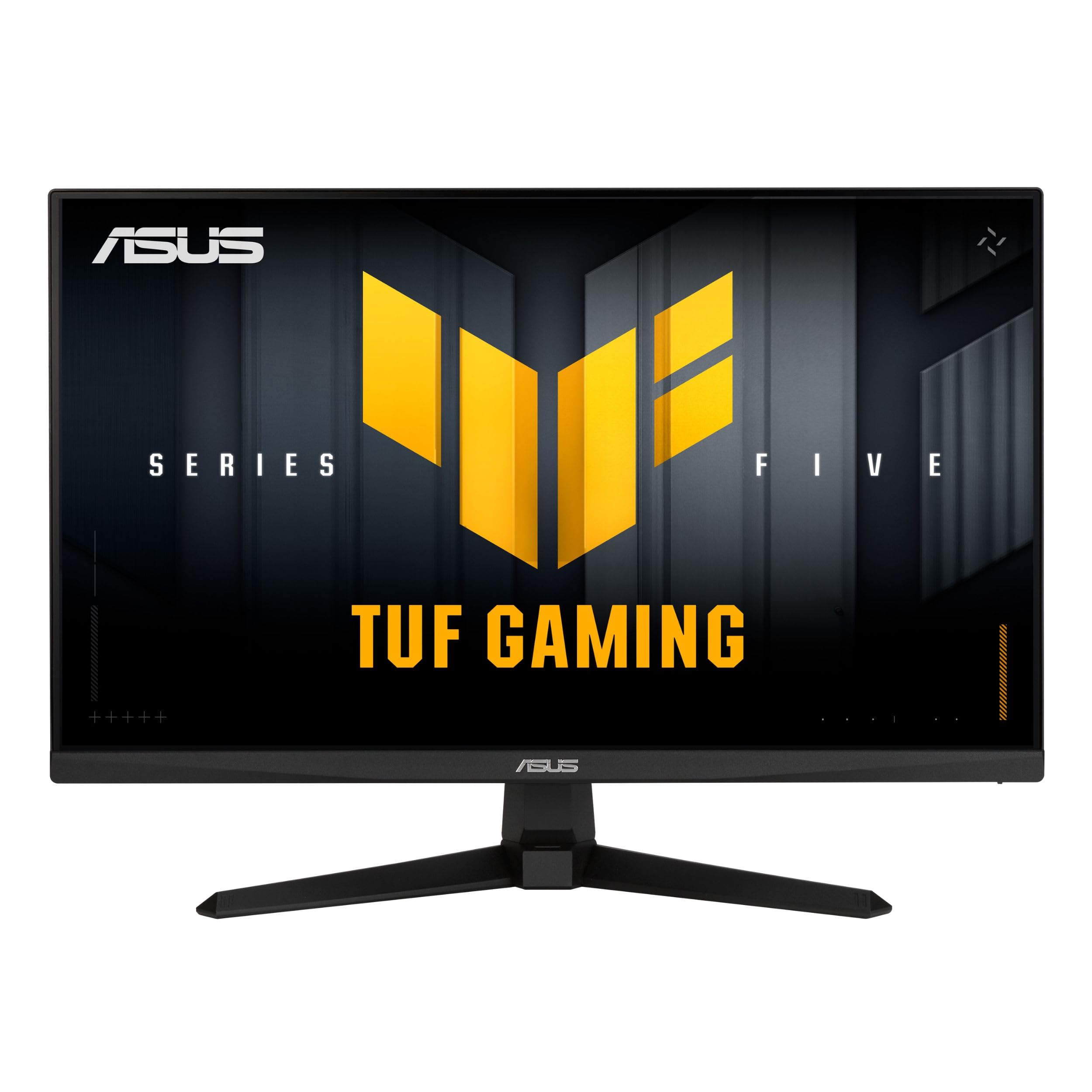
Slika: spredaj view of the ASUS TUF Gaming VG249QM5A monitor.
Kaj je v škatli
Verify that all the following items are present in your product packaging:
- ASUS TUF Gaming VG249QM5A Monitor
- kabel DisplayPort
- Izvijač v obliki črke L
- Napajalni kabel
- Vodnik za hiter začetek
- Garancijska kartica
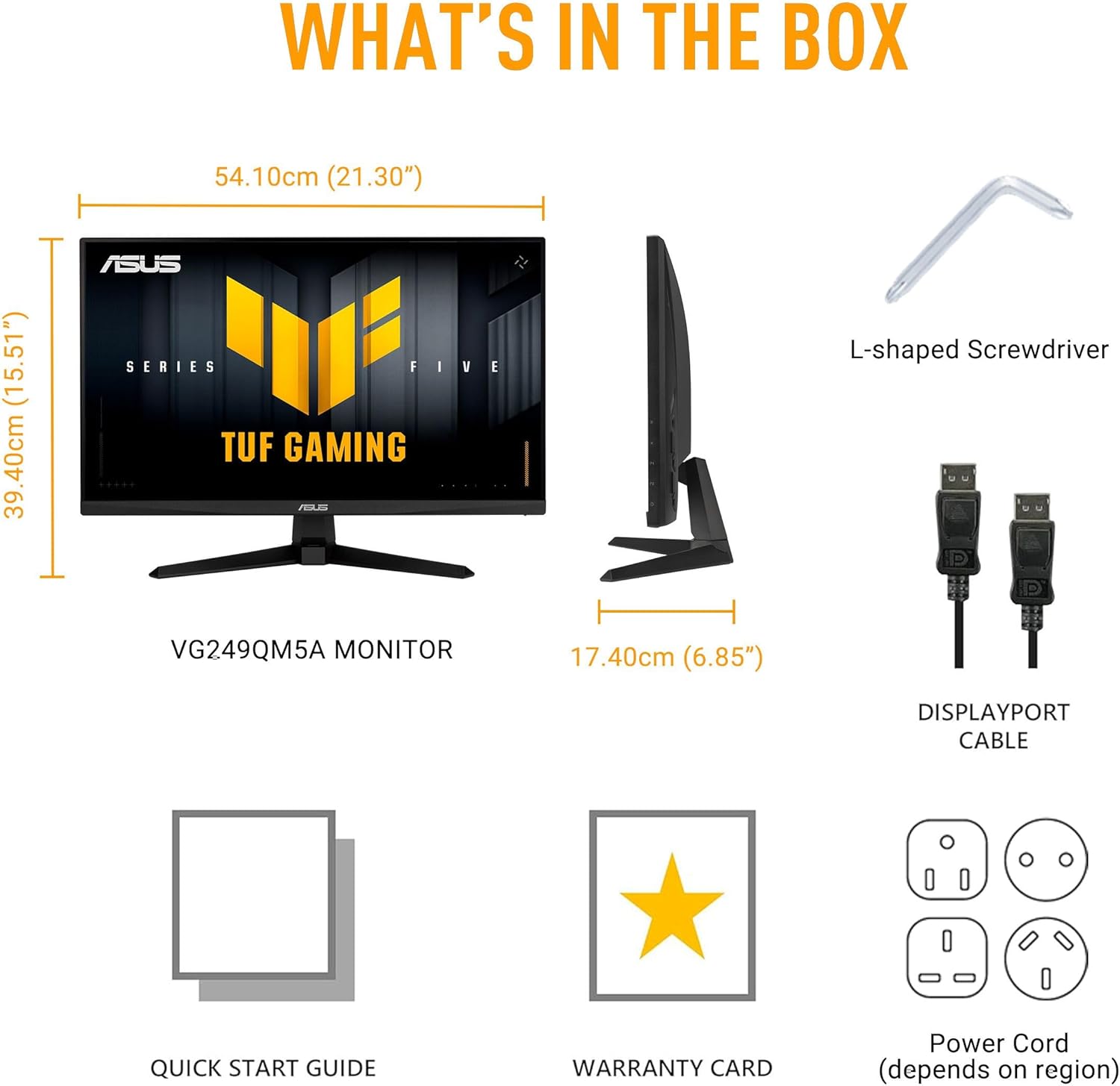
Image: Diagram showing the monitor, DisplayPort cable, L-shaped screwdriver, power cord, quick start guide, and warranty card included in the box.
Nastavitev
1. Sestavljanje monitorja
Carefully remove the monitor and its components from the packaging. Attach the stand base to the stand neck, then secure the assembled stand to the back of the monitor panel. Ensure all connections are firm.
2. Priključni kabli
Priključite potrebne kable na monitor in računalnik:
- Napajalni kabel: En konec napajalnega kabla priključite na vtičnico za napajanje monitorja, drugega pa v električno vtičnico.
- Kabel DisplayPort: For optimal performance, connect the included DisplayPort cable from your computer's graphics card to the DisplayPort input on the monitor.
- HDMI kabli: Alternatively, you can use HDMI cables to connect to the monitor's HDMI 2.0 ports.
- Priključek za slušalke: Connect your headphones or external speakers to the earphone jack for audio output.

Image: The monitor connected to a desktop computer with various cables.

Slika: Bližnji posnetek view of the monitor's rear ports, including two HDMI 2.0 ports, one DisplayPort, and an earphone jack.
Upravljanje monitorja
Key Performance Features
- Hitra IPS plošča: Experience vibrant colors and wide viewing kotov.
- Hitrost osveževanja 240 Hz: Provides extremely fluid visuals for fast-paced gaming.
- 0.3ms Response Time (min): Minimizes motion blur and ghosting for sharp images.
- Združljivost z G-SYNC in FreeSync Premium: Ensures tear-free and stutter-free gameplay by synchronizing the monitor's refresh rate with your GPU's frame rate.
- Sinhronizacija z izjemno nizko stopnjo zamegljenosti pri gibanju (ELMB SYNC): Enables ELMB simultaneously with variable refresh rate technologies, further reducing ghosting and tearing.
- 99 % barvni razpon sRGB: Delivers accurate and rich color reproduction.

Image: Infographic highlighting key upgrades including speed (0.3ms, 240Hz), fluidity (FreeSync Premium, G-SYNC, ELMB SYNC), Gaming AI, colors (99% sRGB), and simplicity (DisplayWidget Center).

Slika: Razstava na monitorjuasing a high-speed gaming scene, emphasizing its fast IPS, Full HD, 0.3ms, and 240Hz capabilities.

Image: A visual comparison demonstrating improved game fluidity with Variable Refresh Rate (VRR) enabled, highlighting G-SYNC, FreeSync Premium, and ELMB SYNC.
Gaming AI Technology
The monitor includes TUF Gaming A.I. technology with AI-powered features to enhance your gaming experience:
- Dinamični križec: Zagotavlja križec na zaslonu za boljšo natančnost merjenja.
- Vizualizacija z umetno inteligenco: Optimizira vizualne nastavitve glede na vsebino igre.

Image: Demonstrations of Dynamic Crosshair (before and after) and AI Visual (before and after) features in gaming scenarios.
DisplayWidget Center
The DisplayWidget Center software allows for easy access to On-Screen Display (OSD) settings and monitor adjustments using your mouse. This provides a user-friendly interface for customizing various display parameters, managing firmware updates, and controlling multi-screen setups.

Image: A screenshot of the DisplayWidget Center interface, showing options for customizable settings, firmware update notifications, and multiscreen control.
Eye Care Features and Ergonomic Design
This monitor incorporates features designed to reduce eye strain during extended use and offers flexible positioning options:
- Zaslon proti bleščanju: Reduces reflections from ambient light, improving visibility.
- Filter modre svetlobe: Adjustable levels to reduce harmful blue light emissions.
- Tehnologija brez utripanja: Eliminates screen flickering to minimize eye fatigue.
- Ergonomska oblika: The stand allows for tilt, swivel, pivot, and height adjustments to achieve a comfortable viewpoložaj.
Video: An official ASUS video demonstrating the eye care features (anti-glare, blue light filter, flicker-free) and ergonomic design of ASUS monitors, including adjustable stand functionality.
Vzdrževanje
Za zagotovitev dolge življenjske dobe in optimalne zmogljivosti monitorja upoštevajte naslednja navodila za vzdrževanje:
- Čiščenje zaslona: Zaslon nežno obrišite z mehko krpo, ki ne pušča vlaken. Za trdovratne madeže rahlo obrišiteampkrpo obrišite z vodo ali specializiranim čistilom za zaslone. Izogibajte se agresivnim kemikalijam ali abrazivnim materialom.
- Čiščenje C-jaasing: Za čiščenje monitorja uporabite mehko, suho krpo casing.
- Prezračevanje: Prepričajte se, da so prezračevalne odprtine monitorja čiste in neovirane, da preprečite pregrevanje.
- Ravnanje: Izogibajte se postavljanju težkih predmetov na monitor ali prekomernemu pritisku na zaslon.
- Ugasniti: Monitor vedno izklopite, ko ga dalj časa ne uporabljate.
Odpravljanje težav
Če imate težave z monitorjem, si oglejte naslednje pogoste korake za odpravljanje težav:
- Brez zaslona/napajanja:
- Preverite, ali je napajalni kabel varno priključen tako na monitor kot na električno vtičnico.
- Ensure the power button on the monitor is pressed.
- Preverite, ali vtičnica deluje.
- Brez signala:
- Preverite, ali je video kabel (DisplayPort ali HDMI) varno priključen na monitor in grafično kartico računalnika.
- Prepričajte se, da je na monitorju izbran pravilen vhodni vir (uporabite meni OSD).
- Preverite, ali je računalnik vklopljen in ali ni v načinu spanja.
- Težave s kakovostjo slike (zamegljena, popačena, napačne barve):
- Prilagodite nastavitve ločljivosti in hitrosti osveževanja v računalniku tako, da se ujemajo z izvorno ločljivostjo monitorja (1920 x 1080) in želeno hitrostjo osveževanja (do 240 Hz).
- Nastavitve zaslona monitorja ponastavite na tovarniške privzete vrednosti prek zaslonskega menija.
- Posodobite gonilnike grafične kartice.
- Check for physical damage to the video cable.
- Utripajoči zaslon:
- Ensure Flicker-Free technology is enabled (if applicable via OSD or DisplayWidget Center).
- Preverite morebitne zunanje motnje zaradi drugih elektronskih naprav.
If the issue persists after attempting these steps, please contact ASUS customer support.
Specifikacije
| Funkcija | Specifikacija |
|---|---|
| Znamka | ASUS |
| Številka modela | VG249QM5A |
| Velikost zaslona | 24 Inches (23.8-inch viewsposoben) |
| Ločljivost zaslona | 1920 x 1080 slikovnih pik (Full HD) |
| Največja ločljivost zaslona | 1920 x 1080 slikovnih pik |
| Hitrost osveževanja | 240Hz |
| Odzivni čas | 0.3ms (min) |
| Vrsta plošče | Skoraj IPS |
| Barvna lestvica | 99 % sRGB |
| Tehnologija prilagodljive sinhronizacije | G-SYNC Compatible, FreeSync Premium |
| Razmerje stranic | 16:9 |
| Opis površine zaslona | Mat |
| Povezljivost | DisplayPort, HDMI 2.0 (x2), Earphone Jack |
| Teža predmeta | 7.5 funtov |
| Dimenzije izdelka (DxŠxV) | 6.9 x 21.3 x 15.5 palcev |
| barva | ČRNA |
Garancija in podpora
The ASUS TUF Gaming VG249QM5A monitor typically comes with a 3-letna garancija proizvajalca. Please refer to the included Warranty Card for specific terms, conditions, and registration details.
Za tehnično podporo, prenos gonilnikov ali dodatno pomoč obiščite uradno spletno stran za podporo ASUS. webspletno mesto:
When contacting support, have your monitor's model number (VG249QM5A) and serial number readily available.


