Uvod
The GUSGU G7 Wireless Gaming Controller is a versatile and high-performance device designed for an immersive gaming experience across multiple platforms. Featuring an interactive screen for easy configuration, Hall Effect joysticks and triggers for precision, and dual-mode connectivity, this controller is built for serious gamers.
Ključne značilnosti
- Interactive Screen & Programmable Buttons: Configure settings directly on the controller's display. Four programmable back buttons allow for custom shortcuts and macros.
- Igralne palice in sprožilci z Hallovim efektom: Experience drift-free precision with Hall sensing technology. Customizable dead zones and dual-stage trigger locks enhance control.
- 6-Axis Gyroscope & Asymmetric Motors: Enjoy precise motion control for aiming and steering, complemented by realistic 4-level vibration feedback for immersive gameplay.
- Dvojna povezljivost: Seamlessly switch between Bluetooth 5.1, 2.4GHz wireless, and USB-C wired connections.
- Dolga življenjska doba baterije: The 1000mAh battery provides up to 18 hours of gameplay on a single charge.
- Precise 8-Way D-Pad & Conductive Silicone Buttons: Designed for accurate control and comfortable, quiet presses during long gaming sessions.
- 3.5 mm priključek za slušalke: Supports game audio output when the controller is connected via USB cable to Switch or PS4.
Vodnik za namestitev
Vsebina paketa:
- GUSGU G7 Wireless Gaming Controller
- USB-C Charging/Wired Cable
- 2.4 GHz brezžični ključ
- Uporabniški priročnik
Začetni strošek:
Before first use, fully charge the controller using the provided USB-C cable. Connect the USB-C end to the controller and the USB-A end to a compatible power source (e.g., computer USB port, USB wall adapter). The interactive screen will indicate charging status.
Vklop/izklop:
Za vklop pritisnite H gumb. Za izklop pritisnite in držite H button for 3 seconds until the screen turns off.
Priključitev krmilnika:
The GUSGU G7 supports multiple connection modes:
1. 2.4GHz Wireless Connection (Recommended for PC):
- Insert the 2.4GHz wireless dongle into an available USB port on your PC or compatible device.
- Vklopite krmilnik.
- On the controller's interactive screen, navigate to Način in izberite Dongle. The controller will automatically pair with the dongle.

Image: GUSGU G7 Controller displaying the 2.4GHz wireless connection mode on its interactive screen, with the wireless dongle shown.
2. Bluetooth 5.1 Connection (for iOS, Android, Switch, PS4):
- Vklopite krmilnik.
- On the controller's interactive screen, navigate to Način and select the desired platform (e.g., Android, iOS, Stikalo, PS4).
- Enable Bluetooth on your device (phone, tablet, Switch console, PS4).
- Iskanje "GUSGU G7" in the Bluetooth device list and select it to pair.

Image: GUSGU G7 Controller with various compatible devices like PC, mobile, and consoles displayed around it.
3. USB-C Wired Connection:
- Connect the USB-C cable to the controller and the other end to your PC or compatible console.
- Krmilnik bo samodejno preklopil v žični način.

Image: Close-up of the GUSGU G7 Controller, highlighting its USB-C port for wired connection and charging.
Navodila za uporabo
Interactive Screen Navigation:
Pritisnite in držite H button for 3 seconds to access the main menu on the interactive screen. Use the joysticks or D-pad to navigate through options and the A/B buttons for confirmation/back.

Image: GUSGU G7 Controller displaying the interactive display screen with various settings menus, emphasizing ease of use without external apps.
Programmable Back Buttons (M1-M4):
The four back buttons (M1, M2, M3, M4) can be programmed to perform single actions or complex macros. Access the Program option in the interactive screen menu to set up custom commands.

Image: The underside of the GUSGU G7 Controller, highlighting the programmable macro buttons (M1, M2, N1, N2) for custom commands.
Adjusting Joystick Dead Zones:
To eliminate stick drift and fine-tune precision, use the interactive screen to adjust joystick dead zones from 0-50% via the Deadzone nastavitev.

Image: Diagram illustrating the adjustable dead zone feature of the GUSGU G7's Hall Effect joysticks, showing precision control.
Dve-Stage Trigger Locks:
The Hall Effect triggers feature dual-stage locks. Use the physical switches on the underside of the controller to toggle between rapid short-press firing and full-press precision control, adapting to different game genres.

Image: Visual representation of the GUSGU G7's Hall Effect two-stage triggers, demonstrating their use in different gaming scenarios.
Vibracijske povratne informacije:
The asymmetric dual motors provide four adjustable levels of vibration feedback. Adjust the intensity via the Vibracije setting on the interactive screen to suit your preference.

Slika: Notranja view of the GUSGU G7 Controller showing the asymmetric motors and illustrating the four levels of vibration feedback.
6-osni žiroskop:
The built-in 6-axis gyroscope enables precise motion control for aiming, steering, and action gameplay. This feature is automatically active when supported by the game.
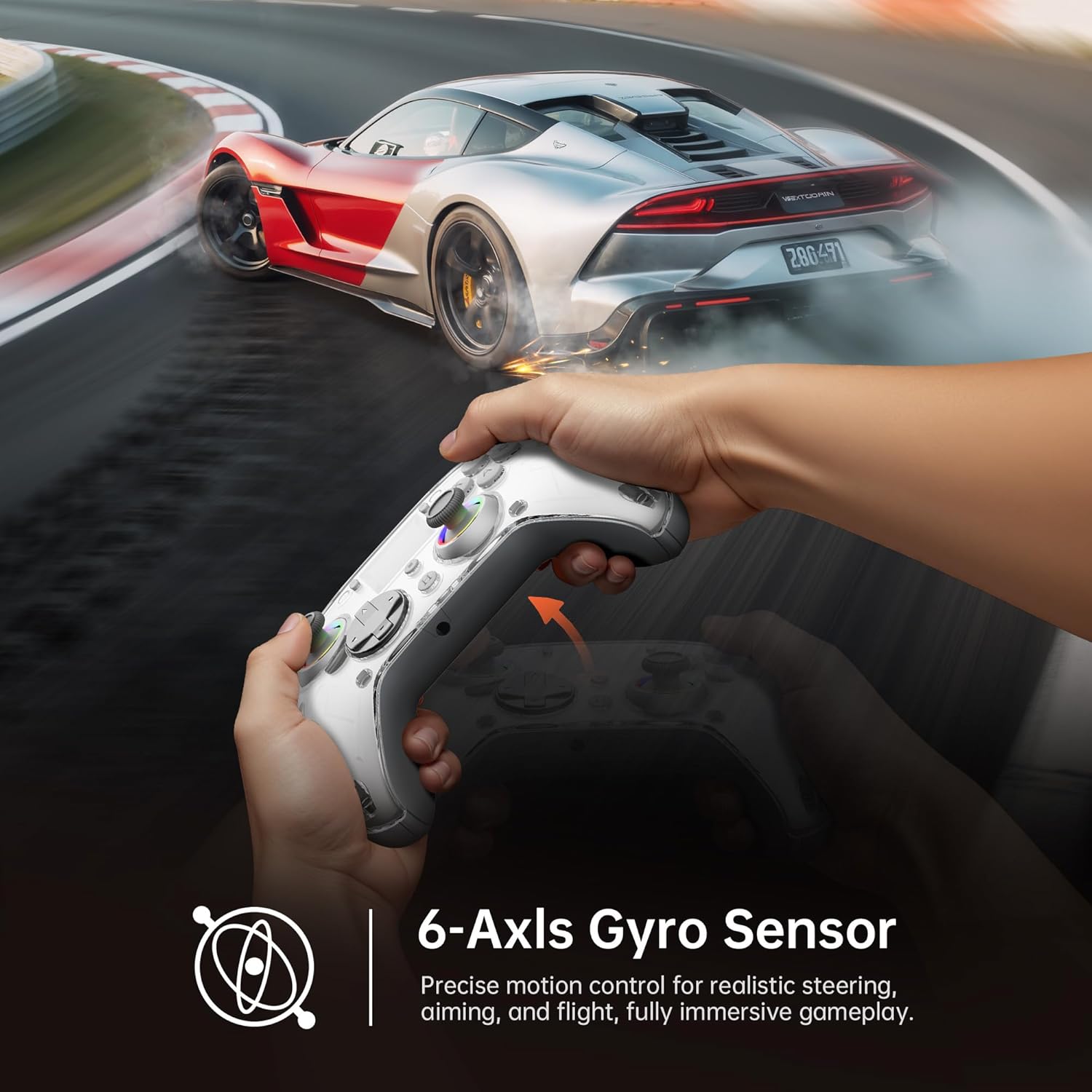
Image: Diagram illustrating the 6-Axis Gyro Sensor in the GUSGU G7 Controller, showing its application in precise motion control for gaming.
Changing Button Layouts:
Switch between Xbox and Switch button layouts (A/B/X/Y mapping) via the Postavitev setting on the interactive screen to match your preferred gaming style or console.
Headphone Jack Usage:
The 3.5mm headphone jack supports game audio output when the controller is connected via USB cable to a Nintendo Switch or PlayStation 4. Audio output is not supported on PC or mobile phones through this jack.
Uradni videoposnetek izdelka:
Video: Uradna video predstavitev izdelkaasing the GUSGU G7 Wireless Gaming Controller's features and functionality.
Vzdrževanje
- Krmilnik vzdržujte čist tako, da ga obrišete z mehko, suho krpo.
- Izogibajte se izpostavljanju krmilnika ekstremnim temperaturam, vlagi ali neposredni sončni svetlobi.
- Do not disassemble the controller, as this will void the warranty.
- Ko krmilnika ne uporabljate, ga hranite na hladnem in suhem mestu.
Odpravljanje težav
Krmilnik se ne povezuje:
- Prepričajte se, da je krmilnik popolnoma napolnjen.
- Verify the correct connection mode is selected on the interactive screen (2.4GHz, Bluetooth, or Wired).
- Za Bluetooth se prepričajte, da je Bluetooth v vaši napravi omogočen in da je krmilnik v načinu seznanjanja.
- Try restarting both the controller and the device you are connecting to.
- Če uporabljate 2.4 GHz, se prepričajte, da je ključek varno vstavljen in da ga naprava prepozna.
Stick Drift or Input Issues:
- Calibrate the joysticks and triggers via the Umerjanje option in the interactive screen menu.
- Adjust the joystick dead zones using the Deadzone nastavitev.
Vibracija ne deluje:
- Preverite Vibracije setting on the interactive screen and ensure it's not set to 0%.
- Prepričajte se, da igra, ki jo igrate, podpira vibracijske povratne informacije.
Specifikacije
| Funkcija | Podrobnost |
|---|---|
| Številka modela | GUSGU G7 |
| Povezljivost | Bluetooth 5.1, 2.4 GHz brezžično, USB-C žično |
| Polling Rate | 1000Hz (Wired/2.4GHz) |
| Igralne palice in sprožilci | Hallov učinek |
| Kapaciteta baterije | 1000mAh (Up to 18 hours gameplay) |
| Žiroskop | 6-os |
| Vibracije | Asymmetric Dual Motors (4 levels) |
| Združljivost | PC (Windows 10+), iOS (14.0+), Android (9.0+), Nintendo Switch, PS4, Tesla Arcade (Not compatible with Xbox or PS5) |
| Teža | 15.5 unč |
| Proizvajalec | Shenzhen Wojiayoupin Technology Co., Ltd. |
Garancija in podpora
For warranty information, technical support, or customer service inquiries, please refer to the contact details provided on the product packaging or visit the official GUSGU webmesto.


