1. Uvod
The AstroAI P8 4000A Jump Starter is a versatile and powerful device designed to provide reliable jump-starting for vehicles, act as a portable power bank, and offer emergency lighting. This manual provides essential information for safe and effective use of your device.
2. Varnostne informacije
OPOZORILO: Pred uporabo tega izdelka preberite vsa varnostna opozorila in navodila. Neupoštevanje opozoril in navodil lahko povzroči električni udar, požar in/ali hude poškodbe.
- This car starter includes 10 built-in comprehensive protections for enhanced safety. These safety features include reverse polarity, overcurrent, overcharge, overdischarge, high & low temperature protection, reverse connection, over voltage, overload, short circuit, and spark-proof clamps.
- Do not attempt to jump start any engine that exceeds the maximum displacement supported by the jump starter (10L Gas or 8L Diesel).
- Do not crank the engine for more than 3 seconds at a time. Allow the jump starter to cool down for at least 1 minute between each start attempt.
- Ensure the device has at least 50% charge before use.
- Hraniti izven dosega otrok.
- Izdelka ne izpostavljajte dežju ali mokri.
- Izdelka ne razstavljajte.

Image: AstroAI P8 Jump Starter highlighting its 10 safety protections including reverse polarity, overcurrent, overcharge, overdischarge, high & low temperature protection, reverse connection, over voltage, overload, short circuit, and spark-proof clamps.
3. Vsebina paketa
- AstroAI P8 Jump Starter Unit
- Pametni skakalni kabli
- Polnilni kabel USB-C
- Uporabniški priročnik
- Torba za shranjevanje

Image: The AstroAI P8 Jump Starter, smart jumper cables, USB-C charging cable, user manual, and a storage bag, laid out on a dark background.
4. Značilnosti izdelka
- Močan zagon s pomočjo kabla: 4000A peak current for 10L gas and 8L diesel engines. Compatible with motorbikes, cars, SUVs, lawnmowers, tractors, and motorboats.
- Multifunctional Power Bank: USB-A output Port works with 5V⎓3A, 9V⎓2A, 12V⎓1.5A (QC 3.0). Serves as a reliable backup power source for electronic devices.
- Kompakten in prenosen: Size 7.20in*3.45in*1.53in (183mm*88mm*39mm) for easy carrying and storage in glove boxes and door pockets.
- Multi-Mode LED Flashlight: Provides 3 modes: illumination, SOS, and strobe for convenient lighting in various scenarios.
- Celovita varnost: 10 built-in protections for enhanced safety, including reverse polarity, overcurrent, overcharge, overdischarge, high & low temperature protection, reverse connection, over voltage, overload, short circuit, and spark-proof clamps.

Image: The AstroAI P8 Jump Starter demonstrating its three main functions: jump starter, power bank, and LED flashlight.
5. Izdelek je končanview (Komponente)
The AstroAI P8 features a robust design with clearly marked ports and indicators for ease of use.
- Gumb za vklop: Aktivira napravo in preveri raven napolnjenosti baterije.
- Indikator nivoja baterije: Displays the remaining charge.
- Priključek za zagonski kabel: For connecting the smart jumper cables.
- USB-A Output Ports (QC 3.0): Za polnjenje zunanjih naprav.
- Vhodno/izhodna vrata USB-C: For charging the jump starter and external devices.
- Svetilka LED: Multi-mode light for illumination, SOS, and strobe.
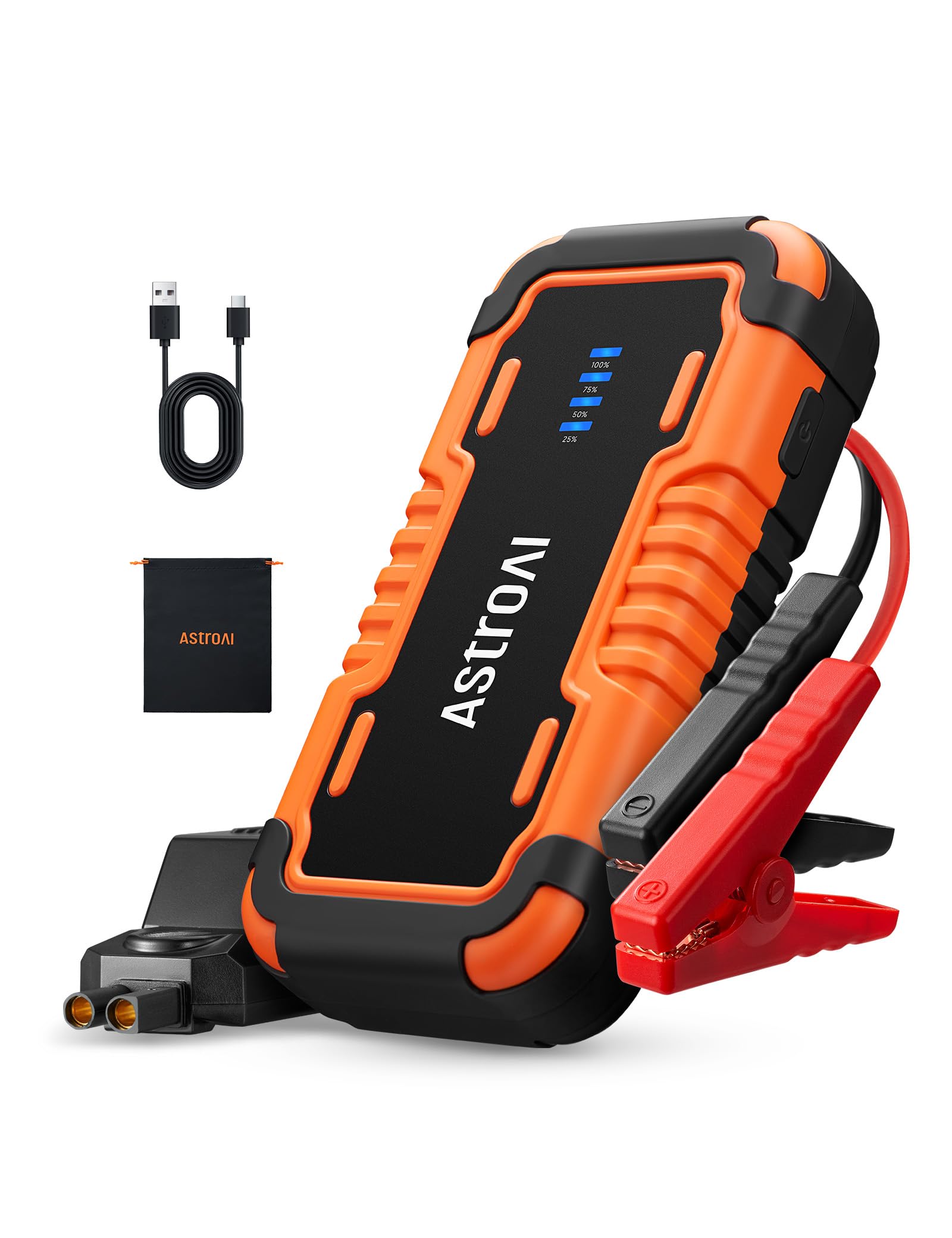
Image: The AstroAI P8 Jump Starter with its smart jumper cables connected, ready for use.
6. Polnjenje zaganjalnika
Before first use, fully charge the AstroAI P8. It is recommended to recharge the unit after each use to maintain battery health.
- Connect the provided USB-C charging cable to the USB-C input/output port on the jump starter.
- Plug the other end of the USB-C cable into a compatible USB wall adapter (not included) or car charger.
- The battery level indicator lights will illuminate and flash, indicating the charging progress. All lights will be solid when fully charged.

Image: The AstroAI P8 Jump Starter connected via USB-C to charge a smartphone and a tablet, demonstrating its power bank functionality.
7. Navodila za uporabo
7.1. Zagon vozila s pomočjo kablov
- Prepričajte se, da je zaganjalnik dovolj napolnjen (vsaj 50 %).
- Connect the smart jumper cables to the jump starter's port. Ensure a secure connection.
- Pritrdite rdečo clamp na pozitivni (+) pol akumulatorja vozila.
- Pritrdite črni clamp na negativni (-) pol akumulatorja vozila.
- Check the indicator light on the smart jumper cable. A solid green light indicates a correct connection and readiness to jump start. If it's flashing or red, check connections or refer to troubleshooting.
- Start the vehicle's engine. If it doesn't start immediately, wait at least 1 minute before trying again. Do not crank for more than 3 seconds per attempt.
- Ko se vozilo zažene, takoj odstranite črni clamp z negativnega pola, nato rdeči clamp from the positive terminal.
- Odklopite kable pametnega zaganjalnika iz zaganjalnika.

Image: A person connecting the AstroAI P8 Jump Starter to a car battery, illustrating the process of jump starting a vehicle.
7.2. Uporaba kot power bank
The AstroAI P8 can charge various electronic devices.
- Connect your device's USB charging cable to one of the USB-A output ports or the USB-C port on the jump starter.
- Zaganjalnik bo samodejno začel polniti vašo napravo.
7.3. Uporaba LED svetilke
The built-in LED flashlight offers multiple modes for different situations.
- Press and hold the power button for 3 seconds to turn on the flashlight (illumination mode).
- Press the power button once to switch to SOS mode.
- Za preklop v način stroboskopa ponovno pritisnite gumb za vklop.
- Press the power button once more to turn off the flashlight.

Image: A person using the AstroAI P8 Jump Starter's multi-mode LED flashlight under the hood of a car at night.
8. Vzdrževanje
- Zaganjalnik shranjujte na hladnem in suhem mestu, stran od neposredne sončne svetlobe in ekstremnih temperatur.
- Napravo napolnite vsake 3–6 mesecev, tudi če je ne uporabljate, da ohranite njeno delovanje.
- Zunanjost očistite z mehko, damp krpo. Ne uporabljajte močnih kemikalij ali abrazivnih čistil.
- Preverite kable inampPred vsako uporabo preverite za morebitne poškodbe.
9. Odpravljanje težav
| Težava | Možen vzrok | rešitev |
|---|---|---|
| Vozilo se ne zažene. | Low charge on jump starter, incorrect connection, or vehicle battery completely dead. | Ensure jump starter is at least 50% charged. Recheck clamp connections. If battery is extremely dead, allow jump starter to connect for a few minutes before attempting to start. |
| Smart jumper cable indicator is red or flashing. | Reverse polarity, short circuit, or other safety protection activated. | Odklopite klamps and re-attach them correctly (red to positive, black to negative). If issue persists, check for short circuits or other battery issues. |
| Zaganjalnik se ne polni. | Okvarjen polnilni kabel ali adapter. | Try a different USB-C cable and wall adapter. Ensure connections are secure. |
10. Specifikacije
- Model: P8
- Najvišji tok: 4000 Amps
- Združljivost motorja: Do 10 l bencina ali 8 l dizla
- voltage: 12 volta
- Vrsta baterije: Litijev polimer (vključen)
- Izhod USB-A (QC 3.0): 5V⎓3A, 9V⎓2A, 12V⎓1.5A
- USB-C vhod/izhod: 5V⎓3A, 9V⎓2A
- Dimenzije: 183 mm x 88 mm x 39 mm (7.20 palca x 3.45 palca x 1.53 palca)
- Teža artikla: 710 g
- Država izvora: Kitajska
11. Garancija in podpora
AstroAI products come with a manufacturer's warranty. For detailed warranty information, product support, or to register your product, please visit the official AstroAI webspletno mesto ali se obrnite neposredno na njihovo službo za stranke. Za uveljavljanje garancije shranite račun.
Proizvajalec: Astro AI
Kontakt: Support@astroai.com