1. Uvod
This manual provides comprehensive instructions for setting up, operating, and maintaining your ATTACK SHARK X11 Ultra-Light Triple Mode Gaming Mouse. Please read this manual carefully before use to ensure optimal performance and longevity of your device.
2. Vsebina paketa
Preverite, ali so v paketu vsi elementi:
- Igralna miška ATTACK SHARK X11
- Magnetna polnilna postaja
- Kabel USB-C v USB-A
- 2.4 GHz USB sprejemnik
- Uporabniški priročnik (ta dokument)
3. Izdelek je končanview
Familiarize yourself with the components of your X11 gaming mouse.

Image 3.1: The ATTACK SHARK X11 Gaming Mouse with its magnetic charging dock.

Image 3.2: Exploded diagram showing internal components like the lightweight material case, engineering curved keys, PCB, lithium battery, TTC encoder, Huano switches, PAW3311 sensor, and mouse bottom case.
Komponente miške:
- Levi/desni gumb za klik: Equipped with Huano micro switches for tactile feedback.
- Kolesce za pomikanje: For navigation and additional programmable function.
- Side Buttons (x2): Programabilno za različne funkcije.
- Gumb DPI: Located on the underside for adjusting sensitivity.
- Stikalo načina: Located on the underside to select connectivity mode (Wired, 2.4GHz, Bluetooth).
- Vrata USB-C: Za žično povezavo in polnjenje.
- Optični senzor: PAW3311 sensor for precise tracking.
Magnetic Charging Dock:
- Magnetic Charging Pins: For effortless wireless charging.
- RGB osvetlitev: Prilagodljivi svetlobni učinki.
- Vrata USB-A: To store the 2.4GHz USB receiver.
4. Navodila za namestitev
4.1 Polnjenje miške
The X11 mouse can be charged using the magnetic charging dock or directly via the USB-C cable.
- Using the Magnetic Charging Dock:
- Kabel USB-C priključite na polnilno postajo in nato na vir napajanja (npr. vrata USB računalnika, stenski adapter USB).
- Place the mouse onto the charging dock. The magnetic connection will secure it, and charging will begin automatically.
- The dock features touch-sensitive RGB lighting control. Tap the dock to cycle through lighting effects or turn them off.
- Neposredno polnjenje prek USB-C:
- Connect the USB-C cable directly to the mouse's USB-C port and then to a power source.
- Miško lahko med polnjenjem uporabljate v žičnem načinu.

Image 4.1: The X11 mouse charging on its magnetic dock, showcasing the RGB lighting.
A full charge provides approximately 65 hours of usage. Charging time is typically 2-3 hours.
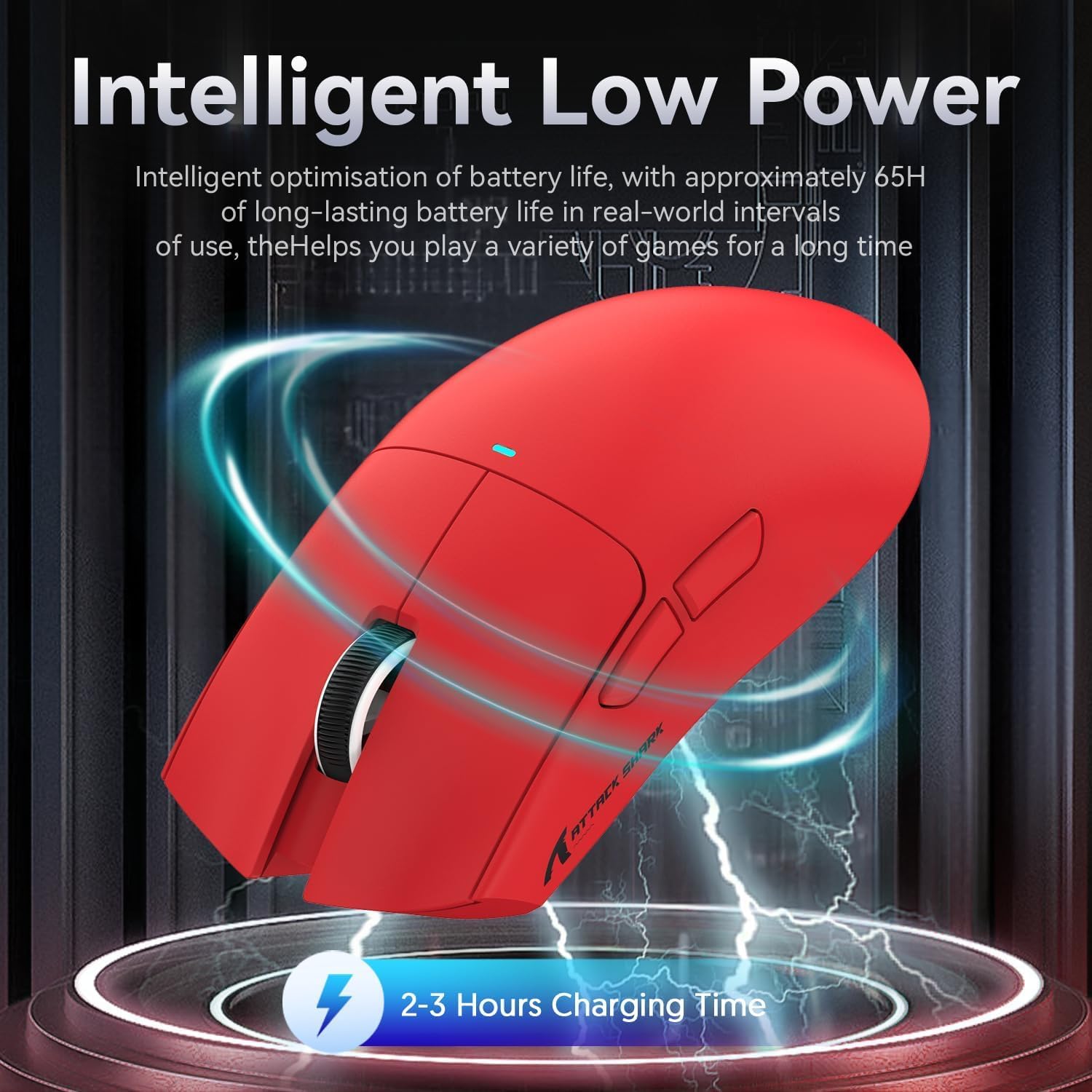
Image 4.2: Visual representation of the X11 mouse's intelligent low power consumption, offering 65 hours of use and a 2-3 hour charging time.
4.2 Connecting the Mouse (Triple Mode Connectivity)
The X11 mouse supports three connection modes: 2.4GHz Wireless, Bluetooth 5.0, and Wired USB-C.

Image 4.3: Illustration of the X11 mouse's triple-mode connectivity options.
- 2.4 GHz brezžični način:
- Locate the 2.4GHz USB receiver, typically stored in the magnetic charging dock's USB-A port or in a compartment on the mouse's underside.
- Priključite USB-sprejemnik v prosta vrata USB-A na računalniku.
- Switch the mode selector on the underside of the mouse to "2.4G".
- Miška bi se morala povezati samodejno.
- Način Bluetooth 5.0:
- Switch the mode selector on the underside of the mouse to "BT".
- Press and hold the Bluetooth toggle button (usually near the mode switch) for 3 seconds to enter pairing mode. The mouse's indicator light will flash.
- V računalniku ali napravi pojdite v nastavitve Bluetooth in poiščite nove naprave.
- Select "ATTACK SHARK X11" (or similar) from the list to pair.
- The mouse supports up to three Bluetooth channels (BT1/BT2/BT3). Short press the Bluetooth key to switch between channels.
- Žični način USB-C:
- Connect the USB-C cable to the mouse's USB-C port and the other end to your computer's USB-A or USB-C port.
- Miška bo samodejno preklopila v žično delovanje in se začela polniti.
4.3 Namestitev gonilnika (neobvezno)
For advanced customization, including programmable buttons, DPI settings, and macro functions, download the official ATTACK SHARK X11 driver software from the ATTACK SHARK official webmesto or store page.

Image 4.4: The X11 driver software allows for comprehensive customization of mouse settings.
5. Navodila za uporabo
5.1 Prilagoditev DPI
The X11 mouse features a PixArt 3311 sensor with up to 22,000 DPI and 6 adjustable levels. The DPI button is located on the underside of the mouse.
- Press the DPI button to cycle through the preset DPI levels.
- Customize DPI levels and assign them to specific buttons using the driver software.

Image 5.1: Details of the PixArt PAW3311 sensor, highlighting its precision and adjustable DPI.
5.2 programabilni gumbi
The X11 mouse has 5 programmable buttons (left, right, scroll click, and two side buttons). Use the driver software to assign custom functions, macros, or keybinds to these buttons.
5.3 Nadzor osvetlitve RGB
The magnetic charging dock and the mouse itself feature customizable RGB lighting. Use the driver software to adjust lighting effects, colors, and brightness. The dock's lighting can also be controlled by tapping its surface.
5.4 Angle Snap Feature
The Angle Snap feature helps to smooth out diagonal mouse movements, which can be useful for certain tasks requiring straight lines. This feature can be toggled On or Off via the driver software.
Video 5.1: Demonstration of the Angle Snap feature, showing how it can be toggled on and off in the software to affect mouse movement precision.
6. Vzdrževanje
6.1 Čiščenje
- Use a soft, dry cloth to wipe the mouse and charging dock.
- Za trdovratno umazanijo rahlo dampKrpo obrišite z vodo ali blago čistilno raztopino. Izogibajte se agresivnim kemikalijam.
- Do not immerse the mouse or dock in water.
6.2 Skrb za baterije
- Izogibajte se pogostemu popolnemu praznjenju baterije, da podaljšate njeno življenjsko dobo.
- Miško shranite na hladnem in suhem mestu, če je ne uporabljate dlje časa.
7. Odpravljanje težav
| Težava | rešitev |
|---|---|
| Miška se ne odziva v brezžičnem načinu. |
|
| DPI not changing. |
|
| Magnetic charging dock RGB not working. |
|
| Mouse cursor erratic or lagging. |
|
8. Specifikacije
| Funkcija | Podrobnost |
|---|---|
| Model | X11 |
| Senzor | Optični senzor PixArt PAW3311 |
| DPI | Do 22,000 DPI (6 nastavljivih stopenj) |
| Povezljivost | Žično USB-C, 2.4 GHz brezžično, Bluetooth 5.0 |
| Teža | 63 g (± 3 g) |
| Stikala | Huano Micro Switches (20 million click lifespan) |
| Življenjska doba baterije | Pribl. 65 ur |
| Polnjenje | Magnetic Charging Dock, USB-C |
| Programabilni gumbi | 5 |
| Dimenzije | 7.01 x 4.57 x 2.01 palca (paket) |
9. Garancija in podpora
Za informacije o garanciji, tehnično podporo ali dodatno pomoč obiščite uradno Trgovina ATTACK SHARK na Amazonu ali pa se obrnite neposredno na njihovo službo za stranke.
Za garancijske zahtevke shranite dokazilo o nakupu.


