Uvod
This manual provides comprehensive instructions for the setup, operation, maintenance, and troubleshooting of your KOORUI GN10 27-inch QHD 240Hz Mini-LED Gaming Monitor. Please read this manual thoroughly before using the product to ensure proper functionality and to prevent damage.
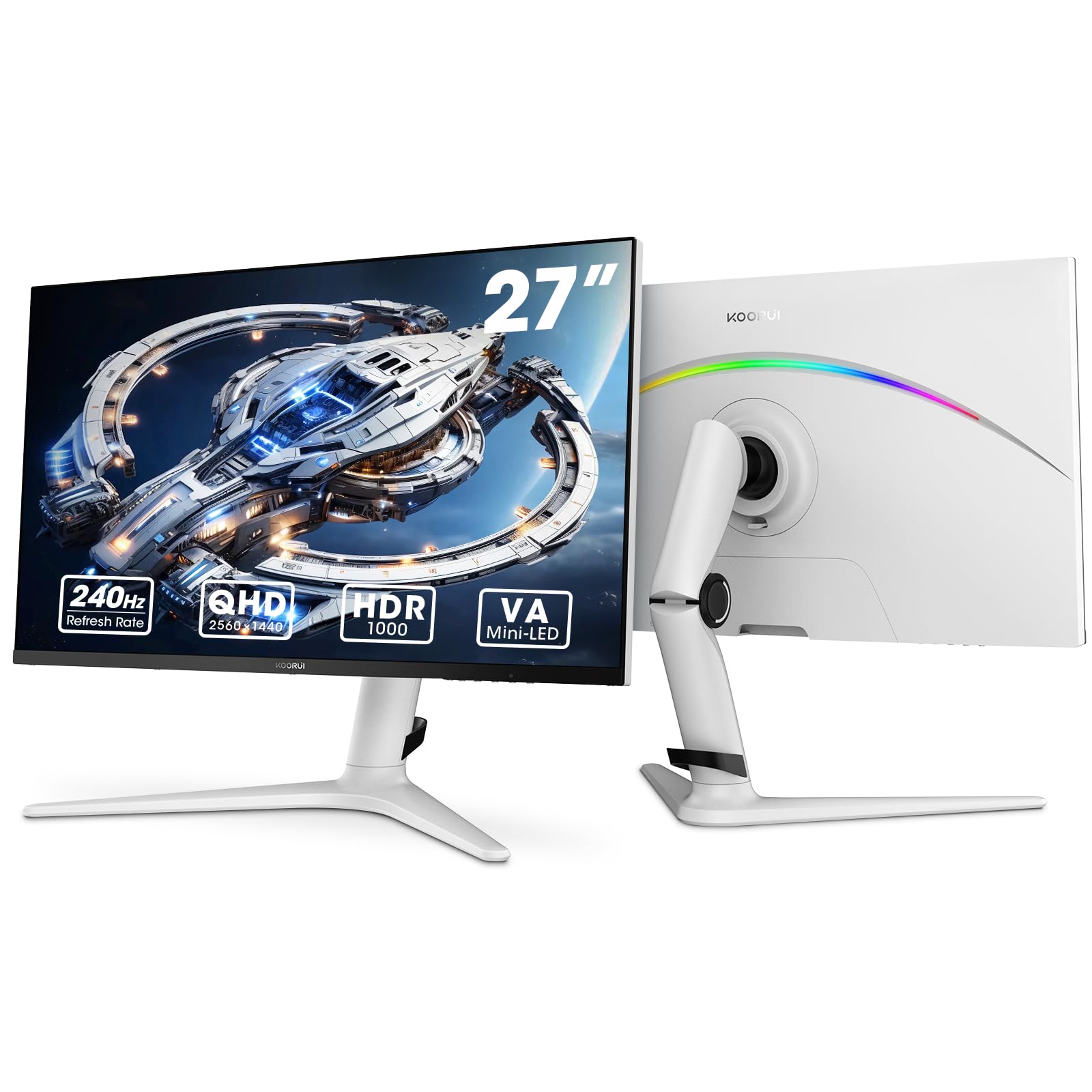
Figure 1: KOORUI GN10 27-inch QHD 240Hz Mini-LED Gaming Monitor.
1. Nastavitev
1.1 Razpakiranje in vsebina paketa
Previdno vzemite vse komponente iz embalaže. Preverite, ali so prisotne vse spodaj navedene postavke:
- KOORUI GN10 Monitor
- Stojalo za monitor (podstavek in roka)
- Napajalni kabel
- Kabel HDMI (x2)
- Kabel DisplayPort (DP)
- Uporabniški priročnik (ta dokument)
1.2 Sestavljanje stojala
Za sestavljanje stojala za monitor sledite tem korakom:
- Attach the stand arm to the monitor panel. Ensure it clicks securely into place or is fastened with screws if provided.
- Connect the stand base to the stand arm. Tighten any screws to secure the base.
- Sestavljeni monitor postavite na stabilno, ravno površino.

Figure 2: Monitor stand showing height, tilt, swivel, and pivot adjustments.
The ergonomic stand allows for height, tilt, swivel, and pivot adjustments to optimize your viewvhodni kot.

Figure 3: Monitor dimensions for placement planning.
1.3 Povezovanje z napravami
The monitor supports multiple input sources. Connect your computer or gaming console using the provided cables.
- DisplayPort (DP): For optimal performance, especially at 240Hz refresh rate and QHD resolution, use the DisplayPort cable.
- HDMI: Two HDMI 2.0 ports are available for connecting other devices such as gaming consoles (PS5, Xbox, Switch) or additional computers.
- Zvočni izhod: Zunanje zvočnike ali slušalke priključite na 3.5 mm avdio izhod.

Slika 4: Zadaj view of the monitor showing available ports (Audio Out, DP 1.4, HDMI 2.0 x2) and VESA mount points.
1.4 Začetni vklop
- Napajalni kabel priključite na monitor in nato v električno vtičnico.
- Press the power button, usually located on the back or bottom of the monitor, to turn it on.
- The monitor will automatically detect the input source. If not, use the OSD menu to select the correct input.
2. Navodila za uporabo
2.1 Zaslonski meni (OSD)
The OSD menu allows you to adjust various monitor settings. Access the OSD menu using the joystick or buttons typically located on the back or bottom of the monitor.
Common OSD menu options include:
- Nastavitve slike: Svetlost, kontrast, ostrina, gama.
- Barvne nastavitve: Color Temperature, Hue, Saturation, Color Space (sRGB, DCI-P3).
- Izbira vnosa: Ročno preklapljanje med vhodoma DisplayPort in HDMI.
- Avdio: Volume control for the audio output.
- Funkcije iger: Adaptive Sync, Response Time (Overdrive), Game Modes.
- Nastavitve OSD: Language, OSD Timeout, Transparency.
2.2 Nastavitve zaslona
The KOORUI GN10 monitor offers advanced display features for an enhanced visual experience.
- Resolucija: The native resolution is QHD (2560 x 1440). Ensure your connected device is set to this resolution for optimal clarity.
- Hitrost osveževanja: Supports up to 240Hz. Configure your graphics card settings to utilize this high refresh rate for smoother motion.
- Odzivni čas: Features a 1ms (GtG) response time, reducing motion blur and ghosting in fast-paced content.
- HDR 1000: High Dynamic Range 1000 provides superior contrast and color depth. Enable HDR in your operating system and monitor settings for compatible content.

Figure 5: Visual comparison illustrating the enhanced contrast and detail with HDR 1000 enabled.

Figure 6: Comparison of QHD (2560x1440) and FHD (1920x1080) resolutions, highlighting increased detail with QHD.
2.3 Igralne funkcije
The monitor includes features designed to enhance your gaming experience:
- Adaptive Sync (G-Sync Compatible): Synchronizes the monitor's refresh rate with your GPU's frame rate to eliminate screen tearing and stuttering. Ensure this feature is enabled in both the monitor OSD and your graphics card control panel.
- Game Display Modes: Access specific on-screen overlays via the OSD menu, such as:
- Nitni križec: Zagotavlja križec na zaslonu za izboljšano ciljanje.
- Časovnik: Displays a countdown timer.
- Števec FPS: Shows your current frames per second.
- RTS Counter: A specific counter for Real-Time Strategy games.

Figure 7: Illustration of various exclusive game display modes and Adaptive Sync functionality.

Figure 8: Visual representation of smooth gaming experience with 240Hz refresh rate and 1ms response time.
2.4 RGB osvetlitev
The monitor features a crescent RGB light strip on the back. This lighting can be customized through the OSD menu to match your preference or gaming setup.

Slika 9: Zadaj view of the monitor highlighting the customizable RGB light strip.
3. Vzdrževanje
3.1 Čiščenje monitorja
Za ohranjanje videza in delovanja monitorja upoštevajte ta navodila za čiščenje:
- Pred čiščenjem vedno izklopite monitor in izvlecite napajalni kabel.
- Uporabite mehko krpo, ki ne pušča vlaken, dampz vodo ali neabrazivnim čistilom za zaslone.
- Čistila ne pršite neposredno na zaslon. Najprej ga nanesite na krpo.
- Izogibajte se uporabi alkohola, amoniaka ali abrazivnih čistil, saj lahko poškodujejo površino zaslona.
- Zaslon nežno obrišite, da odstranite prah in madeže.
- Clean the monitor casinz mehko, suho krpo.
3.2 Splošna nega
- Izogibajte se postavljanju težkih predmetov na monitor ali njegove kable.
- Monitorja ne izpostavljajte neposredni sončni svetlobi, prekomerni vročini ali ekstremnemu mrazu.
- Monitor hranite stran od tekočin in okolij z visoko vlažnostjo.
- Zagotovite zadostno prezračevanje okoli monitorja, da preprečite pregrevanje.
4. Odpravljanje težav
Če imate težave z monitorjem, si oglejte naslednje pogoste težave in rešitve:
| Težava | Možen vzrok | rešitev |
|---|---|---|
| Na zaslonu ni slike |
|
|
| Utripajoča ali popačena slika |
|
|
| Ni zvoka iz avdio izhoda |
|
|
| Adaptive Sync not working |
|
|
Če težava po poskusu teh rešitev še vedno obstaja, se obrnite na podporo strankam.
5. Specifikacije
| Funkcija | Podrobnost |
|---|---|
| Znamka | KOORUI |
| Številka modela | 10 GN |
| Velikost zaslona | 27 palcev |
| Resolucija | QHD Wide 1440p (2560 x 1440) |
| Razmerje stranic | 16:9 |
| Površina zaslona | Mat |
| Kontrastno razmerje | 20,000,000:1 |
| Hitrost osveževanja | 240 Hz |
| Tehnologija zaslona | Mini-LED |
| Viewkota | 178 stopinj |
| Svetlost | 350 kandela |
| Barvna lestvica | 100 % sRGB, 95 % DCI-P3 |
| Odzivni čas | 1 milisekunda (GtG) |
| Vrata HDMI | 2 (HDMI 2.0) |
| DisplayPort | 1 (DP 1.4) |
| Avdio izhod | ja |
| Prilagodljiva sinhronizacija | Združljiv z G-Sync |
| Dodatne funkcije | Flicker-Free, Frameless, Height Adjustable, Tilt Adjustable, Swivel Adjustable, Rotatable |
| barva | Bela/siva |
| Vrsta namestitve | Desk Mount, VESA 75x75mm compatible |
6. Garancija in podpora
6.1 Informacije o garanciji
The KOORUI GN10 monitor comes with a 3-letna omejena garancija. The display screen is backed for 1 year, and other accessories for 3 years. A 12-month replacement service is also provided for eligible issues.
Ta garancija krije proizvodne napake in okvare pri normalni uporabi. Ne krije škode, ki jo povzročijo nepravilna uporaba, nesreče, nepooblaščene spremembe ali zunanji dejavniki.
6.2 Podpora strankam
For technical assistance, warranty claims, or inquiries regarding missing accessories, please contact KOORUI customer support. Have your product model (GN10) and purchase information ready when contacting support.
Contact information can typically be found on the KOORUI official webspletnem mestu ali prek podpornih kanalov vašega prodajalca.
7. Video predstavitev izdelka
Video 1: Uradni videoposnetek izdelkaasing the KOORUI GN10 Gaming Monitor's features and design.


