1. Uvod
This manual provides essential information for the setup, operation, and maintenance of your Thomson Go TV 32-inch Portable Android TV, Model 32HA4M44. Designed for flexible viewing, this HD Ready television features Android TV for access to numerous streaming services, Google Assistant for voice control, and a built-in battery for up to 4 hours of portable use. Its adjustable stand and integrated wheels enhance mobility, allowing you to enjoy entertainment anywhere in your home.

Slika 1: Spredaj view of the Thomson Go TV 32-inch Portable Android TV on its stand.
2. Vsebina paketa
Ensure all the following items are included in your product packaging:
- Thomson Go TV 32-inch Unit
- Napajalni adapter
- Napajalni kabel
- Daljinski upravljalnik
- Uporabniški priročnik (ta dokument)
- Garancijska kartica
3. Fizična postavitev
3.1. Dimenzije in postavitev
Before setting up, consider the dimensions of your TV for optimal placement.

Figure 2: Diagram illustrating the dimensions of the Thomson Go TV, including its height, width, and depth.
3.2. Adjusting the TV View
The Thomson Go TV offers adjustable tilt, height, and rotation features for a comfortable viewizkušnje.
- Nagib: Adjust the screen vertically to reduce glare or optimize viewvhodni kot.
- Višina: Dvignite ali spustite zaslon na višino oči.
- Vrtenje: Swivel the screen horizontally to share content with others in the room.

Figure 3: The TV stand allows for various adjustments to achieve an optimal viewvhodni kot.
3.3. Mobilnost
The integrated wheels at the base of the stand allow for easy movement of the TV between rooms or locations.
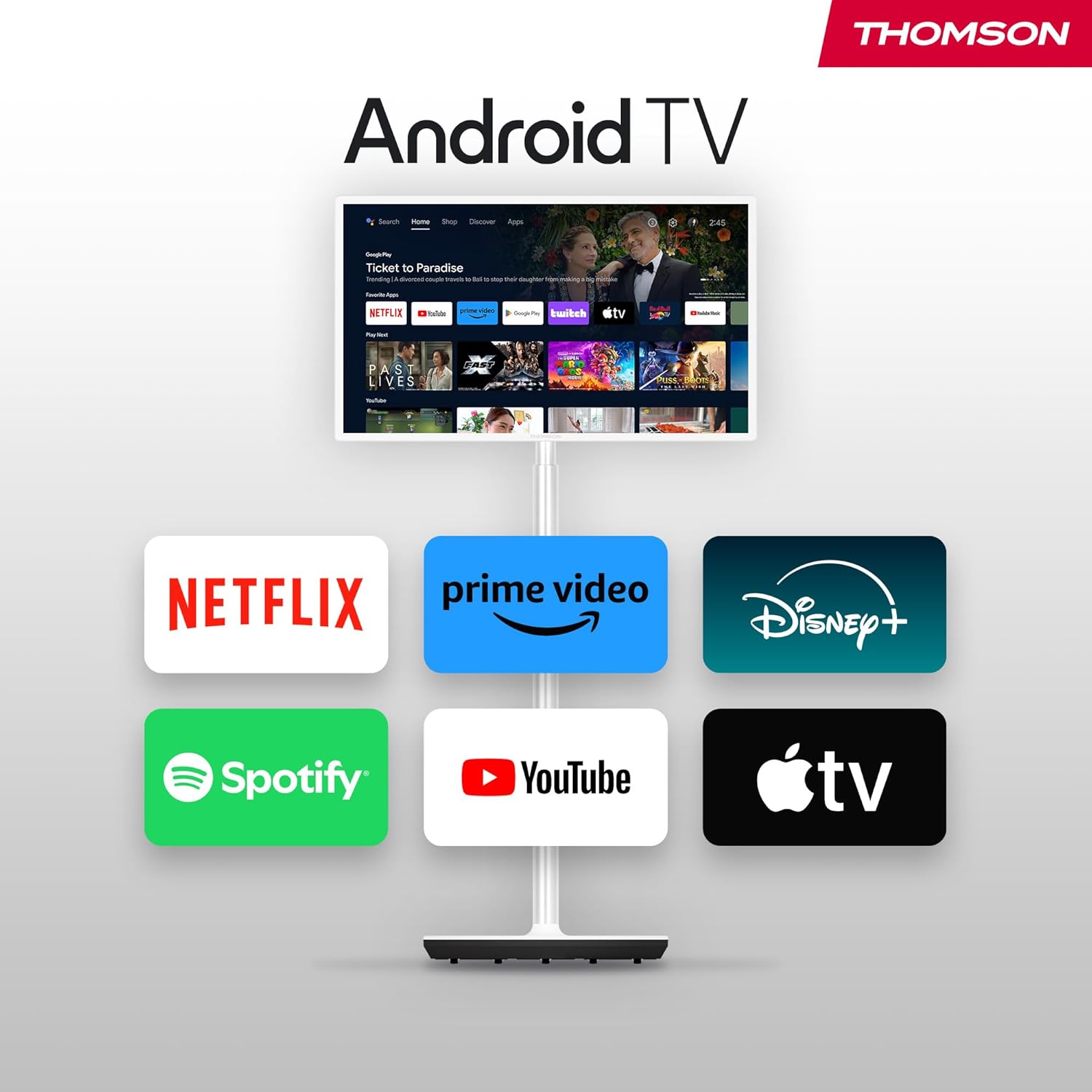
Figure 4: The TV can be easily moved around your home thanks to its wheeled base.
4. Povezave
The Thomson Go TV provides various ports for connecting external devices:
- HDMI: Priključite naprave visoke ločljivosti, kot so predvajalniki Blu-ray, igralne konzole ali digitalni sprejemniki.
- USB: Za predvajanje medijev priključite pomnilniške naprave USB.
- Lokalno omrežje (Ethernet): Za žično internetno povezavo.
- AV IN: Za priklop starejših analognih naprav.
- Antena: For connecting to a terrestrial antenna for live TV broadcasts.

Figure 5: Rear panel showing available connection ports.
5. Začetni vklop in nastavitev
To power on your Thomson Go TV, connect the power adapter to the TV and a power outlet. Press the power button on the TV or the remote control. Follow the on-screen instructions for initial setup, including language selection, network connection (Wi-Fi or Ethernet), and Google account login for Android TV features.
6. Operating Your Thomson Go TV
6.1. Vmesnik Android TV
Your Thomson Go TV runs on Android TV, providing a user-friendly interface for accessing a wide range of applications and content. The home screen displays your favorite apps, recommended content, and various categories for easy navigation.

Figure 6: The Android TV home screen with various streaming applications.
6.2. Glasovno upravljanje z Google Assistantom
The remote control features a dedicated button for Google Assistant, allowing you to control your TV and search for content using voice commands. Simply press the Google Assistant button and speak your command.

Figure 7: The remote control with Google Assistant and direct access buttons.

Figure 8: Using voice commands with Google Assistant on the Thomson Go TV.
6.3. Streaming and Casting
Access popular streaming services like Netflix, Prime Video, YouTube, Disney+, and Spotify directly from the Android TV interface. Utilize Google Cast to stream movies, music, and videos from your smartphone, tablet, or laptop directly to your TV screen.

Figure 9: Content being cast from a mobile device to the Thomson Go TV using Google Cast.
6.4. Delovanje na baterije
The integrated battery provides up to 4 hours of viewing time, allowing for flexible placement without immediate need for a power outlet.
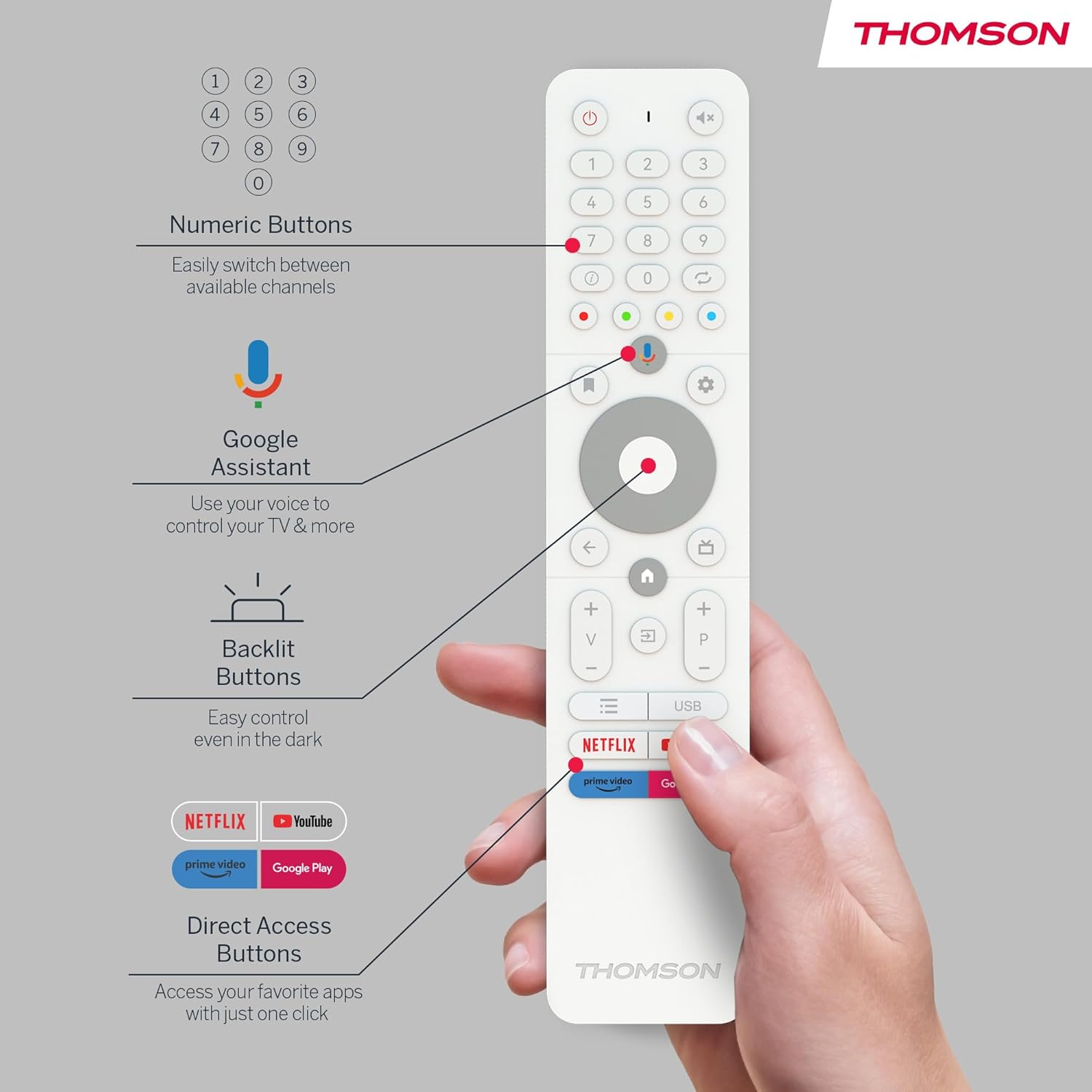
Figure 10: The TV's built-in battery supports portable use for up to 4 hours.
6.5. Zvočne funkcije
Experience clear audio with Dolby Audio technology and 16W speakers.

Figure 11: Dolby Audio enhances the sound experience on the Thomson Go TV.
6.6. Hotspot Functionality
The TV supports hotspot functionality, allowing it to share its internet connection with other devices.
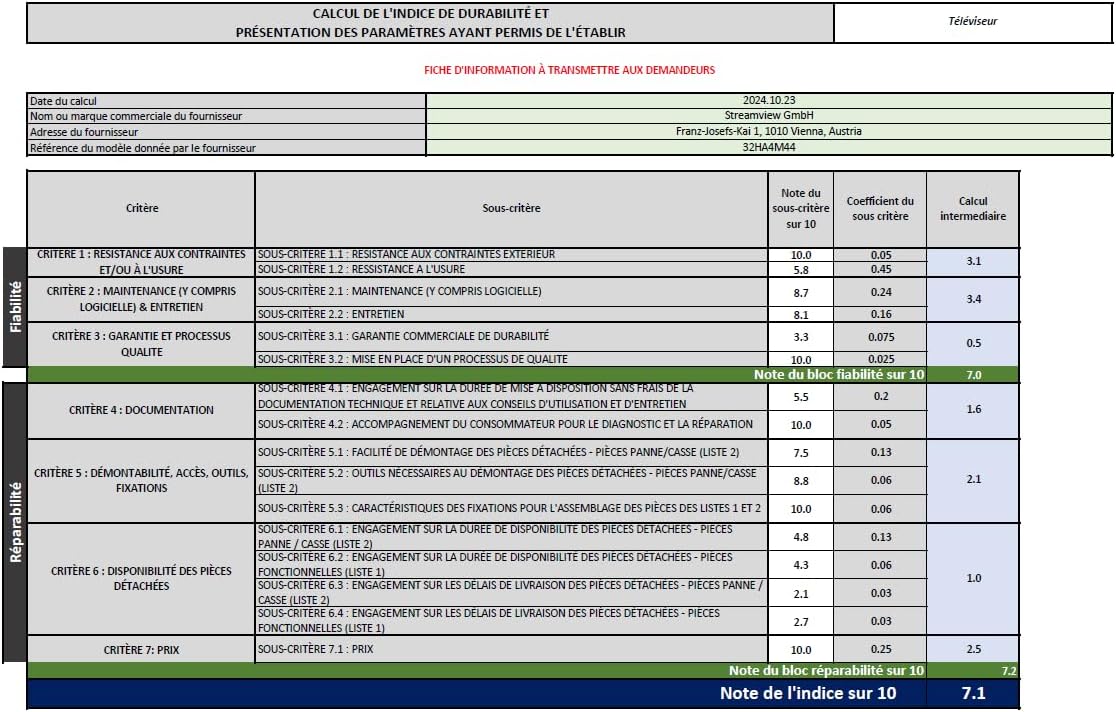
Figure 12: The TV's hotspot feature in use, sharing its internet connection.
7. Vzdrževanje in nega
To ensure the longevity and optimal performance of your Thomson Go TV, follow these general maintenance guidelines:
- Čiščenje: Use a soft, dry cloth to clean the screen and exterior surfaces. For stubborn marks, slightly dampKrpo obrišite z vodo ali blagim, neabrazivnim čistilom za zaslone. Izogibajte se agresivnim kemikalijam.
- Prezračevanje: Prepričajte se, da prezračevalne odprtine televizorja niso blokirane, da preprečite pregrevanje.
- Shranjevanje: Ko televizorja dalj časa ne uporabljate, ga shranite na hladnem in suhem mestu, stran od neposredne sončne svetlobe in ekstremnih temperatur.
- Vzdrževanje baterije: Za optimalno življenjsko dobo baterije se izogibajte pogostemu popolnemu praznjenju baterije. Redno jo polnite, tudi če je ne uporabljate nenehno.
8. Odpravljanje težav
If you encounter issues with your Thomson Go TV, try the following basic troubleshooting steps:
- Brez napajanja: Preverite, ali je napajalni kabel varno priključen na televizor in električno vtičnico. Prepričajte se, da vtičnica deluje.
- Brez slike/zvoka: Verify that the correct input source is selected. Check all cable connections (HDMI, AV, Antenna).
- Daljinski upravljalnik ne deluje: Zamenjajte baterije v daljinskem upravljalniku. Prepričajte se, da med daljinskim upravljalnikom in infrardečim senzorjem televizorja ni ovir.
- Težave z omrežno povezavo: Znova zaženite usmerjevalnik Wi-Fi. Televizor ponovno povežite z omrežjem Wi-Fi ali poskusite z žično ethernetno povezavo.
- Aplikacija se ne odziva: Try closing and reopening the application. If the issue persists, restart the TV.
Za bolj zapletene težave glejte spletne vire za podporo ali se obrnite na službo za stranke.
9. Tehnične specifikacije
| Funkcija | Specifikacija |
|---|---|
| Znamka | Thomson |
| Številka modela | 32HA4M44 |
| Velikost zaslona | 32 palcev (81 centimetrov) |
| Tehnologija zaslona | LCD |
| Resolucija | 720p (1366 x 768) |
| Hitrost osveževanja | 60 Hz |
| Operacijski sistem | Android TV |
| Posebne lastnosti | Chromecast, Browser, Voice Control (Google Assistant), Hotspot Function |
| Povezljivost | HDMI, USB (1 port), Wi-Fi, Ethernet |
| Avdio tehnologija | Dolby Audio |
| Vrsta baterije | Litij-ionska (priložena) |
| Življenjska doba baterije | Do 4 ur |
| Ocena energetske učinkovitosti | E |
| Dimenzije izdelka | 6P x 73Š x 43V centimetrov |
| Proizvajalec | TokView GmbH |
| Država izvora | Kitajska |
For detailed energy information, please visit the EPREL database: https://eprel.ec.europa.eu/qr/2062485
10. Garancija in podpora
The Thomson Go TV 32HA4M44 comes with a manufacturer's warranty of 3 years. For warranty claims, technical support, or service inquiries, please refer to the contact information provided on your warranty card or visit the official Thomson support webmesto.


