1. Pomembne varnostne informacije
Please read and understand all instructions before using this product. Failure to follow these instructions may result in electric shock, fire, or other hazards.
- Ta kamera je zasnovana za samo za notranjo uporabo. Do not expose it to rain, moisture, or water.
- Uporabljajte samo priloženi napajalnik ali enakovreden certificiran adapter.
- Keep the camera away from direct sunlight, heat sources, and strong magnetic fields.
- Ensure the camera is placed on a stable surface or securely mounted to prevent falling.
- Ne poskušajte sami razstaviti ali popraviti fotoaparata. Za pomoč se obrnite na podporo strankam.
- Hraniti izven dosega otrok in hišnih ljubljenčkov.
2. Izdelek je končanview
The Geeni Scope 2K Smart Auto-Tracking Indoor Security Camera offers advanced surveillance features for your home. It provides 2K Quad HD video, motion detection with auto-tracking, night vision, and two-way audio communication.

Image: Geeni Scope 2K Smart Auto-Tracking Indoor Security Camera highlighting its key features such as 2K Live Video, Motion Sensor, Pan & Tilt, Night Vision, 2-Way Audio, App Control, Share Access, microSD Slot, Built-in Siren, and Person Detection.
Ključne značilnosti:
- 2K Ultra HD video: Capture sharp and clear images with 2K HD resolution.
- Pametno samodejno sledenje: Camera automatically follows detected movement.
- Opozorila zaznavanja gibanja: Receive instant notifications on your smartphone.
- Izboljšan nočni vid: Clear surveillance in complete darkness up to 20 feet.
- Dvosmerni zvok: Komunicirajte prek kamere z vgrajenim mikrofonom in zvočnikom.
- Široka pokritost: 355° horizontal pan and 50° vertical tilt viewing kotov.
- Glasovni nadzor: Združljivo z Amazon Alexa in Google Assistantom.
- Lokalna shramba: Supports microSD card for video recording.
3. Kaj je v škatli
- Geeni Scope 2K Smart Auto-Tracking Indoor Security Camera
- Napajalni adapter
- Montažni komplet (vijaki, stenski sidri)
- Uporabniški priročnik
4. Navodila za namestitev
1. korak: Prenesite aplikacijo Geeni
Download the Geeni app from the App Store (for iOS devices) or Google Play Store (for Android devices). Register for an account or log in if you already have one.
2. korak: Vklopite kamero
Connect the provided power adapter to the camera and plug it into a power outlet. The camera will power on, and an indicator light will begin to flash, indicating it is ready for pairing.
Step 3: Add Device in Geeni App
- Odprite aplikacijo Geeni in tapnite ikono »+« v zgornjem desnem kotu, da dodate novo napravo.
- Na seznamu naprav izberite »Video kamera«.
- Follow the on-screen instructions to connect the camera to your 2.4GHz Wi-Fi network. Ensure your Wi-Fi password is correct.
- Aplikacija bo prikazala kodo QR. Držite telefon približno 15–20 cm pred objektivom kamere, dokler ne zaslišite poziva.
- Once connected, the indicator light will turn solid blue. You can then name your camera and begin using it.
Step 4: Camera Placement
Place the camera on a flat surface or mount it to a wall using the included mounting kit. Ensure the camera has a clear view of the area you wish to monitor. The camera is designed for indoor use only.

Image: The Geeni Scope 2K camera demonstrating its wide coverage with 355° horizontal pan and 50° vertical tilt capabilities, ensuring no blind spots in indoor monitoring.
5. Navodila za uporabo
5.1 V živo View in nadzor vrtenja in nagiba
Open the Geeni app and select your camera to view the live feed. Use the on-screen controls to pan (move horizontally) and tilt (move vertically) the camera lens to adjust your viewvhodni kot.
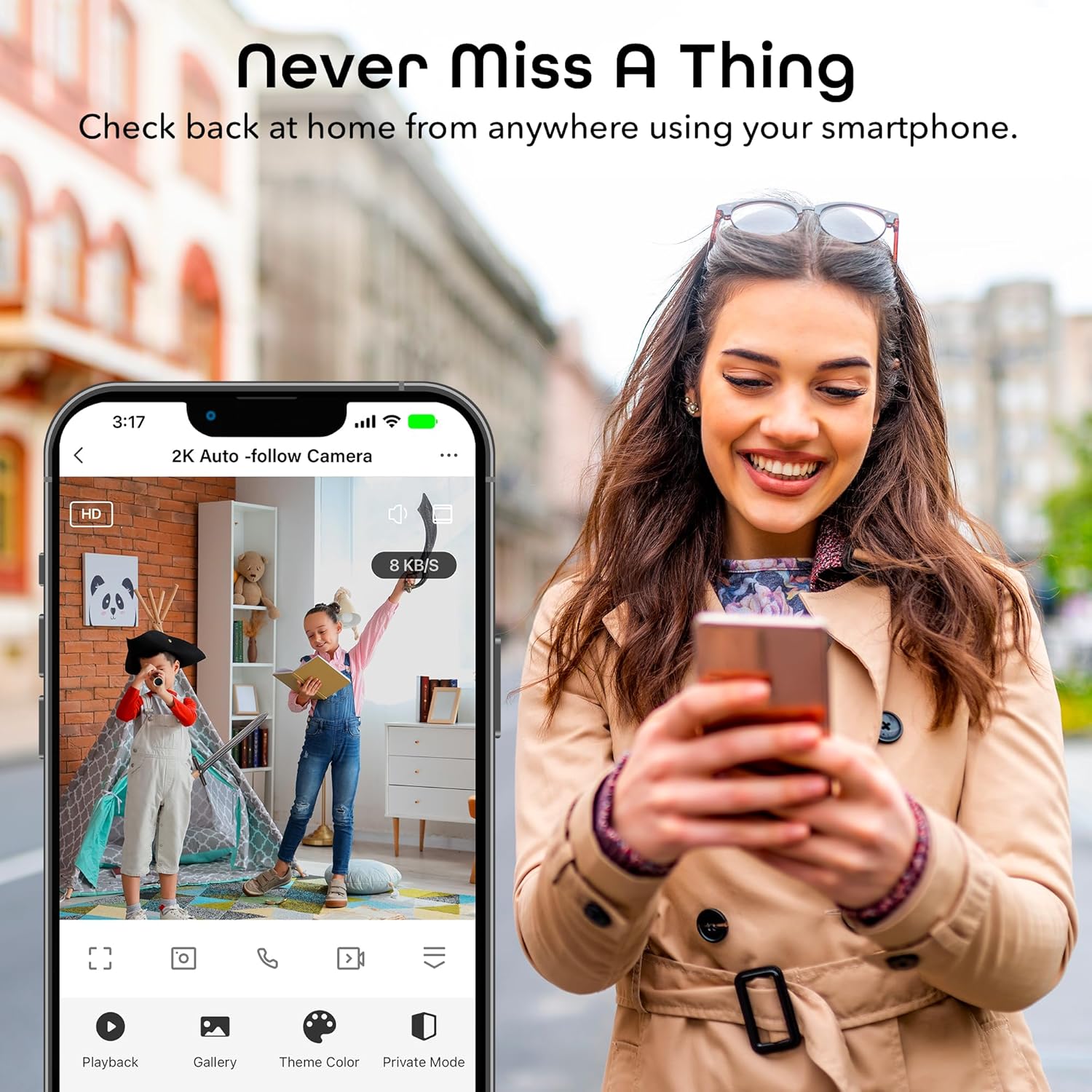
Image: A smartphone displaying the Geeni app's live view interface, allowing users to monitor their space remotely.
5.2 Zaznavanje gibanja in samodejno sledenje
The camera is equipped with advanced motion detection. When motion is detected, the camera can automatically track the moving object and send an alert to your smartphone.
- To enable/disable motion detection and auto-tracking, navigate to the camera settings in the Geeni app.
- Prilagodite raven občutljivosti, da zmanjšate število lažnih alarmov.
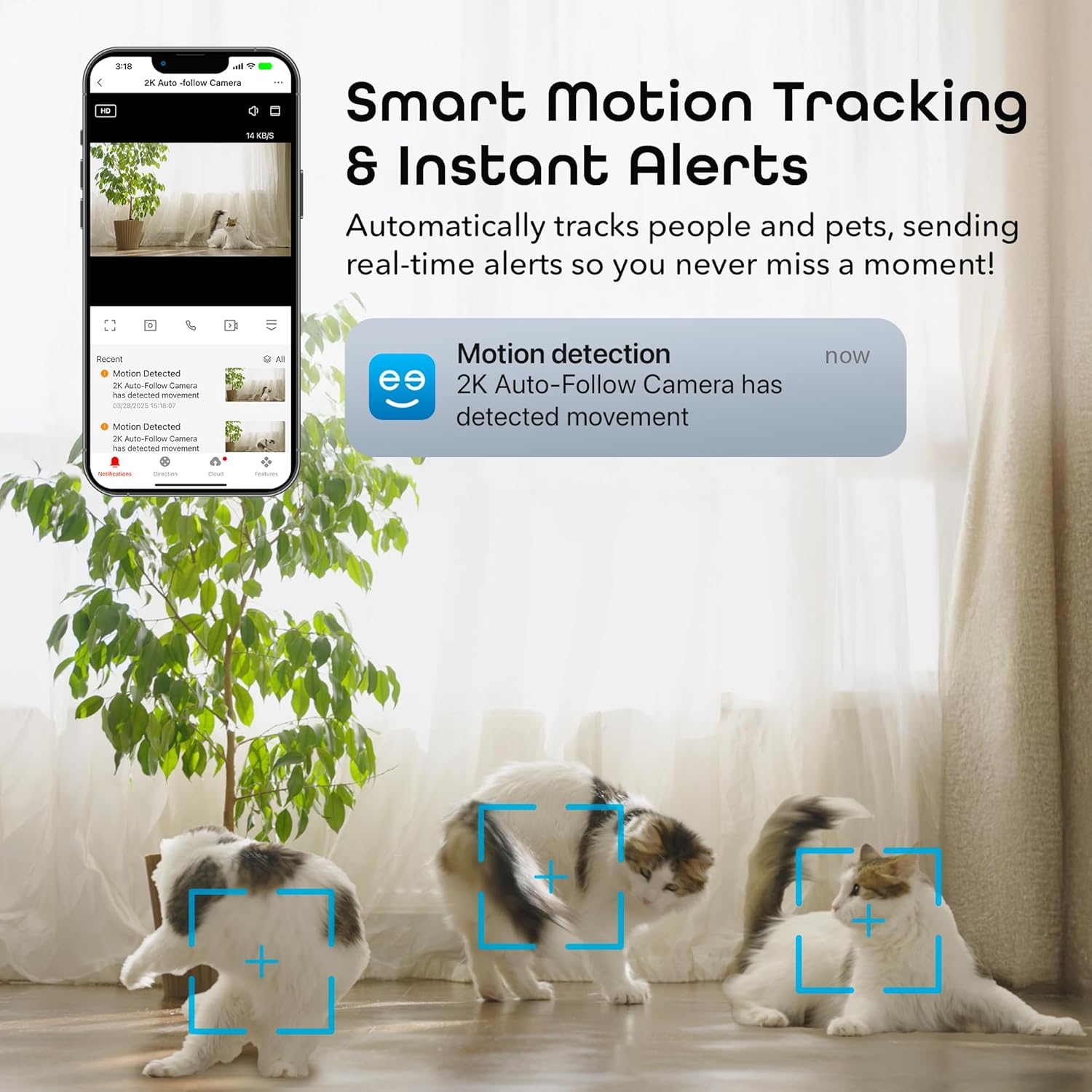
Image: A smartphone displaying a motion detection notification from the Geeni app, indicating movement detected by the 2K Auto-Follow Camera, with cats visible in the camera's field of view.
5.3 Nočni vid
The camera automatically switches to enhanced night vision in low-light conditions, providing clear black-and-white video up to 20 feet.
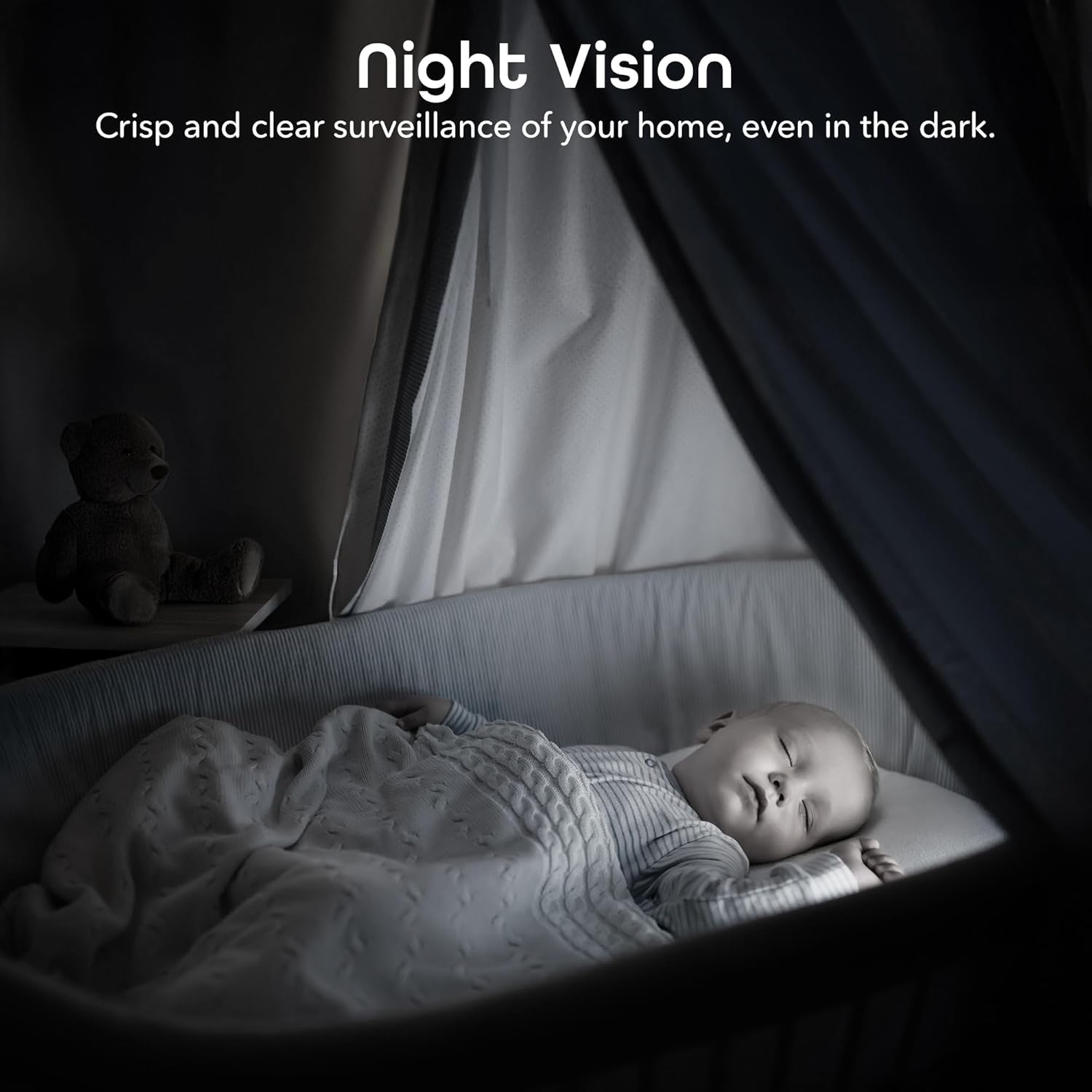
Image: A bedroom scene at night, showcasing the Geeni camera's crisp and clear night vision capability, allowing for surveillance even in complete darkness.
5.4 Dvosmerni zvok
Za komunikacijo z osebami v bližini kamere uporabite dvosmerno zvočno funkcijo. V načinu v živo tapnite ikono mikrofona. view to speak, and the camera's built-in speaker will transmit your voice.

Image: A person speaking into a smartphone, with a child reacting, demonstrating the instant two-way audio feature that allows communication through the camera's built-in microphone and speaker.
5.5 Snemanje in shranjevanje
The camera supports local storage via a microSD card (not included). Insert a microSD card (up to 128GB, Class 10 or higher recommended) into the designated slot on the camera for continuous or event-based recording. You can also subscribe to cloud storage services through the Geeni app for additional backup.
5.6 Integracija glasovnega upravljanja
Integrate your Geeni Scope 2K camera with Amazon Alexa or Google Assistant for convenient voice control. Follow the instructions in the Geeni app to link your account with your preferred smart assistant. Once linked, you can use voice commands such as, "Alexa, show me the baby room camera" or "Hey Google, show me the living room camera."

Image: A tablet displaying a live camera feed of a baby in a crib, with logos for Google Home, Alexa, and the Geeni App, illustrating the camera's compatibility with voice control platforms.
5.7 Souporaba dostopa
You can share access to your camera's live feed and features with family members or trusted individuals through the Geeni app. Go to the camera settings and select the sharing option to invite others.
6. Vzdrževanje
- Čiščenje: Gently wipe the camera lens with a soft, dry cloth to remove dust or smudges. Do not use liquid cleaners or abrasive materials.
- Posodobitve vdelane programske opreme: Periodically check the Geeni app for available firmware updates. Keeping your camera's firmware up-to-date ensures optimal performance and security.
7. Odpravljanje težav
Pogoste težave in rešitve:
- Kamera se ne povezuje z omrežjem Wi-Fi:
- Prepričajte se, da je vaše omrežje Wi-Fi 2.4 GHz. Kamera ne podpira omrežij 5 GHz.
- Preverite, ali je vaše geslo za Wi-Fi pravilno.
- Premaknite kamero bližje usmerjevalniku Wi-Fi.
- Reset the camera (refer to the app for specific reset instructions) and try pairing again.
- Slaba kakovost videa:
- Preverite hitrost internetne povezave. Za pretakanje 2K je potrebna stabilna in hitra povezava.
- Prepričajte se, da je objektiv kamere čist in brez ovir.
- In night vision mode, ensure there are no reflective surfaces close to the camera that could cause glare.
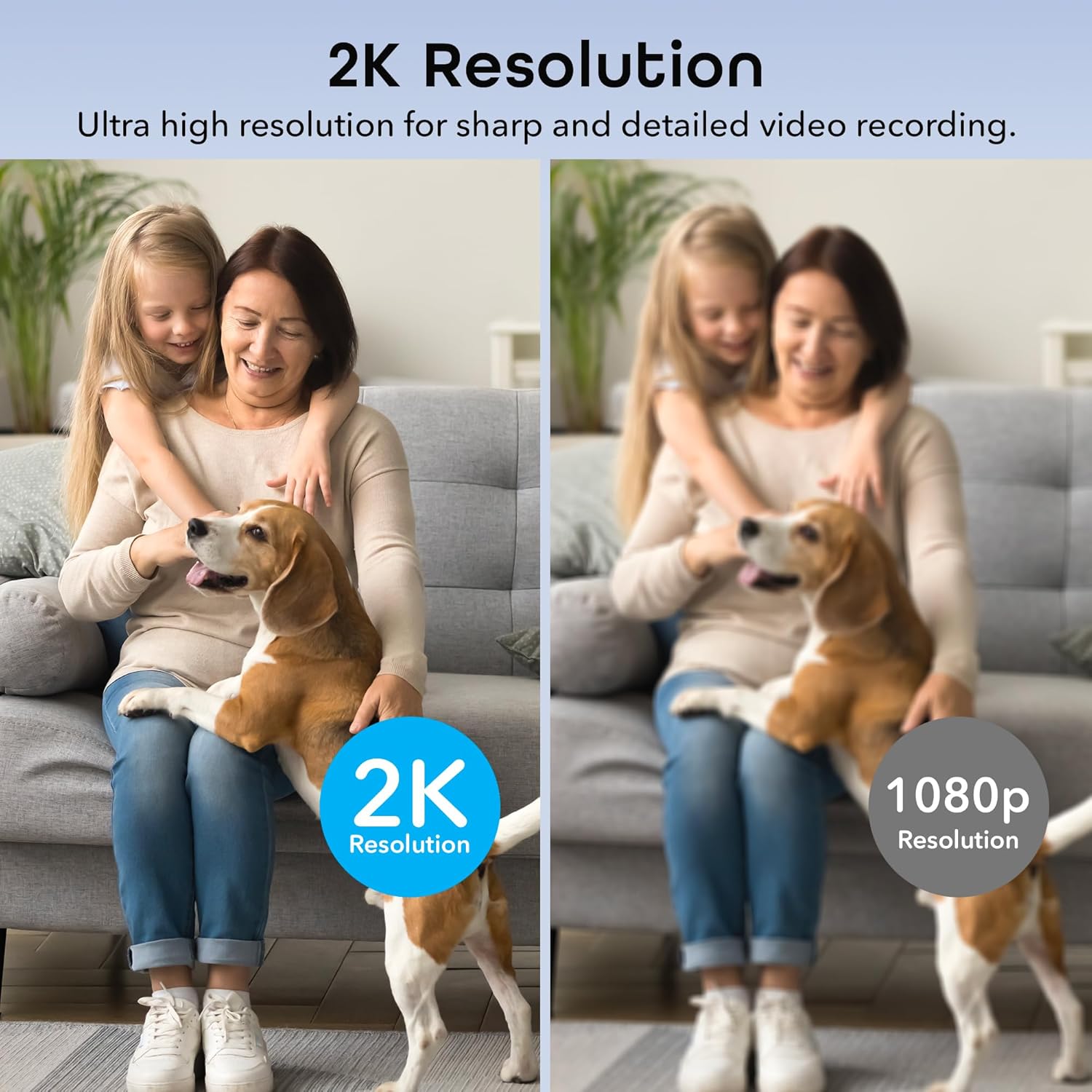
Image: A side-by-side comparison illustrating the superior sharpness and detail of 2K resolution video compared to 1080p resolution.
- Motion alerts not working:
- Verify motion detection is enabled in the Geeni app settings.
- Check your phone's notification settings to ensure the Geeni app is allowed to send notifications.
- Prilagodite občutljivost gibanja.
- Težave z dvosmernim zvokom:
- Ensure your phone's microphone is enabled for the Geeni app.
- Preverite nastavitve glasnosti tako na telefonu kot v aplikaciji.
For further assistance, please refer to the help section within the Geeni app or visit the Geeni support webmesto.
8. Specifikacije
| Številka modela | GNC-CW068-199 |
| Notranja/zunanja uporaba | Notranja |
| Vir napajanja | Električni na kabel |
| Protokol povezljivosti | Wi-Fi (samo 2.4 GHz) |
| Vrsta krmilnika | Amazon Alexa, Google Assistant, Geeni App |
| Vrsta namestitve | Stenska montaža, Samostoječe |
| Ločljivost zajema videa | 2K Quad HD (4MP Effective Still Resolution) |
| Viewkota | 100 Degrees (Fixed), 355° Pan, 50° Tilt |
| Območje nočnega vida | 20 čevljev |
| Material | Polikarbonat (PC) |
| Dimenzije (D x Š x V) | 2.8 x 2.68 x 4.33 palcev |
| Teža predmeta | 5.6 unč |
| Video kodiranje | H.264 |
| Vrsta opozorila | Samo gibanje |
| Stopnja vodoodpornosti | Ni vodoodporen |
9. Uradni videoposnetek izdelka
Video: Uradna video predstavitev izdelkaasing the features and functionality of the Geeni Scope 2K Smart Auto Tracking Indoor Camera.
10. Garancija in podpora
Geeni products are designed for reliability and performance. For information regarding product warranty, please refer to the warranty card included with your purchase or visit the official Geeni webmesto.
For technical support, troubleshooting, or any questions about your Geeni Scope 2K camera, please contact Geeni Customer Support through the Geeni app's help section or their official webmesto.


