Uvod
Thank you for choosing the EWEADN S9 Pro Wireless Gaming Mouse. This manual provides detailed instructions on how to set up, operate, and maintain your new gaming mouse to ensure optimal performance. Designed for professional gamers, the S9 Pro offers advanced features including triple connectivity modes, a high-precision PAW3395 sensor, and a lightweight ergonomic design for extended comfort.
Vsebina paketa
- Brezžična igralna miška EWEADN S9 Pro
- 8K Custom Receiver (USB Dongle)
- 1.5M Parachute Cord (USB-C to USB-A Cable)
- PE Bag Foot Pad (Extra Skates)
- Anti-slip Protection Sticker (Grip Tape)
- Navodila za uporabo
Konec izdelkaview
The EWEADN S9 Pro is engineered for peak gaming performance and user comfort. Key features include:
- Napredni senzor: Equipped with the flagship PAW3395 optical sensor, offering up to 26000 DPI and 650 IPS tracking for precise, drift-free movement.
- Visoka stopnja glasovanja: Supports 1K wired and 8K wireless polling rates for ultra-smooth, lag-free gaming.
- Vzdržljiva stikala: Features Kailh mechanical switches with a lifespan of over 100 million clicks, ensuring crisp and reliable performance.
- Trojna povezljivost: Brezhibno preklapljajte med brezžičnim načinom 2.4 G, Bluetooth 5.0 in žičnim načinom USB-C.
- Ultralahka zasnova: Weighing only 59 grams, its ergonomic shape reduces fatigue during extended use.
- Dolga življenjska doba baterije: Integrated 500mAh battery provides over 70 hours of usage on a single charge.
- Programabilno: Customize buttons, DPI settings, macros, and more via dedicated software.

Figure 1: EWEADN S9 Pro Wireless Gaming Mouse, showcasing its ergonomic design and purple-to-black gradient finish.

Figure 2: Key performance features including 8K Polling Rate, PAW3395 sensor, and 500mAh battery capacity.

Figure 3: The mouse supports three connection modes: 2.4G wireless for blazing-fast speed, Bluetooth 5.0 for convenience, and USB-C wired for zero delay.
Nastavitev
1. Polnjenje miške
Before first use, it is recommended to fully charge the mouse. Connect the supplied USB-C cable to the mouse's front port and the other end to a USB power source (e.g., computer USB port, USB wall adapter). The LED indicator will show charging status (red while charging, green when fully charged).

Figure 4: The mouse features a 500mAh battery for extended usage, rechargeable via the included USB-C cable.
2. Priključitev miške
The S9 Pro offers three connection modes: 2.4G Wireless, Bluetooth, and Wired.
2.1. Brezžični način 2.4G
- Locate the 8K Custom Receiver (USB dongle) stored in the magnetic compartment on the underside of the mouse.
- Priključite USB-ključek v prosta USB-vrata na računalniku.
- On the underside of the mouse, slide the switch to the "2.4G" position.
- Miška bi se morala samodejno povezati z računalnikom.

Figure 5: The mouse with its 2.4G USB dongle, which can be stored securely within the mouse body.
2.2. Način Bluetooth
- On the underside of the mouse, slide the switch to the "BT" position.
- Miška bo prešla v način seznanjanja (indikatorska lučka lahko utripa).
- V računalniku ali napravi odprite nastavitve Bluetooth in poiščite nove naprave.
- Na seznamu razpoložljivih naprav za seznanitev izberite »EWEADN S9 Pro«.
2.3. Žični način
- Connect the USB-C end of the supplied cable to the mouse and the USB-A end to your computer.
- On the underside of the mouse, slide the switch to the "Wired" position.
- Miška bo delovala kot žična miška in se hkrati polnila.
3. Namestitev programske opreme (neobvezno)
To unlock the full customization potential of your EWEADN S9 Pro mouse, download the official driver software from the EWEADN webspletno mesto. Ta programska oprema vam omogoča:
- Program buttons (remap functions, assign macros).
- Adjust DPI/IPS settings.
- Configure lift-off distance (LOD).
- Manage power settings, including sleep timer.
- Ustvarite in shranite več profesionalcevfiles.
Note: Some users have reported issues with software detecting the device. Ensure the mouse is connected via wired mode or 2.4G wireless mode when attempting to connect with the software. Try restarting the software or your computer if detection issues persist.
Navodila za uporabo
1. Prilagoditev DPI
The S9 Pro features 6 customizable DPI levels. By default, these are set to 800, 1600, 2400, 3200, 6400, and 26000 DPI. You can cycle through these settings using the dedicated DPI button located on the underside of the mouse or customize them via the software.
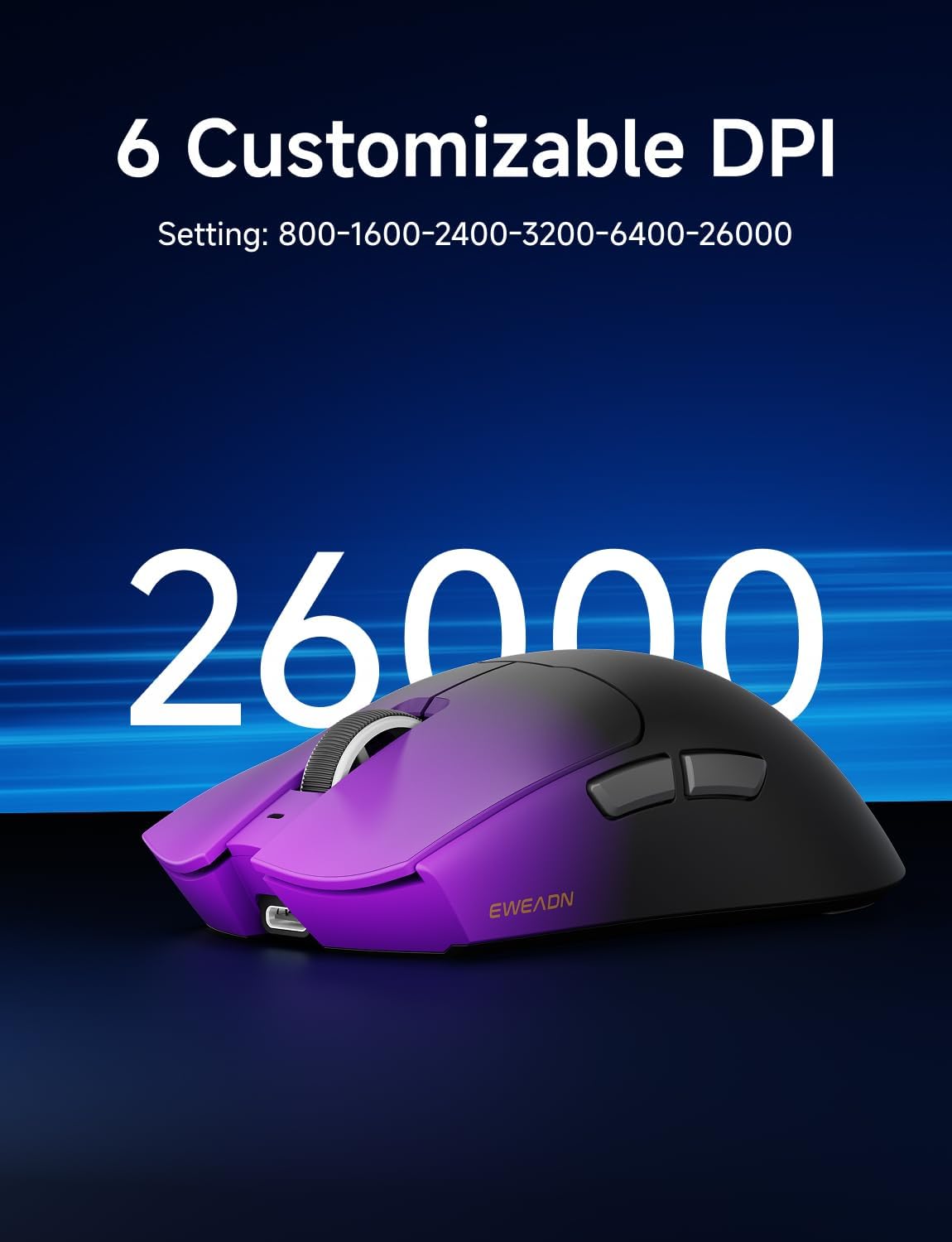
Figure 6: The mouse supports up to 26000 DPI, with 6 customizable settings for precise control.
2. Funkcije gumbov
The mouse has 5 programmable buttons:
- Gumb z levim klikom
- Desni klik Gumb
- Scroll Wheel Click Button
- Side Button 1 (Forward)
- Side Button 2 (Backward)
All buttons can be remapped and assigned macros using the EWEADN software.
3. Stili oprijema
The ergonomic design of the S9 Pro is suitable for medium to large hands and accommodates various grip styles, including palm, claw, and fingertip grips, ensuring comfort during long gaming sessions.

Figure 7: The mouse's design supports various grip styles for optimal comfort and control.
Vzdrževanje
1. Čiščenje
The S9 Pro features a Nano IceSkin Coating, which is sweat-proof and easy to clean. To clean your mouse:
- Odklopite miško iz računalnika.
- Narahlo uporabite mehko krpo, ki ne pušča vlaken dampz vodo ali blagim, neabrazivnim čistilom.
- Nežno obrišite površino miške.
- Izogibajte se vdoru vlage v morebitne odprtine.
- Allow the mouse to air dry completely before reconnecting.
2. Skrb za baterijo
- Izogibajte se pogostemu popolnemu praznjenju baterije, da podaljšate njeno življenjsko dobo.
- Miško shranite na hladnem in suhem mestu, ko je dalj časa ne uporabljate.
- Če miške ne boste uporabljali dlje časa, jo pred shranjevanjem napolnite na približno 50 %.
Odpravljanje težav
| Težava | Možen vzrok | rešitev |
|---|---|---|
| Miška se ne odziva (brezžično) | Low battery; Dongle not plugged in; Incorrect mode selected; Interference. | Charge the mouse; Ensure dongle is securely plugged in; Switch to 2.4G or BT mode; Move closer to the receiver; Try a different USB port. |
| Miška se ne odziva (Bluetooth) | Not paired; Bluetooth off on device; Low battery. | Ensure mouse is in BT pairing mode; Enable Bluetooth on your device; Re-pair the mouse; Charge the mouse. |
| Software not detecting mouse | Connection issue; Software glitch. | Ensure mouse is connected via wired or 2.4G mode; Restart the software; Restart your computer; Reinstall software. |
| Miška prehitro zaspi | Default sleep timer setting. | Adjust the sleep timer setting in the EWEADN software. |
| Inaccurate tracking or erratic movement | Dirty sensor; Unsuitable surface; Low battery. | Clean the optical sensor with a soft cloth; Use on a clean, uniform mouse pad; Charge the mouse. |
Specifikacije
| Funkcija | Podrobnost |
|---|---|
| Model | S9 Pro |
| Senzor | Optični senzor PAW3395 |
| Razpon DPI | Do 26000 DPI (prilagodljivo) |
| Polling Rate | 1K (Wired), 8K (Wireless) |
| Stikala | Kailh Micro Switches (100 Million Clicks) |
| Povezljivost | 2.4 GHz brezžično, Bluetooth 5.0, USB-C žično |
| Kapaciteta baterije | 500 mAh |
| Življenjska doba baterije | Approx. 70+ Hours |
| Teža | 59g (Ultra-light) |
| Dimenzije | Pribl. 5 x 2.55 x 1.60 palca (12.7 x 6.48 x 4.06 cm) |
| Združljiv OS | Windows, macOS, Linux, Android |
| Material | Kovinska plastika |
Garancija in podpora
EWEADN products are manufactured to the highest quality standards. This product is covered by a limited warranty from the date of purchase. Please refer to the warranty card included in your package or visit the official EWEADN webza podrobne garancijske pogoje.
For technical support, troubleshooting assistance, or general inquiries, please visit the EWEADN support page on their official webspletno mesto ali se obrnite na njihovo službo za stranke. Račun shranite kot dokazilo o nakupu za uveljavljanje garancije.


