1. Uvod
Thank you for choosing the EWEADN S9 Pro Wireless Gaming Mouse. This manual provides essential information for setting up, operating, and maintaining your new gaming mouse. The S9 Pro features triple connection modes, a high-precision PAW3395 optical sensor, customizable DPI settings, and a lightweight ergonomic design for optimal performance.
2. Vsebina paketa
Prosimo, preverite, ali so v vašem paketu vsi elementi:
- EWEADN S9 Pro Wireless Gaming Mouse
- Navodila za uporabo (ta dokument)
- 8K Custom Receiver (USB dongle)
- 1.5M Parachute Cord (USB-C to USB-A cable)
- PE Bag Foot Pad
- Anti-slip Protection Sticker

Image: All items included in the EWEADN S9 Pro Wireless Gaming Mouse package, including the mouse, USB-C cable, receiver, and accessories.
3. Izdelek je končanview
Familiarize yourself with the buttons and ports of your EWEADN S9 Pro mouse:
Image: A detailed diagram illustrating the various buttons and ports on the EWEADN S9 Pro mouse, including Left Button, Right Button, Middle Button (scroll wheel), DPI Switch, Forward Button, Backward Button, Type-C Port, and the 2.4G-OFF-BT mode switch on the underside.
- Levi gumb: Standardna funkcija levega klika.
- Desni gumb: Standardna funkcija klika z desno miškino tipko.
- Srednji gumb (kolesce za pomikanje): Pomikanje gor/dol, klik na srednjo tipko miške.
- Stikalo DPI: Preklaplja med prednastavljenimi stopnjami DPI.
- Gumb za naprej: Navigacija naprej v web brskalniki ali aplikacije.
- Gumb za nazaj: Navigacija nazaj v web brskalniki ali aplikacije.
- Vrata tipa C: Za žično povezavo in polnjenje.
- 2.4G-OFF-BT Switch: Located on the underside, used to select connection mode or power off.
4. Nastavitev
4.1. Polnjenje miške
Before first use, it is recommended to fully charge the mouse. Connect the supplied USB-C cable to the mouse's Type-C port and the other end to a USB power source (e.g., computer USB port, USB wall adapter).

Image: The EWEADN S9 Pro mouse connected via its USB-C port to a charging cable, indicating the charging process.
4.2. Načini povezave
The S9 Pro mouse supports three connection modes: 2.4G Wireless, Bluetooth 5.0, and USB-C Wired. Use the switch on the underside of the mouse to select your desired mode.
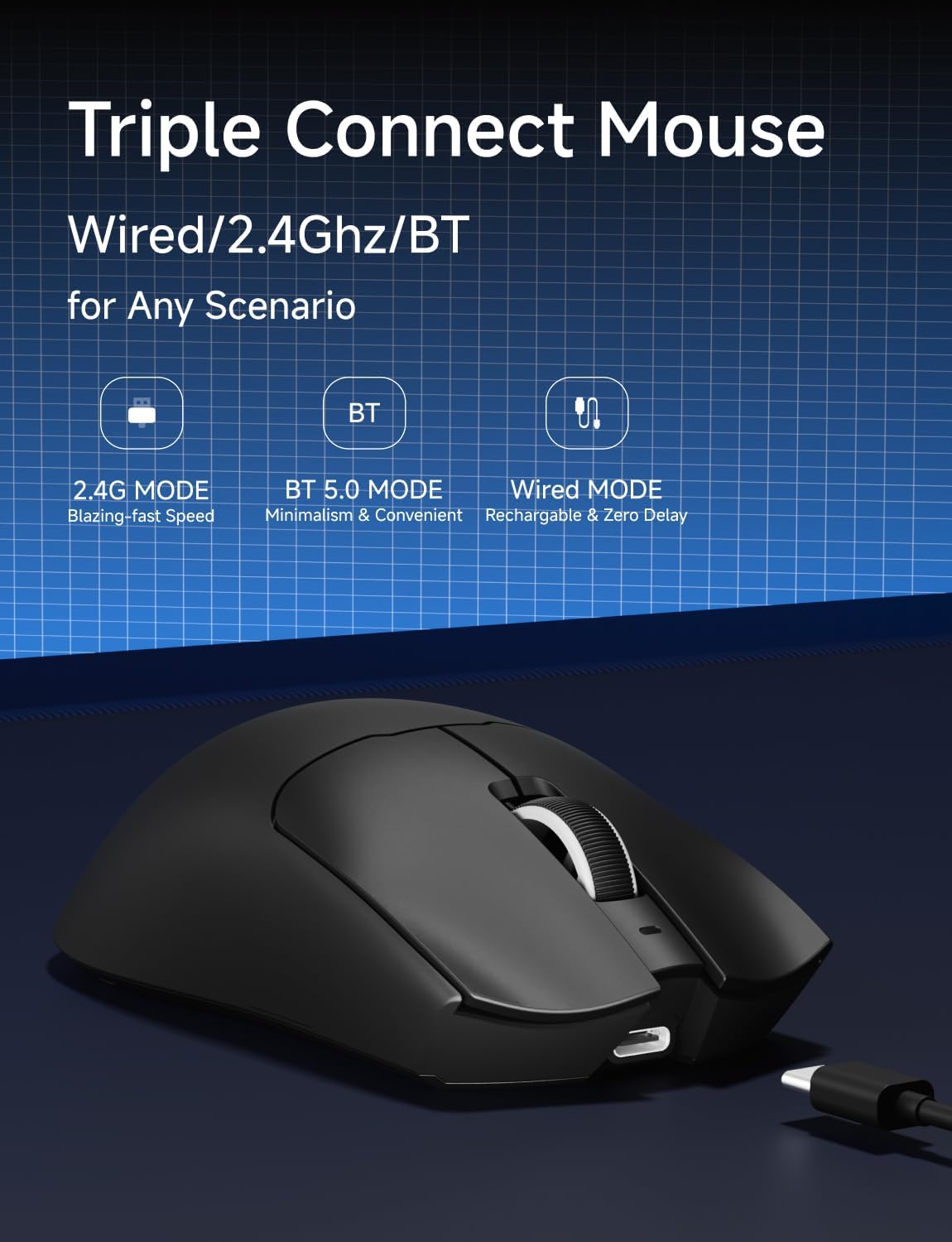
Image: An illustration highlighting the three connection modes: 2.4G Wireless for blazing-fast speed, Bluetooth 5.0 for convenience, and USB-C Wired for zero delay and recharging.
2.4G brezžična povezava
- Locate the 8K Custom Receiver (USB dongle) in the package.
- USB-sprejemnik priključite v razpoložljiva vrata USB na vašem računalniku.
- Potisnite stikalo za način na spodnji strani miške v položaj "2.4 G".
- Miška bi se morala samodejno povezati z računalnikom.
Povezava Bluetooth 5.0
- Slide the mode switch on the underside of the mouse to the "BT" position.
- V računalniku ali napravi odprite nastavitve Bluetooth in poiščite nove naprave.
- Select "EWEADN S9 Pro" from the list of available devices to pair.
Žična povezava USB-C
- Connect the supplied USB-C cable to the mouse's Type-C port.
- Priključite konec kabla USB-A v prosta vrata USB na računalniku.
- Miška bo delovala v žičnem načinu in se hkrati polnila.
5. Navodila za uporabo
5.1. Prilagoditev DPI
The EWEADN S9 Pro mouse features customizable DPI settings. You can cycle through preset DPI levels using the dedicated DPI switch button on the top of the mouse. For fine-tuning and additional customization, please use the official EWEADN software.

Image: The EWEADN S9 Pro mouse with an overlay indicating 6 customizable DPI settings, ranging from 800 to 26000 DPI.
5.2. Stopnja glasovanja
The mouse supports an 8K polling rate in wireless mode (with the 8K receiver) and 1K in wired mode. The polling rate can be configured through the EWEADN software to match your preferences and system capabilities.
5.3. Programabilni gumbi
The S9 Pro mouse is equipped with programmable buttons. To customize button functions, DPI/IPS settings, lift-off distance, and create macros, download and install the official EWEADN software from the manufacturer's website. This software allows for advanced personalization of your mouse settings.
5.4. Ergonomska oblika
The mouse is designed for right-handed users with medium to large hands, weighing only 59 grams. Its ergonomic shape aims to reduce fatigue during extended use. It supports various grip styles including palm, claw, and fingertip grips.

Image: An illustration demonstrating the EWEADN S9 Pro mouse's compatibility with palm grip, claw grip, and fingertip grip styles, designed for medium-large handed players.
6. Vzdrževanje
6.1. Čiščenje
To clean your mouse, use a soft, dry, lint-free cloth. Avoid using harsh chemicals, solvents, or abrasive materials, as these can damage the surface and internal components. For stubborn dirt, a slightly damp cloth can be used, ensuring no moisture enters the mouse.
6.2. Skrb za baterijo
The S9 Pro features a 500mAh rechargeable battery. To maximize battery life:
- Miške ne izpostavljajte ekstremnim temperaturam.
- Charge the mouse regularly, especially when the battery indicator shows low power.
- If storing the mouse for an extended period, charge it to approximately 50% before storage.
7. Odpravljanje težav
7.1. Miška se ne odziva
- Preverite baterijo: Ensure the mouse is charged. Connect the USB-C cable to charge.
- Preverite način povezave: Verify the mode switch on the underside is set correctly (2.4G, BT, or OFF).
- 2.4G brezžično: Prepričajte se, da je USB-sprejemnik varno priključen v delujoča USB-vrata. Poskusite z drugimi USB-vhodi.
- Bluetooth: Re-pair the mouse with your device in Bluetooth settings. Ensure your device's Bluetooth is enabled.
- Žično: Ensure the USB-C cable is firmly connected to both the mouse and the computer.
7.2. DPI Not Changing
- Ensure you are pressing the correct DPI switch button.
- If using custom DPI settings, check the EWEADN software to ensure settings are applied correctly.
7.3. Lag or Stuttering
- Brezžične motnje: Move the mouse closer to the receiver or your Bluetooth device. Avoid placing the receiver near other wireless devices or large metal objects.
- Stopnja glasovanja: While 8K polling rate offers high performance, some systems may experience issues. Try reducing the polling rate via the EWEADN software if you encounter instability.
- Raven baterije: Low battery can sometimes affect wireless performance. Charge the mouse fully.
8. Specifikacije
| Funkcija | Podrobnost |
|---|---|
| Znamka | EWEADN |
| Številka modela | S9 Pro |
| Tehnologija povezljivosti | 2.4 GHz brezžično, Bluetooth 5.0, USB-C žično |
| Tehnologija zaznavanja gibanja | Optični (senzor PAW3395) |
| Razpon DPI | Do 26000 DPI |
| IPS Tracking | 650 IPS |
| Polling Rate | 8K Wireless, 1K Wired |
| Stikala | Kailh Micro Switch (100 Million Clicks) |
| Kapaciteta baterije | 500 mAh |
| Življenjska doba baterije | Do 250 ur |
| Teža | 59 gramov (približno 2.08 unče) |
| Združljivost | Windows 7/8/10/XP/Vista, Mac OS, Linux, Android |
| Dolžina kabla | 1.5M Parachute Cord |
| Dimenzije paketa | 7.32 x 5.75 x 2.32 palcev |
9. Garancija in podpora
EWEADN provides manufacturer support for its products. If you encounter any issues or have questions regarding your S9 Pro Wireless Gaming Mouse, please contact EWEADN customer support. The manufacturer aims to provide a response within 24 hours and offers 360 days of brand support.

Image: An illustration indicating EWEADN's commitment to customer support, including 24-hour reply times and 360 days of manufacturer brand support.
For the most up-to-date support information and software downloads, please visit the official EWEADN webmesto.


