1. Izdelek je končanview
The WVX Gaming Laptop R9-6900HX (Model A02) is a high-performance portable computer designed for demanding tasks such as gaming, content creation, and multitasking. It features an AMD Ryzen 9 6900HX processor, AMD Radeon 680M integrated graphics, and fast DDR5 memory.
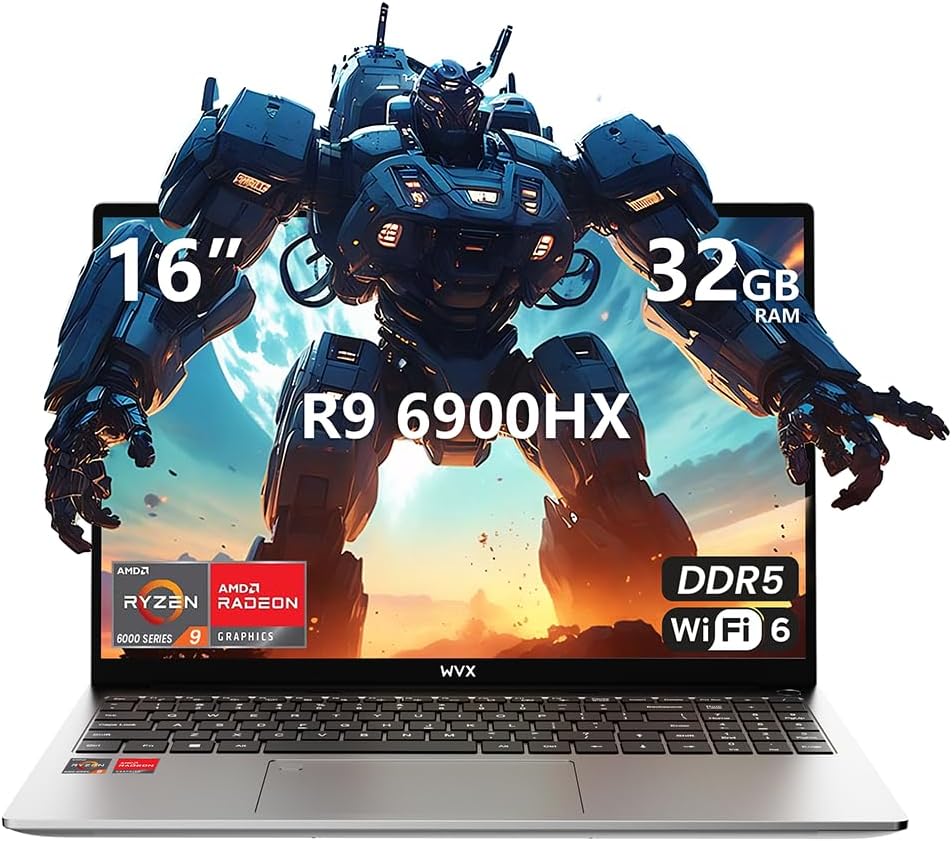
Image 1.1: WVX Gaming Laptop R9-6900HX
Ključne značilnosti:
- Visokozmogljiv procesor: AMD Ryzen 9 6900HX with 8 cores and 16 threads, up to 4.9 GHz.
- Integrirana grafika: AMD Radeon 680M, delivering strong visual performance.
- Hiter pomnilnik: 32GB DDR5 RAM, expandable up to 64GB.
- Ample shranjevanje: 512GB SSD, expandable up to 2TB.
- Živahni zaslon: 16-inch Full HD (1920x1200) screen.
- Napredna povezljivost: Wi-Fi 6 in Bluetooth 5.2.
- Operacijski sistem: Prednameščen z operacijskim sistemom Windows 11 Pro.
2. Nastavitev
2.1 Razpakiranje in začetni pregled
Carefully remove the laptop and its accessories from the packaging. Ensure all components listed in the 'What's in the Box' section are present and undamaged.
- R9-6900HX laptop
- PD100W adapter (charger)
2.2 Priključitev napajalnika
Connect the PD100W adapter to the laptop's power input port and then plug it into a power outlet. It is recommended to fully charge the laptop before its first use.
2.3 Začetni zagon in namestitev sistema Windows
Press the power button located on the laptop. The system will guide you through the initial Windows 11 Pro setup process. Follow the on-screen instructions to configure your language, region, network, and user account.
3. Navodila za uporabo
3.1 Tipkovnica in sledilna ploščica
The laptop features a full-size keyboard with a numeric keypad and a responsive touchpad. The keyboard is backlit for comfortable use in low-light conditions. The touchpad supports multi-touch gestures for enhanced navigation.

Image 3.1: Laptop keyboard and touchpad layout.
3.2 Prikaz in grafika
The 16-inch FHD display offers a resolution of 1920x1200 pixels, providing clear and vibrant visuals. The AMD Radeon 680M graphics processor handles demanding visual tasks efficiently.

Image 3.2: Display features including 300 nits brightness, IPS, and low blue light.
3.3 Vrata in povezljivost
The laptop is equipped with various ports for external devices and connectivity:
- 4x USB 3.0 vrata
- Vrata HDMI
- Full-function Type-C Port (supports charging, data transfer, external 4K monitor)
- 3.5 mm priključek za slušalke
- Čitalec kartic SD
For wireless connectivity, the laptop supports Wi-Fi 6 for high-speed internet and Bluetooth 5.2 for connecting peripherals.
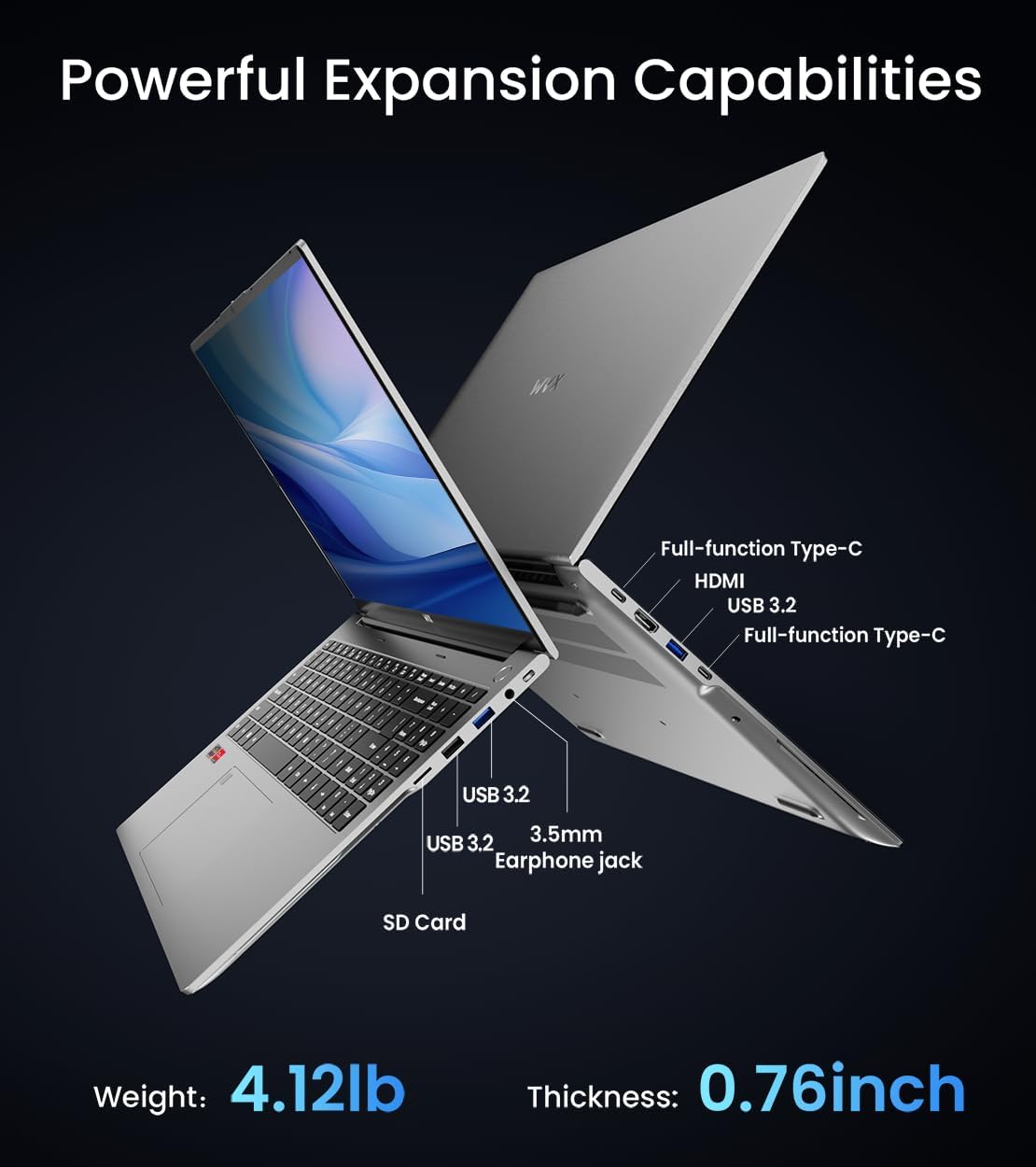
Slika 3.3: Konecview of available ports and physical dimensions.
4. Vzdrževanje
4.1 Čiščenje
Za ohranjanje optimalne zmogljivosti in videza redno čistite prenosni računalnik. Za zaslon in zunanjost uporabljajte mehko krpo, ki ne pušča vlaken. Za trdovratne madeže uporabite rahloampened cloth with water or a specialized screen cleaner can be used. Avoid harsh chemicals.
4.2 Posodobitve programske opreme
Regularly update your Windows operating system and drivers to ensure system stability, security, and optimal performance. Windows Update can be accessed through the Settings menu.
4.3 Nadgradnje shranjevanja in pomnilnika
The laptop's RAM can be upgraded to a maximum of 64GB, and the SSD storage can be expanded up to 2TB. Consult a qualified technician for hardware upgrades to avoid voiding your warranty.

Image 4.1: Illustration of memory and storage upgrade capabilities.
5. Odpravljanje težav
5.1 Težave z napajanjem
- Prenosnik se ne vklopi: Prepričajte se, da je napajalnik varno priključen in da je baterija dovolj napolnjena. Poskusite z drugo vtičnico.
- Baterija se ne polni: Verify the power adapter is functioning correctly. Check the charging port for any obstructions.
5.2 Težave z zaslonom
- Prazen zaslon: Priključite zunanji monitor, da preverite, ali je težava v zaslonu prenosnika. Znova zaženite prenosnik.
- Utripajoči zaslon: Posodobite gonilnike grafične kartice. Prilagodite hitrost osveževanja zaslona v nastavitvah sistema Windows.
5.3 Težave z zmogljivostjo
- Počasna zmogljivost: Zaprite nepotrebne aplikacije. Preverite, ali je na voljo zlonamerna programska oprema. Zagotovite dovolj prostega prostora za shranjevanje.
- Pregrevanje: Ensure ventilation vents are clear. Consider using a cooling pad.

Image 5.1: Illustration of the laptop's cooling system with pure copper heat pipes and fan speed.
6. Specifikacije
| Funkcija | Specifikacija |
|---|---|
| Znamka | WVX |
| Ime modela | R9-6900HX (A02) |
| Procesor | AMD Ryzen 9 6900HX (4.9 GHz, 8 Cores, 16 Threads) |
| Grafični koprocesor | AMD Radeon 680M |
| RAM | 32 GB DDR5 (največ 64 GB) |
| Trdi disk | 512 GB SSD (Max 2TB) |
| Velikost zaslona | 16 palcev |
| Največja ločljivost zaslona | 1920 x 1200 slikovnih pik |
| Operacijski sistem | Windows 11 Pro |
| Brezžična vrsta | 802.11ax (Wi-Fi 6) |
| Bluetooth | 5.2 |
| Število vrat USB 3.0 | 4 |
| Dimenzije izdelka | 14 x 9.7 x 0.78 palcev |
| Teža predmeta | 5.89 funtov |
| Baterija | 58 Wh |
| Posebne lastnosti | Backlit Keyboard, Fingerprint Reader, HD Audio |
7. Garancija in podpora
WVX offers comprehensive support for your laptop:
- Tehnična podpora: Enjoy unlimited technical support.
- Popravilo: 12 months of repair service for all customers.
- Odzivni čas: Online connection within 24 hours for inquiries.
For any questions or concerns, please reach out to the WVX support team.

Slika 7.1: Konecview of WVX customer support services.
8. Uradni videoposnetek izdelka
Video 8.1: Uradna video predstavitevasing the WVX R9 6900HX Laptop, highlighting its features and design.


