1. Uvod
The Rapoo MT760 PRO is a versatile multi-mode wireless mouse designed for enhanced productivity across various devices and operating systems. Featuring advanced NearLink technology, Bluetooth 5.0, and a wired option, it offers seamless connectivity and high-precision tracking. This manual provides detailed instructions for setup, operation, and maintenance to help you maximize your mouse's capabilities.
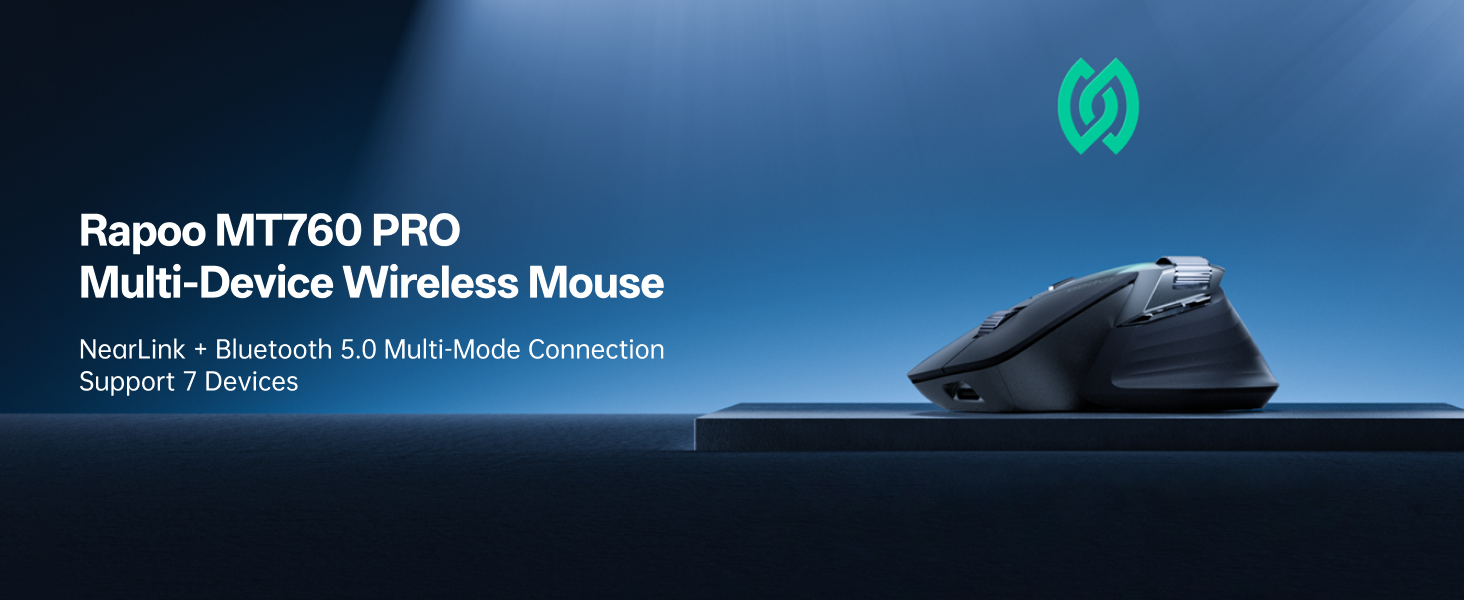
Image: The Rapoo MT760 PRO mouse shown connected to various devices, highlighting its multi-device capability.
2. Vsebina paketa
Prosimo, preverite, ali so v vašem paketu vsi elementi:
- 1 x Rapoo MT760 PRO Wireless Mouse
- 2 x NearLink USB ključka
- 1 x polnilni kabel USB-C (USB-A do USB-C)
- 1 x Uporabniški priročnik (ta dokument)

Image: The Rapoo MT760 PRO mouse, USB-C charging cable, and two NearLink USB dongles laid out on a wooden surface.
3. Nastavitev in povezljivost
3.1 Vklop/izklop
Locate the power switch on the underside of the mouse. Slide it to the 'ON' position to power on the device. Slide it to 'OFF' when not in use to conserve battery.
3.2 Connecting via NearLink USB Dongle (2.4GHz)
- Remove one of the NearLink USB dongles from its storage slot on the underside of the mouse.
- Priključite USB-ključek v prosta USB-vrata na računalniku.
- On the underside of the mouse, select the 2.4G mode (indicated by '1' or '2' for the two dongles). The mouse will automatically connect to the dongle.
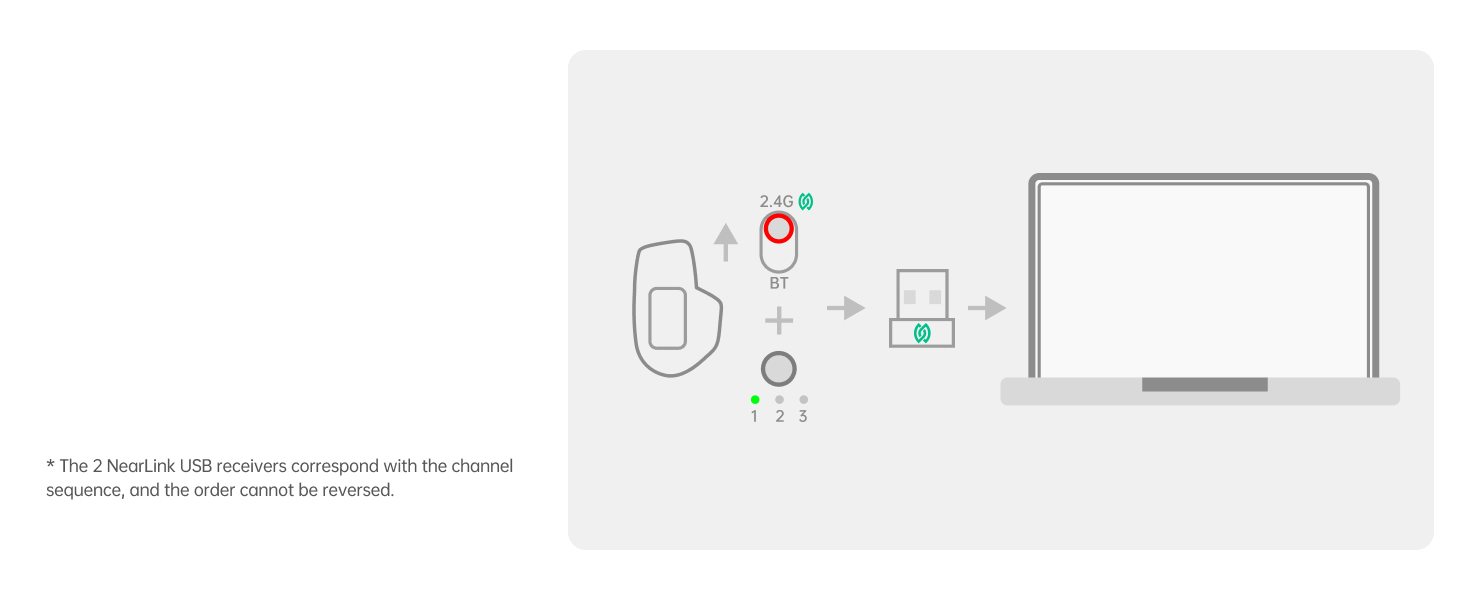
Image: Diagram illustrating the connection of the NearLink USB dongle to a laptop and selecting the corresponding channel on the mouse.
3.3 Connecting via NearLink Wireless (Direct)
- Ensure your device supports NearLink wireless direct connection.
- On the underside of the mouse, select the NearLink Wireless mode (indicated by '3').
- Follow your device's instructions to pair with the mouse.
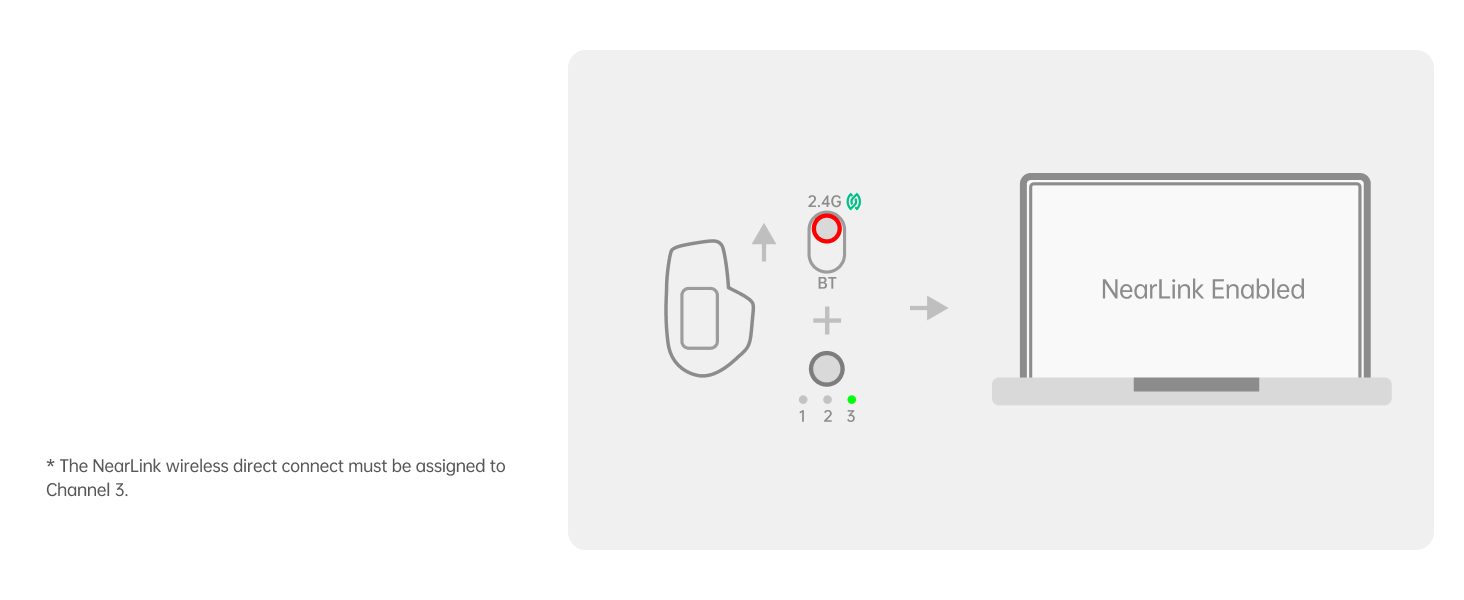
Image: Diagram showing the NearLink Wireless connection process, with the mouse set to channel 3.
3.4 Connecting via Bluetooth (BT1, BT2, BT3)
- On the underside of the mouse, select one of the Bluetooth modes (BT1, BT2, or BT3).
- Press and hold the selected Bluetooth button until the indicator light flashes rapidly, indicating pairing mode.
- On your device (computer, laptop, tablet, phone), go to Bluetooth settings and search for 'Rapoo MT760 PRO'. Select it to pair.
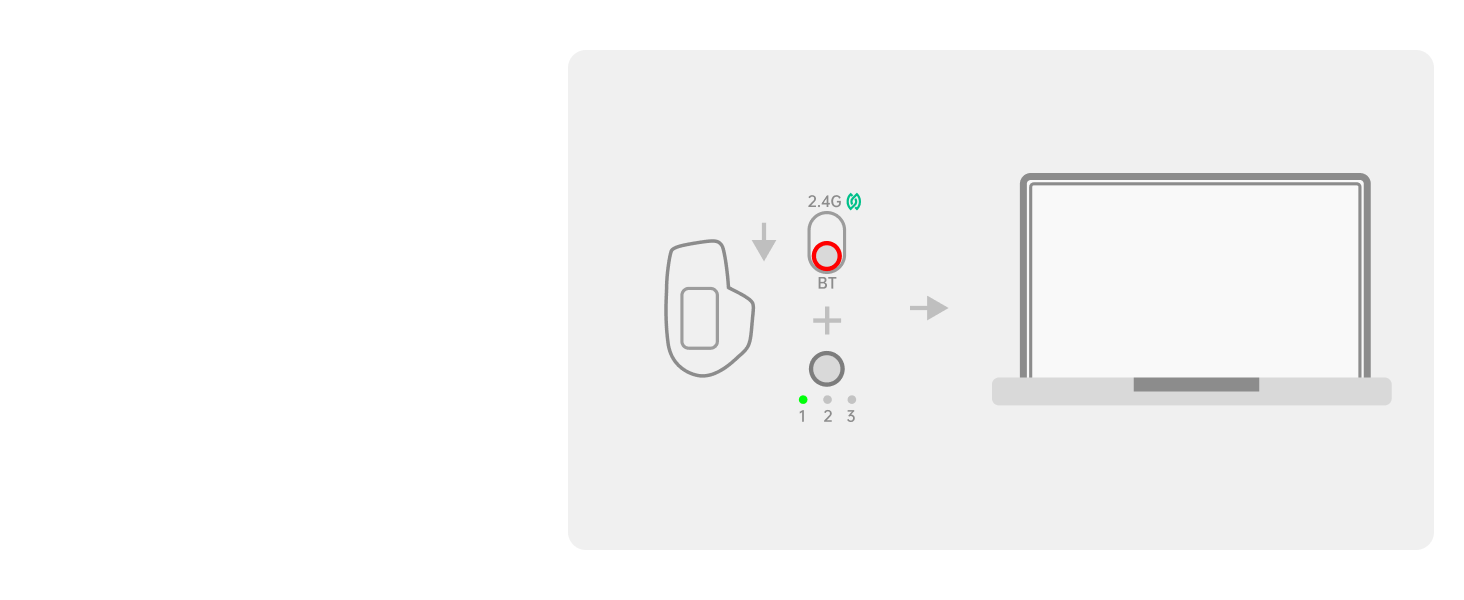
Image: Diagram illustrating the Bluetooth connection process, showing the mouse in pairing mode and connecting to a laptop.
3.5 žična povezava
Connect the USB-C charging cable from the mouse to your computer. The mouse will automatically switch to wired mode. The wired option has protocol priority over NearLink and Bluetooth connections.
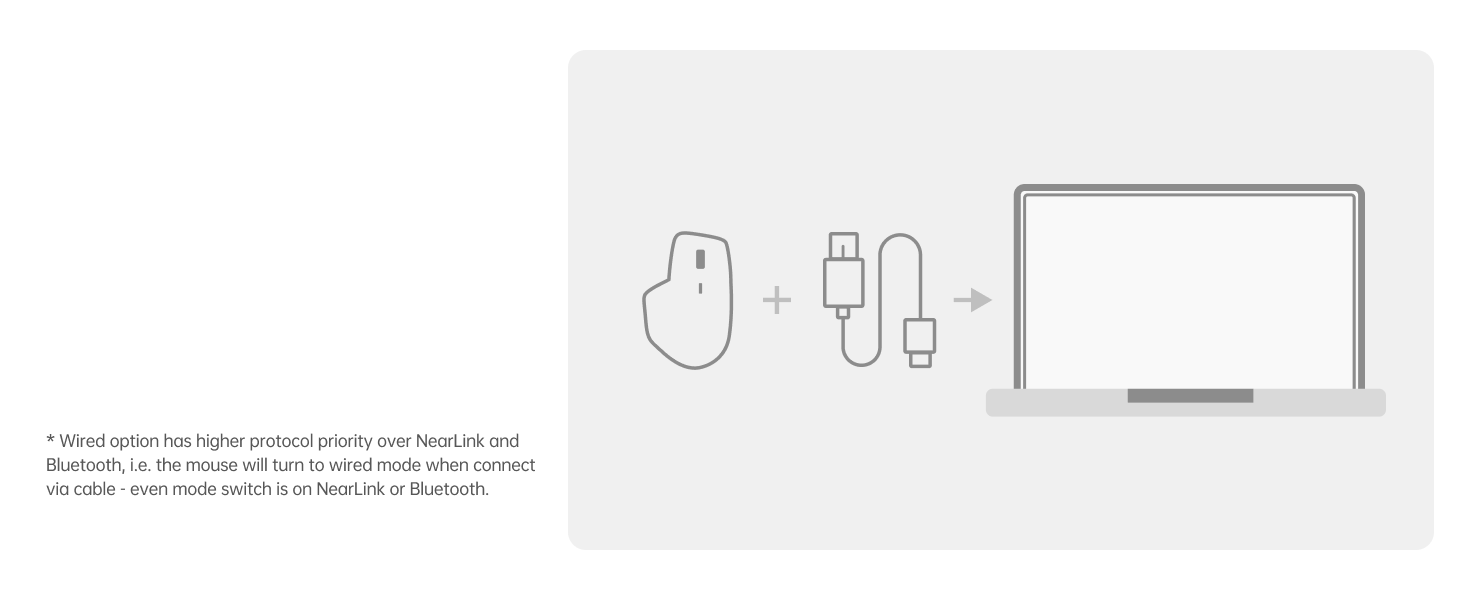
Image: Diagram showing the mouse connected to a laptop via a USB-C cable, indicating wired mode.
3.6 Namestitev gonilnika
For full functionality, including customizing programmable buttons, adjusting DPI with 50-interval adjustments, and utilizing M+ Cross-Computer technology, install the Rapoo mouse driver software. This software is primarily compatible with Windows systems. The on-board memory stores your settings, eliminating the need for reconfiguration after reboot or on other devices.
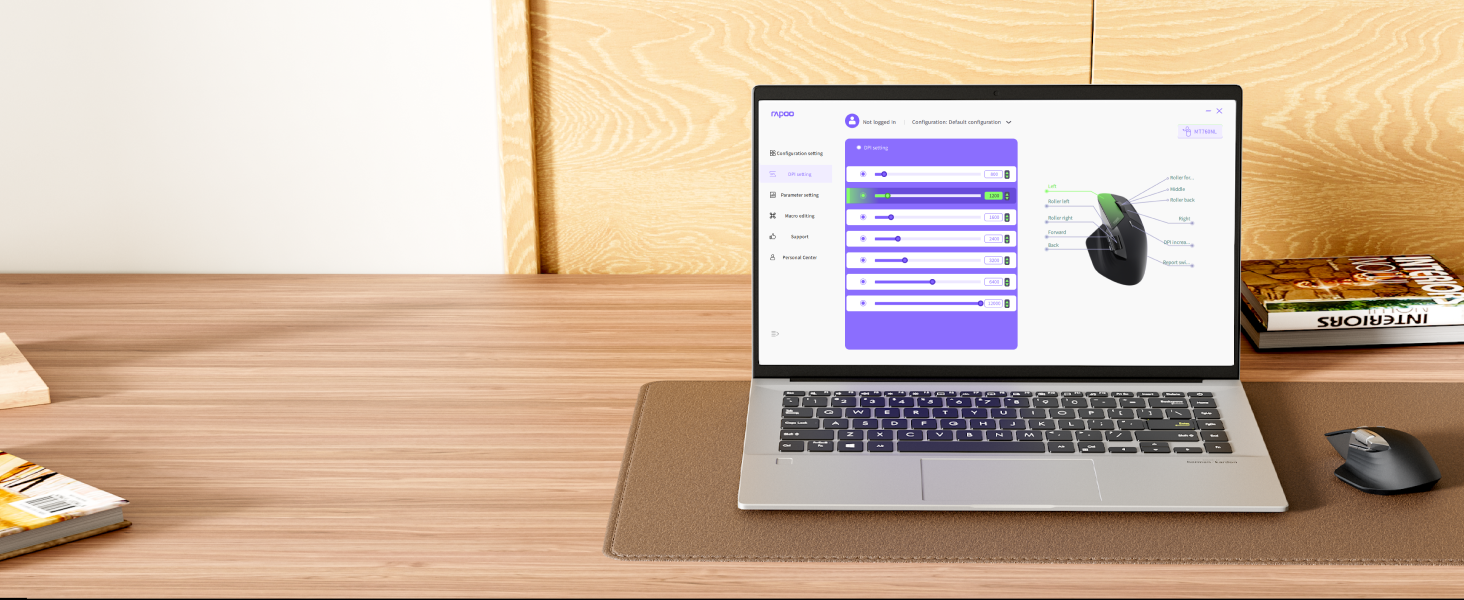
Image: Screenshot of the Rapoo software interface showing options for customizing the 11 programmable buttons.
4. Navodila za uporabo
4.1 Prilagoditev DPI
The mouse features 7 adjustable DPI levels: 800, 1200, 1600, 2400, 3200, 6400, and 12000. Press the dedicated DPI button on the mouse to cycle through these preset levels. Fine-tune DPI settings in 50-interval adjustments using the driver software.
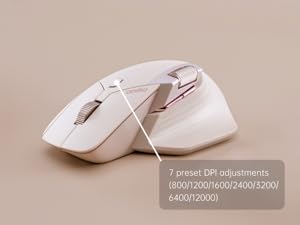
Image: Visual representation of the 7 adjustable DPI levels (800-12000) available on the Rapoo MT760 PRO mouse.
4.2 programabilni gumbi
The MT760 PRO has 11 programmable buttons. Use the Rapoo driver software to assign shortcuts, media keys, or macros to these buttons, streamlining your workflow and boosting efficiency. Settings are saved to the mouse's on-board memory.
4.3 M+ Cross-Computer Technology
This feature allows seamless control across multiple computers. By simply moving your cursor to the edge of one screen, it will automatically appear on the adjacent screen of another connected computer. You can also wirelessly transfer files by copying from one computer and pasting on the other. Ensure the mouse driver is installed and all devices are connected to the same Wi-Fi or Ethernet network for this function.
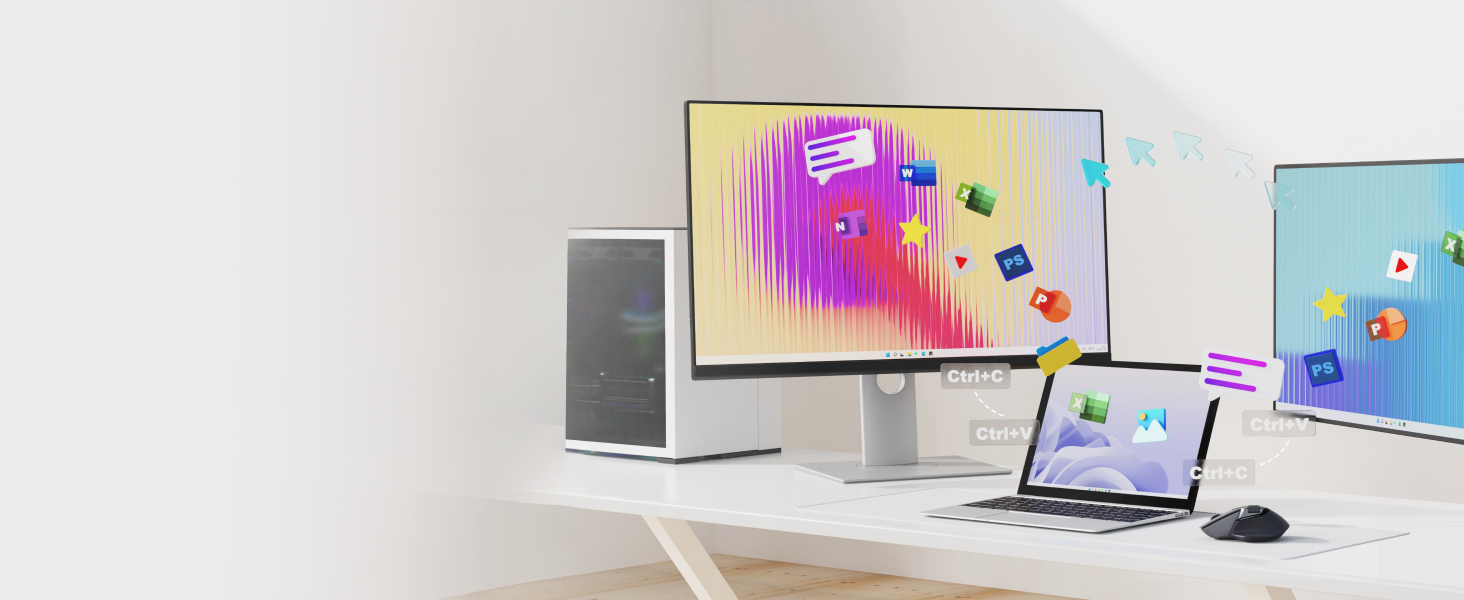
Image: Illustration of the M+ Cross-Computer feature, showing a cursor moving between two computers and filese prenaša.
4.4 Scroll Wheels
The mouse features a Hall magnetic induction side scroll wheel and a center scroll wheel, designed for smooth and precise scrolling. These provide a comfortable and efficient experience for navigating documents and web strani.
5. Polnjenje in življenjska doba baterije
5.1 Polnjenje
The Rapoo MT760 PRO is equipped with an 800mAh Li-Po battery and supports USB-C quick charging. Connect the provided USB-C cable to the mouse and a power source (e.g., computer USB port, wall adapter) to charge. A 5-minute quick charge can provide a full day of use.
5.2 Brezžično polnjenje
The mouse is wireless charging enabled and works with most Qi wireless charging mouse pads. For continuous wireless charging during use, the P3 Wireless Charging Module can be purchased separately.
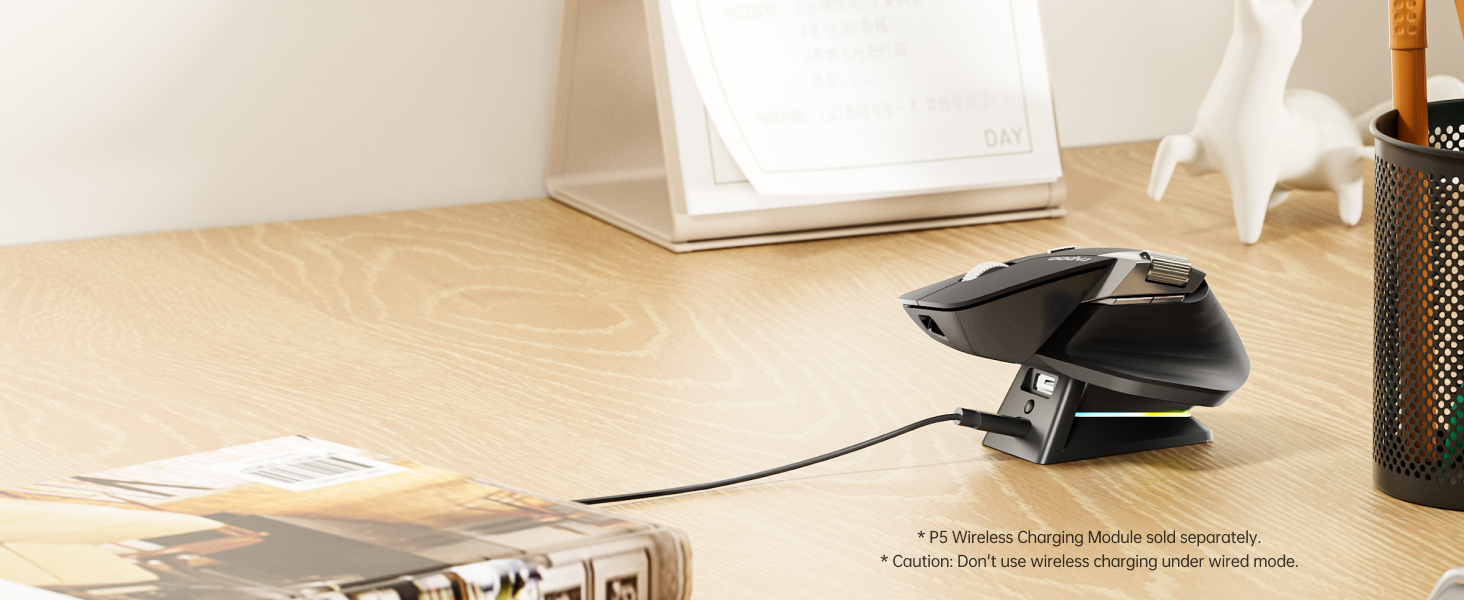
Image: The Rapoo MT760 PRO mouse resting on a wireless charging pad, illustrating its Qi wireless charging capability.
5.3 Življenjska doba baterije
Utilizing NearLink’s low-power access mode, the mouse can achieve a battery life of up to 120 days on a single charge. Actual battery life may vary based on usage frequency, device conditions, and environmental factors.
6. Vzdrževanje
To ensure the longevity and optimal performance of your Rapoo MT760 PRO mouse, follow these maintenance guidelines:
- Čiščenje: Use a soft, dry cloth to clean the mouse surface. For stubborn dirt, lightly dampKrpo sperite z vodo ali blago čistilno raztopino. Izogibajte se agresivnim kemikalijam ali abrazivnim materialom.
- Skrb za senzor: Optični senzor na spodnji strani miške naj bo čist in brez prahu ali umazanije.
- Shranjevanje: When not in use for extended periods, store the mouse in a cool, dry place. If storing for a long time, ensure the mouse is fully charged and powered off.
- Izogibajte se ekstremnim razmeram: Miške ne izpostavljajte ekstremnim temperaturam, neposredni sončni svetlobi ali visoki vlažnosti.
7. Odpravljanje težav
If you encounter issues with your Rapoo MT760 PRO mouse, please refer to the following common solutions:
- Ni povezave:
- Prepričajte se, da je miška vklopljena.
- Check if the correct connection mode (2.4G, BT1/2/3, or Wired) is selected on the mouse.
- For 2.4G, ensure the USB dongle is securely plugged in. Try a different USB port.
- For Bluetooth, ensure your device's Bluetooth is enabled and the mouse is in pairing mode.
- For M+ Cross-Computer, verify the driver is installed and all devices are on the same network.
- Zakasnitev ali neodzivnost kazalca:
- Preverite raven napolnjenosti baterije in po potrebi napolnite miško.
- Ensure the optical sensor is clean.
- Poskusite uporabiti miško na drugi površini.
- If using wireless, ensure there are no strong interferences (e.g., other wireless devices, metal objects) nearby.
- Gumbi ne delujejo/Prilagajanje:
- Ensure the Rapoo driver software is installed and up to date.
- Verify that button assignments are correctly configured in the software.
If problems persist, please contact Rapoo customer support.
Video: An official product video demonstrating the multi-device and 12K DPI features of the Rapoo MT760 PRO Wireless Mouse.
8. Specifikacije
| Funkcija | Podrobnost |
|---|---|
| Številka modela | MT760 PRO |
| Tehnologija povezljivosti | Bluetooth 5.0, NearLink (2.4GHz USB Dongle & Wireless), Wired (USB-C) |
| DPI ravni | 800/1200/1600/2400/3200/6400/12000 (Adjustable in 50-interval steps via software) |
| Polling Rate | Up to 2K (2000Hz) |
| Programabilni gumbi | 11 |
| Vrsta baterije | 1 litijev polimer (priložen) |
| Kapaciteta baterije | 800 mAh |
| Življenjska doba baterije | Do 120 dni |
| Vrata za polnjenje | USB-C |
| Brezžično polnjenje | Qi-enabled (P3 Wireless Charging Module sold separately) |
| Tehnologija zaznavanja gibanja | Optični |
| Dimenzije izdelka | 6.73 x 4.4 x 0.1 palcev |
| Teža predmeta | 3.88 unč |
| Operacijski sistemi | Windows, Mac, Linux, Chrome, Android |
9. Garancija in podpora
Rapoo products are designed for reliability and performance. For warranty information, please refer to the warranty card included with your purchase or visit the official Rapoo website. For technical support, troubleshooting assistance, or further inquiries, please contact Rapoo customer service through their official channels.


