1. Izdelek je končanview
The TABWEE T20 is a versatile 10-inch Android tablet designed for both productivity and entertainment. It features a high-resolution Incell display, a powerful Octa-Core processor, and ample memory and storage, making it suitable for a wide range of applications from content creation to multimedia consumption.
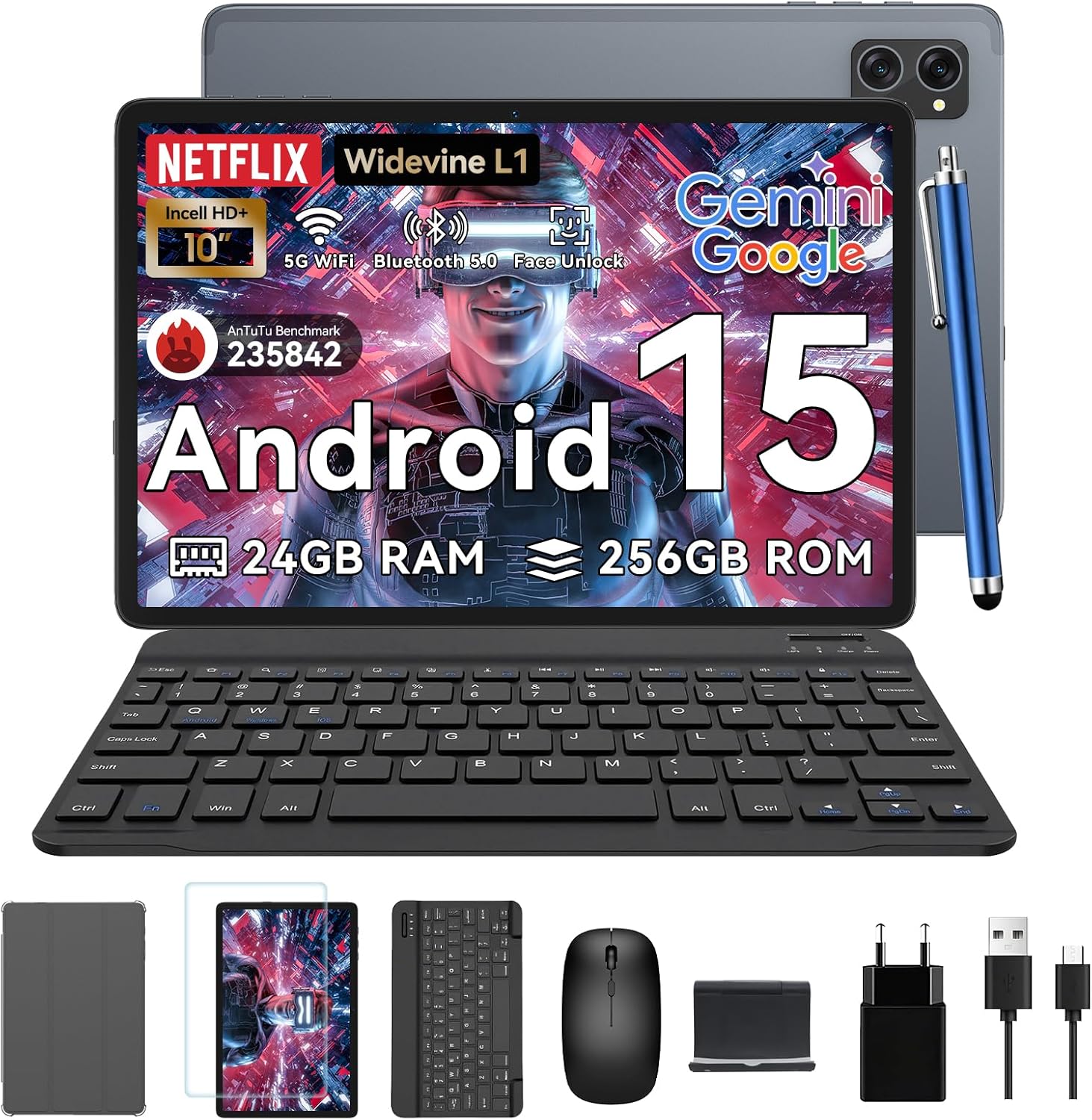
Figure 1.1: TABWEE T20 Tablet and its complete accessory package, including a Bluetooth keyboard, mouse, stylus, protective case, screen protector, charger, and USB cable.
Kaj je v škatli
Upon unboxing your TABWEE T20 Tablet, verify that all components are present:

Figure 1.2: Contents of the TABWEE T20 Tablet retail package.
- 1x TABWEE T20 Tablet
- 1x Bluetooth tipkovnica
- 1x miška
- 1x Stylus
- 1x zaščitna torbica
- 1x zaščita za zaslon
- 1x Tablet Stand
- 1x polnilec
- 1x USB kabel
2. Nastavitev in prva uporaba
Polnjenje tablice
Before first use, fully charge the tablet using the provided charger and USB cable. Connect the charger to a power outlet and the USB cable to the tablet's charging port. The charging indicator will illuminate.
Vklop/izklop
- Za vklop: Press and hold the Power button until the TABWEE logo appears on the screen.
- Za izklop: Pritisnite in držite gumb za vklop, dokler se ne prikaže meni z možnostmi napajanja. Izberite »Izklop« in potrdite.
- Za ponovni zagon: V meniju z možnostmi napajanja izberite »Ponovni zagon« in potrdite.
Čarovnik za začetno namestitev
Ob prvem vklopu vas bo tablični računalnik vodil skozi čarovnika za začetno nastavitev. Sledite navodilom na zaslonu za:
- Izberite svoj jezik.
- Povežite se z omrežjem Wi-Fi.
- Prijavite se s svojim Google Računom ali ustvarite novega.
- Nastavite zaklepanje zaslona (PIN, vzorec, geslo ali odklepanje z obrazom).
- Review in sprejmite pogoje poslovanja.
Priključitev dodatkov
The TABWEE T20 comes with a Bluetooth keyboard and mouse for enhanced productivity.
- Bluetooth tipkovnica:
- Prepričajte se, da je tipkovnica napolnjena in vklopljena.
- Na tabličnem računalniku pojdite na Nastavitve > Povezane naprave > Bluetooth.
- Turn on Bluetooth and tap "Pair new device".
- Select the keyboard from the list of available devices and follow pairing instructions.
- Bluetooth Mouse:
- Prepričajte se, da je miška vklopljena in v načinu za seznanjanje.
- Na tabličnem računalniku pojdite na Nastavitve > Povezane naprave > Bluetooth.
- Tap "Pair new device" and select the mouse from the list.
- Pisalo: The included stylus can be used directly on the screen for navigation, drawing, and note-taking. It features palm-rejection precision.
3. Upravljanje tabličnega računalnika
Operacijski sistem Android 15
The TABWEE T20 runs on Android 15, offering enhanced privacy controls, seamless cross-device collaboration, and improved multitasking capabilities.

Slika 3.1: Ključne značilnosti operacijskega sistema Android 15.
Gemini AI Integration
The tablet integrates Google Gemini AI, which intelligently optimizes tasks, from photo editing to document formatting, while prioritizing security with a dedicated encrypted privacy space.

Slika 3.2: Konecview of Gemini AI capabilities on the tablet.
Display and Multimedia
The 10.1-inch Incell HD+ display (1280x800 resolution) provides vivid colors and crisp details. With Widevine L1 certification, you can enjoy 1080P streaming on platforms like Netflix, Disney+, and Hulu.

Figure 3.3: Display features and eye-friendly modes.
The tablet also features Dual Smart-K Box Speakers for an immersive audio experience.

Figure 3.4: Dual Smart-K Box Speakers for enhanced audio.
Lastnosti kamere
Equipped with an 8MP rear camera and a 5MP front camera, the tablet supports Google Lens integration for smart scanning and object recognition. Face Unlock is also supported for convenient security.

Slika 3.5: Specifikacije in funkcije kamere.

Figure 3.6: Smart Google Lens functionalities.
Povezljivost
The TABWEE T20 supports dual-band 5G WiFi and Bluetooth 5.0 for fast and stable connections.
- Wi-Fi: Connect to 2.4GHz or 5GHz networks for seamless streaming and quick downloads.
- Bluetooth 5.0: Pair with wireless earbuds, speakers, or other Bluetooth-enabled devices with 20% faster data transfer speed.
- Podpora za OTG: Allows for easy transfer of files to and from external storage devices.

Figure 3.7: Advanced Bluetooth 5.0 connectivity.

Figure 3.8: Lightning Fast WiFi 5 Technology.
4. Vzdrževanje in nega
Proper maintenance ensures the longevity and optimal performance of your TABWEE T20 Tablet.
Upravljanje baterije
The 5000mAh battery provides extended usage times. To maximize battery life:
- Izogibajte se ekstremnim temperaturam.
- Uporabite priloženi polnilnik.
- Enable smart power-saving modes in settings.
- Zaprite neuporabljene aplikacije, ki se izvajajo v ozadju.

Figure 4.1: 5000mAh Mega Battery performance metrics.
Čiščenje tabličnega računalnika
- Za čiščenje zaslona in ohišja uporabite mehko krpo, ki ne pušča vlaken.
- Za trdovratne madeže rahlo dampkrpo z vodo ali čistilom za zaslone.
- Izogibajte se uporabi močnih kemikalij ali abrazivnih materialov.
Shranjevanje in upravljanje pomnilnika
The tablet comes with 256GB of internal storage and supports up to 2TB TF card expansion. It also features 24GB RAM (8GB physical + 16GB virtual) for smooth multitasking.

Figure 4.2: Storage and RAM expansion capabilities.
To optimize performance and storage:
- Redno čistite predpomnilnik in začasne files.
- Odstranite neuporabljene aplikacije.
- Utilize the 2TB TF card slot for large files like 4K videos and design documents.
5. Odpravljanje težav
This section addresses common issues you might encounter with your TABWEE T20 Tablet.
| Težava | Možen vzrok | rešitev |
|---|
| Tablični računalnik se ne vklopi. | Prazna baterija; sesutje sistema. | Tablični računalnik polnite vsaj 30 minut. Če se še vedno ne odziva, pritisnite in držite gumb za vklop 10–15 sekund, da ga prisilite k ponovnemu zagonu. |
| Težave z Wi-Fi povezavo. | Incorrect password; router issues; out of range. | Verify Wi-Fi password. Restart your router. Ensure tablet is within Wi-Fi range. Forget the network and reconnect. |
| Bluetooth accessories not pairing. | Accessory not in pairing mode; Bluetooth off on tablet. | Ensure accessory is in pairing mode. Turn Bluetooth off and on again on the tablet. Restart both devices. |
| Počasno delovanje ali zrušitve aplikacije. | Preveč aplikacij, ki se izvajajo; premalo prostora za shranjevanje; zastarela programska oprema. | Close background apps. Clear app caches. Free up storage space. Check for system updates in Nastavitve > Sistem > Posodobitev sistema. |
| Zaslon se ne odziva. | Začasna programska napaka. | Force restart the tablet by holding the Power button for 10-15 seconds. |
Če težava po poskusu teh rešitev še vedno obstaja, se obrnite na podporo strankam.
7. Garancija in podpora
TABWEE is committed to providing excellent customer service and support for your T20 Tablet.
Informacije o garanciji
Your TABWEE T20 Tablet is covered by a 2-letna garancija from the date of purchase. This warranty covers manufacturing defects and ensures risk-free ownership.
Podpora uporabnikom
For any technical assistance, troubleshooting, or warranty claims, please contact our support team:
- Podpora po e-pošti: serviceplus.linda@gmail.com
- Online Call Support: Available 24/7 for US/CA customers.
- Repair Support: 2-Year Repair Support is provided.

Figure 7.1: TABWEE Customer Support Services.
Please have your purchase details and tablet model number ready when contacting support to expedite the process.


