1. Izdelek je končanview
The ShanWan Q38 is a versatile wireless Bluetooth controller designed for a wide range of gaming platforms. It features advanced controls such as Hall Effect joysticks and micro-switch buttons for enhanced precision and responsiveness.

Slika 1.1: Od zgoraj navzdol view of the ShanWan Q38 Wireless Bluetooth Controller, showcasinzaradi svoje kompaktne zasnove in razporeditve gumbov.
2. Vsebina paketa
Prosimo, preverite, ali so v paketu prisotni vsi elementi:
- ShanWan Q38 Wireless Bluetooth Controller
- USB polnilni kabel
- Uporabniški priročnik (ta dokument)
- 1 baterija AAA (predhodno nameščena ali priložena posebej)
3. Nastavitev in povezljivost
3.1 Polnjenje krmilnika
Before initial use, ensure the controller is sufficiently charged. Connect the provided USB charging cable to the controller's charging port and to a USB power source (e.g., computer, USB wall adapter). The LED indicator will show charging status.
3.2 Združljivost
The ShanWan Q38 controller is compatible with the following platforms:
- Nintendo Switch / Switch 2 (firmware upgrade may be required for Switch 2)
- Steam Deck
- Računalnik (Windows)
- Android devices (phones, tablets)
- iPhone
- iPad
- macOS devices
- PS4 (as indicated by mode switch, specific compatibility may vary)

Image 3.1: The ShanWan Q38 controller demonstrating compatibility with multiple gaming platforms.
3.3 Povezava prek Bluetooth
Če želite krmilnik povezati z napravo:
- Vklop: Pritisnite in držite gumb Domov na krmilniku, dokler lučke ne začnejo utripati.
- Izberite način: Use the mode switch located on the top edge of the controller to select the appropriate mode for your device:
- X Mode: For Mobile & Computer (Android, PC, macOS, iOS).
- Način S: For Nintendo Switch.
- Način P: For PS4 (if compatible).
- Seznanjanje: On your device, navigate to the Bluetooth settings and search for available devices. Select "ShanWan Q38" (or similar) from the list to pair.
- Potrditev: Once successfully paired, the indicator light on the controller will become solid.
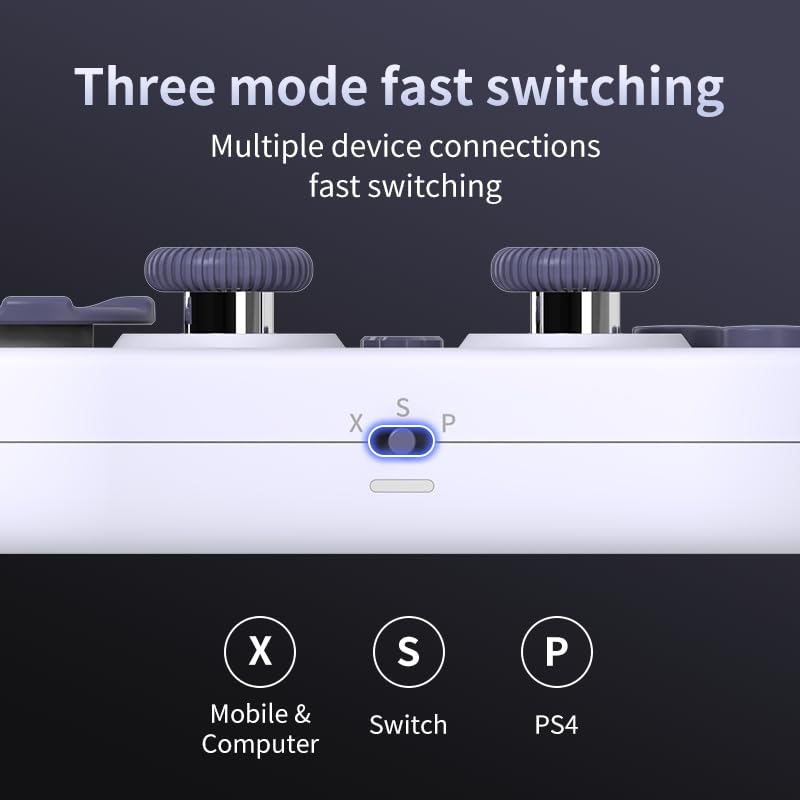
Image 3.2: Detail of the three-mode fast switching selector on the controller.
3.4 Customization and Calibration
For advanced customization, including button remapping and macro functions, download the official "gamepad space" application. This application also allows for controller calibration to ensure optimal performance.
4. Upravljanje krmilnika
4.1 Ključne lastnosti
- Igralne palice z Hallovim efektom: Provides high precision and sensitivity. The joystick height is adjustable between 5mm and 8mm for personalized comfort.
- Composite Micro-Switch Buttons: These buttons offer a tactile response similar to mechanical keyboards, providing quick and precise input.
- Mechanical Triggers: Designed for fast response times.
- Dual Micro Motors: Provides dual vibration feedback for an immersive gaming experience.
- Somatosensory Gyroscope: Equipped with a 6-axis gyroscope for motion control in supported games.

Image 4.1: Detail of the adjustable Hall Effect joysticks.

Image 4.2: Close-up of the composite micro-switch action buttons.

Image 4.3: Diagram illustrating the internal components of the composite micro-keypad.
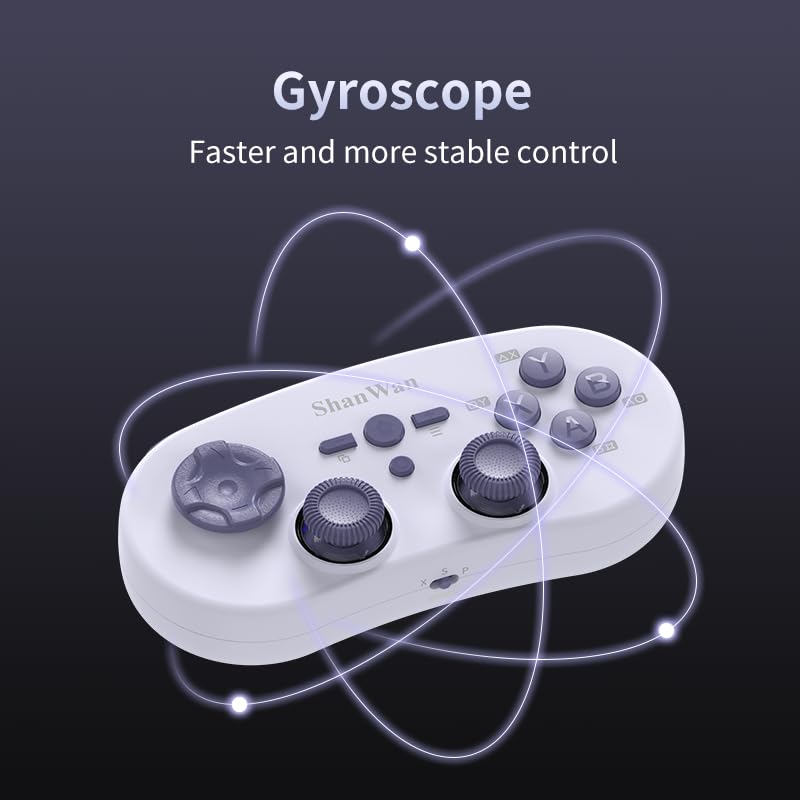
Image 4.4: Visual representation of the controller's gyroscope functionality.
4.2 Igralna izkušnja
The compact design allows for portability, making it suitable for gaming on the go with devices like the Nintendo Switch or smartphones.

Image 4.5: Controller in use with a Nintendo Switch.

Image 4.6: Controller paired with a smartphone for mobile gaming.
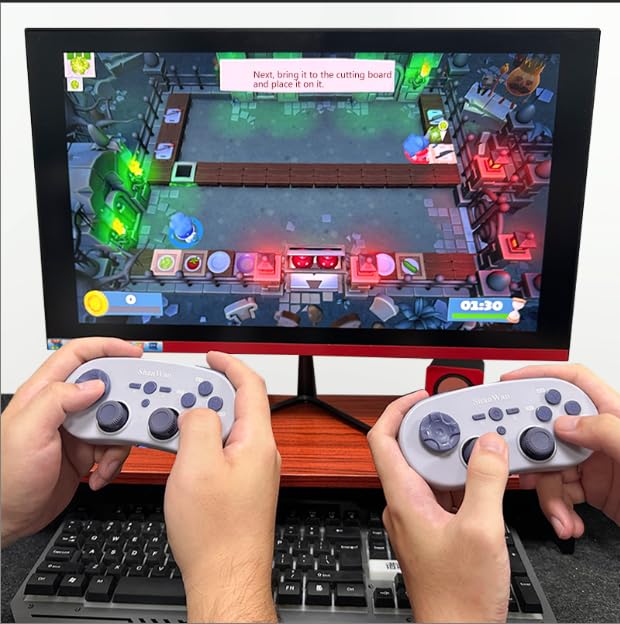
Image 4.7: Two controllers in use for multiplayer gaming on a PC.
5. Vzdrževanje
To ensure the longevity and optimal performance of your ShanWan Q38 controller, follow these maintenance guidelines:
- Čiščenje: Za brisanje krmilnika uporabite mehko, suho krpo. Za trdovratno umazanijo rahloamp Uporabite lahko krpo, vendar pazite, da v napravo ne vdre vlaga. Izogibajte se agresivnim kemikalijam ali abrazivnim čistilom.
- Shranjevanje: Krmilnik shranjujte na hladnem in suhem mestu, stran od neposredne sončne svetlobe in ekstremnih temperatur.
- Vzdrževanje baterije: If using replaceable AAA batteries, remove them if the controller will not be used for an extended period to prevent leakage.
- Izogibajte se kapljicam: Krmilnik zaščitite pred fizičnimi udarci in padci, ki lahko poškodujejo notranje komponente.
6. Odpravljanje težav
If you encounter issues with your ShanWan Q38 controller, refer to the following common problems and solutions:
- Controller Does Not Power On:
- Ensure the battery is correctly inserted and has sufficient charge. Replace AAA batteries if necessary.
- Connect the controller to a power source using the USB cable to confirm if it charges.
- Difficulty Connecting via Bluetooth:
- Ensure the controller is in the correct mode (X, S, or P) for your device.
- Izklopite in vklopite Bluetooth na napravi.
- Pozabite napravo v nastavitvah Bluetooth in poskusite znova vzpostaviti povezavo.
- Ensure the controller is within the effective range of your device.
- Gumbi ali igralne palice se ne odzivajo pravilno:
- Calibrate the controller using the "gamepad space" application.
- Preverite, ali so okoli gumbov ali igralnih palic kakšne fizične ovire ali umazanija.
- Ensure the controller's firmware is up to date, especially for Switch 2 compatibility.
- Naključne prekinitve povezav:
- Prepričajte se, da v bližini ni močnih brezžičnih motenj.
- Keep the controller close to the connected device.
- Re-pair the controller if disconnections are frequent.
7. Specifikacije
| Funkcija | Podrobnost |
|---|---|
| Številka modela | Q38 |
| Proizvajalec | ShanWan |
| Povezljivost | Brezžični Bluetooth |
| Združljivost | Switch/Switch 2, Steam Deck, PC, Android, iPhone, iPad, macOS, PS4 |
| Vrsta igralne palice | Hall Effect, Adjustable Height (5mm-8mm) |
| Vrsta gumba | Composite Micro-Switch |
| Vibracije | Dual Micro Motors |
| Nadzor gibanja | 6-osni žiroskop |
| Dimenzije paketa | 5.63 x 4.53 x 1.54 palcev |
| Teža predmeta | 4.6 unč |
| Baterije | Potrebna je 1 AAA baterija (priložena) |

Image 7.1: Physical dimensions of the ShanWan Q38 controller.
8. Garancija in podpora
For warranty information and customer support, please refer to the official ShanWan webali se obrnite na prodajalca, pri katerem ste izdelek kupili. Dokazilo o nakupu shranite za uveljavljanje garancije.


