1. Uvod
The Hbada E3 Air Ergonomic Office Chair is designed to provide optimal comfort and support for extended periods of sitting. It integrates advanced features such as a 3-zone dynamic lumbar support, a 3D adjustable headrest, 4D adjustable armrests, and a 140-degree reclining function with a gravity-sensing chassis. This manual provides essential information for assembly, operation, maintenance, and troubleshooting to ensure a comfortable and healthy seating experience.

Spredaj view of the Hbada E3 Air Ergonomic Office Chair in grey, featuring mesh back and seat, adjustable headrest, and footrest.
2. Nastavitev in montaža
The Hbada E3 Air chair is designed for straightforward assembly. Please follow the instructions provided in the included physical manual for detailed, step-by-step guidance. Ensure all parts are present and undamaged before beginning assembly. Typically, assembly involves:
- Razpakiranje vseh komponent in preverjanje s seznamom delov.
- Attaching the casters (wheels) to the chair base.
- Vstavljanje plinskega dvigalnega cilindra v podstavek.
- Connecting the seat mechanism to the seat cushion.
- Attaching the backrest to the seat mechanism.
- Securing the armrests to the chair.
- Mounting the headrest to the top of the backrest.
For a visual guide on some assembly aspects and adjustments, refer to the video below:
Video review demonstrating the assembly process, lumbar support, armrest adjustments, headrest adjustments, and reclining function of the Hbada E3 Air Ergonomic Office Chair.
3. Upravljanje in nastavitve
The Hbada E3 Air chair offers extensive adjustability to customize your seating experience:
- 3-Zone Dynamic Lumbar Support: This elastic support system provides an 8-way adjustment. The left and right floating wings rotate 40° internally and externally, adjust 1 inch front/back, and 1.6 inches up/down, with 14° dynamic support. This adapts to your movements, supporting your neck, waist, and shoulders.
- 3D Adjustable Headrest: The headrest features a dual-axis 70° rotation and can be adjusted 1.8 inches vertically to precisely fit your neck.
- 4D Adjustable Armrests: These armrests can be adjusted 1.97 inches front/back, 2.8 inches up/down, 40° left/right, and offer 40° dynamic support for flexible arm positioning.
- 140° Comfortable Reclining: The chair allows for a 140-degree recline, complemented by a gravity-sensing chassis that automatically adjusts to your body's weight and posture changes.
- Adjustable Seat Depth: The seat depth can be adjusted by 1.97 inches to accommodate different body types and postures.
- Height-Adjustable Backrest: The backrest offers a nine-position adjustment, allowing for 2.76 inches of vertical movement to suit individuals of varying heights.

Podrobno view of the chair's 3-Zone Elastic Lumbar Support, illustrating its adaptive design for lower back comfort.
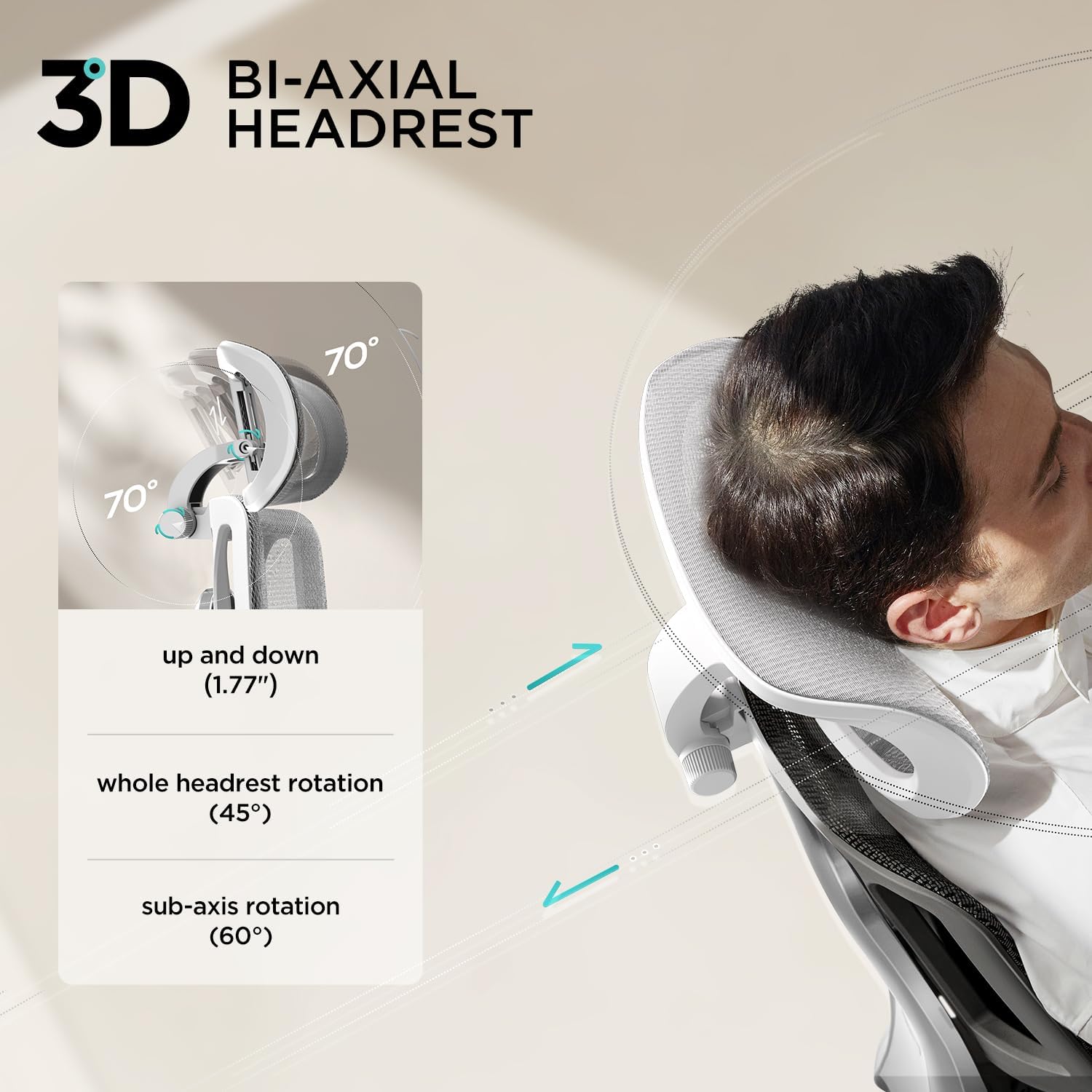
Close-up of the 3D Bi-Axial Adjustable Headrest, showing its multi-directional movement for neck support.

Podrobno view of the 4D Adjustable Armrests, demonstrating their range of motion for personalized arm support.

An illustration of a user fully reclined in the Hbada E3 Air chair, showcasing the 140-degree recline function.
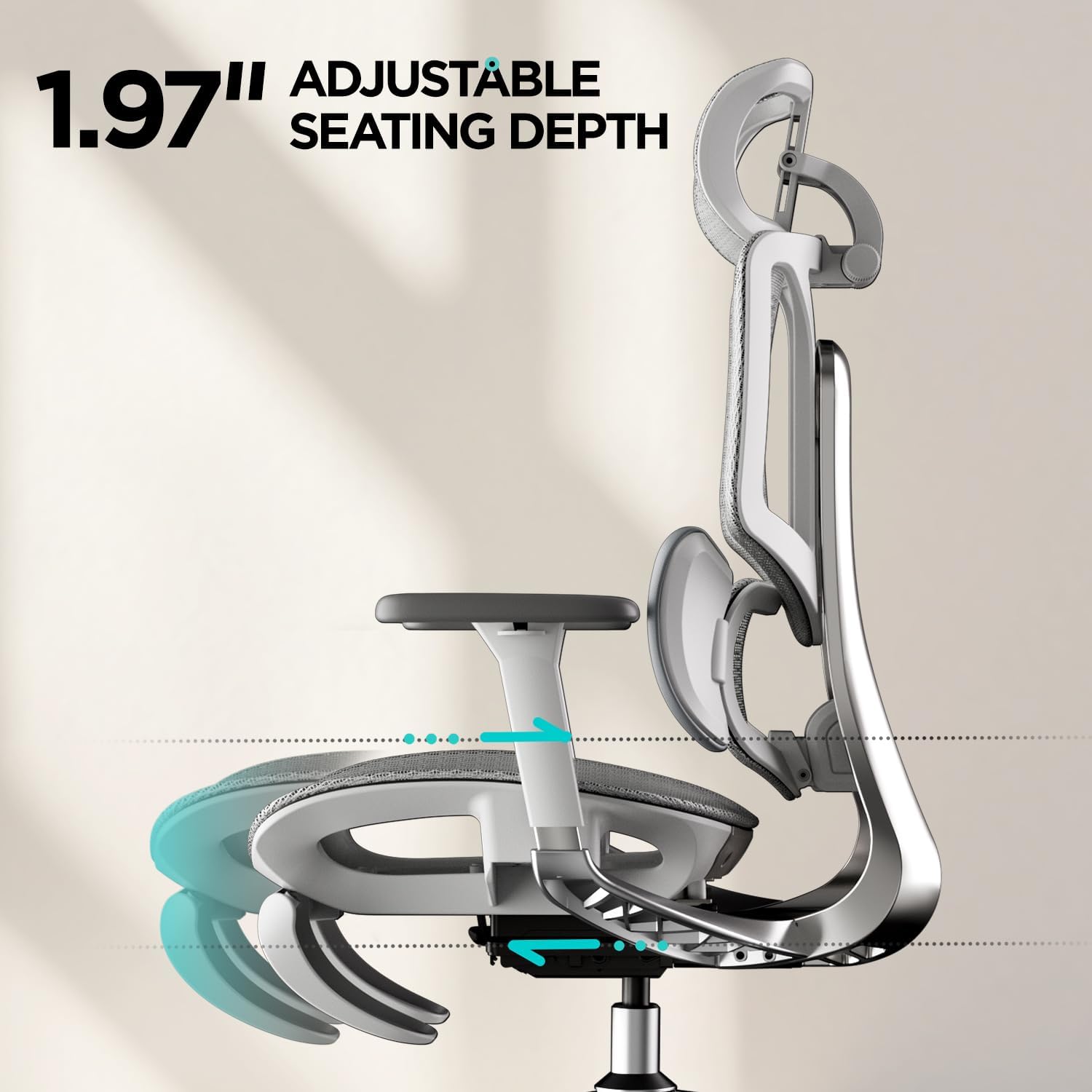
Diagram showing the 1.97-inch adjustable seat depth feature for various body types.

Diagram illustrating the 2.76-inch height adjustment range of the chair's backrest.
Video predstavitevasing the adjustable headrest, armrests, and seat height levers of the Hbada E3 Air Ergonomic Office Chair.
4. Vzdrževanje
Proper maintenance ensures the longevity and performance of your Hbada E3 Air chair:
- Čiščenje: Regularly wipe down the chair frame with a soft, damp cloth. For the mesh material, use a mild soap solution and a soft brush, then rinse with a damp cloth and allow to air dry. Avoid harsh chemicals.
- Pregled: Občasno preverite vse vijake in povezave, da se prepričate, da so trdno priviti. Po potrebi jih ponovno privijte.
- Zaščita: Keep the chair away from direct heat sources and sharp objects to prevent damage to the mesh and frame.
5. Odpravljanje težav
If you encounter any issues with your chair, consider the following:
- Parts Damaged or Missing: Do not use the chair if any parts are damaged or missing. Contact customer support for replacements.
- Težavnost prilagajanja: Ensure all locking mechanisms are disengaged before attempting to adjust components. Refer to the operating instructions for specific adjustment methods.
- Škripajoči zvoki: Check all bolted connections and tighten them. A small amount of silicone lubricant can be applied to moving parts if necessary, avoiding contact with mesh.
- Chair Not Rolling Smoothly: Inspect casters for any debris (hair, lint) and clean them. Ensure the chair is on a suitable surface.
6. Specifikacije
| Znamka | Hbada |
| Ime modela | Hbada E3 Air |
| barva | siva |
| Dimenzije izdelka | 27.5"D x 27.5"Š x 40"V |
| Material | Polypropylene, Polyester (Fill Material) |
| Posebna funkcija | Ergonomsko |
| Zadnji slog | Mreža |
| Globina sedeža | 1.97 palcev (nastavljivo) |
| Štetje ležečih položajev | 2 (up to 140°) |
| Prvič na voljo | 18. februar 2025 |
7. Garancija in podpora
The Hbada E3 Air Ergonomic Office Chair may be eligible for extended protection plans. Please refer to your purchase documentation for details on available protection plans, such as the 3-Year Protection Plan. For any product-related inquiries, technical support, or warranty claims, please contact Hbada customer service directly. Keep your proof of purchase for all warranty and support requests.


