1. Uvod
This manual provides detailed instructions for the Phomemo M832 Wireless Portable Thermal Printer. It covers essential information regarding product setup, operation, maintenance, and troubleshooting to ensure optimal performance and longevity of your device. Please read this manual thoroughly before using the printer.

Image 1.1: Phomemo M832 Printer with included thermal paper rolls.
2. Izdelek je končanview
Familiarize yourself with the components and controls of your Phomemo M832 printer.

Slika 2.1: Konecview of the Phomemo M832 Portable Printer with key components labeled.
- 1. Gumb za vklop: Press and hold for 3 seconds to turn the printer on or off.
- 2. Open Cover Button: Press on both sides simultaneously to open the printer cover for paper loading.
- 3. Napajalna vrata: Insert the USB-C cable here for charging the printer.
- 4. Gumb za ponastavitev: Press to reset the device if it becomes unresponsive.
3. Nastavitev
3.1 Razpakiranje
Po odprtju paketa se prepričajte, da so prisotni vsi elementi:
- Prenosni termični tiskalnik Phomemo M832
- Polnilni kabel USB-C
- Thermal Paper Rolls (typically 4 rolls of 8.5" x 11" US Letter size)
- Uporabniški priročnik (ta dokument)
3.2 Polnjenje tiskalnika
Before initial use, fully charge the printer. Connect the provided USB-C cable to the printer's power port (3) and the other end to a compatible USB power adapter or computer. The built-in 2600mAh rechargeable battery allows for extended use.
3.3 Vstavljanje termičnega papirja
The Phomemo M832 printer uses thermal paper and supports various types, including single sheets, continuous rolls, and thermal paper rolls with an adjustable guide.
- Press the Open Cover Buttons (2) on both sides of the printer to open the top cover.
- Insert the thermal paper roll or stack into the paper compartment, ensuring the printable side is facing the print head.
- Adjust the paper guides to fit the width of your paper securely.
- Pull a small portion of the paper out beyond the print head.
- Zgornji pokrov trdno zaprite, dokler se ne zaskoči.

Image 3.1: The Phomemo M832 supports various thermal paper types and sizes, including 8.5" x 11" US Letter.

Image 3.2: Dimensions of the 8.5" x 11" (216mm) US Letter rolled thermal paper.
4. Upravljanje tiskalnika
4.1 Vklop/izklop
To power on the printer, press and hold the Power Button (1) for approximately 3 seconds until the indicator light illuminates. To power off, press and hold the Power Button again for 3 seconds.
4.2 Povezovanje z napravami
The Phomemo M832 offers two primary connection methods:
- Bluetooth Connection (for Mobile Phones & Tablets):
- Download the "Phomemo" App from your device's app store.
- Omogočite Bluetooth na svojem mobilnem telefonu ali tabličnem računalniku.
- Open the "Phomemo" App and follow the in-app instructions to connect to your M832 printer via Bluetooth.
- USB-C Cable Connection (for Laptops & Computers):
- Connect the printer to your laptop or computer using the provided USB-C cable.
- Obisk M832.phomemo.com to download and install the appropriate printer driver for your operating system (Windows, macOS, Chrome OS, Linux).
Note: Bluetooth wireless connection is exclusively for mobile phones and tablets, not for laptops or desktop computers.

Image 4.1: Connectivity options for the Phomemo M832, including Bluetooth for mobile devices and USB-C for computers.
4.3 Tiskanje
The Phomemo M832 utilizes advanced thermal technology, eliminating the need for ink, toner, or ribbons. This ensures a clean, hassle-free printing experience.
- Inkless Operation: Only thermal paper is required for printing.
- Kakovost tiskanja: The printer delivers clear 300DPI print quality for documents.
- Prenosljivost: Its compact size and wireless capabilities allow you to print documents such as contracts, invoices, and boarding passes from various locations, including during travel, outdoors, in the office, or on campnas.

Image 4.2: Explanation of the inkless thermal printing technology used by the M832.

Image 4.3: The Phomemo M832 printer offers the flexibility to print from anywhere.
5. Vzdrževanje
5.1 Čiščenje tiskalnika
Za ohranjanje kakovosti tiskanja in podaljšanje življenjske dobe tiskalnika:
- Pred čiščenjem se prepričajte, da je tiskalnik izklopljen in izklopljen iz električnega omrežja.
- Gently wipe the exterior of the printer with a soft, dry, lint-free cloth.
- Za tiskalno glavo uporabite vatirano palčko, ki jo rahlo navlažiteampz izopropilnim alkoholom. Preden zaprete pokrov in vklopite napravo, pustite, da se popolnoma posuši.
- Izogibajte se uporabi agresivnih kemikalij, abrazivnih čistil ali topil.
5.2 Ravnanje s termičnim papirjem
Proper storage and handling of thermal paper are crucial for optimal print results:
- Store thermal paper in a cool, dry place away from direct sunlight, heat, and humidity.
- Avoid contact with oils, plastics, and adhesives that can degrade the thermal coating.
- Always use Phomemo-approved thermal paper for best results.
6. Odpravljanje težav
Če imate težave s tiskalnikom Phomemo M832, si oglejte naslednje pogoste težave in rešitve:
| Težava | Možen vzrok | rešitev |
|---|---|---|
| Tiskalnik se ne vklopi | Prazna baterija; gumb za vklop ni bil pritisnjen dovolj dolgo | Charge the printer; Press and hold the Power Button for 3 seconds. |
| Ni mogoče vzpostaviti povezave prek Bluetooth | Bluetooth off; App not open; Incorrect device selected; Attempting to connect from PC | Ensure Bluetooth is on; Open Phomemo App; Select M832; Bluetooth is for mobile/tablet only. |
| Slaba kakovost tiska / Prazni odtisi | Paper loaded incorrectly; Non-thermal paper used; Print head dirty | Reload paper with printable side up; Use thermal paper; Clean the print head. |
| Tiskalnik se ne odziva | Začasna napaka v programski opremi | Press the Reset Button (4) to restart the device. |
If the issue persists after attempting these solutions, please contact Phomemo customer support for further assistance.
7. Specifikacije
Key technical specifications for the Phomemo M832 Wireless Portable Thermal Printer:
- Model: M832
- Tehnologija tiskanja: Neposredna toplota
- Ločljivost tiskanja: 300 DPI
- Povezljivost: Bluetooth (for mobile/tablet), USB-C (for PC/laptop)
- Baterija: Vgrajena 2600mAh polnilna baterija
- Življenjska doba baterije: Approximately 150 sheets continuously on a single charge
- Vrsta papirja: Thermal paper (e.g., 8.5" x 11" US Letter size)
- Dimenzije: 10.39" x 1.77" x 3.07" (približno)
- Teža: 1.5 lbs (približno)
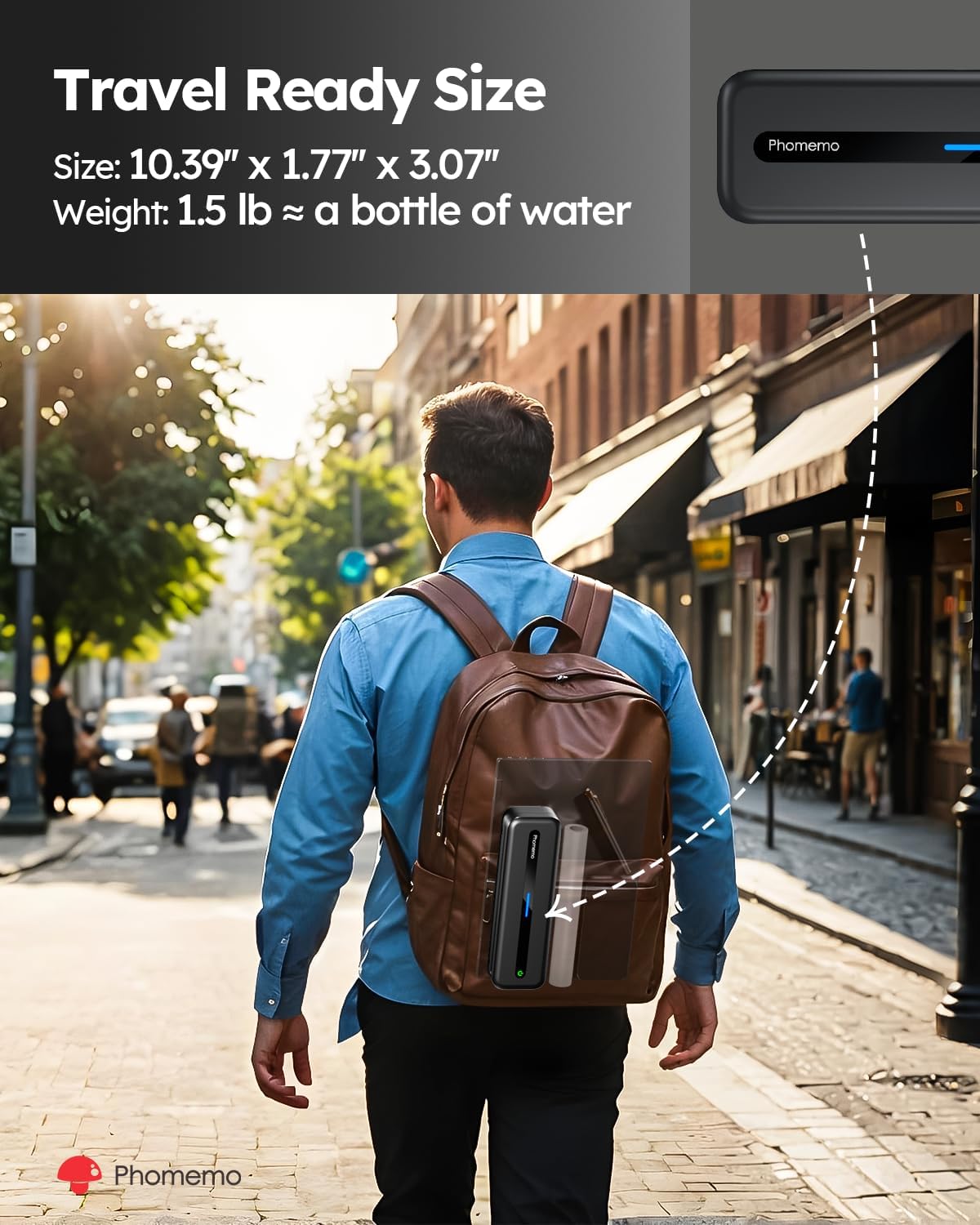
Image 7.1: The Phomemo M832's compact size makes it ideal for travel.

Image 7.2: The M832 offers enhanced 300DPI print quality for clearer results.
8. Garancija in podpora
Phomemo products are designed for reliability and performance. For information regarding warranty coverage, technical support, or service inquiries, please refer to the warranty card included with your product or visit the official Phomemo website. Our customer support team is available to assist you with any questions or concerns.
Uradni Phomemo Webspletno mesto: www.phomemo.com


