1. Uvod
This manual provides essential information for the installation, operation, and maintenance of your ARENTI O3 4MP Wi-Fi IP65 Weatherproof Surveillance Camera. The ARENTI O3 camera is designed to offer a comprehensive security solution for both home and business environments. It features 2K 4MP resolution for clear and detailed imaging, innovative color night vision for visibility in low-light conditions, and two-way audio for real-time communication. The camera supports continuous 24/7 recording, zone intrusion detection, and offers flexible storage options including SD card and cloud services. Its IP65 weather resistance ensures reliable outdoor performance. Please read this manual thoroughly before using the product to ensure proper setup and functionality.
2. Vsebina paketa
Preverite, ali so v vašem paketu priloženi vsi spodaj navedeni elementi:
- ARENTI O3 Surveillance Camera
- Napajalni adapter
- Napajalni kabel
- Vodnik za hiter začetek
- Mounting Material (screws, wall anchors)
- Silikonski ovitek
3. Izdelek je končanview
Familiarize yourself with the components of your ARENTI O3 camera.
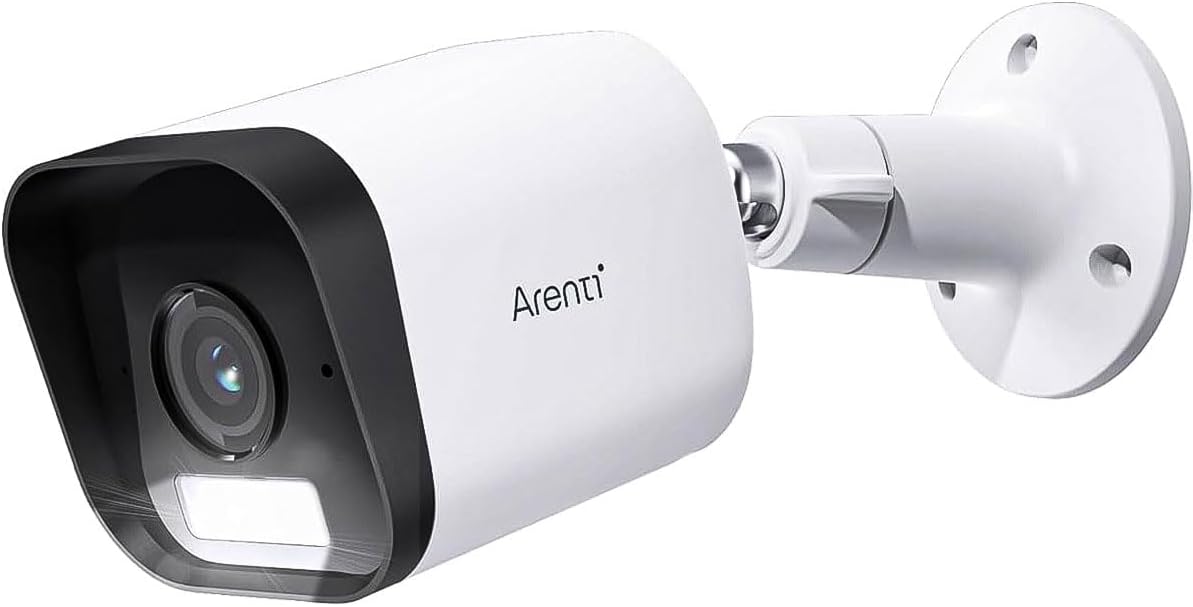
Figure 3.1: ARENTI O3 Surveillance Camera with Mounting Bracket

Slika 3.2: Spredaj view of the ARENTI O3 camera, highlighting the lens, infrared LEDs, and light sensor.
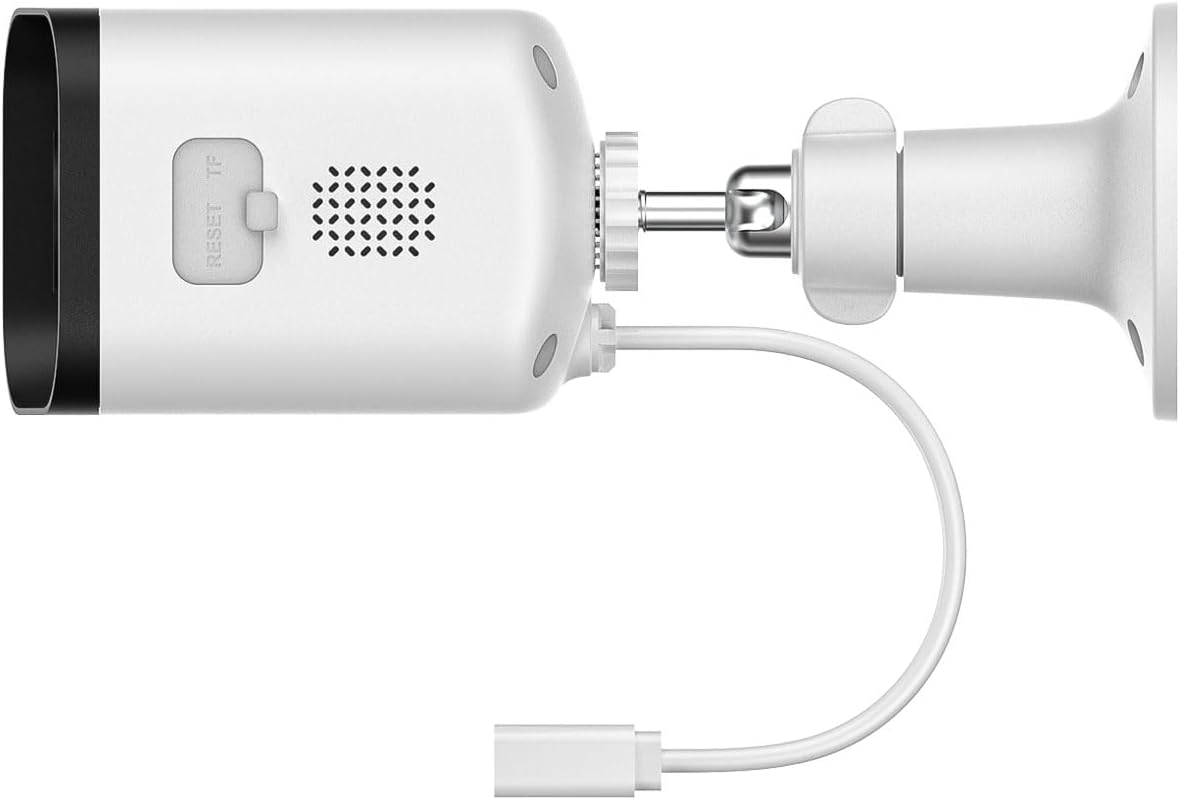
Slika 3.3: Zadaj in ob strani view of the ARENTI O3 camera, showing the reset button, TF (microSD) card slot, speaker, and power cable connection.
4. Nastavitev
Follow these steps to set up your ARENTI O3 camera:
- Prenesite aplikacijo: Iskanje the 'Arenti' app on your smartphone's app store (iOS or Android) and install it.
- Ustvari račun: Open the Arenti app and follow the on-screen instructions to create a new user account or log in if you already have one.
- Vklopite kamero: Connect the power cable to the camera and plug the power adapter into an electrical outlet. The camera will power on, and an indicator light will show its status.
- Dodaj napravo: In the Arenti app, tap the '+' icon to add a new device. Select the ARENTI O3 camera from the list of available devices.
- Povežite se z Wi-Fi: Follow the app's instructions to connect the camera to your 2.4 GHz Wi-Fi network. Ensure your Wi-Fi password is correct.
- Namestite kamero: Choose a suitable outdoor location for mounting. Use the provided mounting material to securely attach the camera to a wall or desired surface. Ensure the camera has a clear field of view and is within range of your Wi-Fi signal.
- Prilagodi kot: Prilagodite fotoaparat viewing angle using the adjustable bracket to cover the desired surveillance area.

Figure 4.1: ARENTI O3 camera mounted on an outdoor wall, providing surveillance of a backyard area.
5. Navodila za uporabo
Once your ARENTI O3 camera is set up, you can utilize its various features through the Arenti app.
- V živo View: Access the live video feed from your camera anytime, anywhere via the Arenti app.
- Neprekinjeno snemanje 24/7: The camera supports continuous recording. Footage can be stored on a microSD card (up to 256GB, not included) or via optional cloud storage services.
- Barvni nočni vid: The camera automatically switches to color night vision in low-light conditions, providing clear, detailed color images even in darkness.
- Dvosmerni zvok: Use the built-in microphone and speaker to communicate with individuals near the camera in real-time.
- Zaznavanje gibanja in opozorila: The camera detects people, pets, vehicles, and luggage. Configure motion detection zones and sensitivity settings in the app to receive relevant alerts.
- Zvočni in vizualni alarmi: When motion is detected, the camera can trigger integrated audible and visual alarms to deter intruders. These can be configured in the app.
- Predvajanje: Review posnet footage stored on your microSD card or cloud service through the app's playback feature.
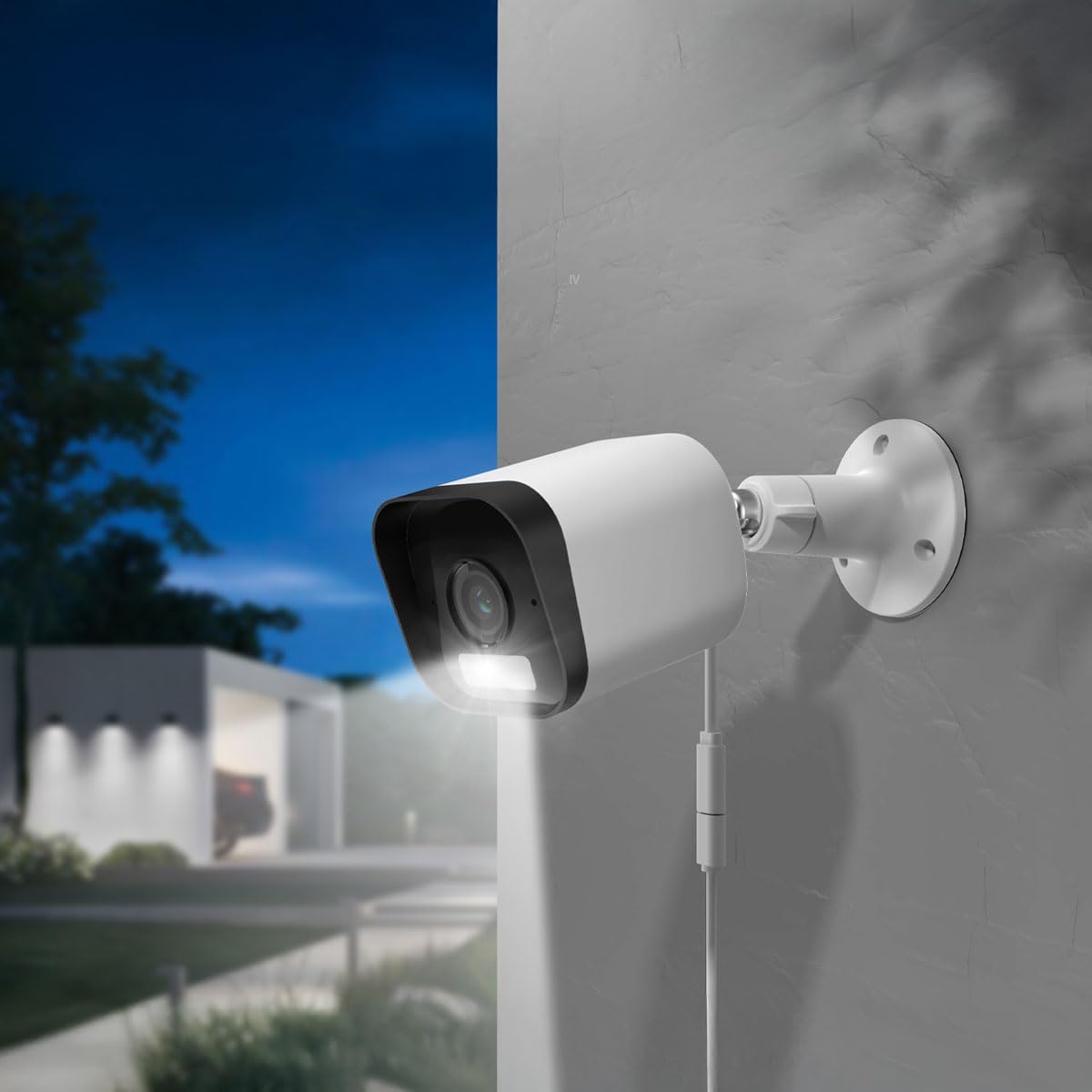
Figure 5.1: The ARENTI O3 camera installed outdoors, demonstrating its color night vision capability in a low-light environment.
6. Vzdrževanje
Redno vzdrževanje zagotavlja optimalno delovanje in dolgo življenjsko dobo vašega fotoaparata.
- Čiščenje: Objektiv in ohišje fotoaparata občasno očistite z mehko krpoamp krpo. Izogibajte se abrazivnim čistilom ali topilom.
- Posodobitve vdelane programske opreme: Check the Arenti app regularly for firmware updates. Keeping your camera's firmware updated ensures access to the latest features and security enhancements.
- Napajanje: Ensure the power cable and adapter are free from damage and properly connected.
- Povezava Wi-Fi: V aplikaciji spremljajte moč signala Wi-Fi, da zagotovite stabilno povezavo.

Figure 6.1: The ARENTI O3 camera installed outdoors during rainfall, showcasing its IP65 weatherproof design.
7. Odpravljanje težav
If you encounter issues with your ARENTI O3 camera, refer to the following common problems and solutions:
- Kamera se ne vklopi:
- Prepričajte se, da je napajalnik varno priključen v delujočo električno vtičnico.
- Preverite morebitne poškodbe napajalnega kabla.
- Ni mogoče vzpostaviti povezave z Wi-Fi:
- Confirm your Wi-Fi network is 2.4 GHz. The camera does not support 5 GHz Wi-Fi.
- Preverite, ali je geslo za Wi-Fi pravilno.
- Prepričajte se, da je kamera v dosegu vašega usmerjevalnika Wi-Fi.
- Poskusite znova zagnati usmerjevalnik in kamero.
- Slaba kakovost slike:
- Očistite lečo fotoaparata.
- Preverite hitrost internetne povezave. Počasna povezava lahko vpliva na kakovost pretakanja.
- Prepričajte se, da ni ovir, ki bi blokirale kamero view.
- Brez opozoril o zaznavanju gibanja:
- Verify motion detection is enabled in the Arenti app.
- Prilagodite občutljivost zaznavanja gibanja in območja zaznavanja.
- Preverite nastavitve obvestil aplikacij na pametnem telefonu.
- Dvosmerni zvok ne deluje:
- Ensure microphone and speaker permissions are granted to the Arenti app on your smartphone.
- Preverite nastavitve glasnosti tako na telefonu kot v aplikaciji.
If these steps do not resolve the issue, please contact ARENTI customer support.
8. Specifikacije
| Funkcija | Specifikacija |
|---|---|
| Ime modela | Arenti O3 |
| Številka modela | MS240702010 |
| Ločljivost video posnetka | 4 Megapixel (2K) |
| barva | Bela |
| Brezžična komunikacijska tehnologija | Wi-Fi (2.4 GHz, Wi-Fi 6 support) |
| Faktor oblike | Metka |
| Viewkota | 85 stopinj |
| Območje nočnega vida | 10 metrov |
| voltage | 5 volta |
| Poraba energije | 2.5 vatov |
| Mere predmeta (D x Š x V) | 15.6 x 5.8 x 5.8 cm |
| Teža | 124 gramov |
| Stopnja vodoodpornosti | IP65 (odporen na vremenske vplive) |
| Notranja/zunanja uporaba | Na prostem |
| Vir napajanja | Električni kabel |
| Vrsta namestitve | Stenski nosilec |
| Možnosti shranjevanja | Kartica MicroSD (do 256 GB), shranjevanje v oblaku |
| Posebne lastnosti | Audible and Visual Alarms, Color Night Vision, Two-Way Audio, Zone Detection |
9. Garancija in podpora
For warranty information and technical support, please refer to the official ARENTI webspletno mesto ali se obrnite neposredno na njihovo službo za stranke. Račun shranite kot dokazilo o nakupu za morebitne garancijske zahtevke.


