1. Uvod
Thank you for choosing the NOENNULL LED Digital Timer. This device is designed to assist with various timing needs, offering both countdown and count-up functions with multiple reminder modes. Please read this manual carefully to ensure proper use and to maximize the timer's functionality.
2. Varnostne informacije
- Napravo hranite stran od vode in visoke vlažnosti, da preprečite poškodbe.
- Do not expose the timer to extreme temperatures or direct sunlight for extended periods.
- Use only the specified battery type (2 x AAA batteries).
- Ne mešajte starih in novih baterij ali različnih vrst baterij.
- Izrabljene baterije zavrzite v skladu z lokalnimi predpisi.
- Hraniti izven dosega otrok.
3. Vsebina paketa
Po razpakiranju preverite, ali so prisotni vsi elementi:
- 1 x NOENNULL LED Digital Timer
- 1 x Uporabniški priročnik (ta dokument)
Note: 2 x AAA batteries are required for operation and are not included in the package.
4. Izdelek je končanview
Familiarize yourself with the timer's components and controls.

Slika 4.1: Spredaj view of the NOENNULL LED Digital Timer, showing the large LED display and control buttons (M, S, CLEAR, SP/ST) at the bottom.

Slika 4.2: Stran view of the timer, highlighting the reminder mode switch with icons for high volume, low volume, silent/flash, and vibration modes.

Slika 4.3: Nasprotna stran view of the timer, showing the brightness adjustment switch and the ECO (power-saving) mode switch.
Kontrole in funkcije:
- LED zaslon: Large, clear digital display for time.
- Gumb M: Used to set minutes.
- S gumb: Used to set seconds.
- Gumb CLEAR: Resets the timer to 00:00.
- SP/ST Button: Starts and stops the timer. Also used to return to the last set time after a countdown.
- Reminder Mode Switch: Located on the side, allows selection between high volume (80-90dB), low volume (60-75dB), silent with flash, and vibration modes.
- Stikalo za svetlost: Located on the side, adjusts display brightness between two levels.
- Stikalo za način ECO: Located on the side, enables power-saving mode where the screen turns off after 10 seconds of inactivity.
- Magnetna hrbtna stran: Two circular magnets for attachment to metal surfaces.
- Zložljivo stojalo: Za namestitev mize.
- Zložljiva kljuka: For hanging the timer.
5. Nastavitev
5.1 Namestitev baterije
The timer requires 2 x AAA batteries (not included).
- Locate the battery compartment cover on the back of the timer.
- Odprite pokrov.
- Vstavite dve bateriji AAA in pri tem pazite na pravilno polarnost (+ in -), kot je označeno v notranjosti predala.
- Trdno zaprite pokrov prostora za baterije.
The timer display should illuminate upon successful battery installation.
6. Navodila za uporabo
6.1 Setting the Timer (Countdown)
The timer supports countdowns from 1 second up to 9 hours, 59 minutes, and 59 seconds.
- Ensure the timer is stopped (display shows 00:00 or a paused time). If it's counting, press the SP/ST button to pause it.
- Pritisnite M button repeatedly to set the desired minutes. Hold the M gumb za hitrejšo nastavitev.
- Pritisnite S button repeatedly to set the desired seconds. Hold the S gumb za hitrejšo nastavitev.
- Ko je želeni čas nastavljen, pritisnite SP/ST gumb za začetek odštevanja.
- To pause the countdown, press SP/ST ponovno. Pritisnite SP/ST spet za nadaljevanje.
- When the countdown reaches 00:00, the alarm will sound/vibrate/flash according to the selected reminder mode.
- Če želite ustaviti alarm, pritisnite kateri koli gumb.
6.2 Count-Up Function
The timer can also function as a stopwatch, counting up from 00:00.
- Ensure the timer display is at 00:00. If not, press the ČISTO gumb.
- Pritisnite SP/ST button to start counting up.
- To pause the count-up, press SP/ST ponovno. Pritisnite SP/ST spet za nadaljevanje.
- To reset the count-up timer to 00:00, press the ČISTO button while the timer is paused or stopped.
6.3 Pomnilniška funkcija
After a countdown ends and the alarm sounds, pressing the SP/ST button will return the display to the last set countdown time. This is useful for repetitive tasks.
6.4 Adjusting Reminder Modes
Use the Reminder Mode Switch on the side of the timer to select your preferred alert method:
- Velika glasnost: 80-90dB audible alarm.
- Nizka glasnost: 60-75dB audible alarm.
- Silent & Flash: The display will flash when the timer reaches zero, with no sound.
- Vibracije: The timer will vibrate when the timer reaches zero, with no sound.
6.5 Prilagajanje svetlosti zaslona
Use the Brightness Switch on the side of the timer to toggle between two brightness levels for the LED display, suitable for different lighting conditions.
6.6 ECO (Power Saving) Mode
To conserve battery life, activate the ECO Mode Switch. When enabled, the display will automatically turn off after 10 seconds of inactivity (after setting a countdown or if the timer is paused/stopped). Press any button to reactivate the display.
7. Možnosti namestitve
The NOENNULL LED Digital Timer offers versatile placement options:
- Magnetni nastavek: The two circular magnets on the back allow you to securely attach the timer to metal surfaces such as refrigerator doors, whiteboards, or metal cabinets.
- Namizno stojalo: Pull out the retractable bracket on the back to stand the timer upright on any flat surface, like a desk or kitchen counter.
- Kavelj za obešanje: Utilize the foldable hook on the back to hang the timer on a nail, hook, or pegboard.
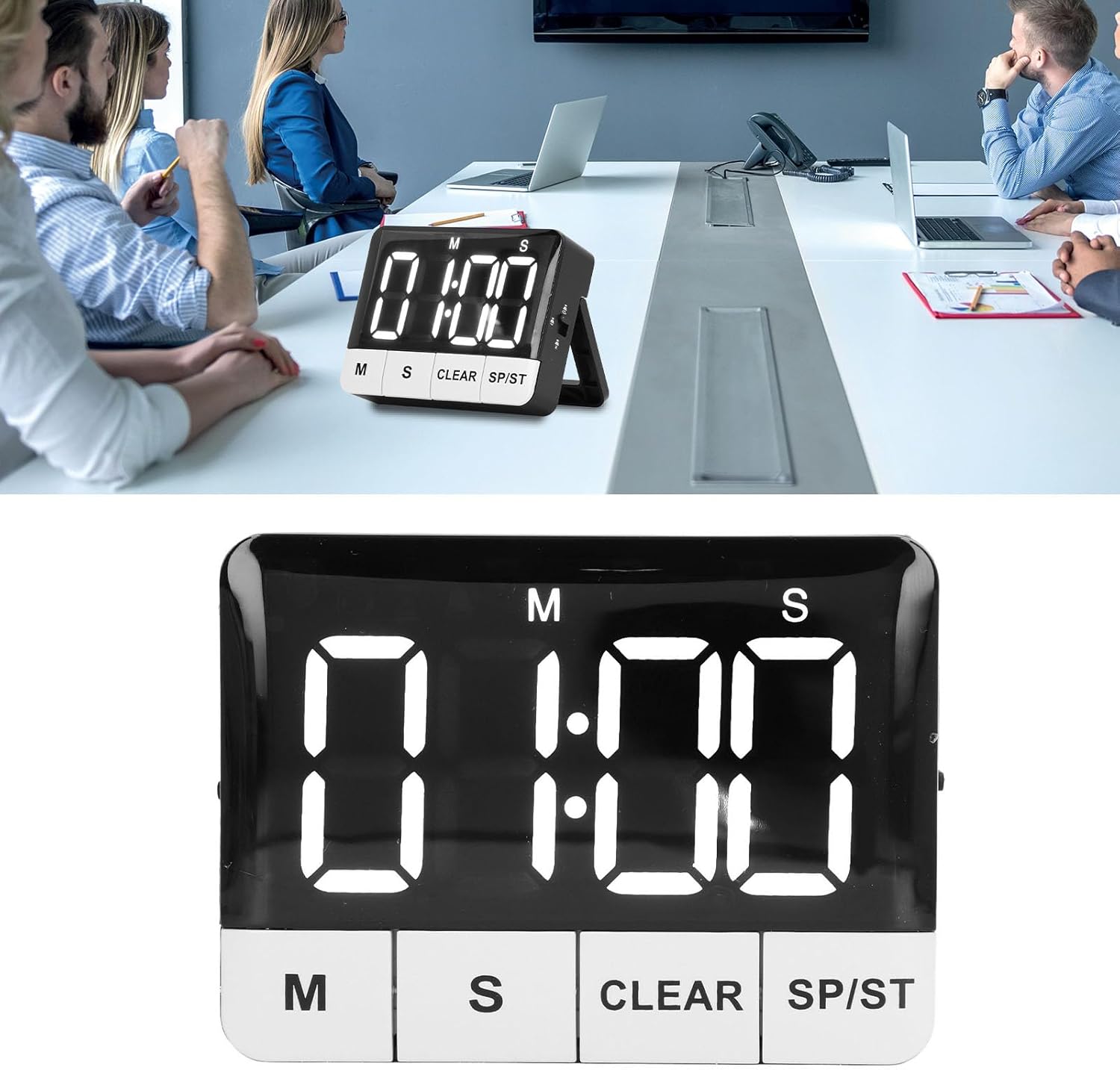
Slika 7.1: The timer displayed on a table, demonstrating its use in a professional setting.

Slika 7.2: The timer positioned on a kitchen counter, illustrating its versatility for home use.
8. Vzdrževanje
8.1 Čiščenje
To clean the timer, wipe it with a soft, dry, or slightly damp krpo. Ne uporabljajte abrazivnih čistil, topil in naprave ne potapljajte v vodo.
8.2 Zamenjava baterije
When the display becomes dim or the timer functions erratically, it's time to replace the batteries. Follow the steps in Section 5.1 Battery Installation to replace the 2 x AAA batteries.
9. Odpravljanje težav
| Težava | Možen vzrok | rešitev |
|---|---|---|
| Timer does not turn on or display is blank. | Baterije so prazne ali nepravilno nameščene. | Preverite polarnost baterij. Zamenjajte z novimi baterijami AAA. |
| Zaslon je zatemnjen. | Low batteries or brightness setting is on low. | Replace batteries. Adjust the Brightness Switch to a higher setting. |
| Alarm se ne oglasi. | Reminder mode is set to Silent & Flash or Vibration. | Adjust the Reminder Mode Switch to High Volume or Low Volume. |
| Timer automatically turns off. | ECO (Power Saving) Mode is enabled. | This is normal behavior. Press any button to reactivate. If you prefer the display to stay on, disable ECO Mode. |
| Timer does not reset to last set time. | Memory function only works after a countdown completes and alarm sounds. | Ensure the countdown completes fully before pressing SP/ST to recall the last time. |
10. Specifikacije
| Funkcija | Podrobnost |
|---|---|
| Vrsta predmeta | Digitalni časovnik |
| Material | ABS |
| Vrsta baterije | 2 x AAA baterije (niso priložene) |
| Countdown/Count-up Range | 1 sekunda do 9 ur, 59 minut, 59 sekund |
| Opomniški načini | High Volume (80-90dB), Low Volume (60-75dB), Silent & Flash, Vibration |
| Svetlost zaslona | 2 stopenj nastavljivih |
| Način varčevanja z energijo | ECO mode (screen off after 10 seconds) |
| Možnosti namestitve | Magnetic back, Retractable stand, Foldable hook |
| Dimenzije izdelka | 3.94 x 3.15 x 1.57 palcev |
| Teža predmeta | 3.21 unč |
| Številka modela | NOENNULL0ugtgdayqx |
| ASIN | B0DSJCLCS1 |
11. Garancija in podpora
For warranty information or technical support, please refer to the retailer's return policy or contact the seller directly through your purchase platform. Keep your purchase receipt as proof of purchase.