Uvod
This manual provides detailed instructions for the installation, operation, and maintenance of your GIGABYTE B860M GAMING X WIFI6E Motherboard. Please read this manual thoroughly before installing or using the product to ensure correct operation and to prevent damage.
The GIGABYTE B860M GAMING X WIFI6E Motherboard is designed to support Intel Core Ultra Series CPUs, featuring a robust power delivery system, DDR5 memory support, and advanced connectivity options including PCIe 5.0, M.2, 2.5GbE LAN, WIFI 6E, and USB 4.
Vodnik za namestitev
1. Razpakiranje in pregled
Carefully remove the motherboard from its packaging. Inspect for any signs of damage during transit. Ensure all accessories listed in the package contents are present.
- GIGABYTE B860M GAMING X WIFI6E Motherboard
- SATA kabli
- Wi-Fi antena
- Uporabniški priročnik (ta dokument)
- CD/USB pogon z gonilniki (če je priložen)
2. Razporeditev matične ploščeview
Seznanite se s ključnimi komponentami in priključki na matični plošči.
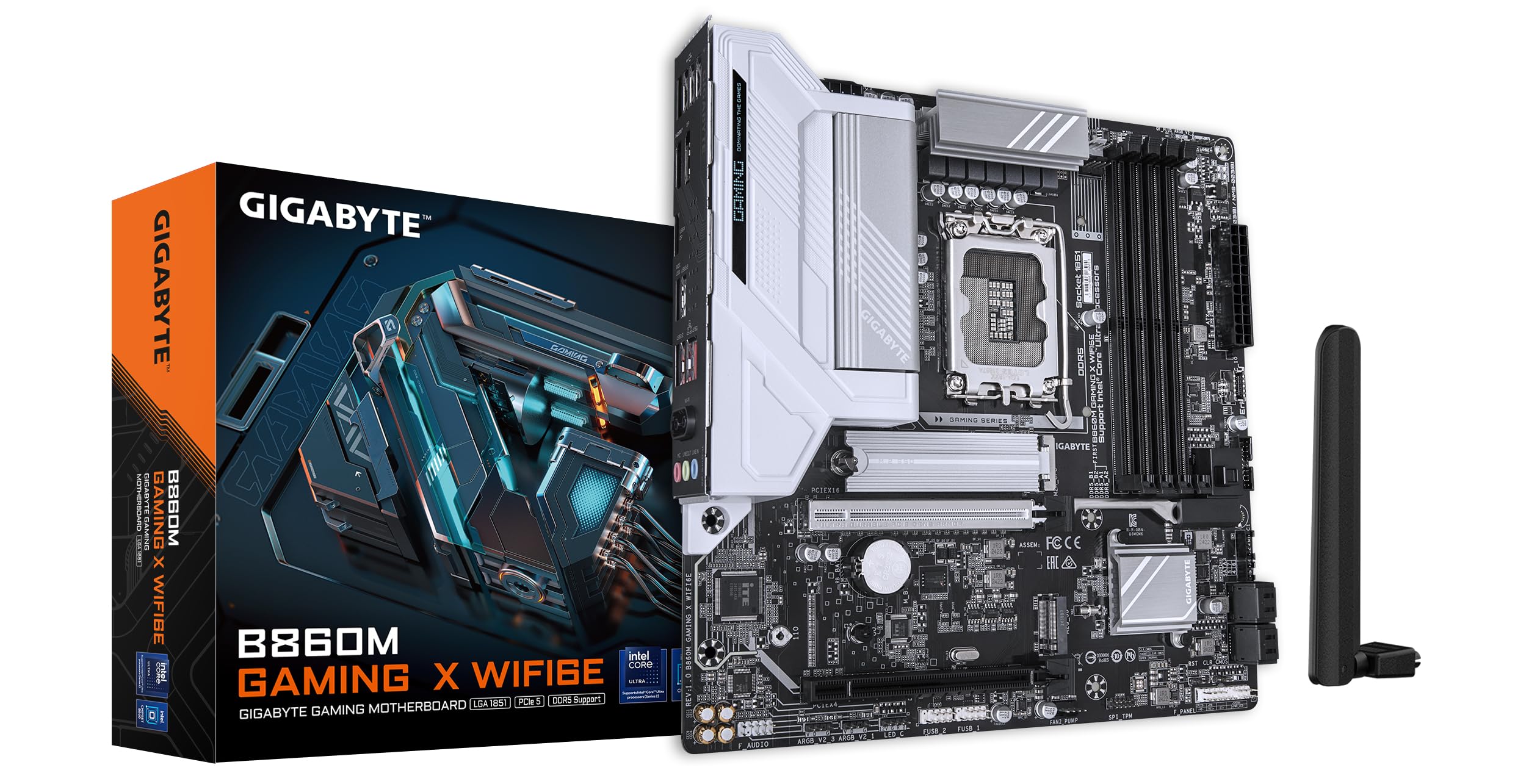
Slika: Od zgoraj navzdol view of the GIGABYTE B860M GAMING X WIFI6E Motherboard, highlighting the CPU socket, DDR5 DIMM slots, PCIe slots, and M.2 slots.

Slika: Pod kotom view of the GIGABYTE B860M GAMING X WIFI6E Motherboard, showing the heatsinks and overall board design.
3. Namestitev procesorja (LGA 1851)
- Odprite ročico podnožja procesorja.
- Poravnajte procesor z vtičnico in se prepričajte, da se trikotna oznaka na procesorju ujema z oznako na vtičnici.
- Procesor previdno namestite v podnožje, ne da bi ga silili.
- Zaprite ročico vtičnice, da pritrdite procesor.
4. Namestitev pomnilnika (DDR5)
- Odprite sponke na obeh koncih reže DIMM.
- Poravnajte pomnilniški modul z režo in se prepričajte, da se zareza na modulu ujema s ključem v reži.
- Trdno pritisnite na oba konca pomnilniškega modula, da se sponke zaskočijo.
- For dual-channel operation, install modules in the recommended slots (refer to motherboard diagram for specific slots).
5. Namestitev pomnilniške naprave (M.2 SSD)
- Poiščite reže M.2 na matični plošči.
- Odstranite hladilnik M.2 in distančni vijak.
- Vstavite pogon M.2 SSD v režo pod kotom.
- Push down the SSD and secure it with the stand-off screw.
- Reattach the M.2 heatsink for thermal protection.
6. Namestitev grafične kartice (PCIe 5.0)
- Odprite zapah na reži PCIe 5.0 x16.
- Align your graphics card with the slot and press down firmly until it is fully seated and the latch closes.
- Grafično kartico pritrdite na ohišje računalnika z vijaki.
7. Priključitev perifernih naprav in napajanja
Connect the 24-pin ATX power connector and the 8-pin CPU power connector from your power supply to the motherboard. Connect front panel headers (power button, reset, USB, audio) according to the motherboard manual diagram. Install the Wi-Fi antenna to the rear I/O panel.

Image: Rear I/O panel of the GIGABYTE B860M GAMING X WIFI6E Motherboard, showing USB ports, HDMI, DisplayPort, 2.5GbE LAN, Wi-Fi antenna connectors, and audio jacks.
Navodila za uporabo
1. Prvi zagon in nastavitev BIOS-a
Ko sestavite sistem, ga vklopite. Pritisnite DEL med zagonom za vstop v orodje za nastavitev BIOS/UEFI. Tukaj lahko konfigurirate vrstni red zagona, sistemski čas in druge napredne nastavitve.
2. Namestitev gonilnika
Once the operating system is installed, install the necessary drivers for the motherboard components (chipset, LAN, Wi-Fi, audio, etc.). These can be found on the included driver disk/USB or downloaded from the official GIGABYTE webmesto.
3. Wi-Fi 6E Connectivity
Ensure the Wi-Fi antenna is securely connected. In your operating system's network settings, select the appropriate Wi-Fi 6E network and enter the password to connect.
4. Q-Flash Plus
The Q-Flash Plus feature allows you to update the BIOS without installing a CPU, memory, or graphics card. Download the latest BIOS file od GIGABYTE-a website, rename it as instructed, and save it to a USB flash drive. Insert the USB drive into the designated Q-Flash Plus USB port on the rear I/O panel and press the Q-Flash Plus button.
Vzdrževanje
1. Posodobitve BIOS-a
Redno preverjajte GIGABYTE website for the latest BIOS updates. BIOS updates can improve system stability, performance, and add support for new hardware. Follow the instructions provided by GIGABYTE carefully when performing a BIOS update.
2. Posodobitve gonilnikov
Keep your motherboard drivers updated to ensure optimal performance and compatibility. Download drivers only from the official GIGABYTE support page.
3. Čiščenje
Periodically clean dust from the motherboard and components using compressed air. Ensure the system is powered off and unplugged before cleaning. Avoid using liquids or abrasive materials.
Odpravljanje težav
1. Sistem se ne vklopi
- Preverite, ali so vsi napajalni priključki (24-pinski ATX, 8-pinski CPU) varno nameščeni.
- Preverite, ali napajalnik deluje pravilno.
- Ensure the front panel power button header is correctly connected.
2. Ni izhoda za prikaz
- Confirm the graphics card is properly seated in the PCIe slot and connected to the power supply (if required).
- Check that the monitor cable is securely connected to both the graphics card and the monitor.
- If using integrated graphics, ensure the monitor is connected to the motherboard's video output (HDMI/DisplayPort).
3. Nestabilnost ali zrušitve sistema
- Verify that all components (CPU, RAM, GPU) are correctly installed.
- Check for overheating issues; ensure CPU cooler and case fans are working.
- Posodobite BIOS in vse gonilnike na najnovejše različice.
- Če sumite na težave z RAM-om, preizkusite pomnilniške module posamezno.
4. Težave s povezljivostjo Wi-Fi
- Prepričajte se, da je antena Wi-Fi varno pritrjena na zadnjo vhodno/izhodno ploščo.
- Check if Wi-Fi drivers are installed correctly.
- Verify that the Wi-Fi module is enabled in the BIOS.
Specifikacije
| Funkcija | Podrobnost |
|---|---|
| Ime modela | B860M GAMING X WIFI6E |
| CPU vtičnica | LGA 1851 |
| Združljivi procesorji | Procesorji Intel Core Ultra serije |
| Čipset | Intel B860M |
| Tehnologija pomnilnika RAM | DDR5, Dual Channel (4 x DIMMs) |
| Max Memory Clock Speed | Up to 6400MHz (OC) |
| PCIe reže | 1x PCIe 5.0 x16, 1x PCIe 4.0 |
| M.2 reže | Multiple M.2 slots with Thermal Protection |
| LAN | 2.5 GbE LAN |
| Brezžična povezljivost | Realtek 2x2 Wi-Fi 6E |
| Vrata USB | USB 4.0 Type-C, USB 3.2 Gen 2 Type-C, various USB 3.2/2.0 |
| VRM | Hybrid Digital 8+1+2+2 Phase 60A DrMOS |
| Dimenzije | 9.61 x 9.61 x 1.38 palcev |
| Teža predmeta | 2.65 funtov |
Garancija in podpora
GIGABYTE motherboards come with a limited warranty. Please refer to the official GIGABYTE webZa posebne garancijske pogoje, ki veljajo za vašo regijo, si oglejte spletno mesto ali embalažo izdelka.
Za tehnično podporo, prenos gonilnikov, posodobitve BIOS-a in dodatne informacije o izdelku obiščite uradno spletno stran za podporo GIGABYTE. webspletno mesto:
https://www.gigabyte.com/support
When contacting support, please have your motherboard model name (B860M GAMING X WIFI6E) and serial number ready.


