1. Uvod
Thank you for choosing the Codnida 5.5" LCD Baby Monitor Camera. This device is designed to provide a secure and reliable way to monitor your baby, offering high-definition video, two-way audio, and various smart features to ensure peace of mind. Please read this manual thoroughly before use to ensure proper operation and to maximize the lifespan of your product.
2. Pomembne varnostne informacije
Please keep this manual for future reference. Failure to follow these safety instructions could result in fire, electric shock, or other injury or damage.
- Nevarnost zadavljenja: Keep the camera and monitor cords out of reach of children (at least 3 feet / 1 meter away). Never place the camera or cords within the crib or playpen.
- Nevarnost električnega udara: Do not expose the product to rain or moisture. Do not open the casing of the product. There are no user-serviceable parts inside.
- Pregrevanje: Do not place the product in direct sunlight or near heat sources. Ensure adequate ventilation around the camera and monitor.
- Motnje: Keep the product away from other electronic devices that may cause interference, such as microwaves or Wi-Fi routers.
- Varnost baterije: The monitor contains a rechargeable lithium-ion battery. Do not disassemble, crush, or expose the battery to extreme temperatures. Dispose of batteries properly according to local regulations.
- Umestitev: Place the camera on a flat, stable surface or mount it securely to a wall, ensuring a clear view otroka.
3. Vsebina paketa
Previdno razpakirajte škatlo in se prepričajte, da so vsi spodaj navedeni predmeti prisotni in v dobrem stanju. Če kateri koli predmet manjka ali je poškodovan, se obrnite na podporo strankam.
- 5.5" LCD Baby Monitor (Parent Unit)
- 2K 3MP Baby Camera (Baby Unit)
- Napajalnik za monitor
- Power Adapter for Camera
- Polnilni kabli USB (2)
- Wall Mounting Kit (Screws and Anchors)
- Uporabniški priročnik

4. Izdelek je končanview
4.1 Starševska enota (monitor)
The parent unit features a 5.5-inch LCD screen for clear viewing of your baby. It includes control buttons for navigation, volume, zoom, and two-way audio. The built-in rechargeable battery allows for portable use.
- 5.5-palčni LCD-zaslon
- Gumb za vklop/meni
- Navigation Buttons (Up/Down/Left/Right/OK)
- Nadzor glasnosti
- Gumb za povečavo
- Two-Way Audio Button
- Mikrofon in zvočnik
- Antena
- Vrata za polnjenje
4.2 Otroška enota (kamera)
The baby unit is equipped with a 2K 3MP HD camera, infrared LEDs for night vision, and a microphone and speaker for two-way audio. It also features pan, tilt, and zoom (PTZ) capabilities for comprehensive room coverage.
- 2K 3MP HD Camera Lens
- Infrared LEDs (for Night Vision)
- Mikrofon in zvočnik
- Senzor temperature/vlažnosti
- Gumb za seznanjanje
- Napajalni priključek
- Montažna luknja
5. Nastavitev
5.1 Začetno polnjenje
Before first use, fully charge the parent unit for approximately 8 hours. Connect the power adapter to the parent unit and a power outlet. The charging indicator will show the charging status.

5.2 Postavitev kamere
Otroško enoto (kamero) postavite na mesto, ki zagotavlja jasen view of your baby, but always keep it at least 3 feet (1 meter) away from the crib or playpen to avoid strangulation hazards from the power cord. You can place it on a flat surface or mount it to a wall using the provided kit.
5.3 Vklop
- Connect the power adapter to the baby unit (camera) and a power outlet. The camera will power on automatically.
- Press and hold the Power button on the parent unit (monitor) for a few seconds to turn it on.
- The parent unit and baby unit are pre-paired at the factory. If they do not connect automatically, refer to the "Pairing Camera and Monitor" section.
5.4 Pairing Camera and Monitor
If the monitor displays "No Signal" or you wish to add another camera (sold separately), follow these steps:
- On the parent unit, press the Menu button.
- Navigate to the "Camera" or "Add Camera" option and select it.
- Select an empty camera channel (e.g., CAM 2, CAM 3).
- The monitor will display a message to press the pairing button on the camera.
- Within 10 seconds, press the Pairing button on the back or bottom of the baby unit (camera).
- Once paired, the image from the camera will appear on the monitor.
5.5 App Installation and Connection (Optional)
The Codnida baby monitor also supports connection via the "Tuya" application for remote monitoring. This feature requires a Wi-Fi connection.
- Download the "Tuya Smart" or "Smart Life" app from your smartphone's app store (iOS App Store or Google Play Store).
- Registrirajte se za nov račun ali se prijavite, če ga že imate.
- Follow the in-app instructions to add a new device. Select "Security & Video Surveillance" and then "Smart Camera (Wi-Fi)".
- Ensure your camera is powered on and in pairing mode (usually indicated by a flashing light).
- Povežite telefon z omrežjem Wi-Fi 2.4 GHz.
- Scan the QR code displayed on your phone with the baby unit camera, or follow alternative pairing methods if prompted.
- Ko ste povezani, lahko view the live feed, control PTZ, and access other features via the app.
6. Delovanje
6.1 Osnovno spremljanje
Once the camera and monitor are connected, the live video feed of your baby's room will be displayed on the 5.5" LCD screen.

6.2 Način VOX (glasovno upravljana centrala)
VOX mode is an energy-saving feature. When enabled, the monitor screen will turn off to conserve battery. It will automatically activate and display the video feed when a sound (like crying) is detected in the baby's room.
- To activate/deactivate VOX mode: Press the Menu button, navigate to "VOX" or "Sound Activation", and select your desired sensitivity level (Low, Medium, High) or turn it off.

6.3 Dvosmerni zvok
Communicate with your baby remotely using the two-way audio feature.
- Press and hold the Talk button (microphone icon) on the parent unit to speak. Release the button to hear your baby.

6.4 Premikanje, nagibanje in povečava (PTZ)
Nadzorujte kamero viewing angle and zoom level directly from the parent unit.
- Use the Navigation buttons (Up/Down/Left/Right) to pan and tilt the camera.
- Press the Zoom button (magnifying glass icon) to zoom in (up to 4X digital zoom). Press again to zoom out.

6.5 Nočni vid
The camera automatically switches to infrared night vision in low-light conditions, providing a clear black-and-white image of your baby.

6.6 Uspavanke
Soothe your baby with built-in lullabies played directly from the baby unit.
- To play lullabies: Press the Menu button, navigate to "Lullabies", and select a melody or play all.
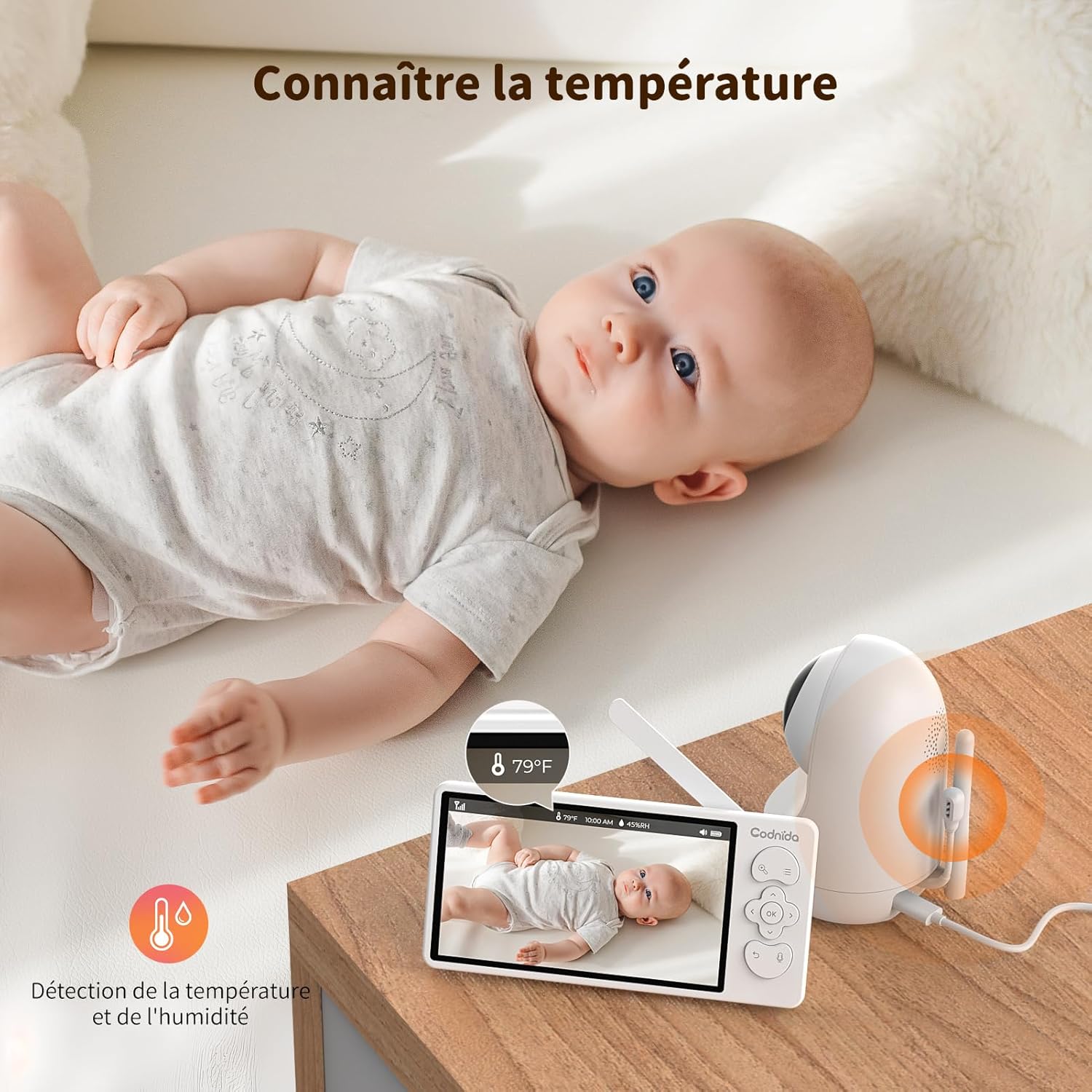
6.7 Spremljanje temperature in vlažnosti
The baby unit includes sensors to monitor the room's temperature and humidity, displayed on the parent unit screen. You can set alerts for out-of-range conditions.
6.8 Opomnik za hranjenje
Set reminders for feeding times to help maintain your baby's schedule.
- To set a feeding reminder: Press the Menu button, navigate to "Feeding Reminder", and set the desired interval.

7. Vzdrževanje
7.1 Čiščenje
To keep your baby monitor clean and functioning properly:
- Pred čiščenjem obe enoti izključite iz električnega omrežja.
- Wipe the surfaces of the camera and monitor with a soft, dry, lint-free cloth.
- Do not use cleaning sprays or liquid cleaners directly on the units.
- Za trdovratne madeže rahlo obrišiteampen the cloth with water and wipe gently, then dry immediately.
- Ne uporabljajte abrazivnih čistil ali topil.
7.2 Shranjevanje
If you do not plan to use the baby monitor for an extended period:
- Fully charge the parent unit before storing.
- Enote shranjujte na hladnem in suhem mestu, stran od neposredne sončne svetlobe in ekstremnih temperatur.
- Keep all components, including cables and adapters, neatly organized to prevent damage.
8. Odpravljanje težav
If you encounter issues with your Codnida baby monitor, please refer to the following common problems and solutions:
| Težava | Možen vzrok | rešitev |
|---|---|---|
| No signal on monitor / Screen is black |
|
|
| Poor image quality / Blurry image |
|
|
| Brez zvoka ali popačen zvok |
|
|
| Baterija ne drži napolnjenosti |
|
|
9. Specifikacije
| Funkcija | Podrobnost |
|---|---|
| Številka modela | MWM553+MWZ553C |
| Velikost zaslona | 5.5-palčni LCD |
| Ločljivost kamere | 2K 3MP (1296p recording, 1440 effective video resolution) |
| Območje nočnega vida | Do 5 metre |
| Nadzor PTZ | Pan (350°), Tilt (90°), 4X Digital Zoom |
| Tehnologija povezljivosti | Wireless (Wi-Fi for App) |
| Dvosmerni zvok | ja |
| Način VOX | ja |
| Senzor temperature/vlažnosti | ja |
| Uspavanke | ja |
| Opomnik za hranjenje | ja |
| Vhodna moč | 5 voltov, 3.8 vata |
| Material | Plastika |
| Dimenzije (D x Š x V) | 10 x 5 x 10 cm (približno) |
| Teža | 850 gramov (približno) |
| Vrsta baterije | Litij-ionski |
10. Garancija in podpora
10.1 Informacije o garanciji
The Codnida 5.5" LCD Baby Monitor Camera comes with a 1-letna garancija od datuma nakupa. Ta garancija krije proizvodne napake in okvare pri normalni uporabi. Ne krije škode, ki jo povzroči nepravilna uporaba, nesreče, nepooblaščena popravila ali običajna obraba.
Poleg tega a Politika 30-dnevnega vračila is offered. Please refer to your retailer's return policy for specific details.
10.2 Podpora strankam
If you have any questions, concerns, or require technical assistance with your Codnida baby monitor, please contact our customer support team. For Amazon purchases, you can typically reach support by navigating to "Your account - Choose your order - Ask us your question" on the Amazon platform.
Please have your model number (MWM553+MWZ553C) and purchase date ready when contacting support to expedite the process.
11. Uradni videoposnetki izdelkov
No official product videos from the seller were found in the provided product data. For visual demonstrations or additional information, please refer to the product page or contact Codnida customer support.
