1. Uvod
This manual provides essential information for setting up, operating, and maintaining your GenMachine Mini PC AMD Ryzen 7 7735HS. Please read this manual thoroughly before using the device to ensure proper functionality and safety.
2. Varnostne informacije
Da preprečite poškodbe naprave ali telesne poškodbe, upoštevajte naslednje varnostne napotke:
- Naprave ne izpostavljajte vodi, vlagi ali ekstremnim temperaturam.
- Poskrbite za ustrezno prezračevanje, da preprečite pregrevanje. Ne blokirajte prezračevalnih odprtin.
- Uporabljajte samo priloženi napajalnik.
- Izogibajte se padcem ali izpostavljanju naprave močnim udarcem.
- Naprave ne poskušajte odpirati ali popravljati sami. Vsa servisna dela prepustite usposobljenemu osebju.
3. Vsebina paketa
Preverite, ali so v paketu prisotni vsi elementi:
- GenMachine Mini PC
- Uporabniški priročnik
- Napajalni adapter
- HDMI kabel
- Montažni nosilec (z vijaki)

Image: Package Contents. This image displays the items included in the GenMachine Mini PC box: the Mini PC unit, user manual, power adapter, HDMI cable, and a mounting bracket with screws.
4. Izdelek je končanview
The GenMachine Mini PC is a compact, high-performance computer designed for various applications, from home office tasks to multimedia consumption. Its small footprint allows for versatile placement.

Slika: spredaj View of GenMachine Mini PC. This image shows the front panel of the GenMachine Mini PC, featuring the power button, USB-C port, audio jack, and two USB 3.0 ports.
4.1 Sprednja plošča
- Gumb za vklop: Pritisnite za vklop/izklop naprave.
- Vrata USB-C: Za prenos podatkov in prikaz.
- Zvočni priključek: Za slušalke ali zunanje zvočnike.
- Vrata USB 3.0 (x2): For connecting peripherals like keyboards, mice, or external storage.
4.2 Zadnja plošča

Slika: Zadaj View of GenMachine Mini PC. This image illustrates the rear panel of the Mini PC, highlighting the power input, HDMI ports, Ethernet ports, and additional USB ports.
- Vhodna moč (DC IN): Tukaj priključite napajalnik.
- Vrata HDMI (x2): Connect to monitors or TVs for video output. Supports 4K resolution.
- Ethernet Ports (x2): For wired network connections (Dual 2.5G).
- Vrata USB 2.0 (x2): Za priklop različnih USB naprav.
4.3 Design and Dimensions

Image: GenMachine Mini PC Size Comparison. This image compares the compact size of the GenMachine Mini PC to a traditional tower chassis, illustrating its space-saving design. Dimensions are shown as 126mm x 130mm x 40mm.
The GenMachine Mini PC features an ultra-durable, lightweight metal casing. Its compact design (approximately 126 x 130 x 40 mm) makes it significantly smaller than traditional desktop computers, ideal for any work environment.
5. Nastavitev
5.1 Priključitev zunanjih naprav
- Connect your monitor(s) to the HDMI ports or the USB-C port using appropriate cables.
- Priključite tipkovnico in miško USB na razpoložljiva vrata USB.
- If using wired internet, connect an Ethernet cable to one of the Ethernet ports.
- Connect the power adapter to the DC IN port on the Mini PC, then plug it into a power outlet.
5.2 Vklop
Press the power button on the front panel of the Mini PC. The power indicator light will illuminate, and the system will begin to boot.
5.3 Initial Operating System Setup
Upon first boot, you will be guided through the operating system setup process (e.g., Windows 11). Follow the on-screen instructions to configure language, region, network, and user accounts.
6. Navodila za uporabo
6.1 Omrežna povezljivost
- Wi-Fi: During initial setup or via the operating system's network settings, select your Wi-Fi network and enter the password. The Mini PC supports Wi-Fi 6 for faster and more stable wireless connections.
- Ethernet: If an Ethernet cable is connected, the system should automatically detect and connect to the wired network. The Mini PC features dual 2.5G network ports for enhanced connectivity.
6.2 Naprave Bluetooth
The Mini PC supports Bluetooth 5.2. To pair a Bluetooth device (e.g., headphones, keyboard, mouse):
- Enable Bluetooth on your device and set it to pairing mode.
- On the Mini PC, go to the operating system's Bluetooth settings.
- Iskanje and select your device from the list, then follow any on-screen prompts to complete pairing.
6.3 Nastavitev več zaslonov
The GenMachine Mini PC supports up to four displays simultaneously, utilizing its two HDMI ports and one full-function USB-C port (which supports 4K display output).
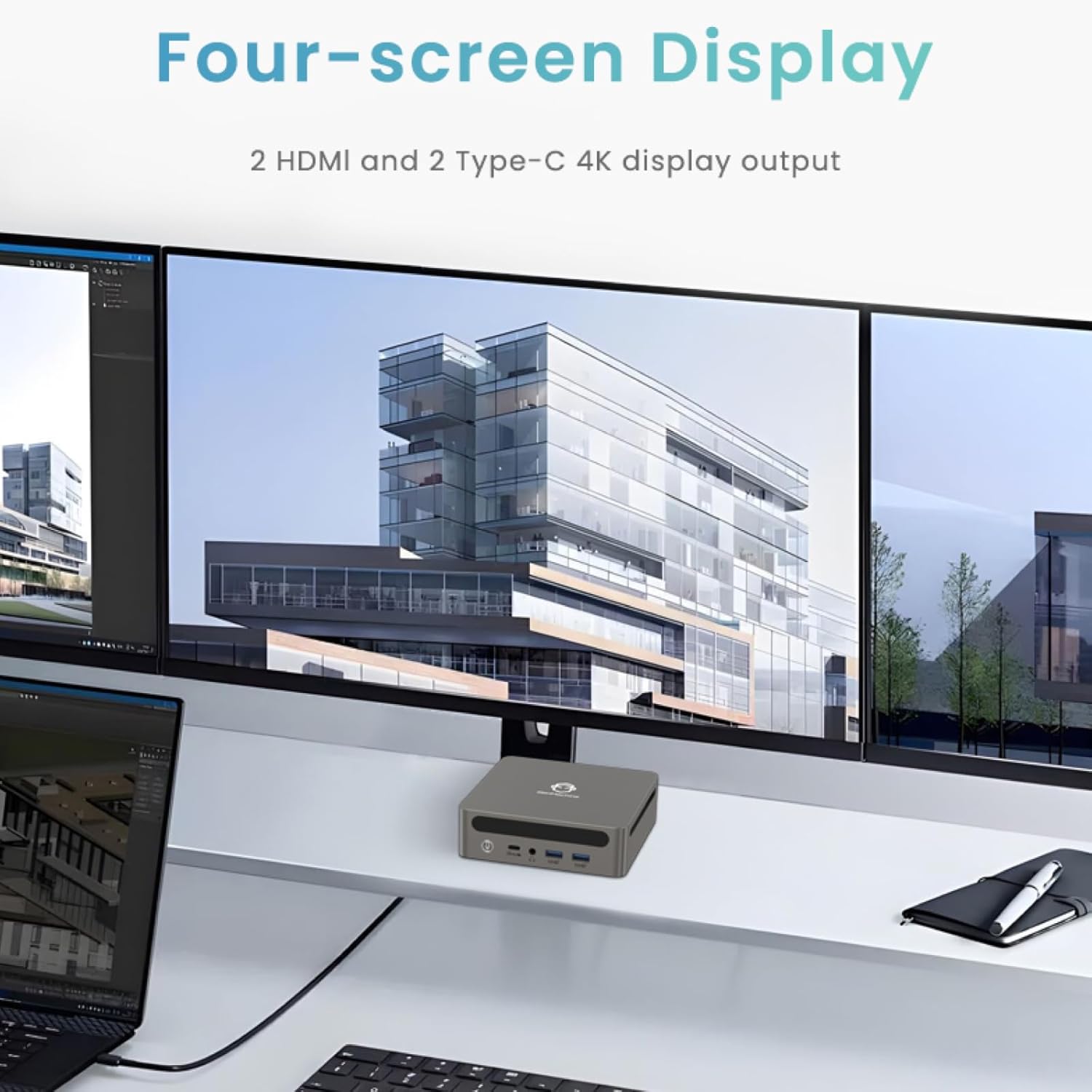
Image: Four-Screen Display Setup. This image demonstrates the GenMachine Mini PC connected to four monitors, showcasing its multi-display capabilities for enhanced productivity.
To configure multiple displays, connect your monitors and then adjust display settings within your operating system (e.g., Extend, Duplicate, or Second screen only).
7. Vzdrževanje
7.1 Čiščenje
Regularly clean the exterior of the Mini PC with a soft, dry cloth. For stubborn dirt, slightly dampen the cloth with water. Do not use harsh chemicals or abrasive cleaners. Ensure ventilation openings are free of dust buildup.
7.2 Posodobitve programske opreme
Keep your operating system and drivers updated to ensure optimal performance and security. Check for updates regularly through your operating system's settings.
7.3 Shranjevanje
Ko mini računalnika dlje časa ne uporabljate, ga shranite na hladnem in suhem mestu, stran od neposredne sončne svetlobe in ekstremnih temperatur.
8. Odpravljanje težav
| Težava | Možen vzrok | rešitev |
|---|---|---|
| Brez moči | Napajalnik ni priključen; vtičnica je okvarjena. | Prepričajte se, da je napajalnik varno priključen na mini računalnik in delujočo električno vtičnico. Poskusite z drugo vtičnico. |
| Ni prikaza na monitorju | Monitor ni priključen; na monitorju je izbran napačen vhodni vir; kabel je okvarjen. | Check HDMI/USB-C cable connections. Ensure the monitor is set to the correct input source. Try a different cable or monitor. |
| Wi-Fi se ne povezuje | Incorrect password; router issue; Wi-Fi adapter driver issue. | Verify Wi-Fi password. Restart your router. Check operating system settings for Wi-Fi adapter status and drivers. |
| Sistem je počasen ali se ne odziva | Preveč aplikacij, ki se izvajajo; premalo prostega prostora za shranjevanje; zastareli gonilniki. | Close unnecessary applications. Free up disk space. Update operating system and drivers. Restart the Mini PC. |
9. Specifikacije
The following table details the technical specifications of the GenMachine Mini PC AMD Ryzen 7 7735HS:
| Funkcija | Podrobnost |
|---|---|
| Procesor | AMD Ryzen 7 7735HS (3.2 GHz, 8 Cores, 16 Threads, up to 4.75 GHz Max Boost Clock) |
| Grafika | AMD Radeon Graphics (Integrated, 680 MB RAM) |
| RAM | 32GB LPDDR5 (up to 6400 Mb/s) |
| Shranjevanje | 512GB 2280 SSD (PCIE x 16 interface) |
| Operacijski sistem | OS (Windows 11 typically pre-installed) |
| Video izhod | 2x HDMI (4K @ 60Hz), 1x USB-C (4K display output), supports up to 3 displays |
| Vrata USB | 2x USB 3.0, 2x USB 2.0, 1x USB-C (full-function USB 4.0 port) |
| Mreženje | Wi-Fi 6, Bluetooth 5.2, Dual 2.5G Ethernet |
| Avdio | Avdio priključek |
| Dimenzije | 6.34 x 6.3 x 3.62 palca (približno 16.1 x 16 x 9.2 cm) |
| Teža | 2.4 funta (približno 1.09 kg) |
| barva | Iver |

Image: AMD Ryzen 7 7735HS Processor. This image highlights the specifications of the AMD Ryzen 7 7735HS processor, including its 8 cores, 16 threads, and up to 4.75 GHz max boost clock.

Image: LPDDR5 Memory Performance. This image illustrates the enhanced speed of LPDDR5 RAM, showing a 50% increase in maximum DRAM bandwidth compared to LPDDR4X, reaching up to 6400 Mb/s.
10. Garancija in podpora
For warranty information and technical support, please refer to the documentation included with your purchase or visit the official GenMachine webspletnega mesta. Shranite dokazilo o nakupu za uveljavljanje garancije.
For further assistance, you may contact GenMachine customer service through their official channels.


