1. Izdelek je končanview
The WAVLINK AX3000 WiFi6 Outdoor WiFi Extender is a dual-band wireless access point designed for robust outdoor and indoor use. It supports Wi-Fi 6 technology, offering enhanced speeds and wider coverage. This device can function as a Mesh Extender, Wireless Access Point (AP), Repeater, or Router, providing flexible deployment options for various networking needs.
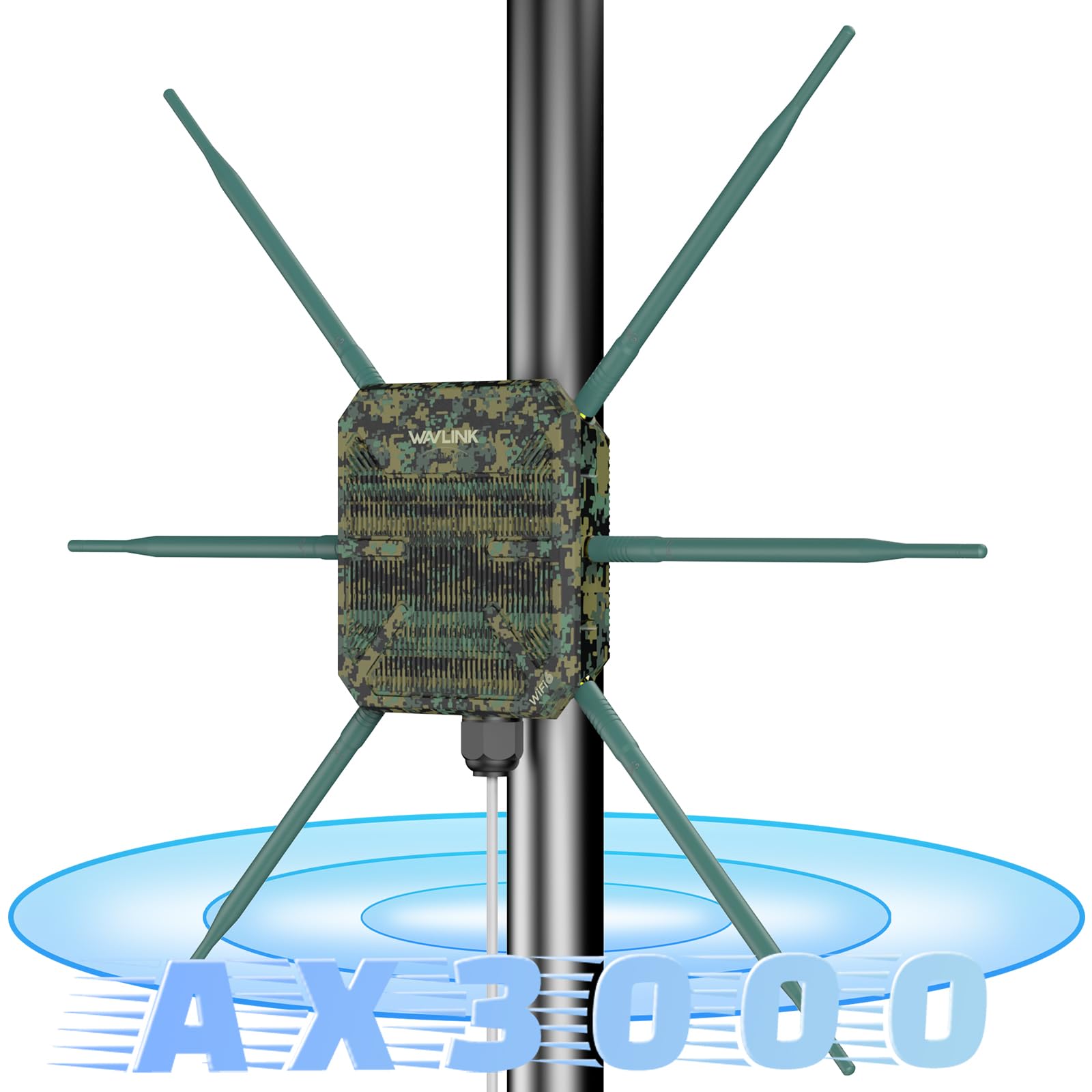
Figure 1: WAVLINK AX3000 WiFi6 Outdoor WiFi Extender with antennas, illustrating dual-band speeds of 2402Mbps on 5GHz and 573Mbps on 2.4GHz.
2. Kaj je v škatli
- 1 x Outdoor WiFi Repeater
- 6 x antene
- 1 x POE adapter
- 1 x napajalnik
- 1 x RJ45 Ethernet kabel
- Komplet za stensko montažo
- Navodila za namestitev
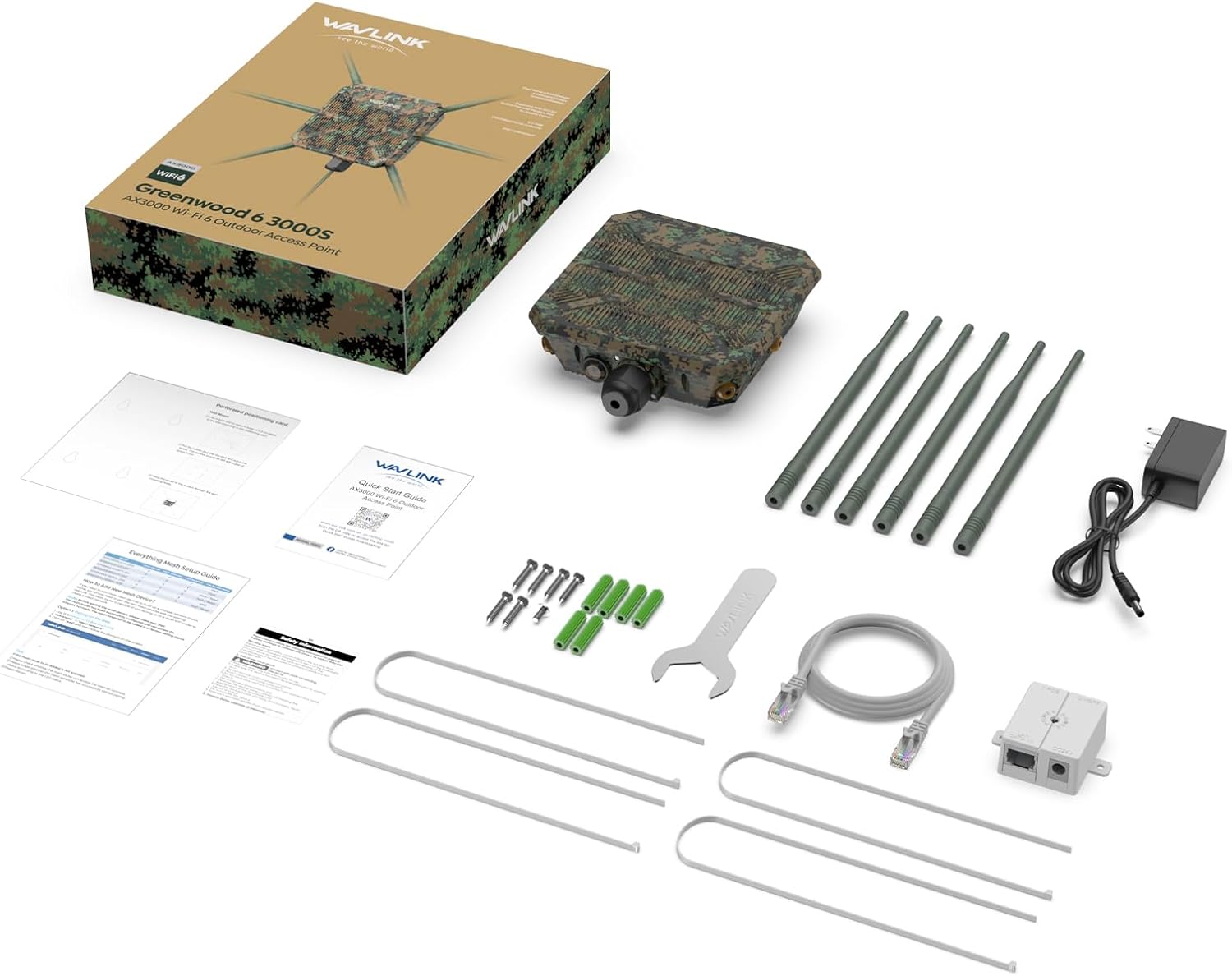
Figure 2: All components included in the WAVLINK AX3000 WiFi6 Outdoor WiFi Extender package.
3. Nastavitev in namestitev
The device supports flexible installation methods, including pole-mounting and wall-mounting, to suit various outdoor and indoor environments.
3.1 Pritrditev anten
Carefully screw the 6 omnidirectional antennas onto the designated ports on the main unit. Ensure they are securely fastened to maintain weather resistance.
3.2 Možnosti namestitve
The device can be mounted on a pole or directly to a wall using the provided mounting kit. The mounting template assists in accurate placement of screws or ties.

Figure 3: Illustration of pole-mounting and wall-mounting installation methods.
3.3 Power Over Ethernet (POE) Connection
The device is powered via an 802.3at Active POE adapter. Connect an Ethernet cable from your network switch or router to the POE adapter, and then connect another Ethernet cable from the POE adapter to the device's Gigabit WAN/LAN PoF Port. Ensure the waterproof connection is properly sealed for outdoor installations.

Slika 4: Nprample of connecting the extender to a Starlink router using a POE adapter.
Video 1: Unboxing and initial setup of the WAVLINK AX3000, demonstrating the physical components and their assembly. This video highlights the robust packaging and the omnidirectional antennas.
4. Načini delovanja
The WAVLINK AX3000 supports multiple operating modes to adapt to various network requirements:
- Način dostopne točke/usmerjevalnika: Functions as a primary access point or router, distributing Wi-Fi signals.
- Reater Mode: Razširi obseg obstoječega omrežja Wi-Fi.
- Mesh Extender Mode: Creates a seamless mesh Wi-Fi network with other compatible devices.

Figure 5: Visual representation of the different operating modes and their network configurations.
Video 2: Demonstrates the various modes of operation, including how to set up the device as a repeater to boost signal strength over long distances.
5. Uspešnost in pokritost
Equipped with Wi-Fi 6 technology, the AX3000 delivers ultra-fast dual-band speeds:
- Up to 2402Mbps on the 5GHz band.
- Up to 573Mbps on the 2.4GHz band.
The 6x7dBi omnidirectional antennas and built-in high-power amplifiers provide extensive Wi-Fi coverage, strengthening signals and expanding reach in open-air environments. Stability technology automatically avoids channel conflicts for reliable connections.

Slika 6: Npramples of environments where the extender provides stable and wide-ranging Wi-Fi access.
Video 3: Demonstrates the range and speed capabilities of the extender in various outdoor settings, including speed tests at different distances.
6. Odpornost na vremenske vplive
The WAVLINK AX3000 features a durable IP67 weatherproof enclosure, protecting it against harsh outdoor conditions such as extreme cold, heat, or continuous moisture. It is designed to withstand temperatures from -30°C to 70°C (-22°F to 158°F) and includes 15KV ESD and 4KV lightning protection for stable operation in challenging environments.

Slika 7: Konecview of the device's robust design for outdoor durability.
7. Specifikacije
| Funkcija | Podrobnost |
|---|---|
| Znamka | WAVLINK |
| Številka modela | WLAMUS-WN588HX3-GW-FBA |
| Standard brezžične komunikacije | 802.11a/b/g/n/ac, 802.11ax (WiFi 6) |
| Hitrost prenosa podatkov | 3000 Megabits Per Second (Combined) |
| Razred frekvenčnega pasu | Dvopasovni (2.4 GHz in 5 GHz) |
| Antene | 6 x 7dBi vsesmerne antene |
| Ocena vremenske odpornosti | IP67 |
| Temperaturna odpornost | -30 °C do 70 °C (-22 °F do 158 °F) |
| Zaščita | 15KV ESD, 4KV zaščita pred strelo |
| Napajalnik | 802.3at Active POE |
| Teža predmeta | 2.64 funtov |
| Dimenzije paketa | 13.66 x 10.28 x 2.91 palcev |
8. Odpravljanje težav
If you encounter issues with your WAVLINK AX3000, consider the following:
- Brez napajanja: Ensure the POE adapter is correctly connected and receiving power. Check all cable connections.
- Ni signala Wi-Fi: Verify that the device is powered on and configured in the desired operating mode (AP, Repeater, Router, Mesh). Check antenna connections.
- Poor Signal Strength/Speed: Adjust the device's placement and antenna orientation. Ensure there are no major obstructions. In Repeater mode, ensure the extender is within good range of the main router.
- Dostop ni mogoč Web Vmesnik: Ensure your device is connected to the extender's network (wired or wireless) and try accessing the default IP address or hostname. Refer to the quick start guide for default login details.
- Tovarniška ponastavitev: If configuration issues persist, locate the reset button (often recessed) and press and hold it for approximately 10 seconds until the device reboots to factory defaults.
9. Garancija in podpora
For any issues or support needs, please contact WAVLINK customer service:
- Telefonska podpora: +18889730883 (UTC-5) pon - pet 9:00 - 18:00
- Podpora po e-pošti: Kontakt@wavlink.com
WAVLINK is committed to providing high-quality products and support. Please retain your proof of purchase for warranty claims.


