Uvod
The Technoline WT175 is a compact and versatile quartz alarm clock designed for convenience and portability. It features a clear digital display and offers multiple functions including time, date, temperature, humidity, and various alarm settings. Its magnetic casing makes it suitable for travel and everyday use.

Slika 1: Spredaj view of the Technoline WT175 Mini Travel Alarm Clock, displaying the time and control buttons.
Ključne značilnosti
- 12/24 urni prikaz časa
- Prikaz datuma
- Temperature display (in Celsius)
- Prikaz vlažnosti
- Budilka s funkcijo dremeža
- Configurable alarm settings: Weekday, Weekend, or Daily
- Timer with countdown and stop function
- Indikator prazne baterije
- Magnetni casing for versatile placement
Vsebina paketa
- Technoline WT175 Mini potovalna budilka
- Uporabniški priročnik (ta dokument)
- Opomba: Baterije niso priložene in jih je treba kupiti posebej.

Slika 2: Product packaging for the Technoline WT175, detailing specifications and features.
Nastavitev
1. Namestitev baterije
- Poiščite predal za baterije na zadnji strani budilke.
- Odprite pokrov prostora za baterije.
- Insert 1x AAA Micro LR03 battery, ensuring correct polarity (+/-).
- Trdno zaprite pokrov prostora za baterije.
2. Začetni vklop
Upon successful battery installation, the display will activate. You may need to press the NASTAVI button to begin initial time and date configuration.
Navodila za uporabo
The Technoline WT175 features several control buttons: NASTAVI, START/STOP/PONASTAVITEV, ZZ (Snooze/Light), AL NASTAVITEV VKLOP-IZKLOP, +, in NAČIN.
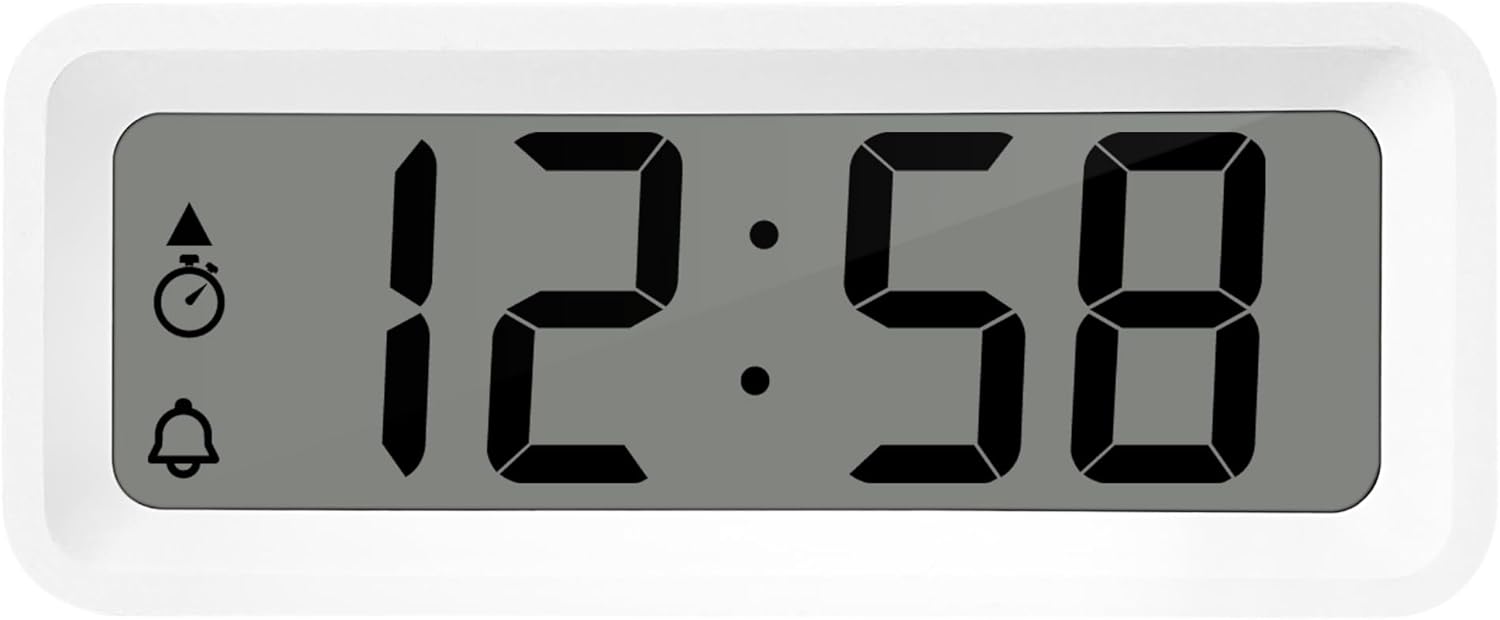
Slika 3: Podrobno view of the alarm clock's display and control buttons.
1. Nastavitev časa in datuma
- Pritisnite in držite NASTAVI gumb, dokler prikaz časa ne začne utripati.
- Uporabite + or - gumbi za nastavitev ure.
- Pritisnite NASTAVI again to confirm the hour and move to minutes.
- Uporaba + or - za prilagoditev minut.
- Nadaljujte s pritiskom NASTAVI za preklapljanje med leto, mesecem in dnevom ter njihovo nastavitev z uporabo + or - gumbi.
- Pritisnite NASTAVI še zadnjič za izhod iz načina nastavitev.
2. Izbira 12/24-urnega formata
V običajnem načinu prikaza časa pritisnite NAČIN gumb za preklapljanje med 12-urnim in 24-urnim formatom časa.
3. Nastavitev alarma
- Pritisnite AL NASTAVITEV VKLOP-IZKLOP button once to enter alarm setting mode. The alarm time will flash.
- Uporabite + or - gumbe za nastavitev ure budilke.
- Pritisnite AL NASTAVITEV VKLOP-IZKLOP again to confirm the hour and move to alarm minutes.
- Uporaba + or - za nastavitev minut alarma.
- Pritisnite AL NASTAVITEV VKLOP-IZKLOP again to confirm and exit alarm setting mode.
4. Activating/Deactivating Alarm and Snooze
- Za vklop alarma ON or IZKLOP, pritisnite AL NASTAVITEV VKLOP-IZKLOP button while in normal time display mode. An alarm icon will appear/disappear on the display.
- Ko se oglasi alarm, pritisnite tipko ZZ (Snooze) button to activate the snooze function. The alarm will temporarily stop and sound again after a few minutes.
- Za popolno ustavitev alarma pritisnite kateri koli drug gumb (npr. NASTAVI or NAČIN).
5. Weekday/Weekend/Daily Alarm Settings
The WT175 allows for flexible alarm scheduling. While in alarm setting mode (after pressing AL NASTAVITEV VKLOP-IZKLOP), you can cycle through alarm types by pressing the + or - buttons after setting the alarm time. Look for indicators on the display for:
- Dnevni alarm: Alarm se oglaša vsak dan.
- Weekday Alarm: Alarm se oglaša od ponedeljka do petka.
- Weekend Alarm: Alarm se oglaša v soboto in nedeljo.
6. Timer and Countdown Function
- Pritisnite NAČIN button repeatedly until the timer display appears (often indicated by a stopwatch icon).
- To set the countdown timer, press and hold NASTAVI. Uporaba + or - za nastavitev želenih ur, minut in sekund. Pritisnite NASTAVI za potrditev vsakega segmenta.
- Pritisnite START/STOP/PONASTAVITEV za začetek odštevanja.
- Pritisnite START/STOP/PONASTAVITEV znova za začasno ustavitev/nadaljevanje odštevanja.
- Za ponastavitev časovnika pritisnite in držite START/STOP/PONASTAVITEV.
7. Prikaz temperature in vlažnosti
The Technoline WT175 continuously displays the current indoor temperature (in Celsius) and humidity levels. These readings are typically shown alongside the time and date on the main display.

Slika 4: The WT175 alarm clock displaying time, temperature, and humidity in a bedroom setting.
Vzdrževanje
1. Zamenjava baterije
When the low battery indicator appears on the display, it is time to replace the battery. Follow the battery installation steps outlined in the Nastavitev section. Ensure to dispose of old batteries responsibly according to local regulations.
2. Čiščenje
To clean the alarm clock, use a soft, dry cloth. Do not use abrasive cleaners, solvents, or immerse the device in water. Avoid spraying cleaning solutions directly onto the unit.
Odpravljanje težav
- Zaslon je prazen ali zatemnjen:
- Preverite, ali je baterija pravilno nameščena.
- Zamenjajte baterijo s svežo.
- Alarm se ne oglasi:
- Prepričajte se, da je alarm aktiviran (ikona alarma je vidna na zaslonu).
- Preverite, ali je čas alarma pravilno nastavljen.
- Check the alarm type (Daily, Weekday, Weekend) matches your desired schedule.
- Napačen čas ali datum:
- Re-enter the time and date following the instructions in the Navodila za uporabo razdelek.
- Ensure the 12/24 hour format is set as desired.
- Gumbi se ne odzivajo:
- Za mehko ponastavitev odstranite in ponovno vstavite baterijo.
- Ensure the device is not in a specific setting mode that locks other buttons.
Specifikacije
| Funkcija | Podrobnost |
|---|---|
| Model | WT175 |
| Znamka | Tehnolinija |
| Dimenzije (D x Š x V) | 8.8 x 3.81 x 3.7 cm |
| Teža | 120 gramov |
| Vir napajanja | 1x AAA Micro LR03 Battery (not included) |
| Vrsta zaslona | Digitalno |
| Posebne lastnosti | Alarm, Snooze, Temperature, Humidity, Date, Timer, Countdown, Magnetic Casing, Low Battery Indicator |
| barva | Bela (glede na trenutno različico izdelka) |
| Notranja/zunanja uporaba | Notranja |

Slika 5: Dimensions of the Technoline WT175 alarm clock.
Garancija in podpora
For warranty information or technical support regarding your Technoline WT175 Mini Travel Alarm Clock, please refer to the warranty card included with your purchase or visit the official Technoline webmesto.
Uradna tehnološka linija Webspletno mesto: http://www.technoline.de


