Uvod
This manual provides detailed instructions for the 8BitDo Ultimate Mini Wired Controller for Xbox. It covers essential information regarding setup, operation, maintenance, and troubleshooting to ensure optimal performance and longevity of your device. This controller is officially licensed for Xbox and compatible with Xbox Series X|S, Xbox One, and Windows 10/11.
Nastavitev
The 8BitDo Ultimate Mini Wired Controller is designed for simple plug-and-play functionality. Follow these steps to connect your controller:
- Ensure your Xbox console (Xbox Series X|S, Xbox One) or Windows PC (Windows 10/11) is powered on.
- Poiščite prosta vrata USB na konzoli ali računalniku.
- Connect the USB-C end of the provided cable to the controller and the USB-A end to your console or PC.
- The controller will automatically be detected and configured. The Xbox button on the controller will illuminate to indicate a successful connection.
- For audio, connect a standard CTIA connector 3.5mm headset to the audio jack located on the controller.
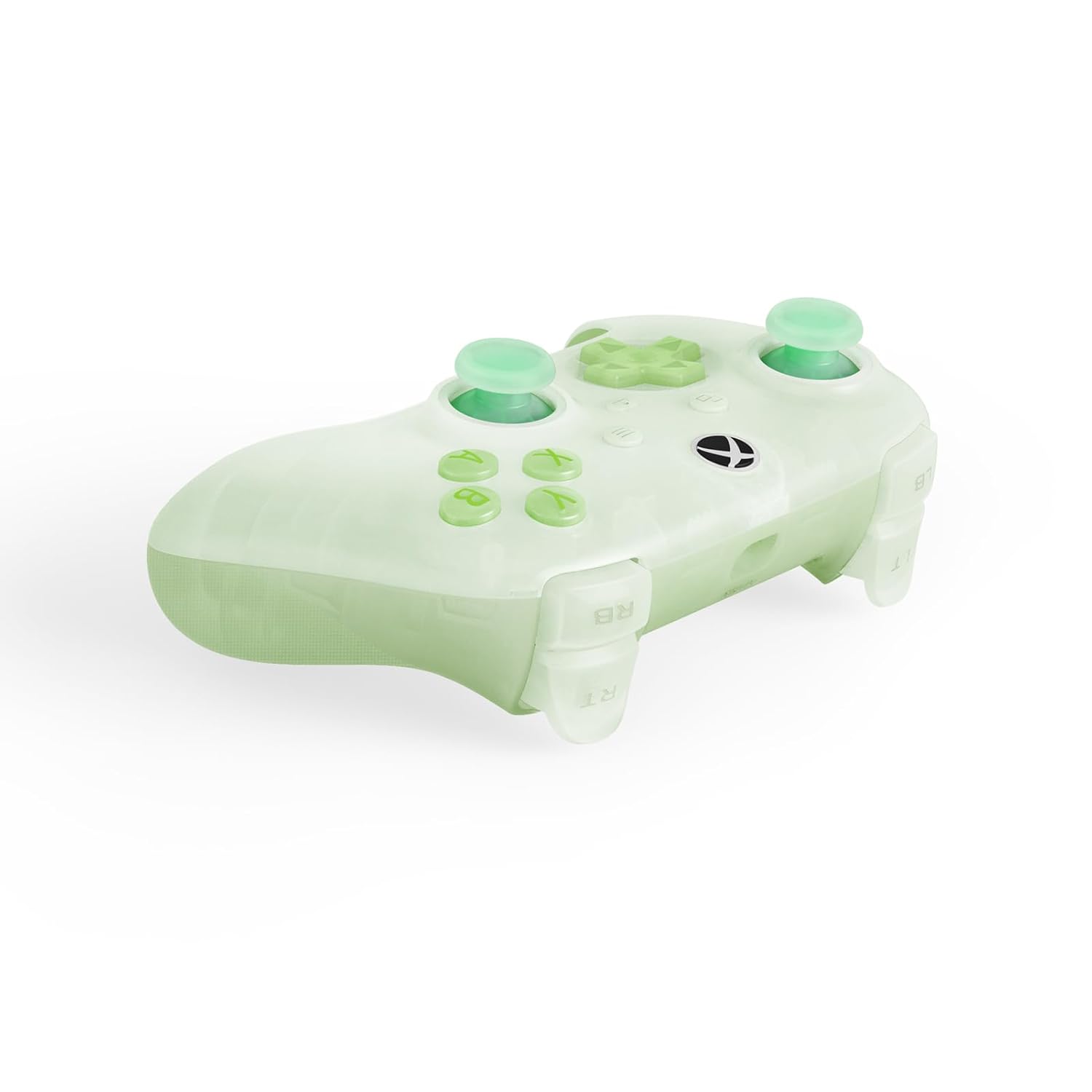
The controller is now ready for use. No additional drivers are typically required for supported systems.
Upravljanje krmilnika
The 8BitDo Ultimate Mini Wired Controller features a standard layout with several advanced functionalities:
- Igralne palice z Hallovim efektom: These joysticks provide enhanced precision and durability, reducing drift over time.
- Impulzni sprožilci: Experience tactile feedback with vibration in the triggers, adding immersion to your gameplay.
- Izboljšani odbijači in smerna ploščica: Designed for a responsive and tactile feel, ensuring accurate inputs.
- Crystal Action Buttons: Durable and clear action buttons for a consistent feel.
RGB Lighting Fire Ring
The controller features interactive RGB lighting around the joysticks, known as the 'Fire Ring'. This lighting can be adjusted through multiple modes:
- Fire Ring Mode: Displays a dynamic lighting effect.
- Light-tracing Mode: Follows your joystick movements with light.
- Rainbow Ring Mode: Cycles through a spectrum of colors.
To cycle through the lighting modes or turn off the lighting, locate the small button positioned below the right analog stick. Press this button to change modes or deactivate the lighting as desired.


Vzdrževanje
Proper maintenance ensures the longevity and performance of your 8BitDo Ultimate Mini Wired Controller:
- Čiščenje: Za brisanje površine krmilnika uporabite mehko, suho krpo. Za trdovratno umazanijo rahlo obrišiteampen the cloth with water. Avoid using harsh chemicals or abrasive cleaners, as these can damage the controller's finish and internal components.
- Shranjevanje: Krmilnik shranjujte na hladnem in suhem mestu, stran od neposredne sončne svetlobe in ekstremnih temperatur. Na krmilnik ne postavljajte težkih predmetov.
- Skrb za kabel: Handle the USB-C cable gently. Avoid sharp bends, kinks, or pulling the cable forcefully from the port. If the cable becomes damaged, replace it with a compatible USB-C cable to ensure proper functionality and safety.
Odpravljanje težav
Če imate težave s krmilnikom, si oglejte naslednje pogoste rešitve:
- Krmilnik se ne odziva:
- Prepričajte se, da je kabel USB varno priključen tako na krmilnik kot na konzolo/računalnik.
- Poskusite priključiti krmilnik na drug USB vhod.
- Test the controller on another compatible device (if available) to determine if the issue is with the controller or the original device.
- Znova zaženite konzolo ali računalnik.
- Lighting Issues (Too Bright/Not Working):
- Press the small button located below the right analog stick to cycle through lighting modes or turn the lighting off/on. Repeated presses will change the effect or brightness.
- Audio Jack Not Working:
- Ensure your headset uses a standard CTIA connector.
- Verify the headset is fully plugged into the 3.5mm audio jack on the controller.
- Preizkusite slušalke z drugo napravo, da se prepričate, da delujejo pravilno.
- Vhodni zamik ali prekinitve povezave:
- Ensure the USB cable is not damaged. Replace if necessary.
- Avoid using USB hubs if possible; connect directly to the console/PC.
Če ti koraki ne odpravijo težave, si za dodatno pomoč oglejte razdelek Podpora.
Specifikacije
| Funkcija | Opis |
|---|---|
| Številka modela | 6922621507000 |
| Povezljivost | Wired USB (USB-C to USB-A) |
| Združljivost | Xbox Series X|S, Xbox One, Windows 10/11 |
| Posebne lastnosti | Hall Effect Joysticks, Impulse Triggers, RGB Lighting Fire Ring (multiple modes), Refined Bumpers and D-pad, 3.5mm Audio Jack (CTIA standard), Crystal Action Buttons |
| Dimenzije | 7.48 x 5.51 x 0.79 palca (189.9 x 140 x 20 mm) |
| Teža | 11.99 unče (340 gramov) |
Garancija in podpora
Informacije o garanciji: This product comes with a manufacturer's warranty. Please refer to the warranty card included in the product packaging or visit the official 8BitDo webza podrobne garancijske pogoje.
Podpora strankam: For technical assistance, product inquiries, or warranty claims, please visit the official 8BitDo support page or contact their customer service through the contact information provided on their webspletno mesto. Ko se obrnete na podporo, imejte pri roki številko modela izdelka (6922621507000) in dokazilo o nakupu.